Introduction
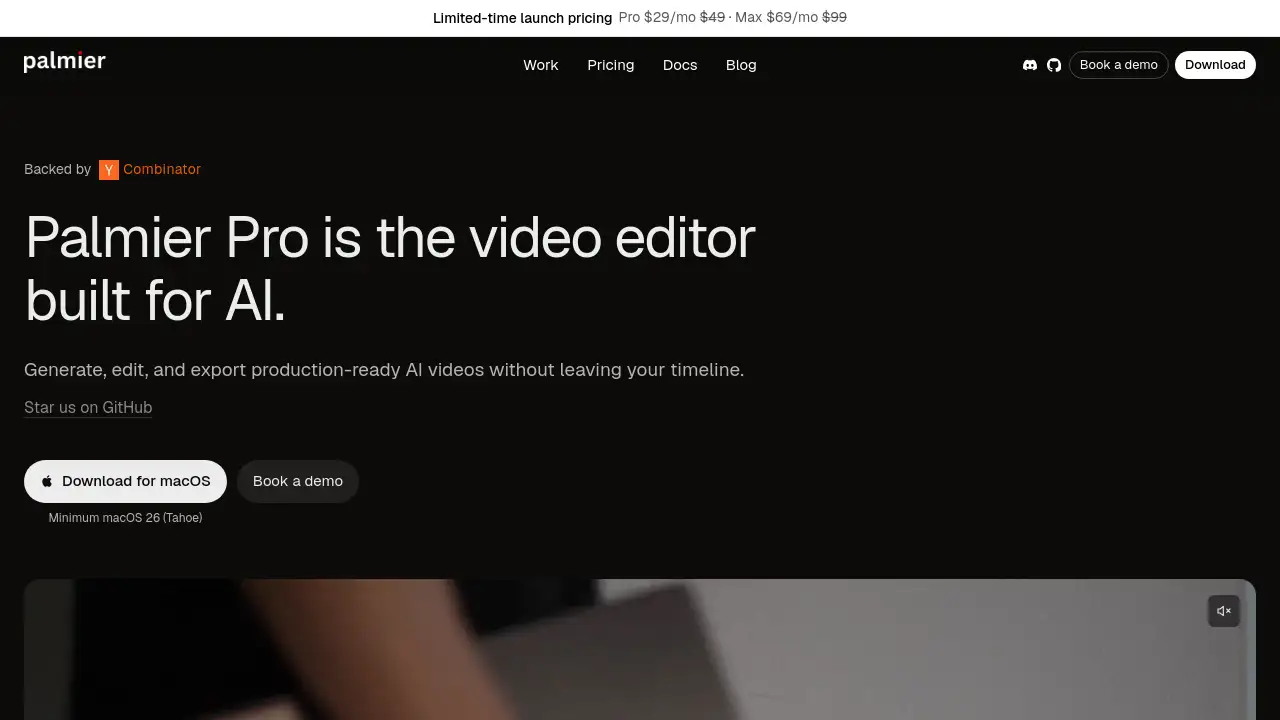
Palmier Pro is an AI video editor that brings artificial intelligence directly into the editing timeline, allowing users to generate, edit, and export production-ready videos without leaving their project.
What is Palmier Pro?
Palmier Pro is a next‑generation video editing platform that embeds AI media generation natively into the timeline. Unlike traditional video editors such as CapCut or Adobe Premiere Pro, Palmier Pro lets you generate video clips, images, audio, and even upscale media directly within your editing project. It also offers AI agents that can brainstorm ideas, generate content, and assist with editing tasks.
The product solves a common pain point for creators: the back‑and‑forth between separate generation platforms (like Runway or Artlist) and editing software. With Palmier Pro, you generate, iterate, trim, and finish your cut in one streamlined workflow. This makes it ideal for video editors, content creators, social media managers, and marketing teams who need fast turnaround times without sacrificing quality.
Palmier Pro also exposes an MCP (Model Context Protocol) server, allowing AI agents from Claude Desktop, Cursor, or Codex to read your project and make edits directly on the timeline. This opens up advanced automation possibilities for power users.
Key Features of Palmier Pro
Native AI Generation on the Timeline
Generate videos, images, audio, and upscaled clips directly in your timeline without switching to another tool. All AI generation lives inside the editor, so you can instantly iterate on results.
AI Agents for Brainstorming and Editing
Built‑in AI agents can help you brainstorm ideas, generate media, and even edit your video automatically. They work alongside you in the same project.
MCP Server Integration
Palmier Pro exposes an MCP server that lets external AI agents (like Claude Desktop, Cursor, and Codex) read your project and make timeline edits. Enable it in settings and connect your agent for powerful automation.
Mixed Media Support
Import your own footage and mix it with AI‑generated clips on the same timeline. No need to keep media in separate libraries.
Flexible Export Options
Export finished cuts as MP4 (H.264, H.265, ProRes) or as NLE XML for seamless round‑tripping with Adobe Premiere Pro and DaVinci Resolve.
Free Editor with Credit‑Based AI
The video editor itself is free to use. AI generation (video, image, audio, upscaling, and Palmier Chat) consumes credits, which can be purchased as needed.
Use Cases for Palmier Pro
Social Media Content Creation
Quickly generate short videos, viral clips, or promotional assets by combining AI‑generated scenes with your own footage. The timeline‑based workflow keeps everything organized.
Professional Video Editing with AI Assistance
Editors can use AI to generate placeholder clips, test visual ideas, or create background assets without leaving Premiere Pro or DaVinci Resolve – thanks to XML export.
Rapid Prototyping and Brainstorming
Use AI agents to brainstorm concepts, generate rough cuts, and refine ideas in minutes. This is especially useful for marketing teams and agencies.
Automated Editing via MCP
Developers and advanced users can connect external AI agents to automate repetitive editing tasks, such as trimming clips or adding effects, directly on the timeline.
How to Use Palmier Pro
- Download and start a project – Install Palmier Pro and create a new timeline.
- Generate media with AI – Use the AI generation tools or ask an AI agent to create video, image, or audio clips directly on your timeline.
- Mix with your own footage – Import your existing media and drag it onto the same timeline alongside AI‑generated clips.
- Edit and trim – Use standard editing tools (trim, split, rearrange) to refine your cut. The AI agents can also help with editing tasks.
- Export your finished video – Choose MP4 (H.264, H.265, ProRes) or export an XML for Premiere Pro or DaVinci Resolve.
Credits are consumed only when generating AI media – the basic video editor functions are free.
Target Audience for Palmier Pro
- Video editors and content creators who want to speed up production
- Social media managers looking for quick, on‑brand video content
- Marketing teams and agencies needing rapid prototyping and iteration
- AI enthusiasts and developers interested in MCP integration
- Professionals who need seamless round‑tripping with Premiere Pro or DaVinci Resolve
Is Palmier Pro Free?
Palmier Pro offers a free video editor with no AI generation capability. For AI features (video, image, audio, upscaling, and Palmier Chat), you purchase credits. Custom credit packs and team/enterprise plans are available – more details can be found by booking a demo.
| Plan | Price | Features |
|---|---|---|
| Free | $0 | Full video editor without AI generation, import own media, basic export (MP4, XML) |
| Pro (Credits) | Pay‑as‑you‑go | AI generation (video, image, audio, upscaling, chat) – credit packs purchased as needed |
| Team / Enterprise | Custom | Custom credit plans, security features, dedicated support – book a demo |
Palmier Pro's Pros and Cons
| Aspect | Pros | Cons |
|---|---|---|
| Workflow | Native AI generation on the timeline eliminates context switching | Credit cost for AI generation may add up for heavy users |
| Integration | Exports to Premiere Pro/DaVinci Resolve XML; MCP server for AI automation | Relatively new product with a smaller community than established editors |
| Features | AI agents for brainstorming and editing; mixed media support | Free editor lacks AI features; some may prefer standalone generation tools |
| Pricing | Editor is free; credits only for AI generation | No clear per‑month subscription; users must purchase credit packs |
Frequently Asked Questions about Palmier Pro
How is Palmier Pro different from Runway or Artlist?
Runway, Higgsfield, and Artlist are generation platforms where you create media and then download it to edit elsewhere. Palmier Pro is a full video editor with AI generation built directly into the timeline. You generate, iterate, trim, and export in one project, without downloading and reimporting clips.
Can I use my own footage alongside AI‑generated clips?
Yes. You can import your own media (videos, images, audio) and place it next to AI‑generated clips on the same timeline. The editor handles mixed media seamlessly.
What do credits cover?
Credits pay for AI generation: video, image, audio, upscaling, and Palmier Chat. The video editor itself (without AI) is free. Each AI action consumes a certain number of credits.
Is there a free version of Palmier Pro?
Yes. The video editor is free to use without any AI generation. You can import your own media, edit on the timeline, and export standard formats. AI features require credits.
Can I export my project to Premiere Pro or DaVinci Resolve?
Yes. Palmier Pro supports export as MP4 (H.264, H.265, ProRes) and as NLE XML, which can be imported into Adobe Premiere Pro and DaVinci Resolve for further editing.
Do you offer team or enterprise plans?
Yes. Custom credit packs and team/enterprise plans are available. Palmier Pro is also working on security features for enterprise use. You can book a demo to discuss specific needs.
Palmier Pro Tags
AI video editor, Palmier Pro, timeline AI generation, video editing with AI, AI video generation, MCP integration, AI agents, video production, content creation, editing software, AI upscaling, video editor with AI, native AI timeline, AI‑assisted editing