Introduction
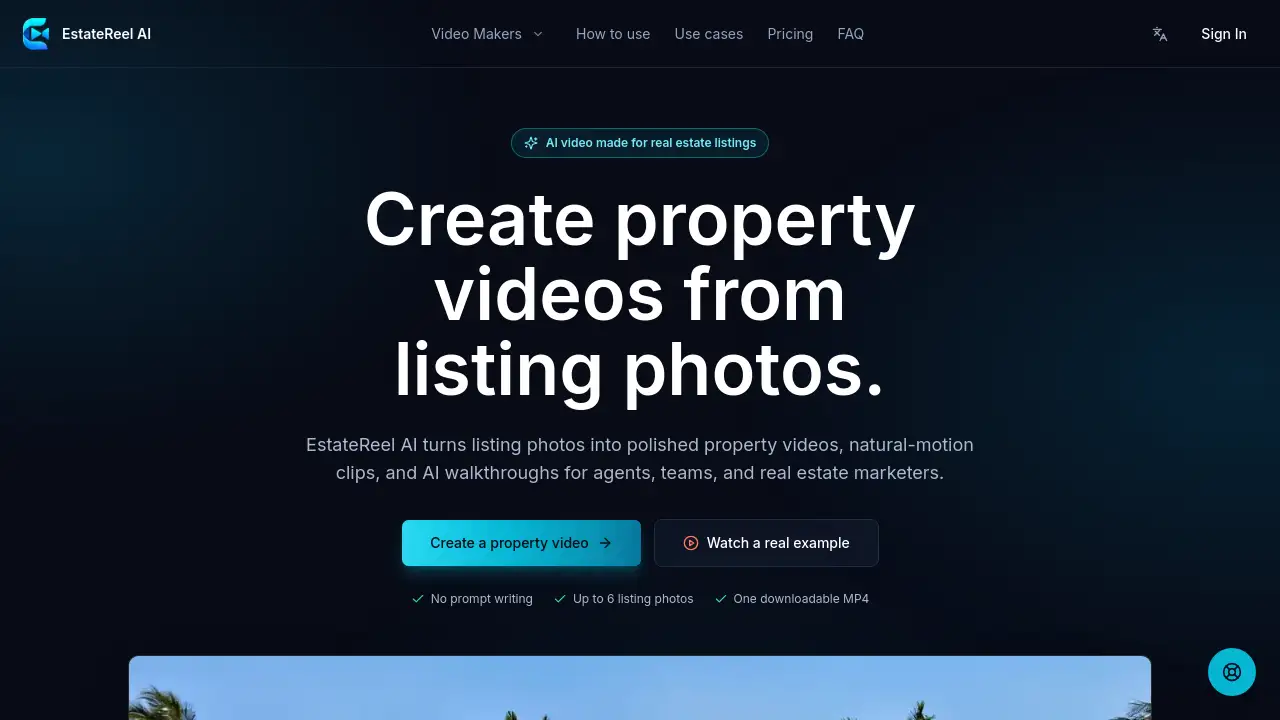
EstateReel AI turns listing photos into polished property videos, natural-motion clips, and AI walkthroughs for agents, teams, and real estate marketers. This real estate video creator simplifies video production for listing promotions.
What is EstateReel AI?
EstateReel AI is a focused tool that converts still listing photos into engaging property videos without requiring video editing skills. Designed for real estate agents, teams, and marketers, it solves the problem of creating consistent, professional-looking video content from existing photography. Instead of scheduling a videographer or learning complex software, users upload up to six listing photos, choose a video type, and receive a downloadable MP4 file. The AI automatically adds natural camera movement to each still image, creating a sense of depth and flow. This matters because video listings attract more buyer attention, but traditional production is time-consuming and expensive. EstateReel AI provides a repeatable, fast workflow for generating listing videos that agents can publish across websites, social media, and portals.
Key Features of EstateReel AI
Photo-to-Video Conversion
Upload existing listing photos – exterior, rooms, amenities – and the AI transforms each still into a short video clip with natural motion. No prompt writing is required.
Scene Arrangement
Users can arrange photos in the order they want buyers to discover the property. The tool combines clips in that exact sequence to tell a cohesive story.
Natural Camera Movement
Every still view receives gentle, simulated camera motion that gives depth before transitioning to the next scene. This makes the property video feel immersive without a videographer.
Downloadable MP4 Output
Once the video is generated, users review it in their workspace and download a single MP4 file ready for publishing on any channel.
Pre-Set Video Makers
Different video maker options open focused creation flows tailored to specific outcomes, such as walkthroughs or highlight reels, without extra settings.
Repeatable Workflow
Because the process uses existing photos, agents can quickly produce multiple listing videos for different properties using the same simple steps.
Use Cases for EstateReel AI
Social Media Listing Teasers
Create short property videos for Instagram, Facebook, or TikTok posts that showcase the best views of a home using the same source photos.
Website and Portal Embeds
Add a polished property video to MLS listings, agent websites, or real estate portals to give buyers more context than a static gallery.
Email Marketing Campaigns
Include a video link in listing announcements to increase open rates and engagement with potential buyers.
Open House Previews
Send a preview video to interested buyers before an open house, highlighting key rooms and amenities to generate excitement.
Team Consistency
Real estate teams can produce uniform video assets across multiple listings, maintaining a professional brand look without individual editing.
How to Use EstateReel AI
- Upload listing photos – Gather up to six strong images of the exterior, interior, and key amenities. Upload them in the order you want buyers to experience.
- Choose a video type – Select the appropriate video maker from the available options based on the outcome you need (e.g., walkthrough, highlight reel).
- Generate and review – The AI creates natural-motion clips from each photo and assembles them into a single video. Review the finished property video in your workspace.
- Download – Once satisfied, download the MP4 file and publish it wherever your listing appears – websites, social media, or portals. No timeline to learn, no prompts to write. The entire EstateReel AI workflow is designed for speed and repeatability.
Target Audience for EstateReel AI
- Real estate agents who need quick listing videos from existing photos.
- Real estate teams that produce multiple property videos regularly.
- Real estate marketers managing social media and listing campaigns.
- Property photographers who want to offer video upgrades to clients.
- Luxury home sellers who want polished but cost-effective video assets.
Is EstateReel AI Free?
EstateReel AI offers both subscription plans and one-time credit packs for purchasing video generations. A free trial or free tier may be available for initial use – details about exact pricing tiers should be checked on the official website, as the homepage references "subscriptions and one-time credit packs" without specific dollar amounts. Users can begin by uploading photos and generating a video without immediate payment for the first use.
| Plan | Price | Features |
|---|---|---|
| Free Trial | $0 | Limited video generation (check availability) |
| Subscription | Monthly fee | Multiple generations, priority support |
| Credit Pack | One-time | Buy credits per video, no recurring commitment |
Pricing information based on publicly available homepage content; see EstateReel AI pricing for current rates.
EstateReel AI's Pros and Cons
| Aspect | Pros | Cons |
|---|---|---|
| Ease of Use | No prompt writing; simple upload-and-generate flow. | Limited to 6 photos per video; no custom transitions. |
| Speed | Fast turnaround – photos in, video out within minutes. | Cannot add voiceover or captions in the current version (MVP). |
| Output Quality | Natural motion effect makes still images feel dynamic. | Not suitable for properties needing on-site shoots or bespoke direction. |
| Pricing | Flexible subscriptions and credit packs. | Exact costs not publicly detailed; may be unclear upfront. |
| Integration | Ready-to-download MP4 for any platform. | No direct social media posting from the tool. |
Frequently Asked Questions about EstateReel AI
How many listing photos do I need?
Current renders use up to 6 selected photos. Each photo becomes one short scene, so choose the strongest exterior, living area, kitchen, bedroom, amenity, or neighborhood shots for the clearest story.
How is the final video assembled?
Each uploaded photo becomes one short video clip. EstateReel AI combines the clips in the exact order you arrange them.
Can I add voiceover and captions?
The first release focuses on stable photo-to-video scenes and automatic assembly. Voiceover and burned-in captions are not part of the current MVP.
Which login and payment options are available?
Login supports Google. Paid checkout uses Stripe, with both subscriptions and one-time credit packs.
Who owns the generated video?
You can download and publish generated videos for your own listings, subject to the media rights, music, voice, and usage terms that apply to your account.
Can I reuse the same photos for multiple video types?
Yes, you can upload the same listing photos into different video makers to create varied outputs like walkthroughs or highlight reels.
EstateReel AI Tags
EstateReel AI, real estate video creator, property video maker, AI walkthroughs, listing photo to video, real estate agent tool, property video generator, real estate marketing video, AI video for listings, listing video creation, real estate team software, natural motion video.