Introduction
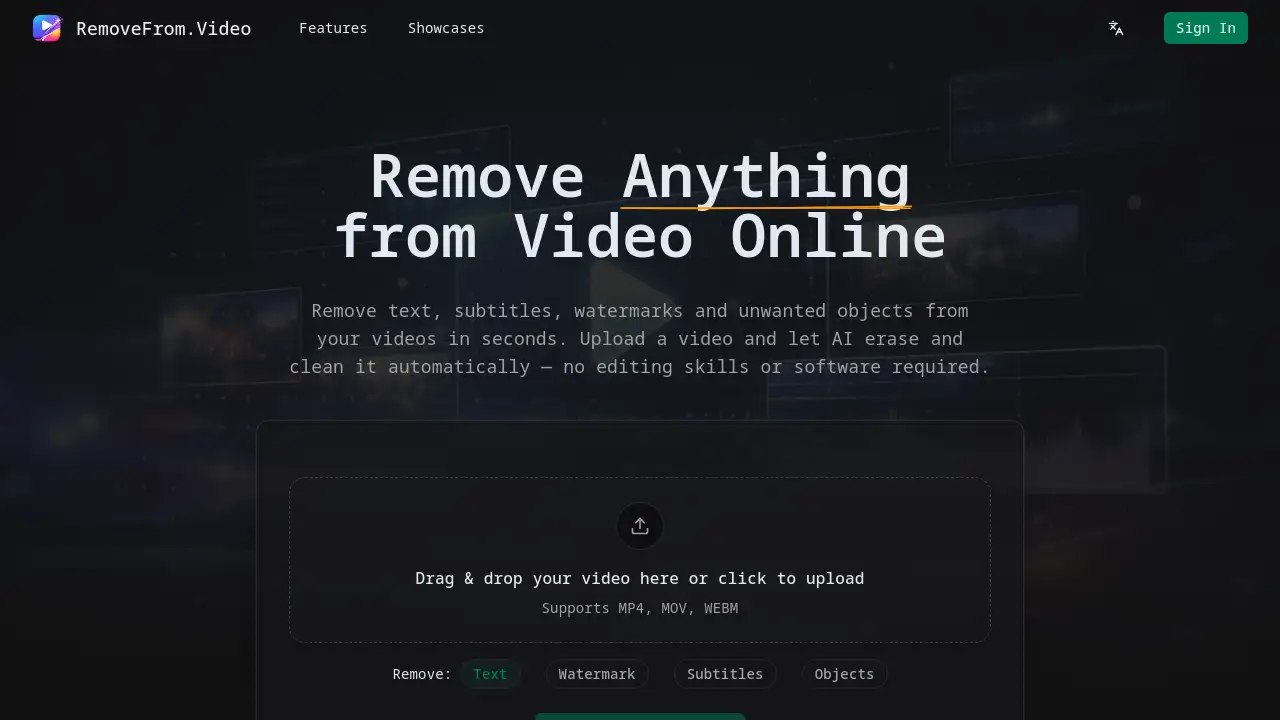
An AI-powered online tool to remove watermarks, text, and objects from videos.
What is Remove Watermark From Video?
Remove Watermark From Video is an online AI video editor designed to clean unwanted elements from video footage. This tool specifically solves the problem of removing distracting overlays like logos, hardcoded text, subtitles, and objects without requiring complex editing software or skills. It is suitable for a wide range of users, from social media creators and marketers to educators and everyday vloggers. The service matters because it provides a fast, accessible way to repurpose content, improve video professionalism, and fix filming mistakes, all while aiming to preserve the original video quality. The process leverages AI video inpainting to automatically detect and erase elements, rebuilding the background seamlessly.
Key Features of Remove Watermark From Video
Advanced AI Video Inpainting
The tool is powered by modern AI models that understand motion and scene continuity to remove unwanted elements and naturally rebuild the background across video frames.
Automatic Detection and Processing
AI automatically detects common elements like text, watermarks, and objects, reducing the need for manual selection and making video cleanup faster and more efficient.
High-Quality Output Preservation
The system maintains the original video's clarity, smooth motion, and lighting during processing to ensure the final result looks natural and professional without blur or pixelation.
Cloud-Based Online Processing
Users can process videos directly in their web browser without needing to download or install heavy editing software, making it an accessible online video cleaner from any device.
Simple and Fast Workflow
Designed for speed and ease of use, the platform allows anyone to upload a video and get a cleaned result in just a few simple steps.
Dedicated Removal Modes
The tool offers specific modes for removing text from video, deleting watermarks, cleaning subtitles, and erasing objects, each optimized with dedicated AI processing.
Use Cases for Remove Watermark From Video
Repurposing Social Media Content
Creators can remove platform-specific watermarks, like a TikTok watermark or YouTube channel logo, to repost videos across different platforms such as Instagram Reels or YouTube Shorts.
Creating Professional Tutorial Videos
Educators and trainers can erase unwanted text, captions, or on-screen distractions from screen recording videos and tutorial videos to produce cleaner, more focused educational content.
Enhancing Marketing and Promotional Material
Marketers can use the tool to clean up product videos and marketing videos by removing dated logos, text overlays, or background objects, ensuring brand presentations look polished.
Improving Personal and Travel Footage
Vloggers and everyday users can remove accidental photobombers, signs, or other distractions from travel videos and vlog videos to create more enjoyable and focused personal footage.
How to Use Remove Watermark From Video
Using this online video cleaner is a straightforward process completed in four steps.
- Upload Your Video: Visit the website and upload your video file. The tool supports common formats like MP4, MOV, and WEBM.
- Select Removal Mode: Choose what you want to remove. Select from dedicated modes for Text, Watermark, Subtitles, or Objects.
- Process with AI: Click the "Remove from Video" button. The AI will then automatically process the video, erasing the selected element and reconstructing the background.
- Preview and Download: Review the generated video. If satisfied, download the cleaned, watermark-free video to your device.
Target Audience for Remove Watermark From Video
- Social Media Creators and Influencers
- Digital Marketers and Social Media Managers
- Educators, Trainers, and Online Course Creators
- Businesses creating product demo or promotional videos
- Vloggers and Travel Content Creators
- General users looking to clean up personal videos without learning complex software
Is Remove Watermark From Video Free?
Based on the available reference information, the service emphasizes "No signup required" and "Fast AI processing," which strongly suggests a free tier or free trial is available for basic use. However, specific pricing plans, limitations for free users, or details on premium subscriptions are not provided on the homepage. For complete and current information on any pricing, free allowances, or paid features, users should visit the official website's pricing page.
Remove Watermark From Video's Pros and Cons
| Aspect | Pros | Cons |
|---|---|---|
| Ease of Use | Extremely simple, browser-based workflow with no software installation required. | Advanced customization or manual control over the AI process may be limited. |
| Technology | Uses advanced AI video inpainting for high-quality, natural-looking results. | AI reconstruction may not be perfect for very complex scenes or fast-moving backgrounds. |
| Accessibility | Cloud processing makes it accessible on any device, ideal for beginners. | Requires a stable internet connection to upload and process videos. |
| Pricing | A free option or trial appears to be available, lowering the barrier to entry. | Full pricing and limitations of the free tier are not clearly detailed on the homepage. |
Frequently Asked Questions about Remove Watermark From Video
What video formats does this tool support?
The online video remover supports common video formats including MP4, MOV, and WEBM for both upload and download.
Can it remove hardcoded subtitles?
Yes, the tool has a dedicated mode for removing hardcoded subtitles and burned-in captions from movies, tutorials, and other videos automatically.
Is the video quality preserved after removal?
The tool is designed to maintain high-quality output, preserving the original video's clarity and motion consistency without introducing blur or pixelation where elements are removed.
Do I need to create an account to use it?
According to the homepage, no signup is required to use the basic service, allowing for fast and anonymous processing.
What kind of objects can be removed from a video?
The AI object eraser can remove various unwanted elements, including people, background distractions, signs, vehicles, and other objects to fix filming mistakes or clean up scenes.
Is it safe to upload my videos to the website?
The service uses cloud processing. While the homepage does not detail specific security protocols, it is generally advisable for users to review the site's privacy policy before uploading sensitive or proprietary content.
Remove Watermark From Video Tags
remove watermark from video, online video watermark remover, remove text from video, AI video editor, remove objects from video, video text eraser, subtitle remover online, clean video online, remove logo from video, TikTok watermark remover, video inpainting tool, erase watermark from video