Introduction
Upscayl Anime Upscaler is an online AI tool that enlarges anime images without turning them into a blurry mess. It is designed for anyone who needs an anime image upscaler for manga panels, character art, wallpapers, and AI-generated illustrations. The tool keeps line art clear while reducing pixelation.
What is Upscayl Anime Upscaler?
Upscayl Anime Upscaler is a browser-based image enlargement tool built specifically for anime and illustration-style artwork. It focuses on the problems people see after a normal image resize: blocky pixels, unclear outlines, soft details, and compression noise.
The main goal of this anime upscaler is to create a larger version of a small image while preserving the original drawing style. Instead of simply stretching the image, it uses AI to rebuild missing pixels around lines, eyes, hair, clothing, text, and background shapes. This makes it useful for animated screenshots, manga panels, digital illustrations, wallpaper edits, and AI art preparation.
The tool is suitable for artists, manga fans, streamers, social media managers, and designers who need to upscale anime images quickly. It also works as a batch anime upscaler, so users can process several related images in one queue. The online workspace is simple and does not require installing software.
Key Features of Upscayl Anime Upscaler
Anime / Art Mode for Illustrated Work
The anime upscaler opens with Anime / Art mode already selected. This means the first upload starts with an enhancement mode designed for flat colors, cel shading, outlines, and other illustration details.
Multiple Upscaling Options
Users can choose 1×, 2×, 4×, 6×, or 8× scale. This helps people upscale anime art for small profile pictures, large screen wallpapers, or print drafts.
Batch Upload and Review Queue
The workspace accepts up to five images at once. Users can upload several manga panels or stream assets and review each completed result before downloading.
Face Enhancement Control
The tool includes a Face Enhance option. This is helpful when anime portraits need clearer facial features after being enlarged.
Flexible Output Format
Users can choose the output format that fits their workflow. The upload area accepts JPG, PNG, and WebP files, with a ZIP option for batch processing.
Fast Online Workflow
Because Upscayl Anime Upscaler runs in the browser, there is no complicated setup. The process is quick and works well for anyone who needs a simple AI anime upscaler.
Use Cases for Upscayl Anime Upscaler
Enlarging Character Illustrations
Artists can use this anime upscaler to prepare character portraits, commissions, or licensed illustrations for larger layouts and presentations.
Preparing Manga Panels for Digital Reading
Manga creators and editors can upscale anime images of comic pages or panels. They can inspect ink lines, lettering, screentones, and small text before publishing.
Adapting Artwork for Displays and Wallpapers
Users can create larger versions of authorized artwork for desktop backgrounds, tablets, event displays, or presentations without relying on a basic stretched resize.
Enhancing AI-Generated Anime Art
People who create AI images can upscale anime art to increase working size. They can then check faces, hands, accessories, gradients, and background geometry before sharing.
Building Consistent Stream Graphics
VTubers and streamers can use the batch anime upscaler to enlarge portraits, overlays, emotes, and scene elements in one queue for channel layouts.
Creating Print-Ready Files
Designers can prepare owned or licensed art for posters, proofs, or merchandise mockups. The larger file helps with layouts and final print checks.
How to Use Upscayl Anime Upscaler
- Open the Upscayl Anime Upscaler page.
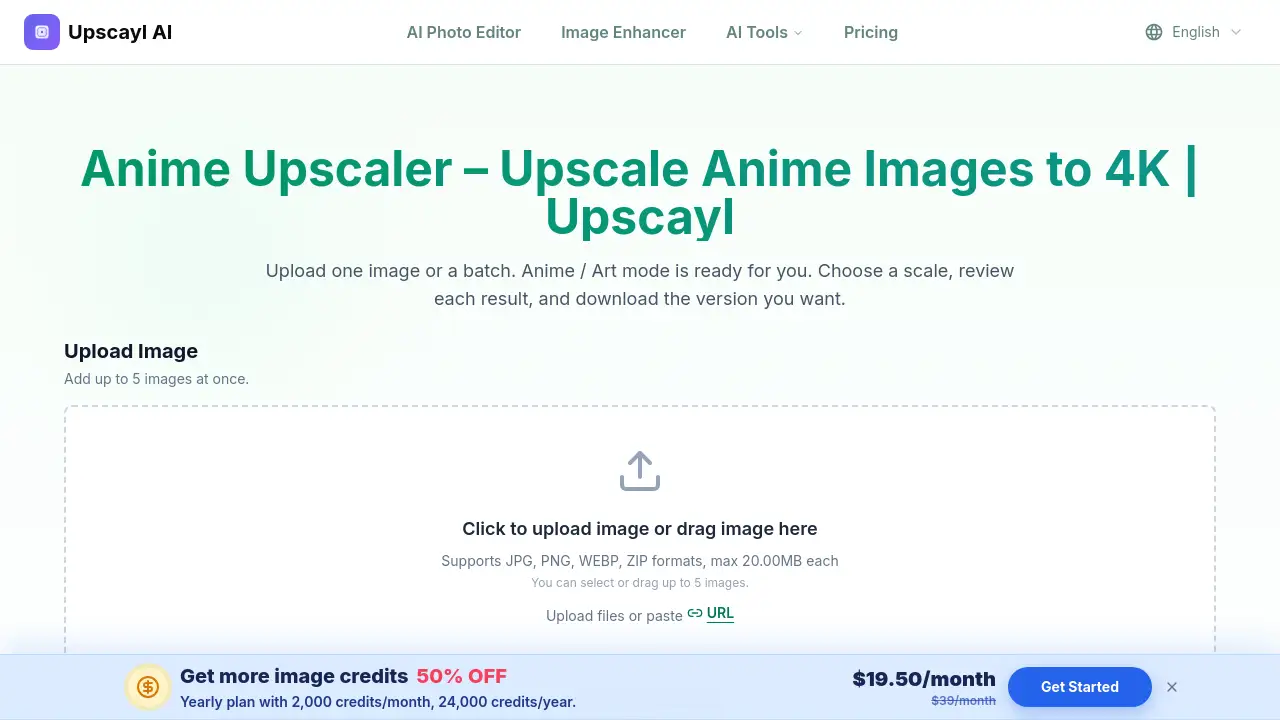
- Upload one image or a batch of up to five images. JPG, PNG, and WebP files are supported.
- Keep Anime / Art mode selected.
- Choose the scale you need: 1×, 2×, 4×, 6×, or 8×.
- Select the output format and Face Enhance option if needed.
- Review each result at full size, then download the image or batch.
Users can also drag and drop files directly into the upload area. The best workflow is to check fine details like small text and outlines before final download.
Target Audience for Upscayl Anime Upscaler
- Anime artists and illustrators
- Manga editors and self-publishers
- VTubers and streamers
- AI art creators
- Social media managers
- Graphic designers and print makers
- Anime wallpaper and collection enthusiasts
Is Upscayl Anime Upscaler Free?
Upscayl Anime Upscaler offers free usage to start. The Anime / Art processing uses the credit amount shown in the upload workspace. Users who need higher-volume or larger-scale work may need additional credits.
| Plan | Price | Features |
|---|---|---|
| Free Usage | $0 to start | Limited credits, Anime / Art mode, batch upload, multiple scales |
| Credit Packs | Varies by usage | More uploads, higher scales, additional processing volume |
Since pricing can change, users should check the official Upscayl website for current credit rates and plan details.
Upscayl Anime Upscaler's Pros and Cons
| Aspect | Pros | Cons |
|---|---|---|
| Features | Anime / Art mode, batch upload, multiple scales, Face Enhance | Does not support video or GIF animation |
| Ease of Use | Simple three-step online workflow | Manual review is recommended for fine details |
| Pricing | Free usage available | High-volume or high-scale work may require credits |
| Limitations | Good for still images and illustration art | Some repeated patterns like screentones can change |
Frequently Asked Questions about Upscayl Anime Upscaler
What does an anime upscaler do?
It uses AI to enlarge illustrated images while paying close attention to outlines, flat colors, cel shading, and other details common in anime, manga, and digital art.
Can I upscale an anime image to 4K?
You can choose a larger scale and create an output suitable for many 4K layouts. The exact final dimensions depend on the width and height of the source image, so check the exported pixel dimensions rather than relying only on the 4K label.
Is the anime upscaler free?
You can start with the free usage available on Upscayl. Anime / Art processing uses the credit amount shown in the upload workspace, and higher-volume or higher-scale work may require additional credits.
Does anime image upscaling work for manga?
Yes. Manga panels, comic art, monochrome illustrations, and ink drawings can be uploaded. Review small lettering, screentones, and very fine cross-hatching carefully because repeated patterns can change during AI reconstruction.
Will upscaling change the original anime style?
Anime mode is intended to preserve illustrated edges and color regions, but every AI upscaler estimates missing pixels. Compare faces, line weight, gradients, text, and small accessories with the source before publishing or printing the result.
Can I batch upscale anime images?
Yes. The upload workspace supports single and batch image queues. Add related images, keep Anime / Art mode selected, choose output settings, and review each completed result before downloading.
Upscayl Anime Upscaler Tags
Upscayl Anime Upscaler, anime upscaler, upscale anime images, anime image upscaler, AI anime upscaler, batch anime upscaler, upscale anime art, manga upscaler, anime wallpaper upscaler, online anime upscaler, anime AI art upscaler, anime art enhancer