Introduction
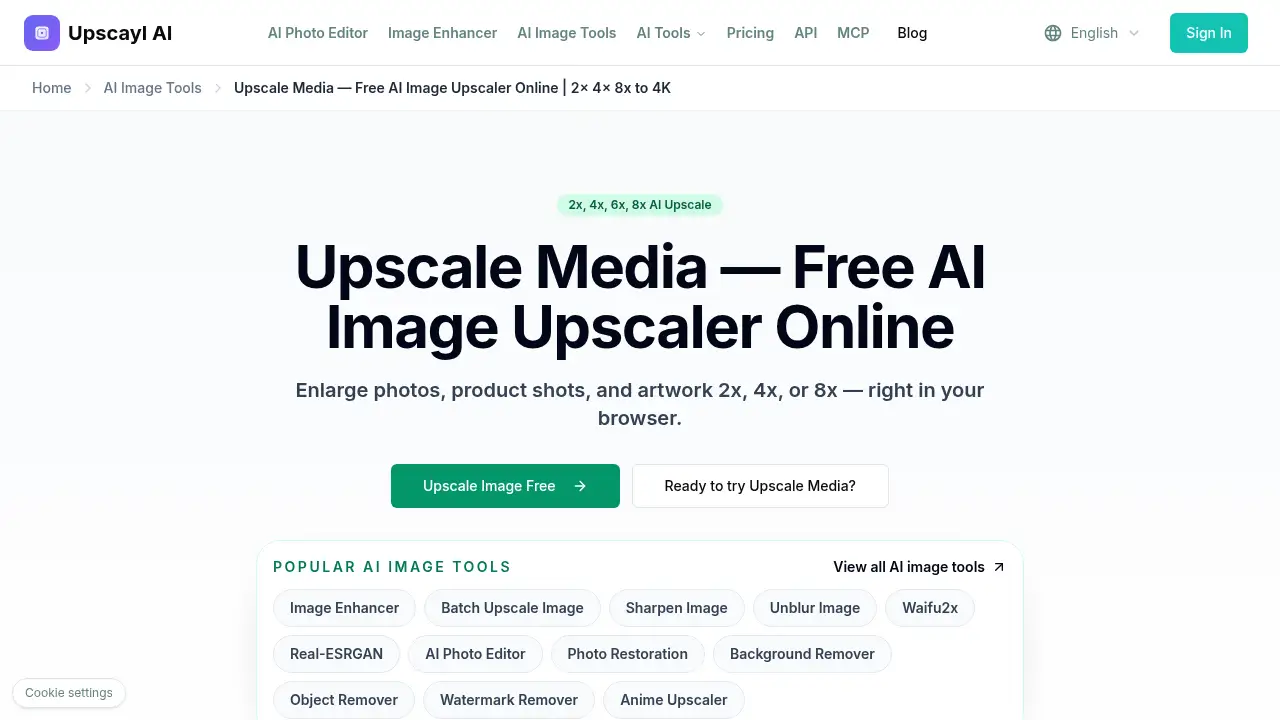
Upscale Media enlarges images online with AI.
What is upscale media?
Upscale Media is a browser-based AI image upscaler for anyone who needs larger images without losing sharpness. It helps users upscale images online from 2x to 8x, producing 4K-ready results for photos, product shots, and artwork. Unlike basic stretching tools, this free AI image upscaler reconstructs edges, smooths pixelation, and restores fine detail. The appeal is simple: no sign-up, no watermark, and no payment required. The tool suits casual users, online sellers, designers, and anyone who needs quick AI upscaling in a browser.
Key Features of upscale media
Upscale Media combines AI upscaling with practical controls for different image types.
AI-Powered Image Upscaling
Use AI to upscale images online while keeping edges, textures, and small details clearer than ordinary resizing. This AI image upscaler is designed for photos, graphics, and screenshots.
2x, 4x, 6x, and 8x Enlargement
Choose 2x, 4x, 6x, or 8x output sizes, from quick web images to larger print-ready files. The flexible sizing makes the platform useful for different screen and print needs.
Batch Processing for Multiple Images
Upload up to five images at once and run batch image upscaling with consistent settings. This is helpful for product sets, social media assets, and small photo collections.
Face Enhancement for Portraits
Enable face-aware processing to sharpen eyes and facial features in portraits or group photos. The option aims to improve faces without making the result look artificial.
Wide Format Support
The tool accepts JPG, PNG, and WebP files directly, plus ZIP uploads, with a maximum of 20MB per file. Users do not need to convert most common image formats before uploading.
Free, No Sign-Up, No Watermark
Download high-resolution results without creating an account, paying a fee, or adding a watermark. This makes the free image upscaler easy to test for one-off tasks or regular use.
Use Cases for upscale media
Upscale Media fits tasks where a small image needs a cleaner, larger version.
Low-Resolution Photo to 4K
Enlarge old or compressed photos so they look sharper on HD or 4K screens. This AI upscaling approach can reduce blur caused by enlargement when the source has visible detail.
Product Photos for Ecommerce
Use Upscale Media to upscale product shots for cleaner labels, crisp outlines, and better zoom previews in online stores. Sharper product images can help shoppers inspect details more easily.
Artwork and Social Graphics
Upscale artwork, screenshots, and social posts to keep text readable and lines clean after resizing. The tool is useful when a small graphic needs to be reused at a larger size.
Archive and Family Photos
Restore detail in family photos with the free AI image upscaler, especially when the original image has clear structure. It can make older digital files more comfortable to view on modern screens.
How to Use upscale media
Using Upscale Media takes three simple steps.
- Upload a JPG, PNG, or WebP image to Upscale Media. Up to five images can be added for batch processing, with a 20MB limit per file.
- Choose an output size: 2x, 4x, 6x, or 8x. For portraits, enable Face Enhance before processing.
- Preview the AI upscaling result, then download the high-resolution image. No watermark is added, and no sign-up is required.
This workflow makes Upscale Media useful for quick one-off tasks and small batches.
Target Audience for upscale media
Upscale Media is built for users who need fast image enlargement without software installation.
- Online sellers who need sharper product photos
- Photographers and hobbyists working with older or low-resolution images
- Designers and social media creators resizing artwork or graphics
- Marketers preparing cleaner visuals for web and presentations
- Everyday users who want a free AI image upscaler in the browser
Is upscale media Free?
Upscale Media is free to use according to the product page. It does not require a subscription, credit card, sign-up, or watermark on downloads. The free tool supports AI upscaling at 2x, 4x, 6x, and 8x, batch processing for up to five images, and JPG, PNG, and WebP files with a 20MB per-file limit.
| Plan | Price | Features |
|---|---|---|
| Free | $0 | AI image upscaling, 2x–8x sizes, batch processing up to 5 images, Face Enhance, no sign-up, no watermark |
No paid plan is listed in the provided product information. The platform presents itself as a completely free online upscaler.
upscale media's Pros and Cons
| Aspect | Pros | Cons |
|---|---|---|
| Pricing | Free with no sign-up and no watermark | No paid tier or advanced account features are described |
| Features | AI upscaling, 2x–8x sizes, batch processing, Face Enhance | Batch upload is limited to five images at once |
| Formats | Supports JPG, PNG, WebP, and ZIP uploads | Maximum file size is 20MB per image |
| Usability | Browser-based and simple for beginners | Results depend on the quality and structure of the source image |
Frequently Asked Questions about upscale media
What is Upscale Media?
Upscale Media is a free online AI image upscaler that enlarges photos, product shots, and artwork from 2x to 8x while working to keep edges and details sharp.
Is Upscale Media really free?
Yes. Upscale Media is described as free, with no sign-up, no credit card, and no watermark. Users can upload images, choose an output size, and download the result.
How large can I upscale an image with Upscale Media?
Upscale Media offers 2x, 4x, 6x, and 8x enlargement. Higher settings work best when the original image has enough visible detail for the AI upscaler to reconstruct.
Does Upscale Media add a watermark?
No. Upscale Media states that downloads do not include a watermark, so the high-resolution output can be used for web, print, or social media.
What file types and limits does Upscale Media support?
Upscale Media accepts JPG, PNG, and WebP files, plus ZIP uploads. Each file can be up to 20MB, and users can add up to five images at once for batch processing.
Are uploaded images stored by Upscale Media?
The product page says uploaded images are processed temporarily and are not stored longer than needed. It also states that images are not used for training or shared with outside services.
upscale media Tags
Upscale Media, AI image upscaler, upscale images online, enlarge images online, free image upscaler, AI upscaling, 4K image upscaler, batch image upscaling, face enhancement, 2x 4x 6x 8x upscale, no watermark image upscaler, online photo enlarger