Introduction
URL to Design.md instantly turns any public webpage into a structured DESIGN.md file for AI coding agents.
What is URL to Design.md?
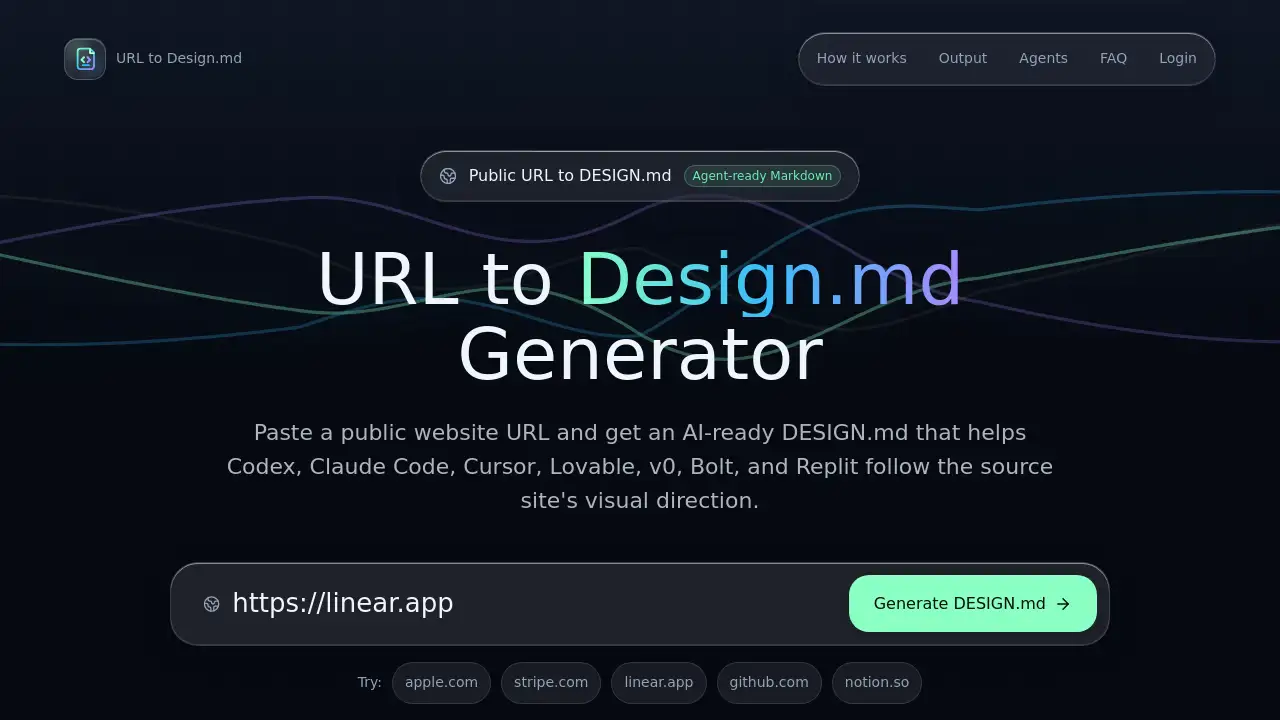
URL to Design.md is a free online tool that extracts visual design information from any public HTTP/HTTPS webpage and converts it into a structured Markdown file called DESIGN.md. This design context file contains details about colors, typography, layout, components, and evidence labels, all organized for direct use by AI coding agents like Codex, Claude Code, and Cursor.
The core problem this product solves is the gap between a reference website's visual design and an AI agent's ability to understand and recreate it. Instead of manually describing colors, fonts, or spacing to a coding agent, a user simply pastes a URL. The tool analyzes the rendered page, normalizes the visual signals, and outputs a clear, actionable design brief.
This product is suitable for front‑end developers, UI designers, product teams, and anyone who builds user interfaces with AI assistance. It matters because it saves hours of manual documentation and ensures consistency when translating a visual concept into code. By using a URL to Design.md workflow, builders can give their AI coding agents precise design context without copying protected assets.
Key Features of URL to Design.md
Extract Page Evidence
The tool scans the public webpage for visible structure, headings, links, call-to-action hierarchy, and visual signals. It normalizes this data into a standardized design context format that AI agents can process immediately.
Generate Structured Markdown
Colors, typography, spacing, radius, elevation, shape notes, and component mappings are converted into readable Markdown sections. The output includes color tokens, typography scales, and component breakdowns for nav, buttons, forms, cards, hero blocks, pricing blocks, and footer patterns.
Label Confidence Posture
Every extracted element receives one of three labels: detected, inferred, or needs review. Detected means the signal comes from page evidence. Inferred means the generator makes a reasonable interpretation. Needs review means the source page did not provide enough certainty.
Include Agent Usage Notes
The DESIGN.md file includes a special section with handoff prompts for AI coding workflows. Users can open this file as persistent project context before asking a coding agent to create UI. It works with Codex, Claude Code, Cursor, Lovable, v0, Bolt, and Replit.
Support Public Webpages Only
The tool is designed for public HTTP/HTTPS webpages only. It cannot access private pages, logged-in pages, localhost, or non-public URLs. This limitation keeps the extraction reliable and respects usage boundaries.
Use Cases for URL to Design.md
Rebuild a Landing Page
Capture the visual language of a public website before a rebuild. Paste the original URL into URL to Design.md, get a DESIGN.md file, and hand it to an AI coding agent as the design context for the new version.
Provide Context to AI Coding Workflows
Give Codex, Claude Code, or Cursor a persistent design context file before asking them to generate UI. The DESIGN.md file acts as a reference that helps the agent understand colors, typography, and component structure without manual explanations.
Review Design Decisions for a New Project
Use the detected, inferred, and needs review labels to decide which visual choices are safe to follow and which require manual confirmation. This is especially useful when evaluating a competitor's page or a reference project for inspiration.
How to Use URL to Design.md
Using URL to Design.md is straightforward. Follow these steps:
- Visit the URL to Design.md homepage.
- Paste a public URL (HTTP or HTTPS only) into the input field.
- Click the generate button to start extraction.
- Wait for the tool to analyze the page and create the DESIGN.md file.
- Copy the output Markdown or the handoff prompt for use with an AI coding agent.
- Open the DESIGN.md file as persistent context before starting an AI-assisted UI build.
This simple process transforms any public webpage into an actionable design brief for AI coding agents.
Target Audience for URL to Design.md
- Front-end developers who use AI coding agents for UI generation
- UI/UX designers who need to document visual design systems
- Product managers who want to provide design context to development teams
- Freelancers and agencies that rebuild websites for clients
- Anyone learning to combine design with AI coding workflows
Is URL to Design.md Free?
URL to Design.md offers free usage that is intentionally limited. The free tier allows quick exports for evaluation purposes. For agent-ready exports with richer handoff material for real builds, users may need a paid plan. Details about specific pricing tiers are available on the official website.
| Plan | Price | Features |
|---|---|---|
| Free | $0 | Limited generations, quick exports for evaluation |
| Pro | Not specified | Agent-ready exports, richer handoff material |
URL to Design.md's Pros and Cons
| Aspect | Pros | Cons |
|---|---|---|
| Ease of Use | Simple paste-and-generate workflow, no manual setup required | Limited to public webpages only |
| Output Quality | Structured Markdown with confidence labels for accuracy | Free usage is limited to prevent abuse |
| AI Integration | Works with major coding agents like Codex, Claude Code, Cursor | Cannot access private or logged-in pages |
| Cost | Free tier available for testing | Paid pricing details are not fully transparent |
| Legal Safety | Explicitly warns against copying protected assets | Users must manually review inferred elements |
Frequently Asked Questions about URL to Design.md
What is DESIGN.md?
DESIGN.md is a Markdown design context file that helps AI coding agents understand colors, typography, layout, components, and usage notes before generating UI. It is the output of URL to Design.md.
Is this a Figma converter?
No. URL to Design.md generates Markdown design context for coding agents. It does not create editable Figma layers or any proprietary design file format.
Can it access private or logged-in pages?
No. The generator is for public HTTP/HTTPS webpages only. Private pages, logged-in pages, localhost, and non-public URLs are not supported.
Which AI coding agents can use the output?
The output is designed for Codex, Claude Code, Cursor, Lovable, v0, Bolt, Replit, and generic AI coding workflows. The handoff prompt is optimized for these platforms.
Can I use this to copy a competitor's design?
Use URL to Design.md to understand visual direction and create your own implementation brief. Do not copy protected assets, logos, images, fonts, source code, or proprietary UI wholesale.
Why are free generations limited?
Each generation uses extraction and AI processing. Limits keep the tool reliable and prevent abuse while still letting builders test the output.
URL to Design.md Tags
URL to Design.md, design context file, AI coding agents, Markdown design system, UI to code tool, web design extraction, Codex design context, Claude Code design, Cursor UI builder, visual design documentation, AI-assisted UI generation, design handoff prompt