Introduction
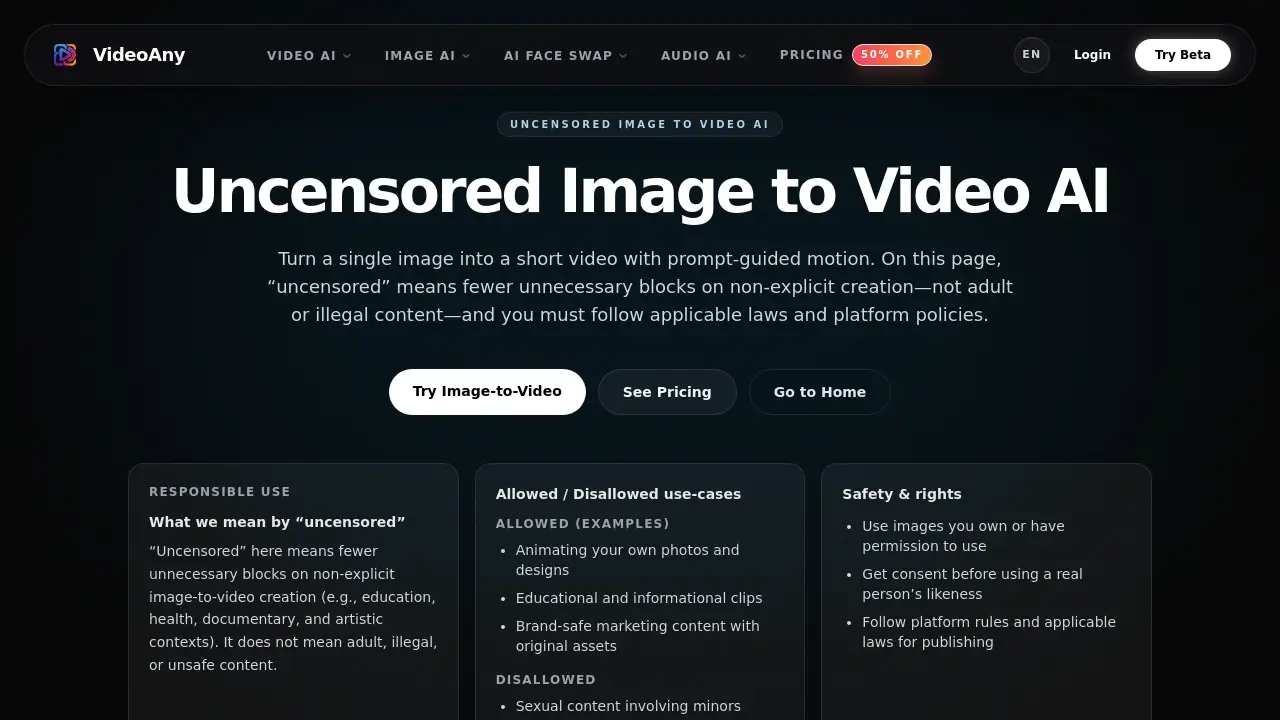
Uncensored Image to Video AI from VideoAny.io turns static photos into short animated clips using simple text prompts. This uncensored image to video AI tool removes unnecessary content blocks for educational, artistic, and documentary projects while keeping strong safety rules in place. Creators can generate motion sequences quickly without worrying about false restrictions.
What is Uncensored Image to Video AI?
Uncensored Image to Video AI is a web-based tool that lets users upload a single image, describe the desired motion with a short prompt, and generate a brief video clip. Unlike many restrictive platforms, this uncensored image to video AI focuses on reducing false refusals for legitimate use cases—such as medical animations, historical reenactments, or brand marketing—while still prohibiting adult content, illegal material, and harmful misuse.
The tool solves a common frustration: many AI video generators block non-explicit content incorrectly, slowing down creative workflows. By adopting a more nuanced policy, uncensored image to video AI allows creators to animate photos, produce educational visuals, and iterate faster. This AI video generator suits content studios, indie builders, and marketing teams who need quick, clean motion from a single static input.
Key Features of Uncensored Image to Video AI
Prompt-Guided Motion Control
Write short prompts describing camera moves (pan, zoom, dolly) and subtle subject motion. This AI video generator interprets natural language to produce smooth transitions without complex settings.
Fast Draft Generation
Produce a preliminary clip in seconds, review for artifacts, then refine. The speed makes uncensored image to video AI ideal for rapid iteration and experimentation.
Improved Temporal Consistency
Frames remain stable across the clip, reducing flicker and jitter. This image to video tool maintains cleaner output even with longer prompts.
Export-Ready Output
Download finished clips in standard formats for social media posts, advertisements, or presentations. The workflow is built for repeatable asset creation.
Responsible Safety Framework
Blocks only illegal, harmful, or non-consensual content while permitting educational, documentary, and artistic uses. This uncensored AI video policy respects creator freedom within legal boundaries.
Use Cases for Uncensored Image to Video AI
Social Media Content Creation
Animate product photos or personal images into short, engaging clips for Instagram Reels, TikTok, or YouTube Shorts. Prompt-guided motion adds visual interest without expensive editing.
Educational and Documentary Visuals
Turn historical photographs or scientific diagrams into motion sequences. Uncensored image to video AI helps explain concepts through subtle animation in academic and documentary contexts.
Brand and Marketing Asset Production
Create consistent short videos from a single brand photo. Marketing teams can generate multiple clips for A/B testing ads or social campaigns using this uncensored AI video generator.
Artistic and Creative Experimentation
Artists and designers can animate their own illustrations or photography to explore motion aesthetics. The image to video workflow allows quick exploration of different camera angles and subject movements.
How to Use Uncensored Image to Video AI
-
Upload a clean image – Choose a high-resolution photo with a clear subject and background. Higher quality inputs produce more stable motion.
-
Write a motion prompt – Describe the camera movement (e.g., "slow zoom in") and small subject motion (e.g., "waves gently"). Keep prompts realistic and concise.
-
Generate and review – Click generate to see a draft. Check for visual artifacts or unnatural movement. Adjust the prompt one element at a time and regenerate.
-
Iterate until satisfied – Repeat small prompt changes and generation until the clip looks clean. The fast iteration cycle makes uncensored image to video AI predictable.
-
Export and reuse – Download the final clip and use it in social posts, ads, or presentations. The output is designed for repeated use across platforms.
Target Audience for Uncensored Image to Video AI
- Content creators who need quick animated clips from static photos
- Marketing teams producing brand-safe video assets for social campaigns
- Educators and documentarians creating motion visuals for learning materials
- Indie builders and startups testing video concepts without a large budget
- Artists and designers experimenting with AI-driven motion from their own artwork
Is Uncensored Image to Video AI Free?
VideoAny offers a free tier for new users to test uncensored image to video AI. The platform also provides paid plans with higher generation limits, faster processing, and commercial usage rights. For exact pricing and feature details, visit the official pricing page at https://videoany.io/pricing.
| Plan | Price | Features |
|---|---|---|
| Free | $0 | Limited generations, standard speed, basic export |
| Pro | $X/month | Higher generation limits, faster processing, commercial use |
| Team | Contact sales | Unlimited generations, priority support, team management |
Pricing details are subject to change. Check the official page for current rates.
Uncensored Image to Video AI's Pros and Cons
| Aspect | Pros | Cons |
|---|---|---|
| Content Policy | Reduces false blocks for legitimate non-explicit content | Still requires careful adherence to safety rules |
| Speed | Fast draft generation enables rapid iteration | Output length is limited to short clips |
| Ease of Use | Simple upload-prompt-export workflow | Motion control relies on prompt quality; beginners may need practice |
| Pricing | Free tier available for testing | Full features require paid subscription |
| Output Quality | Consistent frames with fewer artifacts | Complex or low-quality inputs produce less reliable results |
Frequently Asked Questions about Uncensored Image to Video AI
What does "uncensored" mean in Uncensored Image to Video AI?
"Uncensored" means fewer unnecessary blocks on non-explicit creations such as educational, health, documentary, and artistic content. It does not permit adult, illegal, or harmful material. Safety rules and platform policies still apply.
Can I use this AI video generator for commercial projects?
Commercial use depends on your subscription plan. The free tier may have limitations, while paid plans typically include commercial rights. Always review the terms of service and applicable laws before publishing.
What type of input image works best with uncensored image to video AI?
A clear, high-resolution image with a well-defined subject and background produces the cleanest motion. Avoid heavy blur, tiny faces, or extremely low-light photos for better consistency.
How do I control motion and camera movement in uncensored image to video AI?
Describe small, realistic motion and a single camera move in your prompt—for example, "pan right slowly" or "zoom in on the subject." Keep prompts short and iterate with one change at a time for best results.
Is uncensored image to video AI safe to use for public content?
Yes, as long as you follow the responsible use policy. Use images you own or have permission to use, obtain consent for real people's likenesses, and comply with platform rules and applicable laws. The tool blocks illegal and harmful content.
What formats can I export from uncensored image to video AI?
The tool exports standard video formats suitable for social media, advertisements, and presentations. Specific format details are available within the tool interface.
Uncensored Image to Video AI Tags
Uncensored Image to Video AI, image to video AI, uncensored AI video generator, AI video generator, prompt-guided motion AI, uncensored AI tools, video creation AI, image animation tool, AI video maker, VideoAny image to video, unrestricted AI video, AI motion generator