Introduction
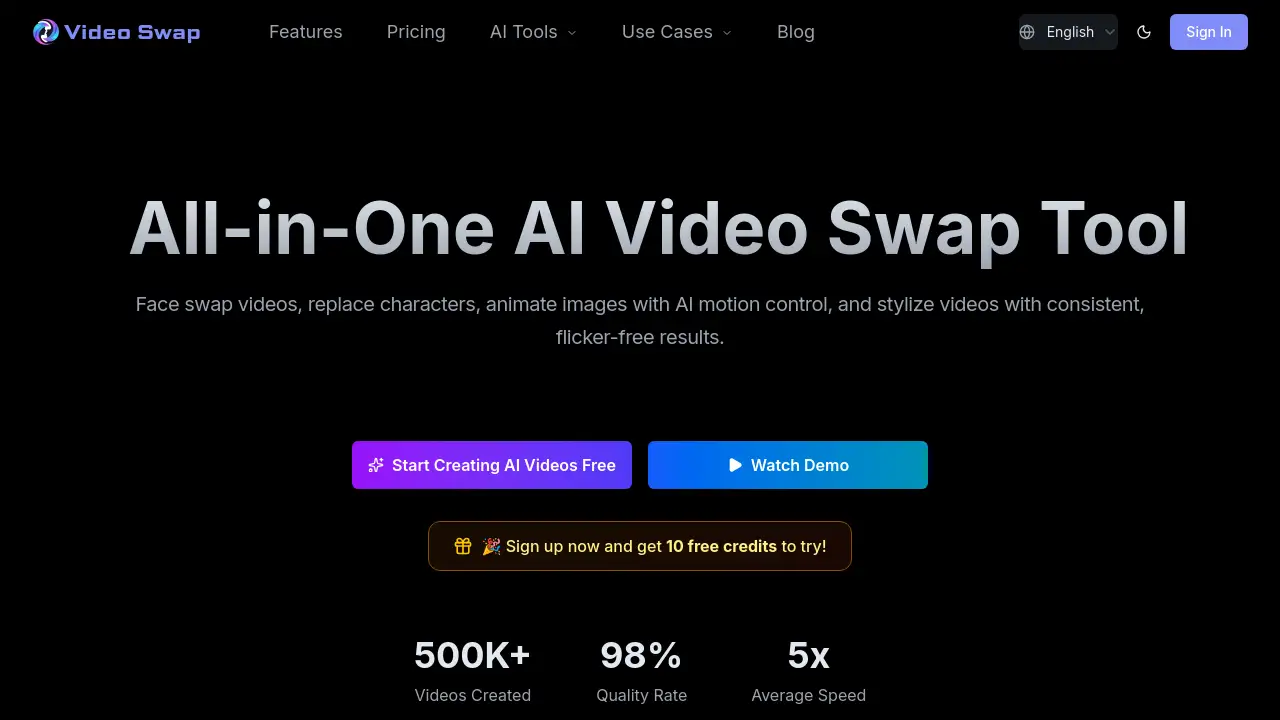
Video Swap is an online platform that lets anyone create AI face swap videos with just a few clicks. It combines face swapping, character replacement, motion transfer, and style transfer into one browser-based workflow. For creators who need quick, consistent video edits, this tool removes the need for complex software. Whether you are making social media reels, ad variations, or meme edits, the AI face swap video engine processes your clips in seconds. The entire process happens online, so there is no installation or heavy hardware required. This makes professional-quality video face swap accessible to beginners and teams alike.
What is Video Swap?
Video Swap is an all-in-one AI video transformation platform designed for creators, marketers, and businesses. It solves the problem of editing video content using traditional, time-consuming tools. Users can replace faces, swap characters, animate still images, or apply artistic styles to clips—all within a single online interface. The main benefit is speed: instead of spending hours on manual editing, you upload a source image and a reference video, choose a mode, and let the AI handle the rest. The platform is especially useful for content creators who need to produce multiple video variations for different audiences. Because it runs in a browser, there is no learning curve—anyone can start producing professional-looking AI face swap videos immediately.
Key Features of Video Swap
Video Face Swap
Upload a single face image and a reference video. The AI seamlessly replaces the face in every frame. This feature is ideal for creating personalized videos, meme edits, or advertising variations.
Character Swap
Replace a whole person or character in a video using one character image. It works for full-body recasting, ad localization, or inserting mascots into scenes. The output supports 480p or 720p resolution.
AI Motion Control
Animate a still image by applying the motion from a performance video. For example, make a static portrait dance or move like a real person. This feature unlocks creative storytelling without needing a live actor.
Video Style Transfer
Apply artistic styles—anime, cinematic, cartoon, or custom branding—to any video. You can use preset styles, reference images, or text prompts. It ensures visual consistency across a series of clips.
Use Cases for Video Swap
Social Media Content Creators
Produce engaging reels and shorts by swapping faces or applying trending styles. A single AI face swap video can be customized for different platforms quickly.
Marketing and Advertising Teams
Create localized ad variations by replacing characters or faces in product videos. This helps brands tailor their message without reshooting.
Film and Animation Enthusiasts
Experiment with style transfer to give footage a unique look. Use AI motion control to bring storyboards or concept art to life.
Meme and Fan Editing
Make funny or viral videos by inserting famous faces or characters into popular clips. The process is fast and requires no editing experience.
How to Use Video Swap
- Choose a feature – Select from Video Face Swap, Character Swap, AI Motion Control, or Style Transfer.
- Upload materials – Provide a source image (face or character) and a reference video. For style transfer, you can upload a style image or enter a text prompt.
- Configure settings – Pick the resolution (e.g., 480p or 720p) and mode (Standard or Professional). The credit cost per second is displayed.
- Generate the video – Click the generate button. The AI processes the clip in the background.
- Download or share – Once finished, download the HD video with a commercial use license. No watermark on paid plans.
The entire process runs online, so all you need is a browser and an internet connection.
Target Audience for Video Swap
- Content creators – YouTubers, TikTokers, and Instagram influencers looking for fast, high-quality edits.
- Marketing professionals – Teams that need to produce multiple ad variations or localized content.
- Small business owners – Entrepreneurs who want to create promotional videos without hiring editors.
- Film students and hobbyists – Individuals experimenting with AI-driven visual effects.
- Meme and fan editors – Anyone who enjoys creating viral or humorous video content.
Is Video Swap Free?
Video Swap offers a free trial plan for new users. After trial, paid plans start with credits that are consumed per generation. Below are the current monthly subscriptions:
| Plan | Price | Credits Included | Key Features |
|---|---|---|---|
| Basic | $21.9/month | 500 credits | HD video generation, all features, download, commercial use, priority support |
| Pro (Most Popular) | $36.9/month | 1000 credits | Same as Basic + lower per-credit rate |
| Ultimate | $148.9/month | 4300 credits | Same as Pro + best per-credit rate |
Each generation consumes credits based on feature, mode, resolution, and clip length. For example, a 5-second video face swap in Professional mode costs 10 credits. Users can also top up credits as needed.
Video Swap's Pros and Cons
| Aspect | Pros | Cons |
|---|---|---|
| Ease of use | Fully browser-based, no installation, intuitive interface | Requires stable internet connection |
| Features | Combines face swap, character swap, motion control, and style transfer in one place | Some features (like AI Motion Control) consume more credits |
| Pricing | Affordable entry plan with commercial license; free trial available | Credits can run out quickly for long or high-quality videos |
| Output quality | HD resolution, professional results | Processing time depends on server load |
| Privacy | Secure processing, materials not shared | No offline mode; all data goes through cloud servers |
Frequently Asked Questions about Video Swap
Do I need to download any software to use Video Swap?
No. Video Swap runs entirely in a web browser. You can access it on a computer, tablet, or phone without installing anything.
Can I use Video Swap for commercial projects?
Yes. All paid plans include a commercial use license. You can use generated videos for social media ads, brand content, and other business purposes. Just make sure you have rights to the input materials.
How are credits calculated?
Credits are deducted based on the actual processed duration of your video. Longer clips, higher resolution, and more advanced modes (like Professional) consume more credits per second. For instance, a 5-second video face swap in Professional mode costs 10 credits.
Is there a free version of Video Swap?
Yes, new users can try the platform for free. The free trial lets you experience core features before choosing a paid subscription. To remove watermarks and get higher quotas, you'll need a Basic or higher plan.
What kind of videos can I create with the style transfer feature?
You can apply anime, cinematic, cartoon, or custom branded styles to any clip. You can also upload a reference image or type a text prompt to define the exact look. It works well for maintaining visual consistency across a series of videos.
Is my data safe when using Video Swap?
Yes. All uploaded materials and generated videos are processed in a secure environment. The platform does not leak or reuse your data without authorization. Privacy protections are built into the service.
Video Swap Tags
AI face swap video, video face swap, character replacement, AI motion control, video style transfer, online video editor, AI video creator, face swap online, deepfake video tool, commercial video editing, AI video transformation, browser-based video swap