Introduction
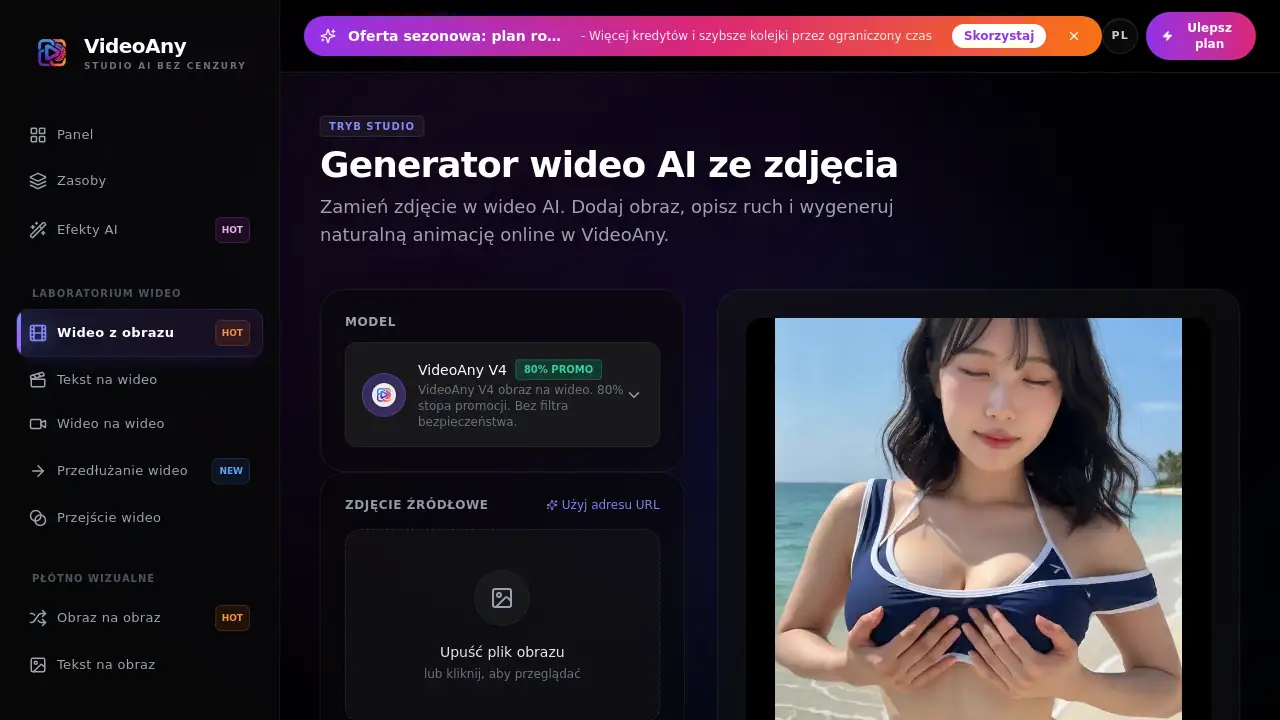
obraz na wideo is an AI tool from VideoAny that turns a still photo into a short video clip. Users can upload an image, type a motion prompt, and let the image to video AI generate natural animation online. This makes obraz na wideo a simple way to animate pictures without complex editing software, and free credits are available at the start.
What is obraz na wideo?
obraz na wideo is the Polish term for "image to video," and it is also the name of a dedicated tool inside VideoAny. The tool solves a common creative problem: turning a single photo into a moving clip. Instead of using complicated animation software, users describe the motion they want in plain language. The AI model reads the image, keeps the subject and style, and creates a short video that matches the prompt.
This product matters because so many workflows start with a still image. Product photos, character concepts, storyboards, and social media graphics can all become short videos. For people who need quick previews or polished clips, obraz na wideo provides a fast online workflow. It is useful for beginners and professionals because it removes the need for manual keyframe animation. The Polish term "obraz na wideo" reflects the core idea: image to video, but the tool itself is easy to use in any language.
Key Features of obraz na wideo
Photo-to-Video Conversion
The main function of obraz na wideo is simple: upload a picture and generate a video from it. Supported formats include JPG, PNG, WebP, and HEIC. For best results, images should be at least 512 by 512 pixels. This makes the conversion feature reliable for most image to video AI tasks.
Prompt-Based Motion Control
Users do not need to draw or animate manually. They can type a prompt in natural language to describe camera movement, object motion, or style. This makes the image to video AI accessible to people without video editing experience. With obraz na wideo, the prompt is the main control.
Model Selection
The tool allows users to choose a model before generating. Different models may produce different motion quality, speed, or style. This is helpful when comparing results and finding the right look for a project. Model selection adds flexibility to obraz na wideo.
Free Credits and Rewards
VideoAny gives new users free credits to start generating. There are also daily credit rewards and invite credits. This lets people test the image to video AI without an immediate payment. The free credits make obraz na wideo easy to try.
Export Short Video Clips
Generated videos are typically short clips. Standard output is HD, and higher resolutions may be available in selected models and plans. Users can preview and download the best result for use in their projects. This export flow keeps obraz na wideo practical for fast turnarounds.
Studio Mode
The homepage mentions Tryb Studio, or Studio Mode. This gives users a more controlled environment for uploading images, writing prompts, and adjusting settings. It is designed for repeat use and creative testing. Studio Mode makes obraz na wideo feel like a complete production workspace.
Use Cases for obraz na wideo
Marketing and Product Ads
E-commerce sellers can animate product images for short ads, promotional posts, and social media. A simple camera move can make a product photo feel more dynamic. Obraz na wideo is a fast way to test ad variants before spending time on full production.
Character and Concept Animation
Artists can use obraz na wideo to upload portraits, concept art, or anime-style images and turn them into motion tests. This helps illustrate how a character might move in a game or animation.
Storyboarding and Filmmaking
Directors and video creators can use obraz na wideo to animate still frames from a storyboard to preview camera angles. This makes it easier to communicate ideas before full production.
Social Media Content
Short video is the most engaging format on social platforms. Users can use obraz na wideo to convert images into vertical or horizontal clips for reels, shorts, and posts.
Quick Creative Drafts
Before committing to a long edit, creators can use obraz na wideo to create fast versions of an idea. This speeds up the creative process and reduces wasted effort.
How to Use obraz na wideo
- Open obraz na wideo in the VideoAny dashboard and go to the image to video AI generator.
- Upload an image: Choose a sharp JPG, PNG, WebP, or HEIC file with a clear main subject.
- Write a motion prompt: Describe one main action, then add camera movement such as zoom, pan, dolly, or orbit.
- Select a model: Pick the model that matches the desired result and adjust duration or resolution if available.
- Generate a video: Let obraz na wideo process the image and prompt, then check the preview.
- Review and export: Compare versions, change the prompt if needed, and download the final video in HD.
Target Audience for obraz na wideo
- Content creators who need fast visual ideas.
- Social media managers making short video posts.
- Marketers and e-commerce sellers promoting products.
- Video editors and animators testing motion.
- Designers and concept artists presenting character movement.
- AI enthusiasts exploring image to video AI tools.
- People who want to learn obraz na wideo before moving to advanced editing workflows.
Is obraz na wideo Free?
VideoAny offers a free entry point with starter credits. Users can also earn additional credits through daily rewards and invite bonuses. For heavier work, paid credit packs and upgraded plans provide more credits, faster queues, higher resolutions, and extra features. The free version of obraz na wideo is a practical way to test the image to video AI workflow. Exact prices are credit-based and can change, so users should check the official VideoAny pricing or plan page for current details.
| Plan | Price | Features |
|---|---|---|
| Free | $0 | Starter credits, daily credit rewards, basic image to video AI generation |
| Paid | Credit packs or subscription | More credits, faster queues, higher resolutions, selected models and features |
obraz na wideo's Pros and Cons
| Aspect | Pros | Cons |
|---|---|---|
| Pricing | Free credits make obraz na wideo affordable to test | No fixed flat price shown; paid plans depend on credits |
| Ease of use | Upload, type prompt, generate | New users may need a few tries to achieve stable motion |
| Output quality | HD short clips; style preserved from source | Longer videos are limited to selected models and plans |
| Motion control | Prompt-based camera and object control | Strong motion prompts can cause the image to drift from the original |
| Formats | Supports JPG, PNG, WebP, HEIC | Minimum resolution of 512x512 is recommended |
Frequently Asked Questions about obraz na wideo
What is obraz na wideo?
obraz na wideo is an image to video AI tool from VideoAny. It turns a still photo into a short animated clip by combining the uploaded image with a text prompt describing motion.
What image formats does obraz na wideo support?
obraz na wideo supports JPG, PNG, WebP, and HEIC images. To get the best results, use a sharp image with a clear subject and a resolution of at least 512 by 512 pixels.
How long are the generated videos?
Standard videos are short clips. Longer durations may be available in selected models and paid plans, but the default output of obraz na wideo is designed for quick, repeatable generation.
Can I use obraz na wideo for free?
Yes. VideoAny provides free credits at the start, plus daily rewards and invite credits. Users who need more can buy credit packs or upgrade to a paid plan. The free option makes obraz na wideo a low-risk tool for image to video AI tests.
Does obraz na wideo allow NSFW content?
VideoAny supports legal AI NSFW animations for adults with limited filtering. Content involving minors, non-consensual images, unauthorized likeness, or illegal material is prohibited.
Can I animate a frame extracted from an existing video?
Yes. Use the video-to-image tool to extract a frame, then feed that frame into obraz na wideo to create a new animated clip.
obraz na wideo Tags
obraz na wideo, image to video AI, AI video generator from image, photo to video AI, image to video generator, free image to video AI, animate image with AI, text prompt to video, AI animation tool, VideoAny image to video, image to video online, image to video AI free