Introduction
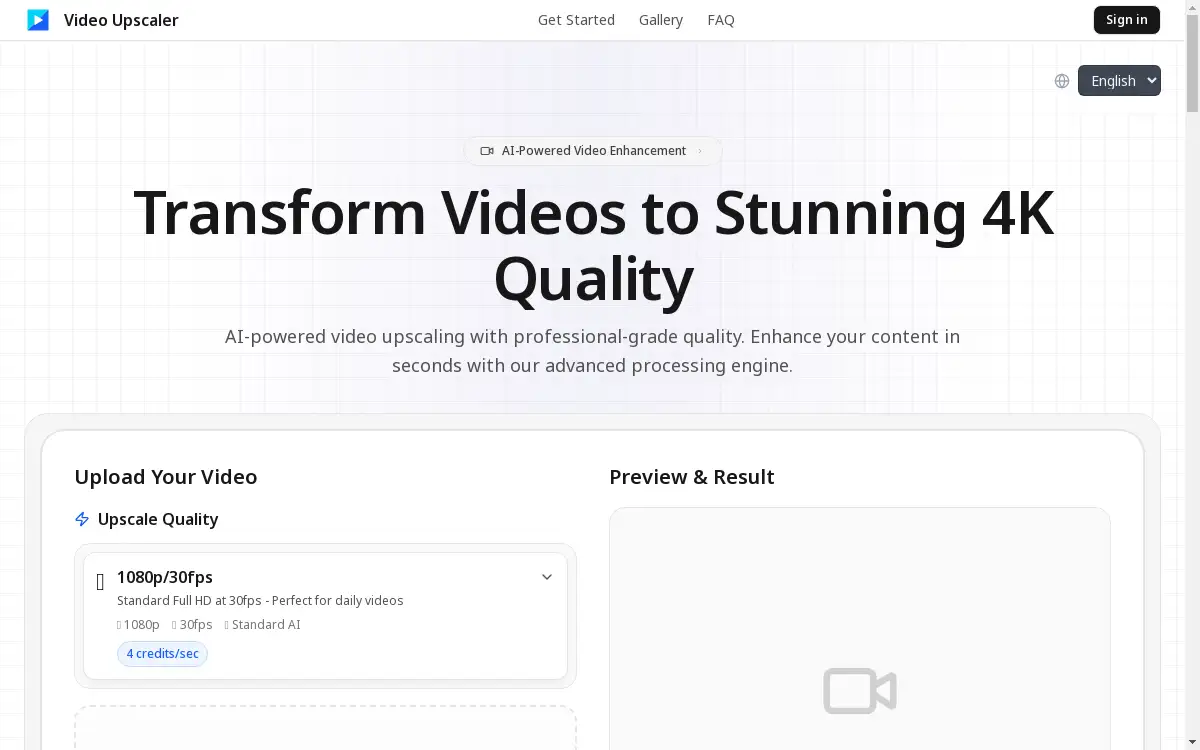
AI-powered video upscaler transforming videos to stunning 4K quality.
What is video upscaler?
A video upscaler is a tool designed to increase the resolution and overall quality of video footage. Video Upscaler is an AI-powered platform that specifically tackles the problem of low-resolution, grainy, or outdated video content. It transforms standard definition or low-quality videos into stunning 4K and even 8K resolution. This process solves a common challenge for content creators, filmmakers, and archivists who possess valuable video content that lacks the sharpness and clarity expected by modern audiences. It matters because high-quality video is crucial for engagement on platforms like YouTube, for professional presentations, and for preserving memories with greater fidelity. This service is suitable for anyone looking to enhance their video content without requiring expensive hardware or advanced technical expertise in video editing software. By leveraging advanced AI video enhancement technology, it makes professional-grade upscaling accessible.
Key Features of video upscaler
AI-Powered Video Enhancement
Video Upscaler uses cutting-edge deep learning models to intelligently analyze and enhance every frame of your video, resulting in superior 4K quality.
Upscale to 4K and 8K
The platform allows users to transform their videos to stunning 4K quality and beyond, offering multiple output quality presets for different needs.
Professional-Grade Quality
The AI algorithms are designed to deliver cinema-quality results, preserving natural details and textures while upscaling resolution.
Advanced Noise Reduction
It intelligently reduces noise and other artifacts from video footage, leading to a cleaner and more professional final product.
Fast Processing Engine
Videos are processed efficiently, providing professional results in minutes rather than hours, which is ideal for creators working with deadlines.
Credit-Based System
A flexible pay-as-you-go model makes professional video enhancement accessible without the need for subscriptions or expensive software.
Use Cases for video upscaler
Enhancing YouTube Content
YouTubers can use the video upscaler to improve the quality of their uploads, ensuring their content stands out with crystal-clear 4K resolution.
Restoring Vintage Footage
Filmmakers and archivists can breathe new life into old, low-resolution videos by upscaling them to modern 4K standards.
Professional Client Projects
Video professionals can utilize the tool to quickly enhance footage for client deliverables, achieving a professional video enhancement without lengthy rendering times.
Improving Social Media Videos
Content creators can upgrade their videos for platforms like Instagram and TikTok, making them more engaging with enhanced detail and clarity.
How to Use video upscaler
Using Video Upscaler is a straightforward process designed for users of all skill levels.
- Upload Your Video: Visit the website and upload your video file by dragging and dropping it or clicking to browse. Supported formats include MP4, MOV, AVI, and MKV, with a maximum file size of 500MB.
- Select Upscale Quality: Choose your desired output quality preset. The platform offers options for upscaling to stunning 4K quality and beyond.
- AI Processing: The AI-powered video enhancement technology will automatically process your video, upscaling the resolution, reducing noise, and enhancing details.
- Preview and Download: Once processing is complete, you can preview the result using the before-and-after slider to see the difference. Finally, download your professionally enhanced video.
Target Audience for video upscaler
- YouTubers and video content creators
- Independent filmmakers and videographers
- Social media marketers and influencers
- Video archivists and restoration specialists
- Businesses creating promotional video content
- Educators and trainers producing online courses
Is video upscaler Free?
Video Upscaler operates on a credit-based system, which is a flexible pay-as-you-go model. This approach allows users to pay only for the processing they need, making professional video upscaling highly accessible. While the homepage does not explicitly detail a free trial or a permanent free plan, the credit-based system itself is an affordable alternative to purchasing expensive video editing software or hardware. Users can check the website for any introductory credit offers or current pricing plans for the most accurate information on costs.
Frequently Asked Questions about video upscaler
What video formats does Video Upscaler support?
Video Upscaler supports common video formats including MP4, MOV, AVI, and MKV. The maximum file size for upload is 500MB.
How does AI video enhancement work?
The technology uses advanced deep learning models trained on millions of video frames. The AI analyzes your video to intelligently add detail, increase resolution, reduce noise, and enhance textures while maintaining temporal consistency for smooth motion.
Can I upscale a video to 8K?
Yes, Video Upscaler provides quality presets that allow you to upscale your videos not only to stunning 4K quality but also to 8K resolution.
What is the maximum processing time for a video?
Processing times are generally fast, typically taking only a few minutes. The exact time depends on the length and resolution of the original video, but the platform is optimized for speed without compromising on professional results.
Is my uploaded video data secure?
The platform is designed for processing, and users should refer to the website's privacy policy for detailed information on data handling and retention practices.
Do I need any special software or hardware?
No, Video Upscaler is a web-based platform. You do not need to install any software or own powerful computer hardware. All processing is done on their servers, making professional video enhancement accessible from any standard web browser.
video upscaler Tags
video upscaler, AI video enhancement, upscale to 4K, 4K video upscaling, AI video upscaler, professional video enhancement, enhance video quality, online video upscaler, 8K upscale, video quality improvement, noise reduction, increase video resolution