Introduction
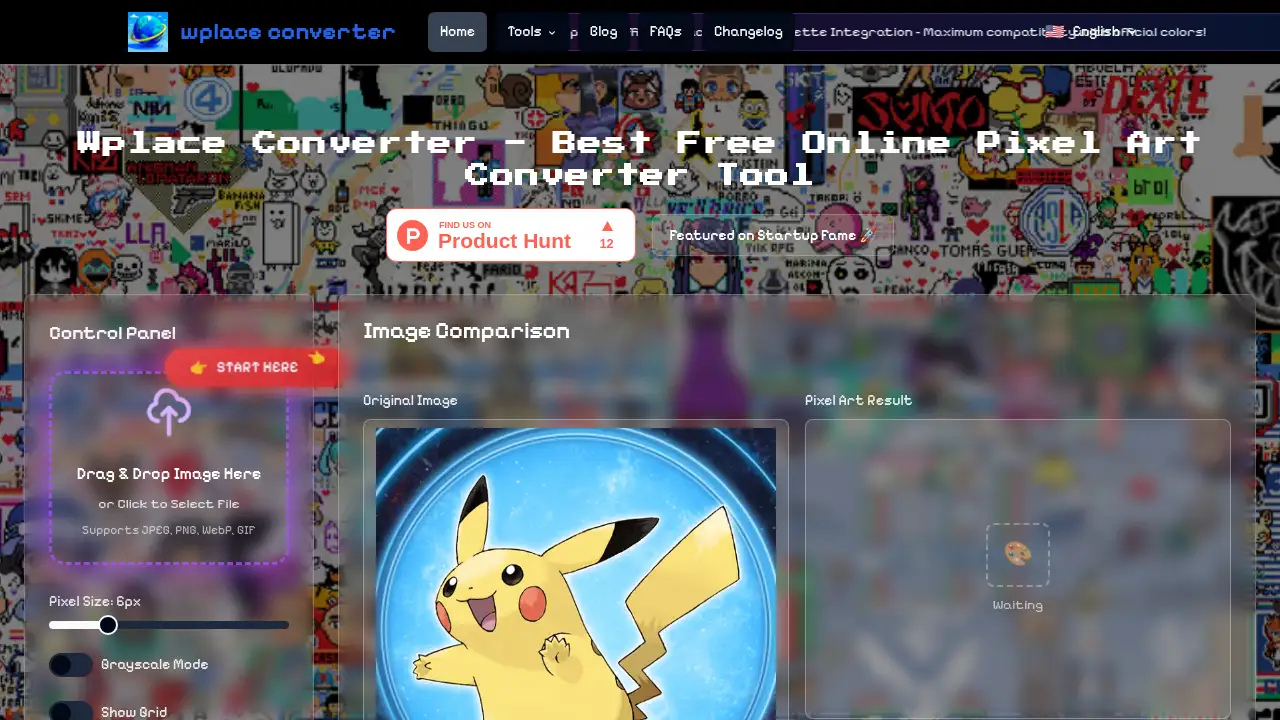
Wplace Pixel Art Converter is a free online tool that transforms any image into pixel-perfect artwork using advanced AI technology.
What is Wplace Pixel Art Converter?
The Wplace Pixel Art Converter is an online tool designed to transform standard photographs and images into authentic pixel art. This product solves the challenge for artists, designers, and hobbyists who want to achieve a retro pixelated aesthetic but lack the time or technical skill for manual creation. It automates the conversion process, making pixel art generation accessible to anyone with a digital image. It is particularly suitable for game developers seeking character sprites, digital artists exploring new styles, and content creators looking for unique visuals for social media. The tool matters because it bridges the gap between complex digital art techniques and user-friendly creation, enabling anyone to produce professional-looking pixel art effortlessly.
Key Features of Wplace Pixel Art Converter
Lightning-Fast Conversion
The Wplace converter processes images in seconds using optimized algorithms, delivering instant pixel-perfect results without delays, making it ideal for quick creative projects.
AI-Powered Analysis
This powerful pixel art generator leverages cutting-edge artificial intelligence to intelligently analyze images, reduce colors, and preserve essential details for an authentic pixel art aesthetic.
Extensive Customization
The online pixel art creator offers adjustable grid sizes, color palette controls, and dithering effects, providing users with complete creative control over their final artwork.
High-Resolution Output
The tool allows users to download their creations as high-quality PNG or SVG files, ensuring crisp edges and vibrant colors suitable for both digital and print use.
Secure and Private Processing
All images uploaded to the free online tool are processed securely and automatically deleted after conversion, prioritizing user privacy and data security.
Use Cases for Wplace Pixel Art Converter
Game Development
Indie game developers can use this pixel art generator to quickly create character sprites, environment tiles, and game assets from reference photos.
Digital Art Projects
Digital artists can transform their illustrations or photos into pixel art to explore a retro aesthetic or create unique pieces for online galleries.
Social Media Content
Content creators can generate eye-catching, nostalgic pixel art posts and profile pictures to stand out on platforms like Instagram and Twitter.
Web and Graphic Design
Web designers can utilize the online pixel art creator to craft retro-themed website elements, icons, and logos for distinctive visual branding.
How to Use Wplace Pixel Art Converter
Using the Wplace Pixel Art Converter is a straightforward four-step process:
- Upload Your Image: Navigate to the Wplace Pixel Art Converter website and select the photo you wish to convert. The tool supports common formats like JPG, PNG, and WebP.
- Customize Settings: Choose your desired pixel grid size, which controls the level of detail. You can also preview and adjust the color palette to fine-tune the aesthetic.
- Refine the Output: Use the available tools to tweak colors and apply effects like dithering to achieve your perfect pixel art look.
- Download Your Art: Once satisfied, download the final pixel art as a high-resolution PNG file, ready for use in your projects.
Target Audience for Wplace Pixel Art Converter
- Indie Game Developers
- Digital Artists and Illustrators
- Social Media Content Creators
- Graphic and Web Designers
- Hobbyists and Retro Art Enthusiasts
- Educators and Students in Digital Arts
Is Wplace Pixel Art Converter Free?
Based on the reference information, the Wplace Pixel Art Converter operates on a freemium model.
| Plan | Price | Features |
|---|---|---|
| Free | $0 | Access to a base palette of 2,701 free color pixels. Supports core conversion features and downloads in standard formats. |
| Premium | Pricing not specified in reference | Unlocks a larger palette of 19,799 premium color pixels for more vibrant and detailed results. |
Users can start with the free online tool and upgrade for access to the expanded premium color library.
Wplace Pixel Art Converter's Pros and Cons
| Aspect | Pros | Cons |
|---|---|---|
| Pricing | Completely free to start with core features. | Premium colors require an upgrade; pricing details are not transparent on the homepage. |
| Ease of Use | Very simple, four-step process suitable for beginners. | Advanced customization options might have a slight learning curve for absolute novices. |
| Features | Fast AI-powered conversion and high-quality output. | Lacks batch processing; only one image can be converted at a time. |
| Output Quality | Delivers professional-grade, high-resolution pixel art. | The free version's color palette is limited compared to the premium offering. |
Frequently Asked Questions about Wplace Pixel Art Converter
Is the Wplace Pixel Art Converter completely free to use?
Yes, the core conversion tool is 100% free with no hidden costs. Users can create unlimited pixel art using the free color palette without any subscription fees.
What image formats does the converter support?
The pixel art generator supports JPG, PNG, WebP, GIF, and BMP formats for uploads. All converted pixel art outputs are provided as downloadable high-resolution PNG files.
How accurate is the pixel art conversion?
The AI-powered Wplace converter delivers exceptional accuracy by intelligently reducing colors while preserving the essential details and artistic integrity of the original image.
Can I convert multiple images at once?
Currently, the online tool processes one image at a time to ensure maximum quality and attention to detail. Batch processing capabilities may be added in future updates.
Is my image data safe when using the converter?
Absolutely. All images uploaded are processed securely and are automatically deleted from the servers after the conversion is complete, ensuring user privacy.
What customization options are available?
The tool offers extensive customization, including adjustable grid sizes (from classic 16x16 to detailed 512x512), color palette selection, dithering effects, and a real-time preview.
Wplace Pixel Art Converter Tags
Wplace Pixel Art Converter, pixel art generator, online pixel art creator, free pixel art tool, convert image to pixel art, AI pixel art, pixel art maker, retro art converter, game sprite generator, digital art tool, photo to pixel art, pixel art software