Zaro Review: Build Custom AI Agents and Apps from Your Own Data
Introduction
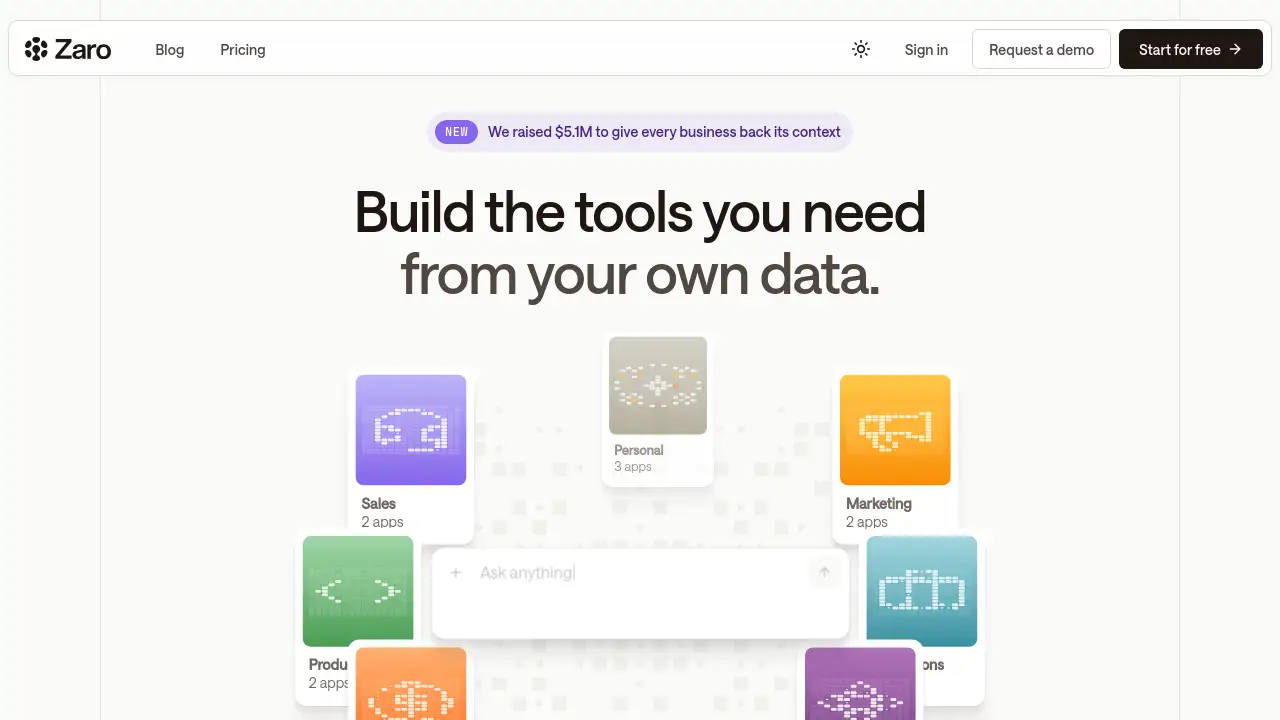
Zaro is an AI-powered workspace that lets teams build custom agents and apps directly from their own business data, without coding skills. Instead of juggling multiple disconnected tools, users describe what they need and Zaro generates it from files, calls, CRM records, and Slack threads. This review explains how Zaro transforms scattered information into a unified system that runs itself, making it a practical choice for teams seeking smarter workflow automation.
What is Zaro?
Zaro is a platform that creates custom AI agents and applications from a company's existing data. The core idea is simple: stop using isolated tools and start running a cohesive system. Users connect their data—documents, messages, spreadsheets, call transcripts—into a single workspace. Then, by describing what they need in plain language, Zaro builds the agents, dashboards, and trackers their team actually uses.
The problem Zaro solves is the fragmentation of business context. Most companies store information across dozens of apps, making it hard to access, search, and act on. Zaro keeps everything in one place, runs AI agents on that data, and generates live applications without templates or per-seat licensing. The system is built on MCP, an open standard for AI tool connectivity, so there is no vendor lock-in.
This product is suitable for teams that want to automate repetitive tasks, surface insights from internal data, and build custom tools without hiring developers. It matters because it turns passive data into active intelligence—the workspace remembers everything and compounds knowledge over time.
Key Features of Zaro
Create a Unified Workspace
Each workspace defines a siloed set of data, whether company-wide, per team, or per use case. Users control exactly what information the agents can access, keeping sensitive data secure.
Connect Your Existing Data
Files, call recordings, CRM records, Slack threads, and specifications all go into one place. Teams do not need to change how they work—Zaro ingests what they already produce.
Run AI Agents on Your Data
Agents can be scheduled, triggered, or run on demand. Each agent reads from the workspace and writes back to it, creating a closed loop. Built on MCP, the open standard ensures flexibility and no vendor lock-in.
Generate Apps by Describing Them
Users describe what they need in natural language—a live dashboard, a morning briefing, a status tracker—and Zaro builds it. No templates, no configuration, no per-seat fees.
Shared Memory Across Everything
Unlike platforms that give isolated pieces, Zaro ensures agents, apps, and memory share context. Intelligence compounds because nothing resets.
Use Cases for Zaro
Automated Morning Briefings
A team lead describes a daily briefing agent. Zaro pulls the latest updates from Slack, CRM, and project files, then emails a summary every morning at 8am. No manual compilation needed.
Pipeline Tracker from Files
A sales manager uploads spreadsheets and call transcripts, then asks Zaro to build a pipeline tracker. The app updates automatically as new data flows in, and an agent sends reminders before weekly standups.
Contract Renewal Monitoring
A legal or operations team asks Zaro to monitor contract discussions across Slack and email. The agent checks for agreed dates, prices, and next steps, then notifies stakeholders before deadlines.
How to Use Zaro
- Create your workspace. Choose a siloed data scope—company, team, or specific use case. This defines what the agents can access.
- Connect your data. Upload files, integrate CRM, import Slack threads, or add call transcripts. Everything goes into one place.
- Describe what you need. Tell Zaro in plain language: "Build me a pipeline tracker from my files" or "Create an agent to send me updates before every Monday standup."
- Run agents on demand or schedule them. Agents execute tasks, read from the workspace, and write results back. The system compounds intelligence over time.
- Generate live apps. Dashboards, status trackers, and briefings appear automatically based on your description—no coding required.
Target Audience for Zaro
- Small to medium business teams wanting to automate manual workflows
- Operations and project managers tracking cross-team information
- Sales and customer success teams building pipeline dashboards
- Legal and compliance teams monitoring contract data
- Product and engineering leads seeking internal tools without developer hiring
- Remote and hybrid teams consolidating scattered communication
Is Zaro Free?
Yes, Zaro offers a free tier with 5,000 credits to get started. No credit card is required. Data remains owned by the user at all times. For additional credits or premium features, users should check the official pricing page on the Zaro website, as specific paid plan details were not fully listed in the available reference material.
| Plan | Price | Features |
|---|---|---|
| Free | $0 | 5,000 credits, connect your data, build agents and apps, your data stays yours |
| Pro | Contact vendor | Higher credit limits, priority support, advanced workflows |
Zaro's Pros and Cons
| Aspect | Pros | Cons |
|---|---|---|
| Setup and Use | No coding required; describe what you need in plain language | May require initial data organization to get best results |
| Data Ownership | Your data remains yours; no vendor lock-in with open MCP standard | Teams with highly sensitive data may need extra compliance checks |
| Flexibility | Build custom agents and apps for any use case; no per-seat licensing | Very large or complex datasets may need optimization |
| Memory and Context | Shared memory across agents and apps; intelligence compounds over time | System works best when data is consistently updated |
| Cost | Free tier available, no credit card needed | Paid pricing details not fully transparent from available info |
| Integration | Connects files, CRM, Slack, calls, and specifications easily | May not support every niche or legacy data format out of the box |
Frequently Asked Questions about Zaro
What kind of data can I connect to Zaro?
You can connect files like PDFs and spreadsheets, call transcripts, CRM records, Slack threads, and specifications. Zaro ingests what your team already produces, so you do not need to change your workflow.
Do I need to know how to code to use Zaro?
No. You describe what you need in simple language, such as "Build me a pipeline tracker from my files," and Zaro generates the app or agent automatically. No programming skills are required.
How does Zaro keep my data secure?
Each workspace defines a siloed set of data, and only the agents you configure can access that workspace. Zaro is designed so your data remains yours—you control what goes in and who can query it.
Can I schedule agents to run automatically?
Yes. Agents can be scheduled to run at specific times, triggered by events, or executed on demand. For example, you can set an agent to send a morning briefing every weekday at 8am.
Is Zaro free to start using?
Yes. Zaro offers a free tier with 5,000 credits to explore the platform. No credit card is required, and your data stays yours. You can upgrade later if you need more credits or advanced features.
What does "no vendor lock-in" mean with Zaro?
Zaro is built on MCP, an open standard for AI tool connectivity. This means you can choose your own architecture, switch providers if needed, and your agents and data remain portable. You are not trapped in a proprietary ecosystem.
Zaro Tags
Zaro, AI agents, build apps from data, no-code AI tools, business automation, workspace intelligence, custom AI applications, data-driven workflows, team productivity, AI workspace, MCP open standard, internal tools builder