Introduction
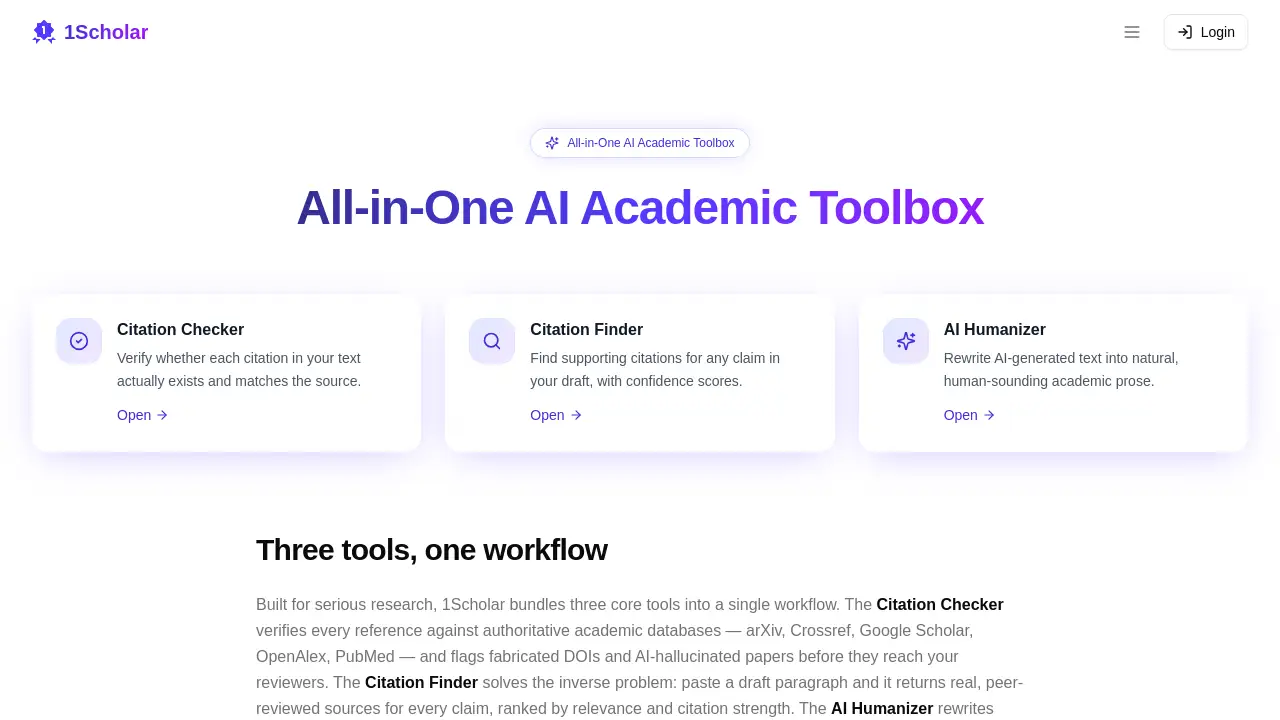
1Scholar is an all-in-one AI academic toolbox designed to help researchers produce high-quality, error-free manuscripts. This academic AI tool bundles citation verification, source discovery, and AI text humanization into a single workflow, addressing common pitfalls in scholarly writing.
What is 1Scholar?
1Scholar is a purpose-built toolkit for academics who want to reduce errors, save time, and maintain integrity in their writing. The platform solves three persistent problems: detecting fake or hallucinated references, finding credible sources for claims, and rewriting AI-generated drafts so they read naturally. It is suitable for graduate students, postdocs, professors, and any researcher who submits papers to peer-reviewed journals. By combining a citation checker, citation finder, and AI humanizer, 1Scholar streamlines the most tedious and error-prone parts of academic writing.
Key Features of 1Scholar
Citation Checker
This tool verifies every reference against authoritative academic databases such as arXiv, Crossref, Google Scholar, OpenAlex, and PubMed. It flags fabricated DOIs and AI-hallucinated papers, ensuring that no fake sources slip into your manuscript before peer review.
Citation Finder
Paste any draft paragraph, and the citation finder returns real, peer-reviewed sources for each claim. Results are ranked by relevance and citation strength, making it easy to support your arguments with credible literature.
AI Humanizer
The AI humanizer rewrites text generated by GPT, Claude, or Gemini into natural prose that bypasses AI detectors. It preserves facts, citations, and original meaning while removing the robotic tone common in machine-generated academic writing.
Use Cases for 1Scholar
Polishing a Manuscript
Before submitting to a journal, run your paper through the citation checker to confirm every reference is valid and properly formatted.
Building a Literature Review
Use the citation finder to quickly locate authoritative sources for each section of your review, saving hours of manual searching.
Escaping AI Detection
When working with AI-written drafts, apply the AI humanizer to produce text that reads as if written by a person, reducing the risk of rejection due to flagged content.
How to Use 1Scholar
- Create an account on the 1Scholar website and log in to your dashboard.
- Upload or paste your text – for citation checking or finding, paste a paragraph or upload a document; for humanizing, paste the AI-generated draft.
- Select the tool you need: Citation Checker, Citation Finder, or AI Humanizer.
- Review the results – the system highlights errors, suggests sources, or rewrites the text. You can accept or modify the output.
- Export or copy the corrected manuscript for further editing or submission.
Target Audience for 1Scholar
- Graduate students writing theses and dissertations
- Postdoctoral researchers preparing journal articles
- Professors and faculty members editing manuscripts
- Academic editors and reviewers who need to verify references
- Research teams collaborating on multi-author papers
- Non-native English speakers who want to improve writing naturalness
Is 1Scholar Free?
Pricing details are not explicitly listed on the 1Scholar homepage. The website may offer a free trial or a freemium plan. For accurate and up-to-date information, users should visit the official pricing page at 1scholar.ai or contact the team directly.
1Scholar's Pros and Cons
| Aspect | Pros | Cons |
|---|---|---|
| Features | Combines three essential tools in one platform; checks against multiple databases | No offline mode; requires internet access |
| Ease of Use | Simple interface; paste and run workflow | Limited customization for advanced users |
| Accuracy | Uses authoritative sources for verification | May miss niche or very new publications |
| Pricing | Likely affordable compared to separate tools | No transparent free-tier limits displayed |
| Support | Online help expected | No live chat or phone support mentioned on homepage |
Frequently Asked Questions about 1Scholar
What databases does the Citation Checker use?
It checks references against arXiv, Crossref, Google Scholar, OpenAlex, and PubMed.
Can I use the Citation Finder to generate a full reference list?
Yes, you can paste a paragraph and receive a list of relevant peer-reviewed sources, but you still need to format them according to your target journal's style.
Does the AI Humanizer change my citations or facts?
No, the humanizer preserves your original facts, citations, and meaning while rewriting the prose to sound more natural and bypass AI detectors.
Is 1Scholar suitable for non-academic writing?
While designed for academic research, the citation tools are less useful for general writing. The AI Humanizer could work for any type of text.
How accurate is the Citation Checker against fake references?
It flags fabricated DOIs and AI-hallucinated papers by cross-referencing with live databases, but no tool is 100% foolproof. Manual verification is still recommended.
Do I need an account to use 1Scholar?
Yes, an account is required to access the tools and save your work. A free trial may be available.
1Scholar Tags
1Scholar, AI academic tool, citation checker, citation finder, AI humanizer, academic writing tool, research paper tool, reference verification, scholarly writing, manuscript editing, AI detector bypass, academic software