Introduction
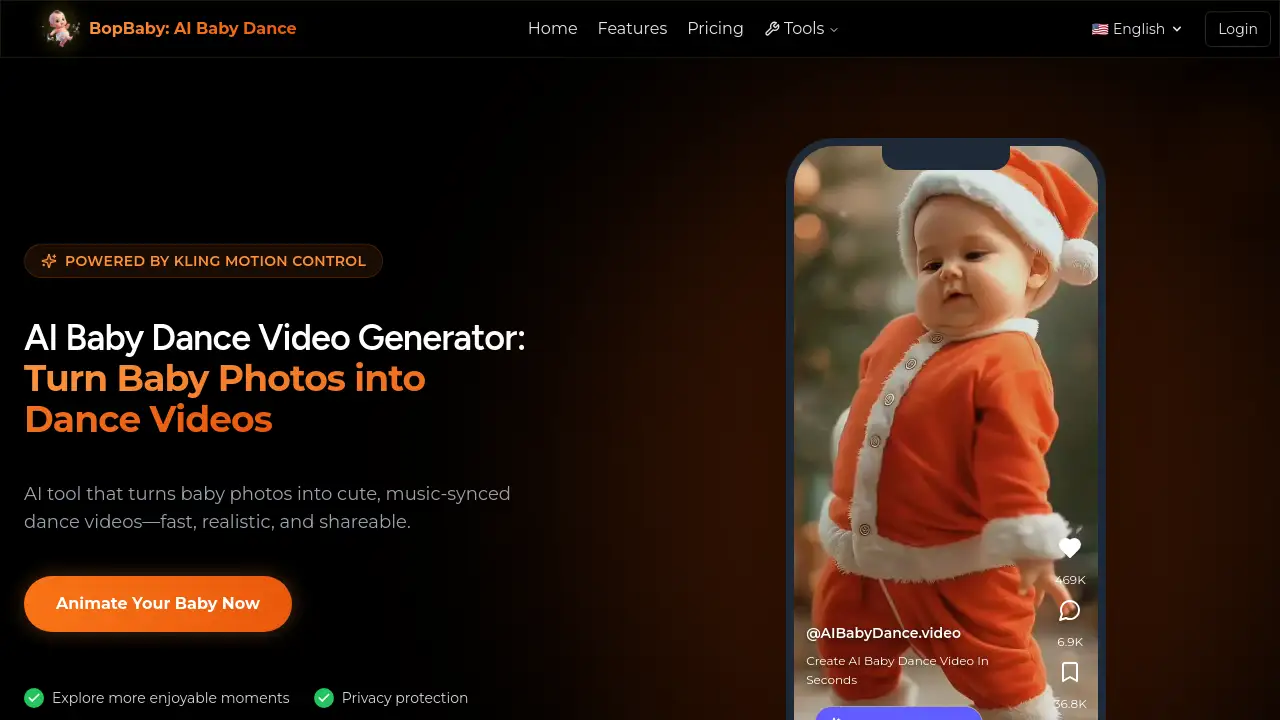
AI Baby Dance video generator turns photos into adorable, animated dance clips.
What is AI Baby Dance video?
The AI Baby Dance video is a web-based tool that transforms a single photograph of a baby into a short, animated video where the baby appears to be performing a dance. It solves the problem of parents wanting to create fun, shareable, and personalized content of their children without needing complex video editing skills. This AI baby dance video generator is suitable for parents, family members, and anyone looking to create a memorable and entertaining keepsake. It matters because it leverages AI motion control technology to create realistic and delightful moments quickly and securely, preserving the child's likeness while offering a unique form of digital expression.
Key Features of AI Baby Dance video
Extensive Dance Library
Access over 16 different dance templates, ranging from hip-hop and ballet to K-Pop and disco, to create a variety of AI baby dance videos.
Advanced Face Preservation
The generator uses sophisticated algorithms to ensure the baby's facial features, expressions, and skin tones are accurately maintained in the final video, creating a realistic AI baby dance.
High-Definition Output
Every AI baby dance video is rendered in crystal-clear HD quality, making the results perfect for sharing on any social media platform or keeping as a digital memory.
Fast and Simple Process
Users can generate a complete AI baby dance video in just a few minutes by following a straightforward three-step process: upload, choose a template, and generate.
Privacy-First Processing
The service emphasizes security, ensuring that uploaded photos are processed safely and are not shared with third parties during the creation of your baby dance video.
Use Cases for AI Baby Dance video
Social Media Content
Create engaging and viral-ready clips for platforms like TikTok, Instagram Reels, or family WhatsApp groups using the AI baby dance video generator.
Special Occasions
Mark birthdays, holidays, or other milestones with a unique and personalized baby dance video to share with loved ones.
Creative Family Fun
Parents can experiment with different dance styles to see their child in amusing and creative scenarios, resulting in enjoyable moments and laughter.
How to Use AI Baby Dance video
Creating a video is a simple three-step process.
- Upload a Photo: Go to the website and upload a clear, well-lit photo of your baby's face.
- Select a Dance Template: Browse the library of 16+ dance styles and choose a template for your AI baby dance video.
- Generate and Download: Click the generate button. Within seconds, your HD AI baby dance video will be ready to preview, download, and share.
Target Audience for AI Baby Dance video
- Parents and guardians of babies and young children.
- Grandparents and extended family members seeking fun digital gifts.
- Social media users and content creators looking for unique, engaging video ideas.
- Individuals planning digital content for baby showers or birthday celebrations.
Is AI Baby Dance video Free?
The reference information indicates a credit-based pricing system. Users likely purchase packs of credits for a one-time fee, which are then valid for one year to generate videos. For the most accurate and current pricing details, including any free trial options, visitors should check the official pricing page on the website.
| Plan Type | Description | Validity |
|---|---|---|
| Credit Packs | One-time purchase of credits to generate videos. | Credits are valid for 1 year. |
AI Baby Dance video's Pros and Cons
| Aspect | Pros | Cons |
|---|---|---|
| Ease of Use | Extremely simple three-step process; no technical skills required. | Limited creative control beyond choosing a preset template. |
| Speed & Quality | Generates HD AI baby dance videos in minutes with good face preservation. | The final output's realism depends heavily on the quality of the input photo. |
| Privacy & Safety | Advertises a strong privacy policy with secure photo processing. | As with any online tool, users must trust the provider's data handling policies. |
| Value & Cost | Affordable for creating unique, shareable content for special occasions. | Could become expensive for users who want to create a very high volume of videos regularly. |
Frequently Asked Questions about AI Baby Dance video
How does the AI baby dance video generator work?
The generator uses advanced AI and motion control technology. It analyzes the uploaded photo to map the baby's facial features and then applies a pre-animated dance sequence, ensuring the movements sync naturally with the preserved face to create the final video.
Is it safe to upload my baby's photo?
According to the provider, yes. The service emphasizes privacy protection, stating that photos are processed securely and are not shared with third parties. For complete peace of mind, reviewing the website's full privacy policy is recommended.
What kind of photo works best?
A clear, front-facing photo of your baby's face with good lighting will yield the best and most realistic results in your AI baby dance video. Avoid photos with hats, hands, or other objects covering the face.
Can I use the videos on social media?
Absolutely. The AI baby dance videos are exported in social-ready formats, including 9:16 aspect ratio for platforms like TikTok and Reels, and in HD 1080p resolution, making them perfect for sharing online.
How long does it take to make a video?
The process is designed to be instant. After uploading a photo and selecting a template, the AI generation typically takes just a few seconds to a minute to produce your downloadable baby dance video.
Are there different dance styles available?
Yes, the platform offers a library of over 16 different dance templates. These include trending, urban, K-Pop, disco, salsa, and many more styles to choose from for your AI baby dance video.
AI Baby Dance video Tags
AI baby dance video, baby dance video generator, AI video generator, animate baby photo, baby dance, AI baby video, create baby dance video, parenting tool, social media content, baby photo to video, AI animation, family fun, viral baby video, Kling motion control