Introduction
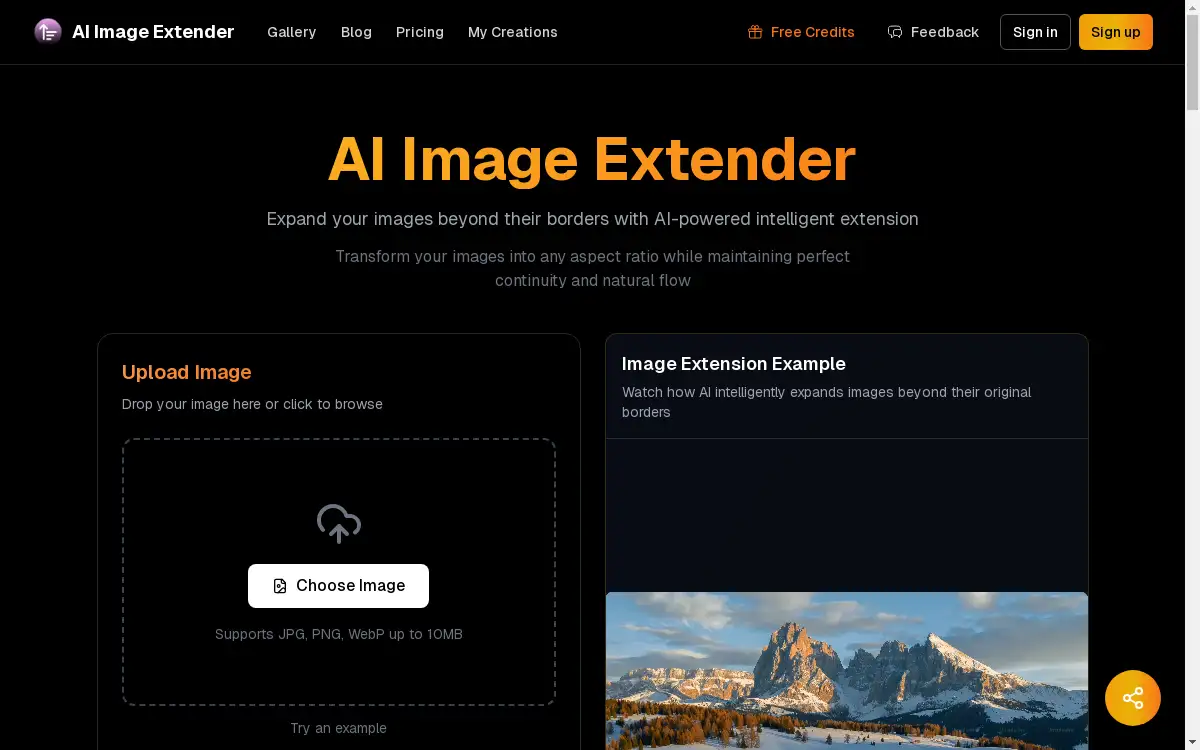
AI Image Extender is a tool for expanding image borders using artificial intelligence.
What is ai image extender?
AI Image Extender is an online tool that uses artificial intelligence to expand the borders of an image. It addresses the common problem of needing to change an image's aspect ratio without cropping or distorting the original content. This tool is suitable for a wide range of users, from social media managers and digital marketers to graphic designers and photographers. It matters because it saves time and effort, allowing users to intelligently extend an image while maintaining perfect continuity and a natural flow. The AI image extender analyzes the existing content, patterns, and context to generate new, realistic image areas that blend seamlessly with the original.
Key Features of ai image extender
Lightning Fast Processing
Images are processed in under 10 seconds using optimized AI algorithms for quick results.
Seamless Border Expansion
The AI technology ensures natural border expansion that blends perfectly with the original image's style and content.
Smart Context Generation
Advanced AI understands the image context to generate realistic and coherent content for the extended areas.
One-Click Easy Controls
A simple interface allows users to achieve professional-grade image extension with minimal effort.
Multi-Direction Extension
Users can extend their images in any direction—up, down, left, right—or in all directions at once for maximum flexibility.
High Quality Output
The tool maintains the original image's quality and resolution, ensuring the final result is sharp and clear.
Complete Style Preservation
The AI image extender is designed to keep the original image's artistic style and visual characteristics intact.
Instant PNG Download
Extended images are made available for immediate download in the versatile PNG format.
Use Cases for ai image extender
Social Media Formatting
Quickly adapt images to different social media platform requirements, such as changing a portrait photo to a landscape format for a cover image.
Creative Project Canvas Expansion
Artists and designers can expand their digital canvas to add more breathing room around a central subject or element.
Fixing Cropped Images
Salvage images that were accidentally cropped too tightly by intelligently extending the background to recover the intended composition.
E-commerce Product Shots
Online retailers can adjust product image dimensions to fit various website templates without reshooting or awkwardly stretching the photo.
How to Use ai image extender
Using the AI Image Extender is a straightforward process designed for users of all skill levels.
- Upload Your Image: Start by dragging and dropping your image file onto the designated area on the website or clicking to browse your computer. The tool supports JPG, PNG, and WebP formats up to 10MB.
- Configure Options: After upload, choose your desired settings. This includes selecting the target aspect ratio, defining the extension size, and adjusting any quality parameters.
- AI Processing: Initiate the AI analysis. The tool's algorithms will examine your image and generate the extended areas, a process that typically completes in under 10 seconds.
- Download Result: Once processing is finished, review the output. If satisfied, download your perfectly extended image in PNG format, ready for immediate use.
Target Audience for ai image extender
- Social Media Managers and Content Creators
- Graphic Designers and Digital Artists
- Photographers and Photo Editors
- E-commerce Store Owners and Marketers
- Bloggers and Website Developers
Is ai image extender Free?
The AI Image Extender offers a generous free plan that allows users to experience its core capabilities without any cost or registration requirement. This free tier provides access to the advanced AI technology for seamless image expansion. For users with higher volume needs or requiring commercial usage rights, the platform indicates that affordable premium options are available, with paid plans including licenses for commercial use.
Frequently Asked Questions about ai image extender
What image formats does the AI Image Extender support?
The tool supports common formats including JPG, PNG, and WebP. The final extended image is provided as a PNG file.
How long does it take to extend an image?
The AI processing is optimized for speed, typically completing the image extension in under 10 seconds.
Can I control the direction of the image extension?
Yes, the multi-direction extension feature allows you to extend your image in any single direction—left, right, top, or bottom—or in all directions simultaneously.
Is there a file size limit for uploads?
Yes, uploaded images must be 10MB or smaller to be processed by the AI Image Extender.
Do I own the images I create with the AI Image Extender?
According to the platform's usage rights, images generated through paid plans include commercial usage rights. Images from the free plan are intended for personal use only.
What AI models power the image extension?
The platform utilizes advanced AI models such as Qwen2-VL and Flux, operating under their respective open-source licenses and commercial agreements, with image generation capabilities provided via FAL AI.
ai image extender Tags
AI image extender, expand image, seamless image extension, AI photo editor, border expansion, aspect ratio changer, image outpainting, AI image generation, free AI tools, photo editing, digital canvas, content-aware fill, social media image tool