Introduction
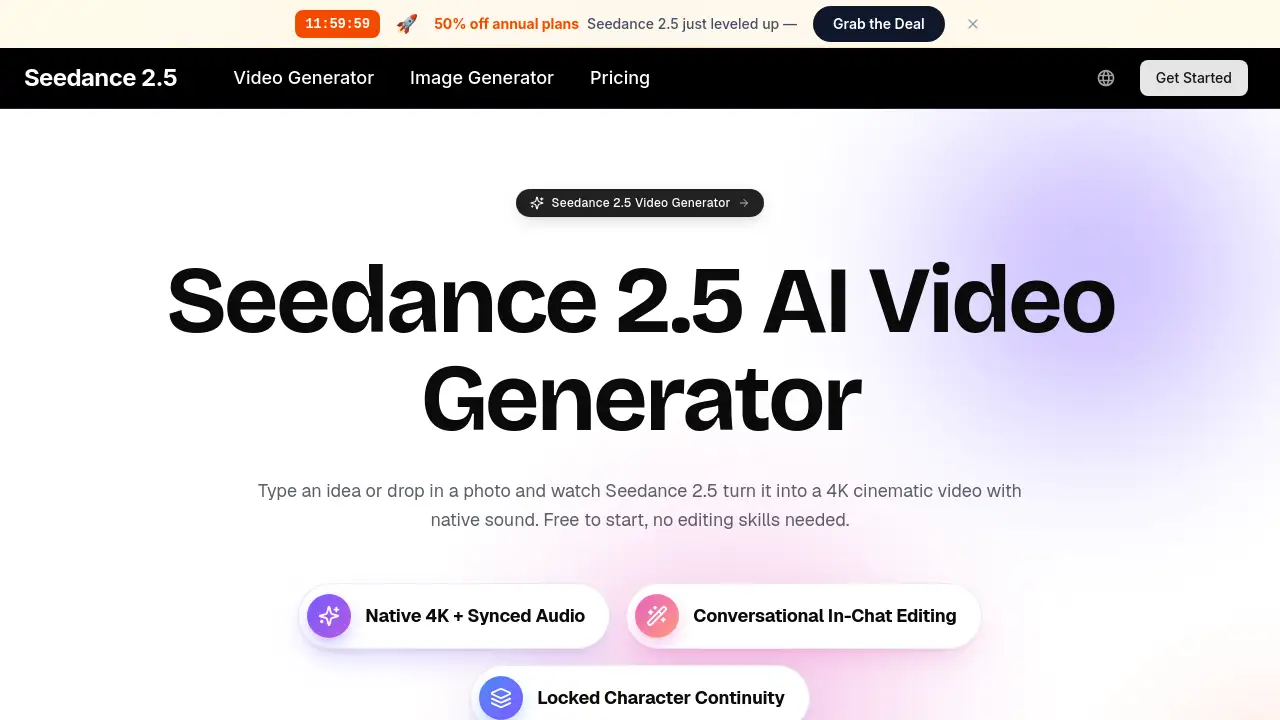
Seedance 2.5 is an AI video generator that turns text, images, and audio into 4K cinematic clips with native sound in seconds.
What is Seedance 2.5?
Seedance 2.5 is a powerful AI video generator built for anyone who wants to produce high-quality video content without technical skills or expensive equipment. Developed by the team at aiseedance25.ai, this tool accepts multiple input types — text prompts, photos, short clips, and even audio — and outputs finished scenes at up to true 4K resolution with synced sound. The core idea is simple: describe what you want in plain English, and Seedance 2.5 handles the camera work, lighting, motion, and audio in one pass.
This 4K video generator solves a major problem for content creators, marketers, small business owners, and educators who need professional-looking videos fast but lack the time, budget, or expertise for traditional production. Instead of juggling multiple apps for editing, sound design, and color grading, everything happens inside a single interface. The platform also supports conversational in-chat editing, meaning you can refine a clip by typing something like "make the lighting warmer" and the AI reworks the result on the spot.
Seedance 2.5 matters because it lowers the barrier to entry for video creation. With over 40 million videos already rendered by more than 1 million creators across 180 countries, it has proven itself as a reliable text to video AI solution that produces consistent, cinematic output. Whether you need a quick social media clip, a product demo, or a multi-shot narrative, this video generation tool delivers results that look like they came from a professional studio.
Key Features of Seedance 2.5
Multimodal Input
Feed the AI video maker text, images, clips, and audio all at once — up to 12 inputs in a single generation. The model reads every input together as one creative brief, so a reference photo, a style note, and a line of dialogue all shape the same final video.
4K Resolution Output
Render videos up to true 4K so every frame stays crisp on phones, laptops, and large displays. Fine details like hair, fabric, and reflections hold together instead of smearing, giving your work a real production look rather than an AI test clip.
Smooth 30fps Motion
Action stays fluid and stable at 30fps with no flicker, warping, or odd jumps between frames. Fast camera moves and quick subject motion both read cleanly, so the footage feels filmed rather than generated frame by frame.
Native Audio Sync
Dialogue, sound effects, and ambience are generated together with the picture and synced automatically. Lip movement lines up with speech, footsteps match the action, and room tone fits the scene, so you never have to open a separate audio editor or license stock music.
Conversational In-Chat Editing
Don't like a shot? Just describe the change in plain words — "make the lighting warmer" or "slow the camera move down" — and Seedance 2.5 reworks the clip. This conversational approach removes the need for keyframes, layers, or render settings.
Multi-Shot Story Building
Seedance 2.5 builds several shots from a single prompt and keeps scenes consistent across every cut. Describe a small narrative like an establishing wide, a close-up, and a reaction, and get it back as one coherent sequence instead of disconnected clips.
Locked Character Continuity
Characters, lighting, and style remain consistent from cut to cut when your prompt calls for multiple shots. This continuity separates a real story from a pile of random clips and happens automatically without manual matching.
Use Cases for Seedance 2.5
Social Media Content Creation
Turn a trend idea into a finished 4K video in the time it used to take just to set up a shot. Post several variations to see what lands with your audience on TikTok, Reels, or Shorts.
Product Demos for E-Commerce
Turn one flat product photo into a rotating cinematic demo that makes listings look like they came from a much bigger brand. Sales often improve when shoppers see clean, professional video presentations.
Marketing Campaign Ads
Turn campaign concepts into polished video ads in minutes, then test, tweak, and relaunch without waiting on a production house. Spin up a dozen creative directions in an afternoon and double down on whatever performs.
Educational Visuals
Bring lessons to life with clear, engaging visuals that hold attention far better than slides. Explain a tricky concept with a short animated scene that students actually want to watch all the way through.
Client Work for Agencies
Deliver more client videos in less time while keeping a consistent look across every project. Use multi-shot prompts to produce whole sequences and turn pitch ideas into moving mock-ups before a kickoff call ends.
How to Use Seedance 2.5
-
Type or upload — Write a short description of the video you want, or upload a single photo you'd like to bring to life. Add a reference image, a style note, or a line of dialogue to steer the result. Plain English works perfectly.
-
Generate — Hit generate and let this AI video generator build your 4K video with native sound in seconds. The platform handles camera moves, lighting, motion, and audio for you with nothing to set up.
-
Chat to refine — Want a tweak? Just describe the change in plain words and regenerate until it's exactly right. The conversational editing makes iteration fast and natural.
-
Download and share — Save your finished clip and post it straight to TikTok, YouTube, Reels, or anywhere else. Download the final version in full quality.
Target Audience for Seedance 2.5
- Content creators on TikTok, Instagram, and YouTube Shorts
- Marketers running ad campaigns and social media promotions
- Small business owners showcasing products online
- Educators creating lesson visuals and explainer content
- Agencies producing client videos and pitch materials
- Hobbyists experimenting with AI video for fun
Is Seedance 2.5 Free?
Yes, Seedance 2.5 is free to start with no credit card needed to make your first clip. Paid plans add more credits, longer videos, and higher resolution when you're ready, but you can explore everything that makes it special before spending anything. For the latest pricing details, visit the official pricing page on aiseedance25.ai.
| Plan | Price | Features |
|---|---|---|
| Free | $0 | First clips, basic resolution, limited credits |
| Pro | Check website | More credits, longer videos, higher resolution |
Seedance 2.5's Pros and Cons
| Aspect | Pros | Cons |
|---|---|---|
| Ease of Use | No editing skills needed, plain English prompts, zero learning curve | Limited manual control for advanced users |
| Output Quality | True 4K resolution, smooth 30fps, cinematic color grading | May not match fully custom manual editing for specific artistic visions |
| Audio | Native sound sync with dialogue, effects, and ambience | Audio customization options are not deep |
| Input Flexibility | Supports text, images, clips, and audio up to 12 inputs | Large file uploads have size limits (10MB images, 50MB videos) |
| Pricing | Free to start, no credit card required | Paid plans needed for longer videos and higher resolution |
| Speed | Generations complete in seconds | Complex multi-shot scenes may take slightly longer |
Frequently Asked Questions about Seedance 2.5
What kind of inputs does Seedance 2.5 accept?
Seedance 2.5 accepts text prompts, images (up to 10MB), video clips (up to 50MB), and audio files. You can combine up to 12 inputs in a single generation, and the AI reads them all together as one creative brief.
Can Seedance 2.5 generate videos with sound?
Yes, this AI video generator produces native audio that is synced automatically with the picture. Dialogue, sound effects, and room ambience are all generated together, so lip movement lines up with speech and footsteps match the action.
How long does it take to generate a video with this 4K video generator?
Generations finish in seconds. The exact time depends on the complexity of the scene, but Seedance 2.5 is designed for speed so you can iterate quickly.
Do I need any editing experience to use Seedance 2.5?
No, Seedance 2.5 is built for beginners. There are no timelines, no jargon, and no intimidating control panels. If you can write a sentence, you can make a finished video with this text to video AI tool.
Can I edit a video after it is generated?
Yes, you can edit conversationally by describing changes in plain words. For example, say "make the lighting warmer" or "slow the camera move down" and the video generation tool reworks the clip without any manual settings.
Is Seedance 2.5 free to use?
Yes, Seedance 2.5 is free to start with no credit card needed. Paid plans are available for users who need more credits, longer videos, and higher resolution, but the free tier lets you explore the core features.
Seedance 2.5 Tags
Seedance 2.5, AI video generator, 4K video generator, text to video AI, video generation tool, AI video maker, text to video, image to video, AI video editor, free video generator, conversational video editing, AI content creation tool