Introduction
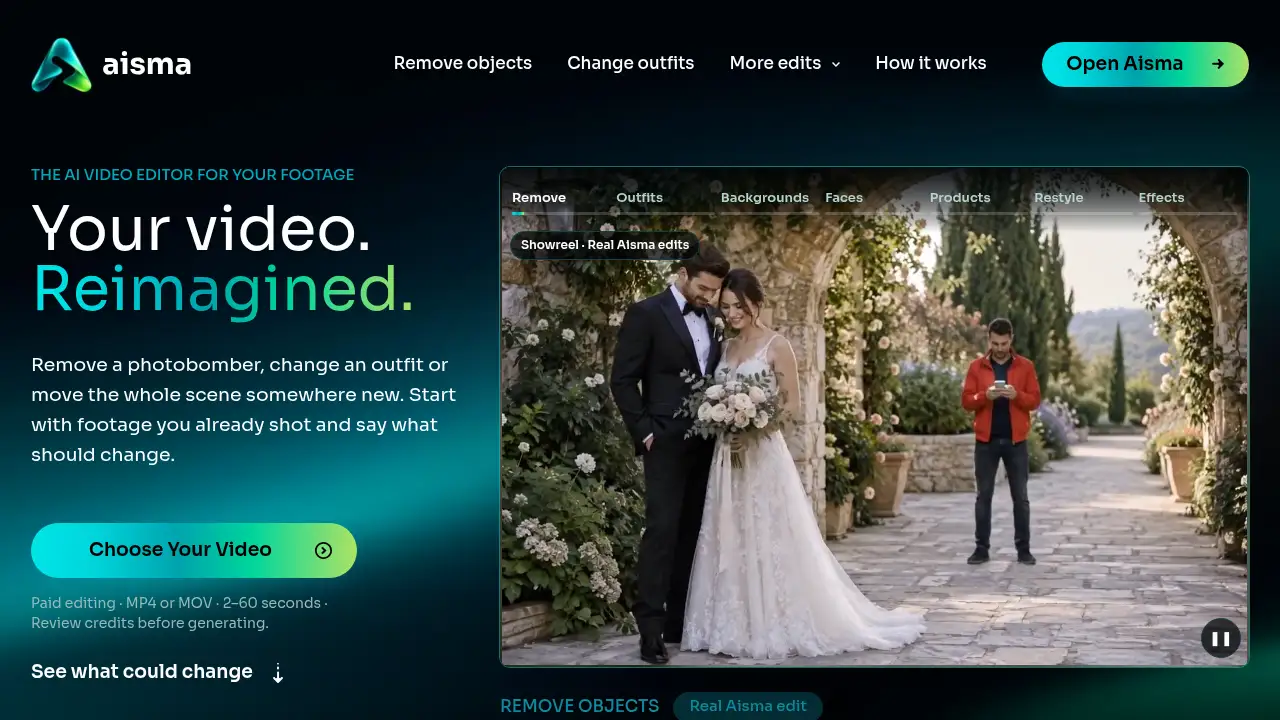
Aisma is an AI video editor for existing footage. It changes what appears in a clip you already shot, such as a person, outfit, background or product, by using a plain-language request. This AI video editor keeps your framing and original audio, so the edit feels grounded in the footage you filmed.
What is Aisma?
Aisma is an AI video editor built for footage that already exists. Instead of generating a new scene from text, it works inside a real clip: users upload a video, describe what should change, and optionally add reference photos. The AI video editor can remove people from video, change clothes in video, swap a face, change the background, or replace a product while keeping the camera movement and original sound.
This solves a common production problem: a good take may have a photobomber, a jacket in the wrong color, a distracting bin, or a product that needs updating. A full reshoot can cost time and money. Aisma offers a simpler video editing AI workflow for small teams and solo creators who need targeted changes without rebuilding the whole scene. It is also an example of video-to-video AI, where the source clip remains the starting point.
Key Features of Aisma
Edit Footage You Already Shot
Upload a clip of 2 to 60 seconds and request a specific change. The AI video editor keeps the clip length, framing and camera work, so the result can still go into an existing edit.
Remove People and Objects
Name a person or object by appearance and location to remove people from video or clean up a scene. Aisma fills the space from the surrounding footage.
Change Clothes and Outfits
Swap a full outfit or a single garment by using words or a reference photo. This change clothes in video feature is useful for fashion, retail and social content.
Change Video Backgrounds
Move a subject to a new place without a green screen. The change background in video tool keeps the subject and motion while replacing the surrounding scene.
Swap Faces and Replace a Person
Use clear portraits to swap a face in video or replace a whole person. Aisma keeps gestures, camera movement and the original timing.
Swap Products in a Video
Replace one item with another by adding a product photo. The product swap video feature keeps the hand movement, table setting and shot composition.
Restyle or Add Effects
Describe a material, art style or physical event to restyle video or add AI video effects. Requests work best when they are clear and focused on one change at a time.
See the Price Before You Generate
Choose 720p or 1080p and view the credit price before rendering. If a part fails or does not pass the automatic safety check, it is not charged.
Use Cases for Aisma
Social Media and Creator Videos
Creators can remove distractions, change outfits or restyle a clip for a new platform. The AI video editor helps refresh content without arranging another shoot.
E-commerce Product Videos
Shops can swap a product, update packaging or change a background in a product clip. A product swap video is useful for catalogs, ads and Shopify listings.
Real Estate and Local Business Listings
Agents can remove bins, signs or clutter from a walkthrough. They can also change background details to make a listing clip look cleaner and more focused.
Wedding and Event Cleanup
Editors can remove a photobomber or unwanted object from a wedding video. The AI video editing process keeps the original audio and framing, which matters for emotional moments.
Brand and Campaign Updates
Marketing teams can update a jacket, product or setting without reshooting the entire scene. This makes video-to-video AI useful for quick campaign variations.
How to Use Aisma
- Upload a clip in MP4 or MOV format. The source video should be 2 to 60 seconds and no larger than 500 MB.
- Describe the change in plain words. A clear sentence such as “remove the bin by the door” usually works best.
- Add optional reference photos. Users can include up to 10 images for a specific face, garment or product.
- Choose 720p or 1080p and check the credit price. The AI video editor shows the cost before rendering starts.
- Generate the edit and download the MP4 result from the private Library. Review the clip and request a clarification if one part needs adjustment.
Target Audience for Aisma
- Content creators and social media managers who need fast visual changes
- Small e-commerce shops that want product swap video edits
- Real estate agents and local businesses with listing footage
- Wedding and event editors who need to remove people from video
- Marketing teams that need campaign variations from existing clips
- Video editors looking for a video-to-video AI tool for targeted fixes
Is Aisma Free?
Aisma is not a free AI video editor in the sense of free rendered output. Every rendered edit uses credits, and the exact price appears before generation. The iPhone and Android apps can be downloaded for free, and a new web account can prepare its first three edits, but rendering starts after credits are purchased.
Pricing is based on video length and output quality: 10 credits per second at 720p and 20 credits per second at 1080p. Each shot between cuts counts in whole seconds, with a 2-second minimum. Credits are available in one-time packs that never expire or in weekly plans. Exact dollar prices are listed on Aisma’s official pricing page (https://aisma.ai/pricing).
| Plan | Price | Features |
|---|---|---|
| Credit packs | Varies | One-time purchase; credits never expire; 720p and 1080p rendering |
| Weekly plans | Varies | Recurring credits for regular editing; price shown before purchase |
| Free app download | $0 | Download the iPhone or Android app; rendered edits still use credits |
Aisma's Pros and Cons
| Aspect | Pros | Cons |
|---|---|---|
| Pricing | Clear credit price before rendering; unused credits return | No free rendered edits; exact dollar cost depends on pack or plan |
| Features | AI video editor for existing footage; supports people, outfits, backgrounds, faces and products | Source clips are limited to 2–60 seconds and 500 MB |
| Workflow | Simple request box; optional reference photos; MP4 output | Results vary with clip and prompt; some tasks may need clarification |
| Audio and framing | Keeps original audio, framing, length and camera work | Not a full replacement for complex manual editing |
| Privacy | Private Library; uploads and results are private to the account | Automatic safety checks can stop a failed part from rendering |
Frequently Asked Questions about Aisma
What is an AI video editor?
An AI video editor is a tool that uses artificial intelligence to change or improve video footage. Aisma focuses on editing clips users already shot, such as removing people from video, changing clothes in video or changing the background in video.
Can Aisma remove someone from a video?
Yes. Aisma can remove people and objects from video when the request describes what should go and where it is. It fills the space using the surrounding scene and keeps the original framing.
Does Aisma keep my original audio and framing?
Yes. Aisma keeps the original audio, clip length, framing and camera work. The AI video editing process changes visual elements rather than the sound or shot structure.
What video formats and lengths does Aisma support?
Aisma accepts MP4 or MOV clips from 2 to 60 seconds and up to 500 MB. It supports vertical, square and horizontal video. Users can add up to 10 reference photos per edit in JPEG, PNG or WebP format.
How much does an Aisma edit cost?
Aisma charges 10 credits per second at 720p and 20 credits per second at 1080p. A 10-second clip costs 100 credits at 720p. The AI video editor shows the exact credit price before generation, and credits come in packs or weekly plans.
Can Aisma swap a product or change a background in a video?
Yes. Aisma can perform a product swap video change with a reference photo and can change video backgrounds without a green screen. Both edits keep the subject, motion and original timing.
Aisma Tags
AI video editor, AI video editing, Aisma, video-to-video AI, remove people from video, change background in video, change clothes in video, swap face in video, product swap video, AI video effects, restyle video, edit video with AI prompt