Introduction
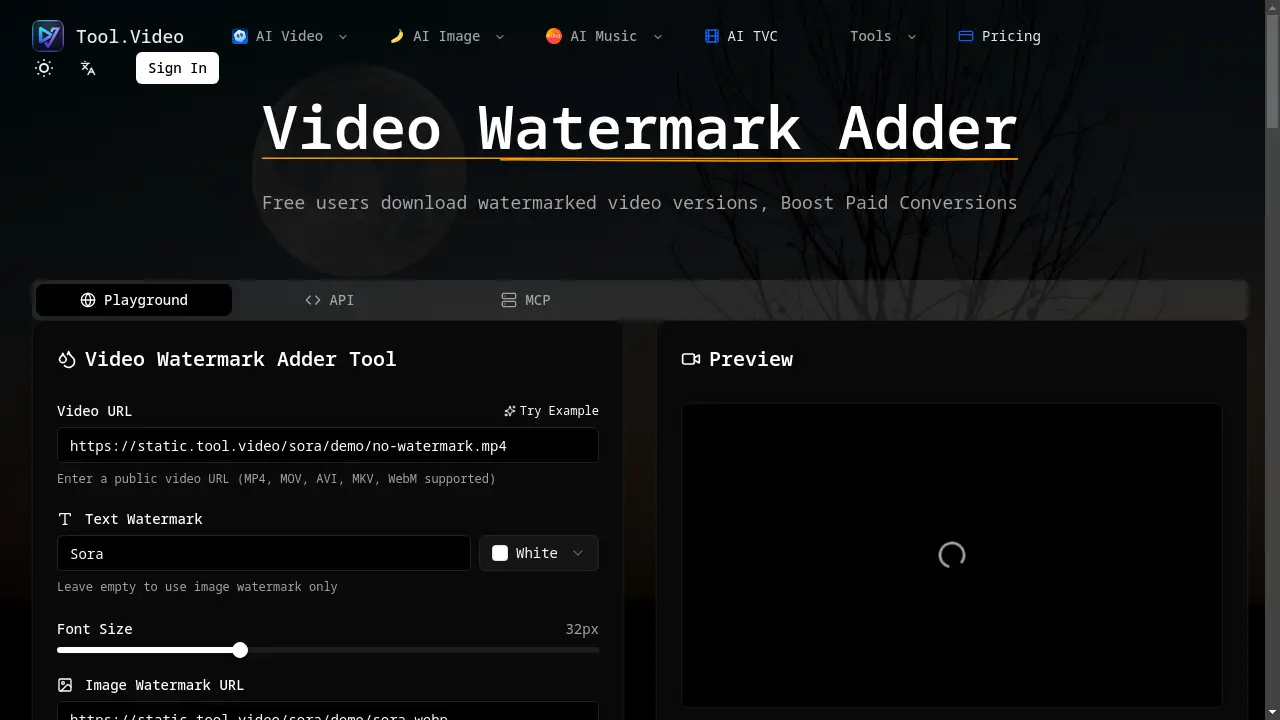
The Video Watermark Adder is an online tool that helps you protect and brand your videos by adding custom text or image watermarks.
What is Video Watermark Adder?
A Video Watermark Adder is a digital tool designed to overlay text or image elements, known as watermarks, onto video content. It solves the problem of unauthorized sharing and use of video assets by clearly marking ownership. This tool is essential for content creators, marketers, educators, and businesses who need to distribute videos while safeguarding their intellectual property and building consistent brand recognition. By using this free online tool, users can easily add professional-looking watermarks without requiring complex video editing software. The ability to offer watermarked previews can also be a strategic tool for boosting paid conversions for digital products and courses.
Key Features of Video Watermark Adder
Text Watermarks
Add custom text watermarks with full control over font size, color, and style to match your brand identity perfectly.
Image Watermarks
Upload your logo or any image file to use as a brand watermark, with adjustable scaling to fit your video composition.
Flexible Positioning
Place your watermark in any corner—like bottom right—or a custom position on the video frame for optimal visibility and aesthetics.
Real-time Preview
See exactly how your text or image watermark will look on your video before final processing, ensuring perfect placement every time.
Multi-Format Support
The tool supports popular video formats including MP4, MOV, AVI, MKV, and WebM, making it versatile for various source materials.
Use Cases for Video Watermark Adder
Content Creator Protection
Independent YouTubers and social media creators use a video watermark adder to protect their original content from being re-uploaded without credit.
Professional Branding for Businesses
Companies add their logo to training videos, promotional content, and corporate presentations to maintain a professional branding standard.
Freemium Product Marketing
Educators and software companies share free, watermarked versions of their video content to boost paid conversions by offering a clean, watermark-free version as a premium benefit.
Event and Wedding Videography
Videographers add a discreet watermark to previews or sample reels shared with clients, protecting their work before final delivery and payment.
How to Use Video Watermark Adder
Using the tool is a straightforward, three-step process that requires no software installation.
- Upload Your Video: Enter the public URL of your video file. The video watermark adder online supports formats like MP4, MOV, AVI, MKV, and WebM.
- Configure Your Watermark: Choose to add a text watermark (customizing font, color, and size) or an image watermark (uploading your logo and adjusting its scale and position). You can also set the opacity for a subtle effect.
- Preview and Download: Use the real-time preview to ensure the watermark looks correct. Once satisfied, process and download your newly watermarked video.
Target Audience for Video Watermark Adder
- Social Media Influencers and Content Creators
- Digital Marketers and Advertising Agencies
- Online Educators and Course Creators
- Small Business Owners and Entrepreneurs
- Freelance Videographers and Photographers
- Corporate Communications Teams
Is Video Watermark Adder Free?
Yes, the Video Watermark Adder offers a free-to-use plan. Users can access the core functionality to add watermarks to their videos. For extended use, higher video processing limits, or batch features, the platform provides affordable premium options through its credit-based pricing system, making advanced brand protection accessible.
Frequently Asked Questions about Video Watermark Adder
What is a video watermark adder?
A video watermark adder is an online tool or software that allows you to overlay a semi-transparent text or image (like a logo) onto a video file to denote ownership or origin.
Is this video watermark adder free to use?
Yes, the basic functionality of adding a watermark to your video is available for free. Enhanced features or higher usage limits may require credits.
What video formats does the video watermark adder support?
The tool supports common video formats including MP4, MOV, AVI, MKV, and WebM.
What image formats can I use for watermarks?
You can typically use PNG (recommended for transparency), JPG, and WebP image files for your image watermark.
Can I adjust the watermark opacity?
Yes, most video watermark adders, including this one, allow you to adjust the transparency or opacity of your watermark for a more subtle or prominent effect.
Does the video watermark adder reduce video quality?
A reputable tool processes the video to add the watermark without significantly compromising the original video quality, maintaining a professional output.
Video Watermark Adder Tags
video watermark adder, add watermark to video, free online video watermark, brand watermark, image watermark, text watermark, video branding tool, protect video content, boost paid conversions, professional branding, logo watermark, online video editor