Introduction
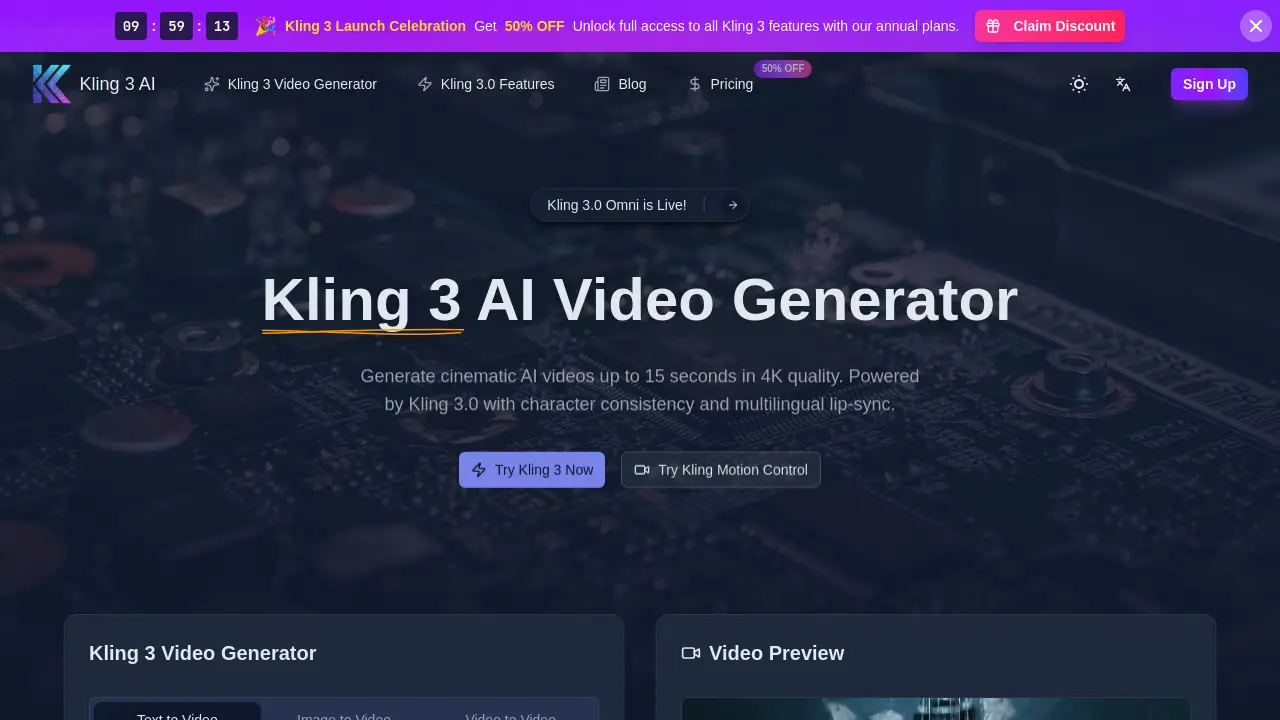
Kling 3.0 is an advanced AI video and image generator designed for professional creators seeking cinematic quality.
What is Kling 3.0?
Kling 3.0, also known as Kling 3, is a third-generation AI model developed by Kuaishou. It is a powerful platform that transforms text, images, or existing video clips into high-fidelity, cinematic videos and images. The product solves the challenge of creating high-quality, consistent visual content quickly and affordably, which is a major hurdle for filmmakers, marketers, and content creators. By offering features like character consistency, realistic physics simulation, and integrated audio, Kling 3.0 makes professional-grade video production accessible. It is suitable for a wide range of users, from independent YouTubers and social media managers to professional film directors and marketing agencies looking to produce content at scale. The Kling 3 AI engine represents a significant step forward in creative AI tools.
Key Features of Kling 3.0
Cinematic 15-Second Videos
Generate videos up to 15 seconds in length with full cinematic control, allowing for detailed scene direction like zooms, pans, and rotations using natural language prompts.
Omni Character Consistency
The Kling 3 Omni model maintains a character's face, voice, and style perfectly across multiple video clips, enabling the creation of serialized content with a consistent protagonist.
Multilingual Lip-Sync
The platform supports realistic lip-syncing in five languages (English, Chinese, Japanese, Korean, Spanish), ensuring audio and mouth movements are perfectly matched for global content.
4K Image and Video Output
Produce both videos and still images in stunning 4K resolution, with realistic textures, accurate lighting, and detail sharp enough for professional print and broadcast.
Advanced Physics Simulation
Trained with Reinforcement Learning (RL), the Kling 3.0 model simulates complex physical interactions like flowing water, fabric movement, and anatomy with remarkable realism.
Integrated Audio Generation
The AI doesn't just create visuals; it also generates synchronized sound, providing a complete audio-visual experience directly from a text prompt.
Use Cases for Kling 3.0
Social Media Content Creation
Quickly produce engaging, high-quality short videos for platforms like YouTube, TikTok, and Instagram to maintain a consistent posting schedule.
Advertising and Marketing Campaigns
Create compelling ad visuals, product demos, and branded video content at scale, with consistent characters for campaign continuity.
Film and Video Pre-Production
Use Kling 3 for rapid storyboarding, concept art generation, and pre-visualization to pitch ideas and plan shots before expensive live production.
Game Development
Prototype in-game cutscenes, character animations, and environmental backgrounds to visualize game concepts and mechanics early in the development cycle.
Educational and Explainer Videos
Generate clear, visually appealing videos to explain complex topics, using consistent avatars or presenters to enhance learning retention.
How to Use Kling 3.0
Using the Kling 3.0 platform is a straightforward three-step process designed for user efficiency.
- Enter Your Prompt: Describe the desired video scene, characters, actions, and specific camera movements in the text box using natural language.
- Configure Settings: Select the Kling 3.0 model, choose the video duration (up to 15 seconds), set the aspect ratio (like 16:9), and enable audio generation if needed.
- Generate and Download: Click the generate button. Once the Kling 3 AI has processed your request, you can preview, iterate if necessary, and download the final video in high-resolution formats.
Target Audience for Kling 3.0
- Content Creators & YouTubers: Individuals needing to produce regular, high-quality video content efficiently.
- Marketing Professionals & Agencies: Teams that create visual ads, social media campaigns, and branded content for clients.
- Filmmakers & Video Producers: Professionals in film, television, and online video who use it for pre-visualization, storyboarding, and even final asset creation.
- Game Developers & Designers: Those who require concept art, environment visuals, and animated sequences during game development.
- Independent Artists & Designers: Creatives exploring new mediums and generating unique visual assets for projects.
Is Kling 3.0 Free?
Kling 3.0 operates on a credit-based system. New users typically receive a limited number of free credits to try the platform. For ongoing use, credits must be purchased. The homepage indicates a promotional 50% discount on annual plans for full access to all Kling 3 features. For the most accurate and current pricing details, including specific plan tiers and credit costs, users should visit the official Kling 3 pricing page.
Kling 3.0's Pros and Cons
| Aspect | Pros | Cons |
|---|---|---|
| Output Quality | Exceptional 4K resolution and cinematic realism. | May require precise prompting to achieve desired results. |
| Character Consistency | Omni model is a game-changer for serialized content. | Setting up and managing a subject library adds a step to the workflow. |
| Workflow Efficiency | Dramatically faster than traditional video production methods. | Credit system cost can add up for high-volume users. |
| Feature Set | Comprehensive, combining video, image, audio, and lip-sync. | New users may face a learning curve to master all advanced features. |
| Accessibility | Makes professional-grade video creation accessible to non-experts. | Requires a stable internet connection for cloud-based generation. |
Frequently Asked Questions about Kling 3.0
What are the main new features in Kling 3.0?
The Kling 3.0 update introduces the Omni model for unparalleled character and audio consistency, extends maximum video duration to 15 seconds, and delivers 4K output quality. It also features significantly improved physics simulation through RL-based training.
How does the Omni model ensure character consistency?
The Kling 3 Omni feature works by creating a 'Subject Library.' Users upload a reference image or video, and the AI extracts key features like facial structure and style. This subject can then be used across any new video generation, maintaining perfect consistency.
Can I use videos from Kling 3 for commercial projects?
Yes. Content generated on the Kling 3 platform is intended for professional and commercial use. Users own the output and can utilize it for advertising, social media, films, or other commercial designs without restriction.
Which languages does the lip-sync feature support?
The Kling 3.0 lip-sync technology currently supports five languages: English, Chinese, Japanese, Korean, and Spanish, enabling creators to produce localized content with accurate audio-visual synchronization.
What sets Kling 3 apart from other AI video generators?
Kling 3 AI distinguishes itself with superior physical simulation, the unique Omni character consistency model, and integrated, high-quality audio generation. This combination offers a level of creative control and output fidelity that is highly competitive in the market.
Is there a free trial available?
New users are generally offered a set of free credits to experiment with the Kling 3 video generator. This allows testing of core features before committing to a paid plan for continued use.
Kling 3.0 Tags
AI video generator, Kling 3, Kling 3.0, cinematic AI video, character consistency AI, 4K video generation, text to video, Omni model, AI lip sync, video creation tool, AI for creators, marketing video AI, Kling 3 AI, AI filmmaking tool