Introduction
A comprehensive review of the BestVid AI video and image generation platform.
What is bestvid?
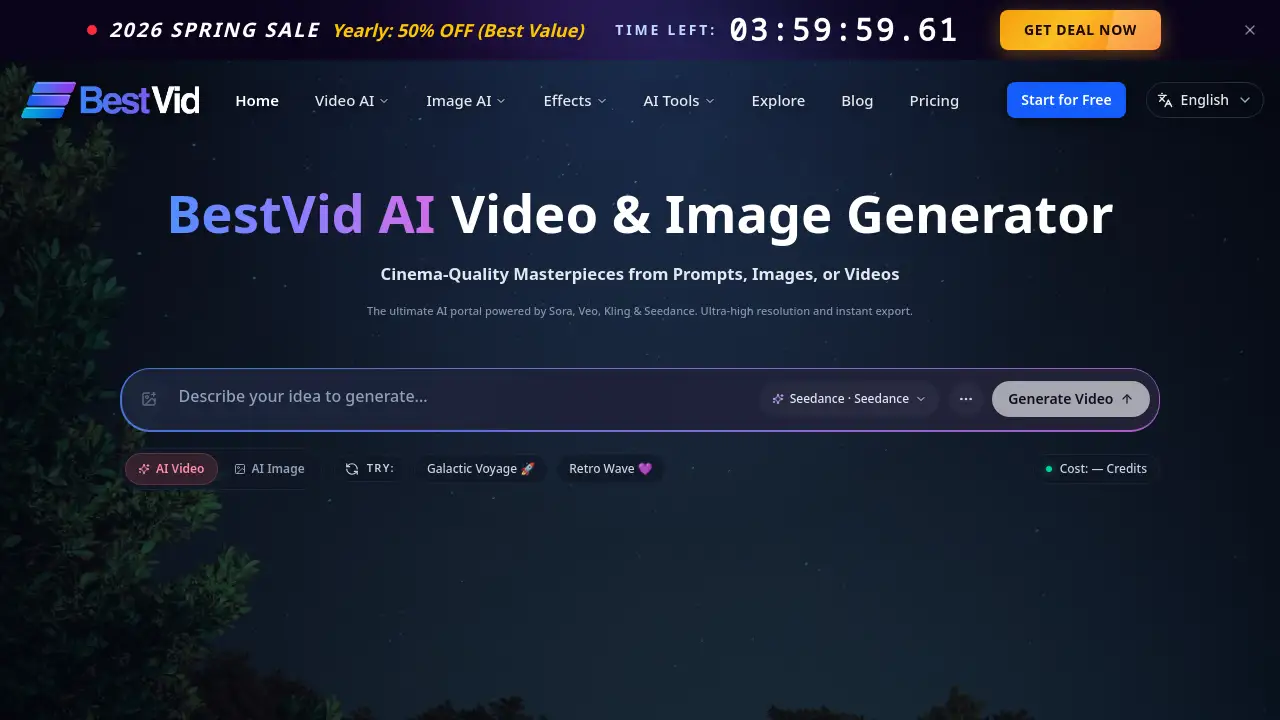
BestVid is an all-in-one AI-powered creative portal designed to help users generate high-quality videos and images. This platform addresses the common challenge of accessing and comparing multiple cutting-edge AI models by aggregating top-tier technologies like Sora, Kling, Veo, and Seedance in one place. It is suitable for content creators, marketers, filmmakers, and social media managers looking to produce ultra-clear, cinematic visuals from simple text prompts, images, or existing video clips. The service matters because it simplifies a complex landscape, offering a unified workflow for professional-grade AI video generation and high-resolution image creation.
Key Features of bestvid
Multi-Model AI Video Generation
The platform integrates leading AI models, allowing users to choose between Seedance, Sora, Veo, and Kling for different creative needs, from stable commercial videos to complex cinematic storytelling.
Ultra-High Resolution and Detail Restoration
BestVid focuses on delivering cinema-quality masterpieces with ultra-clear output, featuring professional detail upscaling to enhance the final video and image resolution.
Unified Creative Workflow
It provides a streamlined portal that moves users from initial idea to final export without switching between fragmented tools, supporting both text-to-video and image-to-video generation workflows.
Community Gallery and Templates
Users can explore a gallery of featured masterpieces for inspiration and access ready-made templates for various use cases like social media content and ad creatives.
Instant Export and Optimization
The platform enables quick generation and instant export of videos, with options to optimize the final output for different social media platforms and professional use.
Use Cases for bestvid
Viral Social Media Content
Creators can rapidly produce high-velocity video hooks and cinematic transitions optimized for platforms like TikTok and Instagram Reels using motion-stable AI models.
Professional Ad Creatives
Marketing teams can generate high-conversion marketing assets, test multiple versions quickly, and download production-ready ad clips with enhanced detail.
Cinema-Quality Storytelling
Filmmakers and visual artists can create cinematic visual assets with superior character consistency and narrative depth for short films and complex scenes.
Educational Visuals
Educators and e-learning developers can transform abstract concepts into vivid AI-animated demonstrations to create engaging instructional content.
How to Use bestvid
- Start an Idea: Begin on the platform's generation page. Input a text prompt, upload a starting image, or use a video clip as your creative seed.
- Select Your Model: Choose from the available AI video generator models—Seedance, Sora, Veo, or Kling—based on your desired balance of motion, quality, and style.
- Configure Settings: Adjust parameters such as video duration, resolution, and aspect ratio according to your project needs.
- Generate and Review: Initiate the generation process. The AI will create your video, which you can then review.
- Enhance and Export: Apply Pro-Detail upscaling for ultra-clear results, then instantly export the final high-resolution video for download or sharing.
Target Audience for bestvid
- Social Media Content Creators and Influencers
- Digital Marketing and Advertising Professionals
- Independent Filmmakers and Video Artists
- E-learning Content Developers and Educators
- Game Developers and Digital Asset Creators
- Creative Agencies and Production Teams
Is bestvid Free?
The platform offers a free starting tier. Detailed pricing is available on its official website, which currently advertises a promotional sale. For accurate, up-to-date information on plan features and costs, users should visit the BestVid pricing page directly.
| Plan | Price | Key Features |
|---|---|---|
| Free Tier | $0 | Basic access to start generating videos with limited credits. |
| Paid Plans | Varies | Increased credits, access to all AI models (Sora, Kling, Veo, Seedance), Pro-Detail upscaling, higher resolution exports, and more. |
bestvid's Pros and Cons
| Aspect | Pros | Cons |
|---|---|---|
| Technology & Features | Aggregates multiple top AI models (Sora, Kling, etc.) in one platform. Offers professional detail restoration. | The performance and output are dependent on the underlying third-party AI models. |
| Workflow & Usability | Provides a unified, streamlined portal for the entire creation process. | New users may need time to understand the strengths of each different AI model. |
| Output Quality | Focus on ultra-high resolution and cinematic quality videos. | The final quality can vary based on the prompt and the selected model. |
| Accessibility | Offers a free tier to start, lowering the barrier to entry for AI video generation. | Advanced features and higher volume require a paid subscription. |
Frequently Asked Questions about bestvid
What AI models does BestVid use for video generation?
BestVid aggregates several leading AI video generation models, including OpenAI's Sora, Google's Veo, Kling AI, and its own Seedance technology. This allows users to compare and choose the best engine for their specific project.
Can I generate videos for free on BestVid?
Yes, BestVid offers a free tier that provides users with a limited number of credits to start generating AI videos and images without an initial payment.
What is the main advantage of using BestVid over a single AI model?
The primary advantage is access and comparison. Instead of managing separate accounts for different AI video services, BestVid provides a single portal to use and compare outputs from Sora, Veo, Kling, and Seedance, streamlining the creative workflow.
Is BestVid suitable for creating professional advertising content?
Absolutely. The platform is designed for professional use cases, offering templates for ad creatives, multi-model comparison to test versions, and Pro-Detail upscaling to ensure ultra-clear, production-ready video clips.
How does the "Pro-Detail" feature work?
The Pro-Detail feature is a detail restoration and upscaling tool. It enhances the generated video by recovering finer details and increasing the resolution, resulting in an ultra-clear, high-definition final export.
What kind of content can I create with BestVid?
You can create a wide range of content, including viral social media clips, professional advertisements, cinematic short films, educational explainers, and conceptual visual art, all through text, image, or video prompts.
bestvid Tags
AI video generator, AI image generator, Sora AI, Kling AI, Veo AI, Seedance, cinematic video, ultra-clear video, text to video, video creation platform, AI video maker, high-resolution AI