Introduction
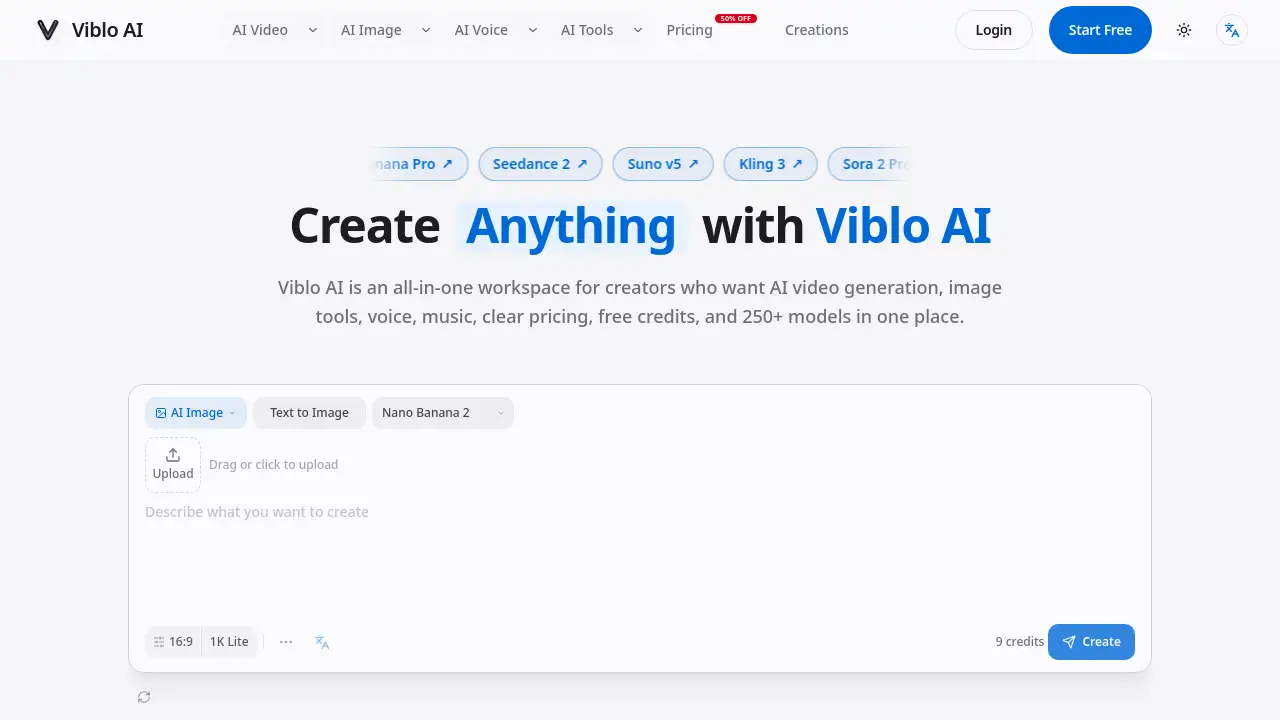
Viblo AI is a unified creative workspace that combines an AI video generator, image tools, voice, music, and avatar models. It helps creators test prompts, compare outputs, and build workflows without switching platforms. Start with free credits and scale production.
What is Viblo AI?
Viblo AI is an all-in-one AI video generation and multimedia platform designed for creators who need to produce video, images, voice, music, and avatar content from a single dashboard. Instead of juggling separate apps for each media type, users can draft a prompt, compare results across 250+ models, and refine assets inside one connected workflow. The platform solves the common problem of scattered tools and lost context – each project keeps its source material, generation choices, and revision history in one place. Viblo AI is especially useful for social teams, marketers, educators, and agencies that need consistent, repeatable content production. With clear pricing, free credits, and commercial licenses, it lowers the barrier for anyone exploring AI video generation or AI image creation.
Key Features of Viblo AI
250+ AI Models Under One Roof
Viblo AI aggregates over 250 video, image, voice, music, and avatar models – including Sora 2, Veo 3, Midjourney, Flux2, and ElevenLabs. Users can compare model quality, speed, and credit cost before generating, helping them choose the best option for each task.
Side-by-Side Model Comparison
Instead of guessing which AI video generator performs best for a specific prompt, Viblo AI lets users preview outputs from multiple models simultaneously. This feature saves time and reduces credit waste by validating creative direction early.
Connected Workflow from Prompt to Export
Assets do not stay isolated. A generated image can be turned into a video; a video can receive voiceover, captions, or upscaling. Viblo AI keeps the prompt context flowing across steps, so creators can refine one idea without re-entering settings.
Locale-Aware Interface
With support for 11 locales, Viblo AI adapts its interface and routing to regional users. This makes it easier for international teams to use the platform in their preferred language.
Commercial License for All Outputs
Every asset created with Viblo AI comes with a commercial license. Users can confidently publish content for social campaigns, ads, client work, or ecommerce without worrying about usage rights.
Use Cases for Viblo AI
Short-Form Video for Social Campaigns
Social media managers can start from a hook, generate scene references, produce vertical video drafts, add narration and music, and export platform-ready clips – all without leaving Viblo AI. The workflow keeps the winning prompt and visual direction attached to the final asset.
Product Visuals for Ecommerce
Marketing teams can upload a product photo, test backgrounds, animate a selected frame, and add voice or music. Viblo AI’s connected steps help reviewers understand which input led to the approved result, making it easy to reuse for the next campaign.
Educational Explainers and Training Content
Teachers and enablement teams can turn a lesson outline into diagrams, narrated clips, and supporting audio. The clear project trail helps maintain accuracy and consistency when updating individual assets as information changes.
Agency Concepts and Client Review
Agencies can explore multiple creative directions, compare model strengths, and present review-ready images and videos. Once a client approves a direction, Viblo AI supports production variations while keeping the original decisions accessible.
How to Use Viblo AI
- Choose a content goal – decide whether you need a video, image, voice, music, or avatar.
- Start with a prompt – use the home generator to draft one clear asset and test model outputs.
- Compare models – browse the model list, filter by use case, and preview results side by side.
- Refine the workflow – move the winning asset into editing, upscaling, or video tools without losing context.
- Export and publish – once the asset is final, download it with a commercial license and use it anywhere.
Target Audience for Viblo AI
- Content creators and short-form video producers
- Social media managers and marketing teams
- Ecommerce brands and product marketers
- Educators and internal training teams
- Creative agencies and freelancers
Is Viblo AI Free?
Yes, Viblo AI offers a free plan with 1,000 credits that never expire. The free tier includes access to nearly all models, no watermark, and a commercial license. For recurring production, paid plans provide more credits and priority processing.
| Plan | Price | Key Features |
|---|---|---|
| Free | $0 | 1,000 credits, never expire, ~100 images or ~10 videos, all models, no watermark, commercial license |
| Creator | $15/month ($13/month yearly) | 1,000 credits per month, never expire, same features as Free but with monthly renewal |
| Pro | $45/month | Larger credit pool (details on pricing page), priority processing, full model access |
(Credit estimates: ~100 images or ~10 videos per 1,000 credits, depending on model cost.)
Viblo AI's Pros and Cons
| Aspect | Pros | Cons |
|---|---|---|
| Pricing | Free plan with no credit card; credits never expire; commercial license included | Higher-tier plans may be expensive for occasional users |
| Model Selection | 250+ models from top providers in one place | Model quality varies; some models require more credits per output |
| Workflow Integration | Keeps prompt context across video, image, voice, and music tasks | Learning curve for users new to multi-step workflows |
| Commercial License | All outputs are safe for commercial use | – |
Frequently Asked Questions about Viblo AI
Can I use Viblo AI as a free AI video generator?
Yes. The free plan includes 1,000 credits that can be used for AI video generation. You can test models like Sora 2, Veo 3, and Kling without paying anything. Credits never expire, so you can use them over time.
How does Viblo AI pricing work compared to other AI video generators?
Viblo AI pricing is credit-based. Each model costs a set number of credits per generation. The free plan gives a starting balance, and paid plans refill credits monthly. Because credits never expire, unused credits roll over – a flexibility many competitors do not offer.
What models are available in Viblo AI for AI image creation?
Viblo AI includes popular image models such as Midjourney, Flux2, and Stable Diffusion variants. Users can compare outputs side by side to choose the best style and quality for their project.
Is there a watermark on free outputs?
No. All plans – including the free plan – produce watermark-free content. Users also get a commercial license, so generated images and videos can be used in ads, social posts, and client deliverables.
Can I turn an image into a video inside Viblo AI?
Yes. Viblo AI’s workflow supports moving an image asset into video generation tools. After creating an image, you can use it as input for models like Runway Extend or Kling to animate the scene, all while keeping your original prompt and settings.
Does Viblo AI support voice and music generation?
Absolutely. Viblo AI includes voice models (e.g., ElevenLabs) and music generation tools. You can add narration to a video or create background tracks, then edit the timing and export the final clip.
Viblo AI Tags
Viblo AI, AI video generator, AI image generator, free AI video generator, AI video generation, Viblo AI pricing, AI voice generator, AI music generator, AI avatar creator, multi-model AI workspace, commercial AI content, credit-based AI platform