Introduction
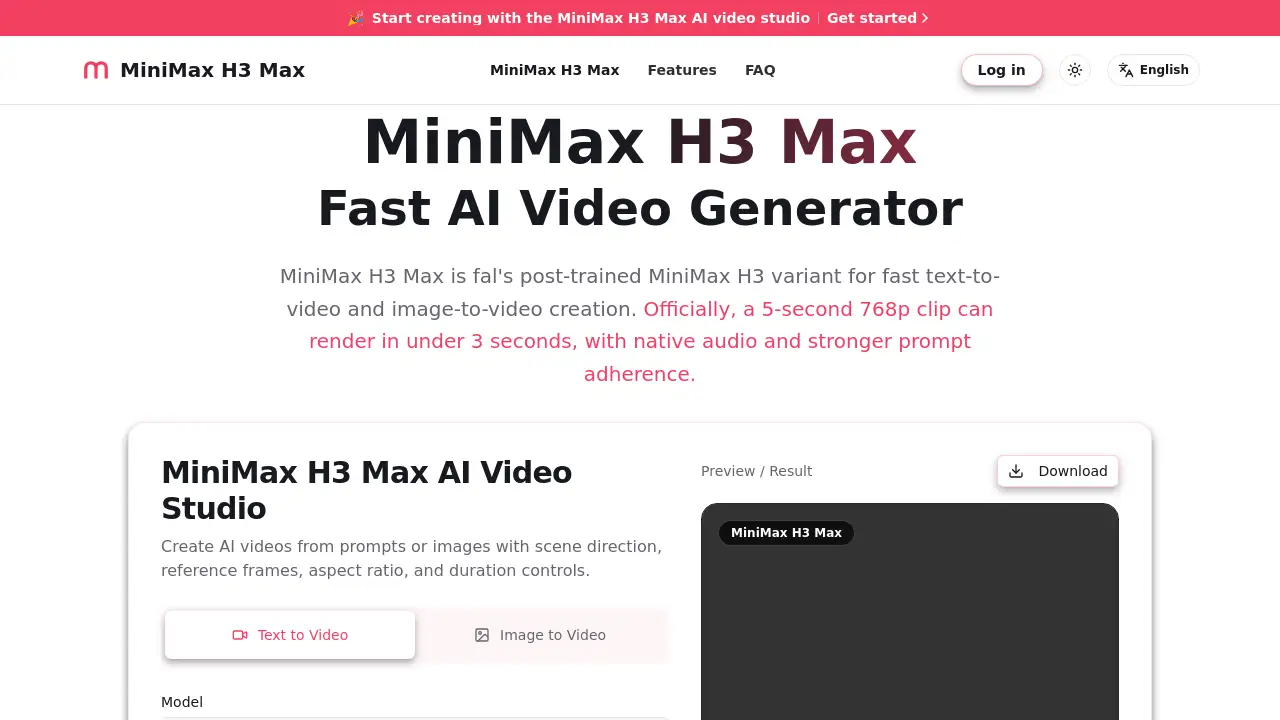
H3 Max is a fast AI video generator from fal, built as a MiniMax H3 variant. It creates 5-second 768p videos from text or images, with synchronized audio and strong prompt adherence. This makes it useful for creators who need quick visual drafts.
What is H3 Max?
H3 Max is a post-trained version of MiniMax H3, optimized by fal for fast video generation. This AI video generator is designed to solve a common problem in AI video production: waiting too long for renders. With H3 Max, a 5-second 768p clip can render in under 3 seconds, according to fal. This speed lets creators test multiple ideas quickly.
The model supports both text-to-video and image-to-video workflows. You can describe a scene in text, or upload an image and add motion notes. It also supports native audio, so dialogue and sound effects can be generated together with the video. The product focuses on prompt adherence, meaning the output should follow the prompt more closely than many other video models.
This matters because AI video tools are often used for short-form social content, ad concepts, storyboards, and client presentations. In those tasks, fast iteration is more important than a perfect final render. H3 Max aims to give creators a practical way to explore visual ideas without long waits.
Key Features of H3 Max
This AI video generator is designed around fast iteration and practical controls.
Fast 768p Generation
H3 Max is built for speed. According to fal, a 5-second 768p video can be generated in under 3 seconds on the optimized inference stack. This makes it suitable for quick drafts and client review.
Text-to-Video Creation
H3 Max accepts a text prompt with visual and audio cues. Users can describe the scene, camera movement, lighting, dialogue, and sound effects in one prompt. This supports prompt adherence by keeping all creative direction in one place.
Image-to-Video Creation
H3 Max also accepts an image reference. Users can upload a product, character, or scene image, add motion notes, and generate a video that preserves the composition. This is useful for brand assets and product motion.
Native Audio Sync
The model can generate synchronized audio alongside the video. This AI video generator lets users describe dialogue, ambience, and sound cues in the prompt, which helps creators preview audio-video ideas without separate editing.
Format and Prompt Controls
H3 Max provides controls for duration, aspect ratio, and framing. Users can choose 16:9, 9:16, or 1:1 formats for widescreen, short video, or social feed posts. These controls make it easier to prepare clips for different channels.
Use Cases for H3 Max
These are common ways to use H3 Max as an AI video generator.
Social Media Clips
Short video formats like 9:16 are common for TikTok, Reels, and Shorts. H3 Max can generate quick 5-second clips that help creators test hooks, transitions, and visual styles.
Product Demos and Ads
Marketers can use H3 Max to show product motion, packaging, or lifestyle scenes. The image-to-video workflow is useful for turning a product photo into a moving visual.
Storyboards and Client Concepts
Directors, designers, and content teams can create draft videos from scene descriptions. Fast generation helps compare different camera angles, pacing, and audio directions before committing to a final production.
How to Use H3 Max
Using H3 Max as an AI video generator is straightforward.
- Choose text or image: Write a text prompt for text-to-video, or upload an image for image-to-video. Include the subject, action, camera movement, style, and sound.
- Set the format: Choose duration, aspect ratio, and resolution. Use 16:9 for widescreen, 9:16 for vertical short video, or 1:1 for square feed posts.
- Generate and download: Run the generation, review the motion and audio sync, then download the MP4. Refine the prompt and regenerate if needed.
Target Audience for H3 Max
H3 Max suits several types of users who need quick video drafts. This AI video generator is useful for teams that want to compare ideas before full production.
- Social media managers who need quick video drafts
- Content creators making short-form videos
- Marketing teams testing ad concepts
- Filmmakers and storyboard artists
- Product designers exploring motion concepts
- Agencies that need fast client visuals
Is H3 Max Free?
The product page does not list a clear pricing plan. No free tier, trial, or subscription price is mentioned in the reference information. Since H3 Max is an AI video generator available through fal, users should check the official fal pricing page for current costs. Generation may be billed based on usage, video length, resolution, and queue priority, but that is not confirmed in the reference content.
H3 Max's Pros and Cons
| Aspect | Pros | Cons |
|---|---|---|
| Speed | 5-second 768p clip can render in under 3 seconds, according to fal | Actual speed depends on queue and settings |
| Prompt adherence | Stronger prompt following for visual and audio direction | Results can still vary between generations |
| Input options | Supports text-to-video and image-to-video | Image consistency depends on the source image |
| Audio | Native synchronized audio | Audio quality is not fully documented |
| Pricing | Flexible cloud access via fal | No clear public pricing on the product page |
Frequently Asked Questions about H3 Max
What is H3 Max used for?
H3 Max is an AI video generator for creating short clips from text prompts or image references. It is used for social videos, product demos, ad concepts, storyboards, and other projects that need fast iteration.
Does H3 Max support text-to-video and image-to-video?
Yes. H3 Max supports both text-to-video and image-to-video. Users can start with a written idea or an uploaded image. The output is a 768p video clip with optional synchronized audio.
How fast is H3 Max?
Fal reports that a 5-second 768p clip can render in under 3 seconds. Generation time may be longer for 15-second clips or when the server queue is busy.
Can H3 Max create videos with audio?
Yes. H3 Max can produce native audio with the video. Users can describe dialogue, ambience, and sound effects in the prompt to generate synchronized audio.
What formats can H3 Max output?
H3 Max supports 768p resolution and offers aspect ratio controls for widescreen, vertical, and square formats. The product page mentions 5-second and 15-second duration options.
Is H3 Max good for social media content?
H3 Max is a practical AI video generator for short-form social content. Its fast generation and vertical format support help creators test multiple ideas quickly.
H3 Max Tags
H3 Max, MiniMax H3 Max, AI video generator, text-to-video, image-to-video, fast AI video, prompt adherence, native audio, 768p video generation, fal AI video, video creation tool