Introduction
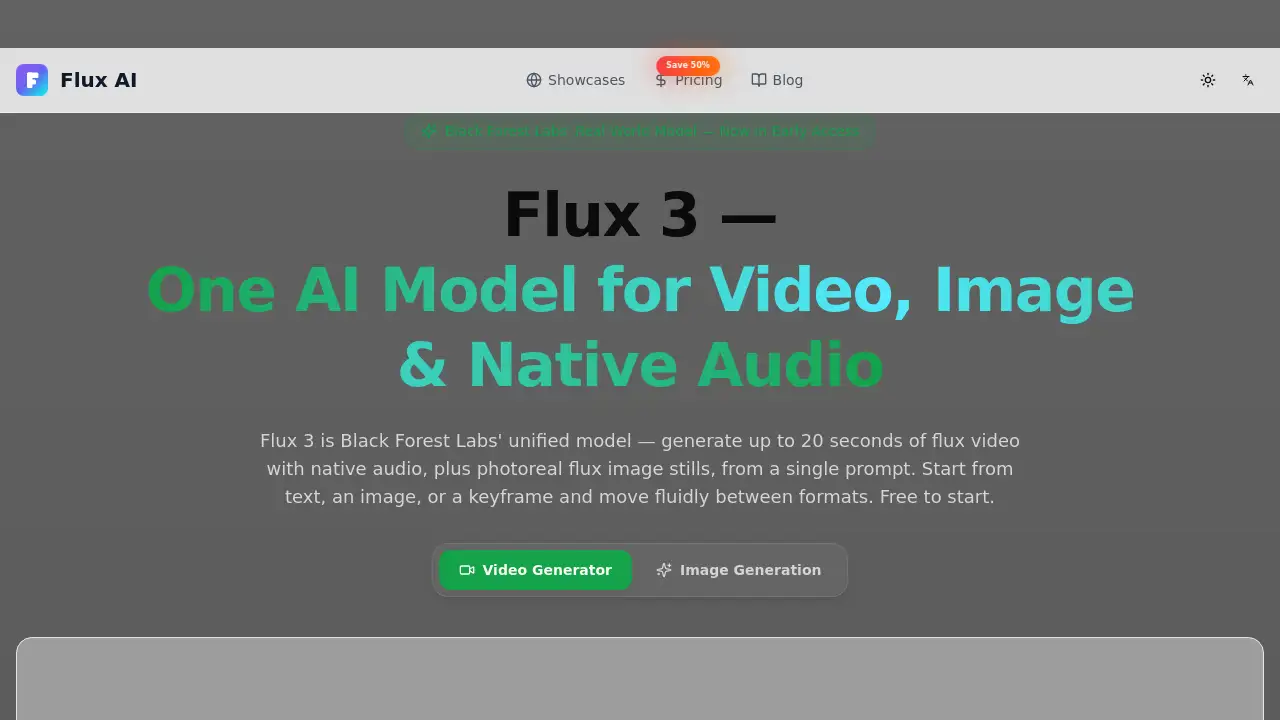
Flux 3 AI Generator is a unified creative tool from Black Forest Labs. It combines AI video generator capabilities, image creation, and native audio into one model. Users can turn text, images, or keyframes into 20-second clips with sound. Free credits let newcomers explore the tool without upfront cost. This review covers features, pricing, and who benefits most.
What is Flux 3 AI Generator?
Flux 3 AI Generator is a web-based interface for Black Forest Labs' next-generation multimodal model. Instead of separate tools for video, image, and audio, Flux 3 learns them together in a single Self-Flow backbone. This means a still image, a 20-second video, and its native audio all come from the same model and stay in sync.
Users can start from text, an image, or a keyframe and move fluidly between formats. The tool solves a common problem: creators no longer need to switch between an AI video generator, an image tool, and a sound editor. It matters because it makes fast, realistic content creation more accessible. For anyone looking for a practical AI video generator with sound, Flux 3 AI Generator is a strong option.
Key Features of Flux 3 AI Generator
One Model for Video, Image, and Audio
Flux 3 AI Generator produces video, images, and native audio from a single prompt. This unified approach saves time and keeps the final output consistent.
Text, Image, and Keyframe to Video
With Flux 3 AI Generator, users can generate 20-second clips from text prompts, still images, or keyframes. The model automatically handles camera motion, lighting, and physics.
Native Audio That Matches the Action
The built-in audio generator creates dialogue, sound effects, and music timed to what happens on screen. This makes it one of the more convenient AI video generator tools for sound design.
Photoreal Images and Sharp Text
The same model renders photoreal stills and supports accurate typography in multiple languages. That is useful for marketing materials, product shots, and branded content.
Consistent Characters and Multilingual Dialogue
Reference images help keep the same character, style, and look across multiple clips. Characters can also speak lines in different languages with matching motion.
Move Between Formats in One Workflow
Users can go from text to image, promote an image to motion, or continue a clip without exporting between separate programs.
Use Cases for Flux 3 AI Generator
Flux 3 AI Generator works across several content creation scenarios.
Content Creators and Social Media
Creators can turn a prompt into a scroll-stopping video with sound in minutes. They can also keep a recurring character consistent across posts.
Marketing Teams and E-Commerce
Marketing teams can produce product videos, ad spots, and campaign stills from one model. Accurate on-pack text and multilingual voiceover help localize content without a studio shoot.
Filmmakers and Studios
Filmmakers can previz a scene, generate a keyframe, and animate it into a video with matched sound. The Self-Flow backbone keeps motion physically plausible.
Developers and API Integration
Developers can build Flux 3 image and video generation into their own apps through the provider API. This site is an independent interface and does not resell raw API access.
How to Use Flux 3 AI Generator
Using Flux 3 AI Generator takes three simple steps.
- Describe your shot or upload a reference image or keyframe.
- Choose image or video, set resolution, duration, aspect ratio, and toggle audio generation.
- Generate, refine, extend, and download your final result.
Video generation costs 35 credits per clip. New users receive free credits after signing up, so the tool is easy to test before paying.
Target Audience for Flux 3 AI Generator
Flux 3 AI Generator is designed for:
- Content creators and social media managers
- Marketing teams and e-commerce brands
- Filmmakers and video production studios
- Developers looking to integrate AI media generation
- Teams that need quick video with sound for ads or campaigns
Is Flux 3 AI Generator Free?
Flux 3 AI Generator offers a free start with sign-up credits. Users can test text-to-video, image-to-video, and image generation before choosing a paid plan. The table below summarizes the annual subscription plans shown on the official site.
| Plan | Price | Features |
|---|---|---|
| Free | $0 | Free credits for testing; limited usage |
| Basic | $7.50/month billed annually | 300 credits/month, ~75 images, ~21 seconds of video |
| Pro | $19.50/month billed annually | 1600 credits/month, ~400 images, ~114 seconds of video |
| Max | $80.00/month billed annually | 9200 credits/month, ~2300 images, ~657 seconds of video |
Annual plans are discounted by up to 50%, and monthly options are also available.
Flux 3 AI Generator's Pros and Cons
| Aspect | Pros | Cons |
|---|---|---|
| Pricing | Free start and discounted annual plans | Subscription costs add up for heavy users |
| Features | One model for image, video, and audio | Early access may still be refined |
| Ease of Use | Simple text, image, or keyframe inputs | Credit system can be confusing at first |
| Video Quality | Up to 20 seconds per clip with native sound | Longer scenes need chaining multiple clips |
Frequently Asked Questions about Flux 3 AI Generator
What is Flux 3 AI Generator?
Flux 3 AI Generator is an online interface for Black Forest Labs' Flux 3 model. It generates AI video, images, and native audio from one unified model.
Is Flux 3 AI Generator free?
Yes. New users get free credits after signing up. For regular or professional work, paid subscription plans are available.
Can Flux 3 generate video with sound?
Yes. Flux 3 generates native audio, including dialogue, sound effects, and music, timed to the visuals.
What inputs can I use with Flux 3 AI Generator?
Users can use text prompts, still images, keyframes, and existing clips to guide the generated content.
How long can Flux 3 videos be?
Videos can be up to 20 seconds long per clip. Users can chain clips together to create longer scenes while keeping characters consistent.
Does Flux 3 AI Generator offer API access?
Raw API access is not resold on this site. Developers can use the provider API for custom integration.
Flux 3 AI Generator Tags
Flux 3 AI Generator, AI video generator, text to video AI, image to video AI, native audio video, Black Forest Labs, Flux 3 video, AI video with sound, keyframe video AI, AI image generator, online AI video generator, 20 second video AI