Introduction
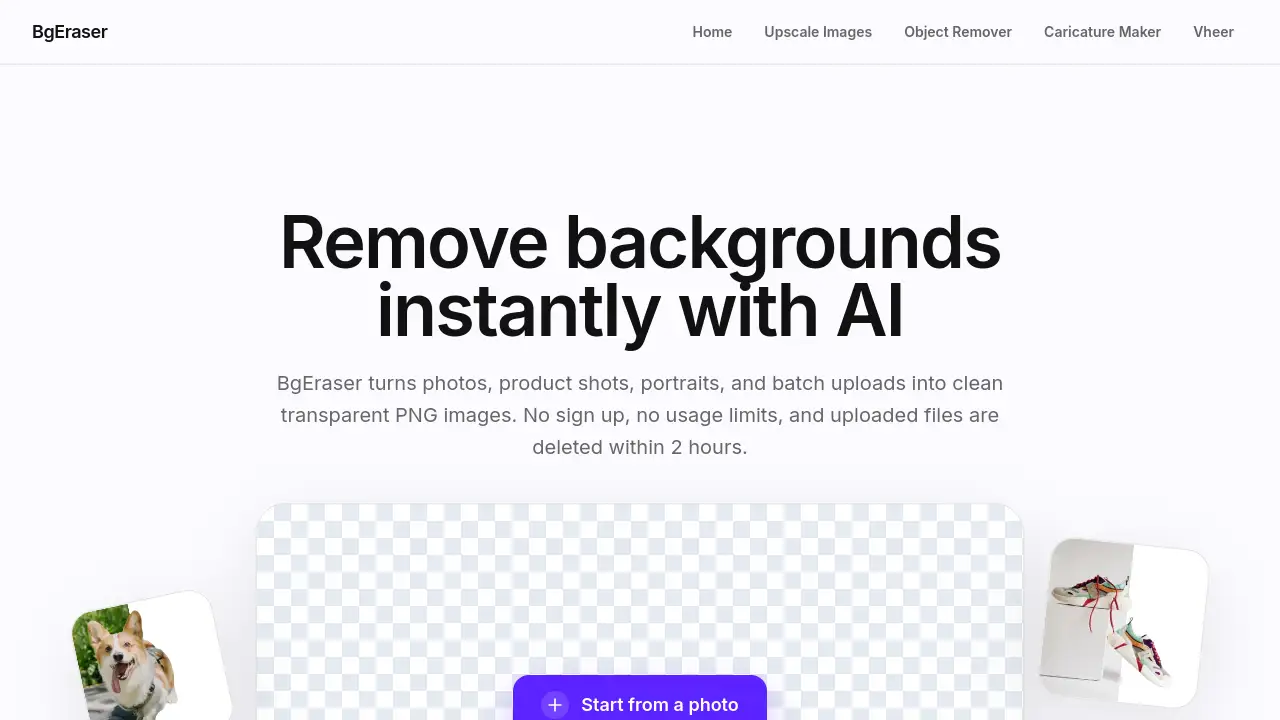
Bg Eraser is a free online tool that uses AI to remove backgrounds from images instantly. Designed for both casual users and professionals, this background eraser handles JPG, PNG, and WebP uploads without requiring any sign-up or software installation. Users can process single images or batch upload up to 20 photos at once, download clean transparent PNG results, and enjoy automatic file deletion within two hours for privacy. With its simple drag-drop interface and no usage limits, Bg Eraser provides a fast, private way to prepare images for ecommerce, social media, design mockups, and more.
What is Bg Eraser?
Bg Eraser is a browser-based background removal tool that solves a common problem: turning everyday photos into clean, subject-focused images with transparent backgrounds. Instead of opening complex editing software or paying for subscription services, users simply upload their images and let the AI handle the rest. The tool is suitable for online sellers, content creators, marketers, designers, and anyone who needs to remove background from photos quickly. It matters because it cuts editing time to seconds, removes the need for technical skills, and keeps uploaded files private through automatic deletion. Whether processing a single portrait or a batch of product shots, Bg Eraser delivers consistent PNG output ready for reuse.
Key Features of Bg Eraser
AI Background Eraser
Bg Eraser uses artificial intelligence to separate the subject from its background. The tool preserves clean edges on portraits, products, logos, and everyday objects, making the background eraser process accurate even on complex images.
Batch Remove Background
Users can upload up to 20 images at once and let Bg Eraser process them all in one session. This batch remove background feature eliminates the need to repeat the same workflow file by file, saving time during bulk editing.
Transparent PNG Output
Processed images are downloaded as transparent PNG files. This ensures the background removal result slots directly into websites, listings, mockups, and presentations without any leftover white fill.
Replace Background Color
After using the remove background function, users can keep the transparent layer or apply a solid background color before downloading. This gives extra control without needing a separate editor.
Free and No Sign Up
Bg Eraser is completely free to use with no account creation, no login, and no paid tiers. Every background eraser feature is available without any barrier to entry.
Privacy-Friendly Cleanup
Uploaded images and generated results are automatically deleted within two hours. This helps protect user privacy and reduces long-term file storage concerns when using an online background removal tool.
Use Cases for Bg Eraser
Ecommerce Product Listings
Online sellers can use Bg Eraser to remove background from product photos and create consistent transparent PNG images for marketplaces, catalogs, and store websites.
Social Media Content Creation
Content creators can quickly remove background from portraits, group shots, or graphics to build posts, stories, and profile pictures without manual masking.
Design Mockups and Presentations
Designers and business professionals can use the background eraser to isolate subjects and place them into presentations, brochures, wireframes, or brand collateral with no extra editing steps.
Photography and Portrait Editing
Photographers can batch remove background from portrait sessions, turning multiple images into transparent PNG assets ready for client delivery or compositing.
How to Use Bg Eraser
- Visit the Bg Eraser website at bgeraser.com and go to the workspace area.
- Upload one or more images by dragging and dropping JPG, PNG, or WebP files into the upload zone. Batch mode supports up to 20 images at once.
- Let the AI process the images. The background eraser automatically detects the subject and removes the background in seconds.
- Choose output options — keep the transparent background or apply a solid color if needed.
- Download the results individually as PNG files or as a ZIP bundle for batch uploads. No sign-up is required at any step.
Target Audience for Bg Eraser
- Ecommerce sellers who need clean product images with transparent backgrounds for online listings.
- Social media managers and content creators preparing posts and profile pictures quickly.
- Graphic designers looking for a fast background eraser before importing assets into design software.
- Photographers who want to batch remove background from portrait or event shots.
- Marketers and small business owners creating presentation assets, ads, or brand materials.
- Everyday users who need an occasional background removal tool without learning complex software.
Is Bg Eraser Free?
| Plan | Price | Features |
|---|---|---|
| Free | $0 | AI background eraser, batch remove background (up to 20 images), transparent PNG output, replace background color, no sign-up required, auto-deletion within 2 hours |
Bg Eraser is entirely free to use. There are no paid plans, subscription tiers, or usage limits. All background eraser features are available at no cost.
Bg Eraser's Pros and Cons
| Aspect | Pros | Cons |
|---|---|---|
| Pricing | Completely free with no limits or hidden fees | No premium tier for extra features like high-resolution export |
| Ease of Use | Simple drag-drop interface, no sign-up needed | Limited advanced editing options beyond background removal |
| Privacy | Files auto-deleted within 2 hours | No manual delete button visible on the interface |
| Batch Processing | Up to 20 images processed at once | Maximum batch size may feel restrictive for very large projects |
| Output Options | Transparent PNG or solid color replacement | No support for custom background image uploads |
Frequently Asked Questions about Bg Eraser
What is Bg Eraser?
Bg Eraser is a free online background eraser that uses AI to remove backgrounds from images and deliver transparent PNG results. It works with JPG, PNG, and WebP files.
Can I remove backgrounds from multiple images at once?
Yes. Bg Eraser supports batch remove background functionality, letting users upload up to 20 images in one session and download them all as a ZIP file.
Do I need to create an account to use Bg Eraser?
No. The entire background removal process works without sign-up, login, or any software installation. Just upload and process.
How does Bg Eraser protect my privacy?
Uploaded images and generated results are automatically removed within two hours. This keeps background removal work private and minimizes persistent file storage.
What image formats are supported?
Bg Eraser supports JPG, PNG, and WebP uploads. All processed images are downloaded as PNG files to preserve the transparent background.
Can I use processed images for commercial projects?
Yes. Images processed with the background eraser can be used for product listings, marketing assets, presentations, and other commercial purposes free of charge.
Bg Eraser Tags
Bg Eraser, background eraser, remove background, free online background remover, batch remove background, transparent PNG, AI background removal, remove image background, background removal tool, online photo editor, no sign-up background eraser, bulk image background remover