Introduction
Upscale Media offers a powerful AI image upscaler that turns low-resolution photos into sharp 4K HD images. This tool uses deep learning to remove noise and enhance details — all for free, with no watermark and no sign-up required. It is designed for anyone needing quick, professional-quality image upscaling.
What is ai image upscaler?
An AI image upscaler uses artificial intelligence to increase the resolution of digital images without losing quality. Unlike traditional methods that simply stretch pixels, intelligent algorithms generate new pixels to preserve edges, textures, and fine details. Upscale Media’s product solves the problem of blurry, pixelated, or noisy photos. It is suitable for photographers, e-commerce sellers, graphic designers, social media managers, and anyone who needs high-resolution images for print or digital use. The free AI upscaler aspect makes it accessible to casual users, while its flexible output options (up to 8K) meet professional demands. It matters because in a visually driven world, crisp images improve engagement, brand perception, and user experience.
Key Features of ai image upscaler
Smart Detail Reconstruction
The AI analyzes every pixel and rebuilds missing details, revealing textures and lines that were previously invisible.
Edge & Texture Preservation
Edges remain sharp and textures stay natural without introducing artifacts, even at high scales.
Flexible Upscaling Options
Choose from 2x, 3x, or 4x upscaling factors — output resolutions range from 1K to 8K, including standard HD and 4K.
AI-Powered Pixel Generation
Instead of interpolation, deep-learning models create new pixels intelligently, boosting resolution while maintaining quality.
Broad Format Compatibility
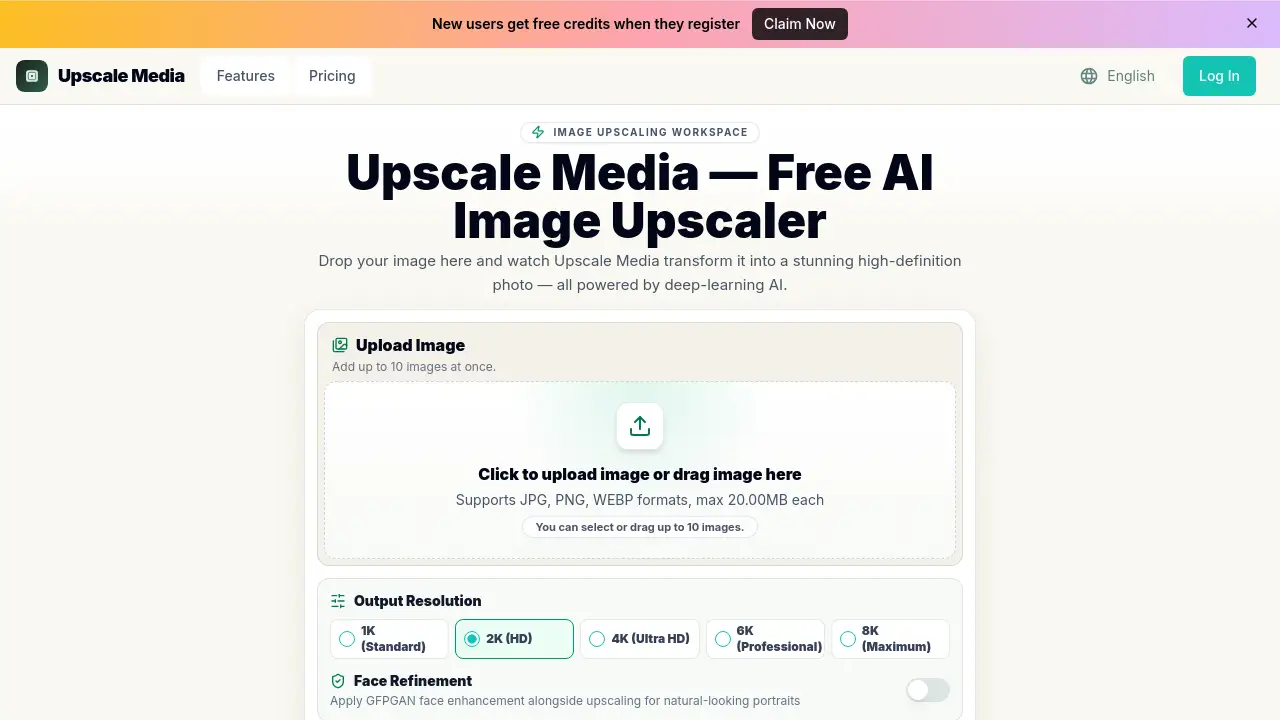
Upload JPG, PNG, WEBP, and BMP files up to 20 MB each. Batch upload up to 10 images at once.
Face Refinement (GFPGAN)
Apply dedicated face enhancement during upscaling to produce natural-looking portraits — ideal for old photo restoration or headshots.
Lightning-Fast Processing
Optimized AI pipelines deliver enhanced results within seconds, with no queues or waiting.
Use Cases for ai image upscaler
Restoring Old Family Photos
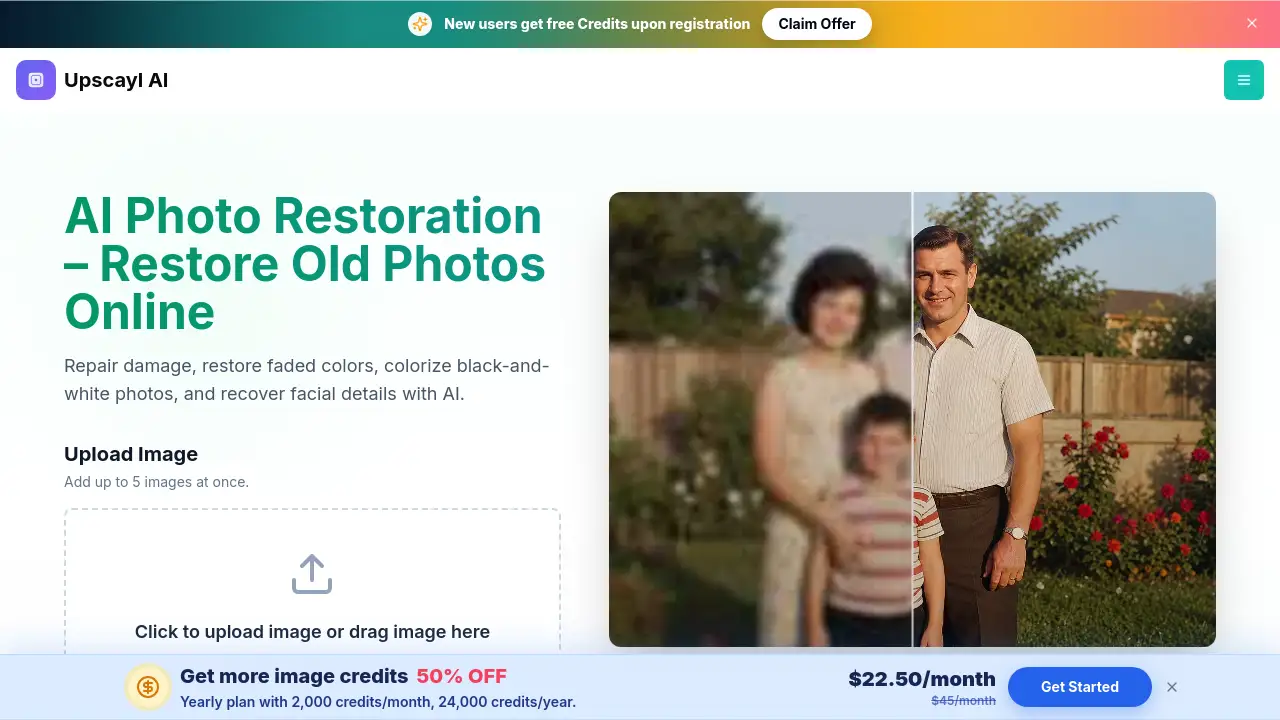
Scan low-resolution vintage pictures, then use the image upscaling tool to sharpen details and remove noise, bringing cherished memories back to life.
Polishing E‑commerce Product Shots
E‑commerce sellers can upscale product images to 4K for crisp, professional listings that attract more buyers.
Social Media Content Creation
Content creators can quickly increase the resolution of thumbnails, posts, and ads to ensure they look sharp on all devices.
Print‑Ready Images for Marketing
Prepare brochures, flyers, or banners by upscaling stock photos or original artwork to 2K or higher using the 4K upscale mode.
Enhancing AI‑Generated Art
Upscale low‑resolution outputs from AI art tools to a printable or sellable quality without losing artistic details.
How to Use ai image upscaler
- Visit the website – Go to upscale‑media.online. No sign‑up or account is required.
- Upload your image – Drag and drop a file or click to select. You can add up to 10 images at once. Supported formats: JPG, PNG, WEBP, BMP (max 20 MB each).
- Choose output resolution – Select from 1K, 2K, 4K, 6K, or 8K. Optionally enable Face Refinement for portraits.
- Let the AI work – Click the upload button. The AI processes your image in seconds.
- Download the result – Save the enhanced, watermark‑free image directly to your device.
Target Audience for ai image upscaler
- Photographers and retouchers
- E‑commerce sellers and online store owners
- Graphic designers and digital artists
- Social media managers and marketers
- Small business owners creating marketing materials
- Hobbyists restoring family photos
- Content creators working with AI‑generated images
Is ai image upscaler Free?
Upscale Media offers a free tier that allows you to upscale images without any payment or sign‑up. For higher volume needs, paid plans provide additional credits, batch processing, and API access. Below is the pricing based on annual billing:
| Plan | Price (Annual) | Key Features |
|---|---|---|
| Free | $0 | Basic upscaling (limited to 1K?), no watermark, no sign‑up. |
| Professional | $4.9/month | 200 HD conversions/month, portrait mode, Ultra Clean AI upscaling, priority email support. |
| Business | $7.9/month | 500 HD conversions/month, batch processing, API access, priority support. |
| Enterprise | $9.9/month | 3,000 HD conversions/month, advanced API, batch processing, dedicated support. |
Note: Free plan details are based on the homepage’s “no sign‑up needed” claim; exact free limits (e.g., output resolution cap) are not explicitly stated but likely default to 1K/Standard.
ai image upscaler's Pros and Cons
| Aspect | Pros | Cons |
|---|---|---|
| Pricing | Free tier with no sign‑up; affordable annual plans for teams. | Free plan may limit output resolution or number of images. |
| Features | 4K/8K upscaling, face refinement, batch uploads, multiple formats. | No built‑in editing tools beyond upscaling. |
| Ease of Use | Simple drag‑and‑drop interface; no technical skills needed. | Advanced options (like API) require understanding of integration. |
| Performance | Fast processing with no queues; AI preserves detail well. | Large batch sizes may still take a few seconds per image. |
| Watermark | No watermark on any output, including free. | None noted. |
Frequently Asked Questions about ai image upscaler
Is the AI image upscaler really free?
Yes, the basic version is free. You can upload images and upscale them without paying or creating an account. The free tier likely outputs standard 1K resolution, but you can still enhance your photos with no watermark.
What image formats are supported?
Upscale Media supports JPG, PNG, WEBP, and BMP files. Each image must be under 20 MB. You can upload up to 10 images at once for batch processing.
Can I upscale a portrait and improve facial details?
Yes. The tool includes a “Face Refinement” option powered by GFPGAN that enhances facial features during upscaling, making portraits look more natural and sharper.
Does this AI upscaler work on very old or noisy photos?
Yes. The AI is trained to remove noise and reconstruct missing details. For heavily degraded images, results will be significantly better than simple enlargement, though perfect reconstruction is not guaranteed.
How long does it take to upscale an image to 4K?
Typically a few seconds. The processing pipeline is optimized for speed – most images are enhanced without any waiting queue.
What is the maximum output resolution?
You can select up to 8K (Maximum) output resolution. The free tier may cap at 1K, while paid plans allow 2K, 4K, 6K, and 8K.
ai image upscaler Tags
AI image upscaler, free AI upscaler, image upscaling online, 4K upscale, photo enhancement, no watermark upscaler, batch image upscaler, GFPGAN face refinement, upscale images to 8K, image resolution enhancer, deep learning photo upscaling, Upscale Media.