Introduction
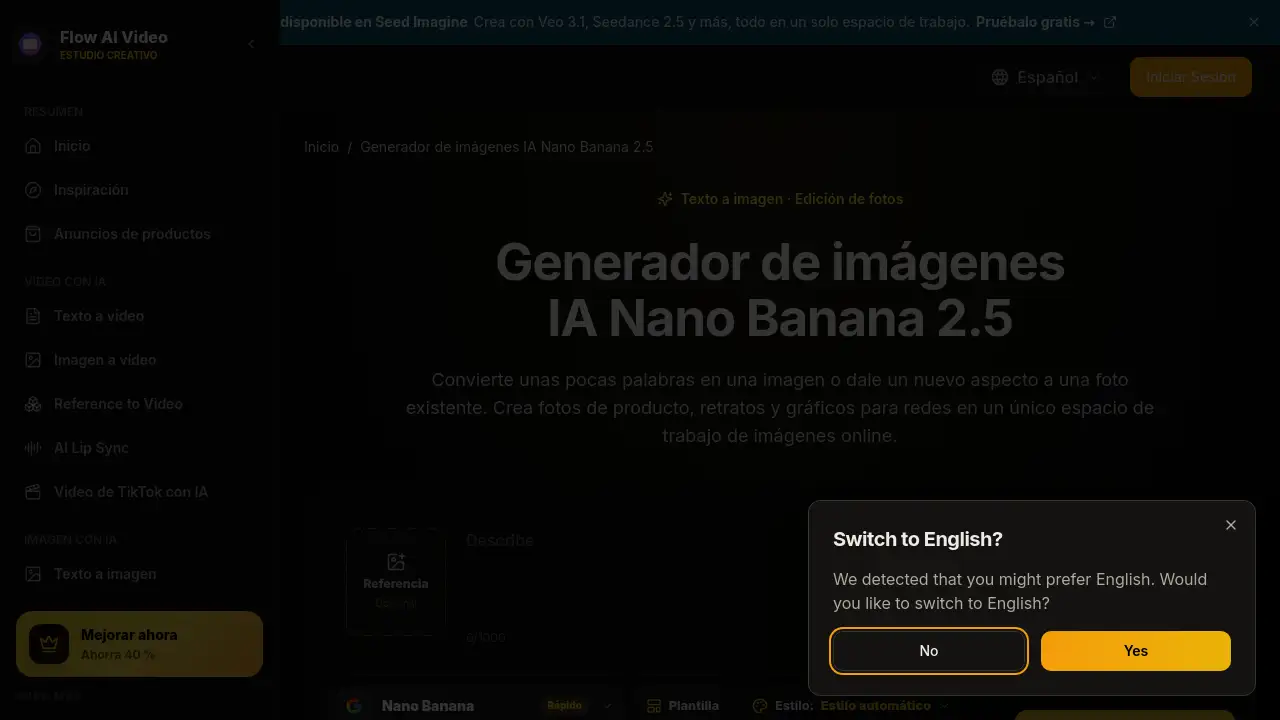
Nano Banana 2.5 is a browser-based AI image generator and photo editor for creating and editing images from text prompts or reference photos. It helps users make product photos, portraits, and social media content without complex design tools. This review explains what Nano Banana 2.5 offers, how it works, and who may find it useful.
What is nano banana 2.5?
Nano Banana 2.5 is an AI image generator and online photo editor available through a web workspace. It is designed for text to image creation, image editing, and reference-based generation. Users can type a prompt, upload a reference image, choose a model, and generate downloadable visuals. The tool addresses the need for quick visual content when users do not have advanced design skills or dedicated editing software. It fits creators, small teams, online store owners, and hobbyists who want to explore product photos, portraits, social media content, and brand concepts. Because it runs in the browser, Nano Banana 2.5 can be used on a phone or computer. The product appears to use a credit system, so users should check the displayed cost before generating. Overall, Nano Banana 2.5 matters as a simple AI image generator and photo editor for everyday visual tasks.
Key Features of nano banana 2.5
Nano Banana 2.5 combines several tools in one browser-based workspace.
Simple Text-to-Image Creation
Users can describe a subject, setting, and style in plain language. Nano Banana 2.5 turns an idea into a visual starting point for an AI image generator project.
Reference Image Editing
Upload a photo to guide the subject, colors, or style. The reference image helps with image editing when the user wants to keep certain details while changing the background or lighting.
Multiple Image Variations
The workspace can generate several images at once for comparison. This helps users explore different compositions before choosing a final visual for product photos or social media content.
Browser-Based Workspace
Nano Banana 2.5 runs in a web browser on a phone or computer. No desktop installation is needed, which makes the online image workspace easy to access for quick creative tasks.
Model Selection and Credit Review
Users can choose an available image model before generating. The interface shows credit costs, so users can review the expected use before creating images with Nano Banana 2.5.
Downloadable Results
Generated images can be reviewed and downloaded. If a result needs changes, users can adjust the prompt and generate another version with this photo editor.
Use Cases for nano banana 2.5
Nano Banana 2.5 can support many everyday visual projects.
Product Photos
Online sellers can create studio-style or lifestyle product photos. Nano Banana 2.5 can help test backgrounds, lighting, and seasonal scenes before a final store listing is prepared.
Portraits and Character Art
Creators can explore portraits, illustrated characters, or cinematic scenes. A reference image can guide the look, while text prompts describe clothing, mood, and lighting.
Social Media Content and Thumbnails
The tool can support ideas for YouTube thumbnails, Instagram posts, and Pinterest visuals. Users can generate a strong focal subject and leave space for text added later.
Brand and Design Concepts
Teams can compare color palettes, campaign moods, or logo directions. Nano Banana 2.5 acts as an AI image generator for early visual exploration before final design work.
Lifestyle Product Scenes
Users can place a product in a realistic setting, such as a desk, kitchen, or outdoor scene. This helps create lifestyle images for ads, landing pages, and social media content.
How to Use nano banana 2.5
Using Nano Banana 2.5 follows a simple flow.
- Write a clear idea. Describe the main subject, background, and style. For example, ask for a ceramic cup on a wooden table with soft morning light.
- Add an optional reference image. Upload a photo if the goal is image editing or if the result should follow a specific subject, color, or style.
- Choose settings and generate. Select a model, image format, and number of results. Review the credit cost shown before generating with Nano Banana 2.5.
- Review and download. Check details in the generated image, download the preferred version, or adjust the prompt and try again.
Target Audience for nano banana 2.5
Nano Banana 2.5 is designed for a range of users.
- Online store owners who need product photos and promotional visuals.
- YouTube and social media creators who need thumbnails and post images.
- Marketing professionals and small teams testing campaign concepts.
- Designers and hobby artists exploring characters, compositions, and styles.
- Beginners who want a browser-based AI image generator and photo editor.
Is nano banana 2.5 Free?
The reference content does not list exact pricing plans for Nano Banana 2.5. The homepage promotes a free trial, and the generator uses a credit-based system. Image generation consumes credits, and users can check their balance and the pricing page for available plans. Exact plan prices are not provided in the reference information, so users should visit the official pricing page before subscribing.
nano banana 2.5's Pros and Cons
| Aspect | Pros | Cons |
|---|---|---|
| Ease of use | Browser-based and beginner-friendly | Requires an internet connection |
| Features | Supports text to image, reference image editing, and multiple results | Credit system may limit heavy use |
| Output | Downloadable images and multiple variations | Results should be reviewed before final use |
| Access | Works on phone and computer | No desktop app is mentioned |
| Pricing | Free trial is promoted | Exact pricing details are not shown in the reference |
Frequently Asked Questions about nano banana 2.5
What can I do with Nano Banana 2.5?
Nano Banana 2.5 can create images from text prompts or use reference photos to guide new results. It supports product photos, portraits, social media content, and early design concepts.
Can I use Nano Banana 2.5 without uploading a photo?
Yes. Users can start with a text prompt only. Adding a subject, setting, and style gives the AI image generator a clearer starting point.
How do I edit an existing image?
Upload a photo as a reference image, then describe the changes. For example, ask for a plain background or warmer lighting, and mention details that should stay the same.
Does Nano Banana 2.5 use credits?
Yes. The generator appears to use a credit-based system. The displayed cost should be reviewed before generating, and the pricing page shows available credits and plans.
Can I use Nano Banana 2.5 on my phone?
Yes. The workspace runs in a browser, so users can open it on a mobile phone or computer. No desktop application is required.
How can I get better results with Nano Banana 2.5?
Use a clear subject, setting, and style. Add a reference image when the look matters, and change one part of the prompt at a time to compare results.
nano banana 2.5 Tags
nano banana 2.5, AI image generator, photo editor, text to image, reference image editing, product photos, portraits, social media content, online image workspace, browser-based image editor, AI photo editing, image generation tool.