Introduction
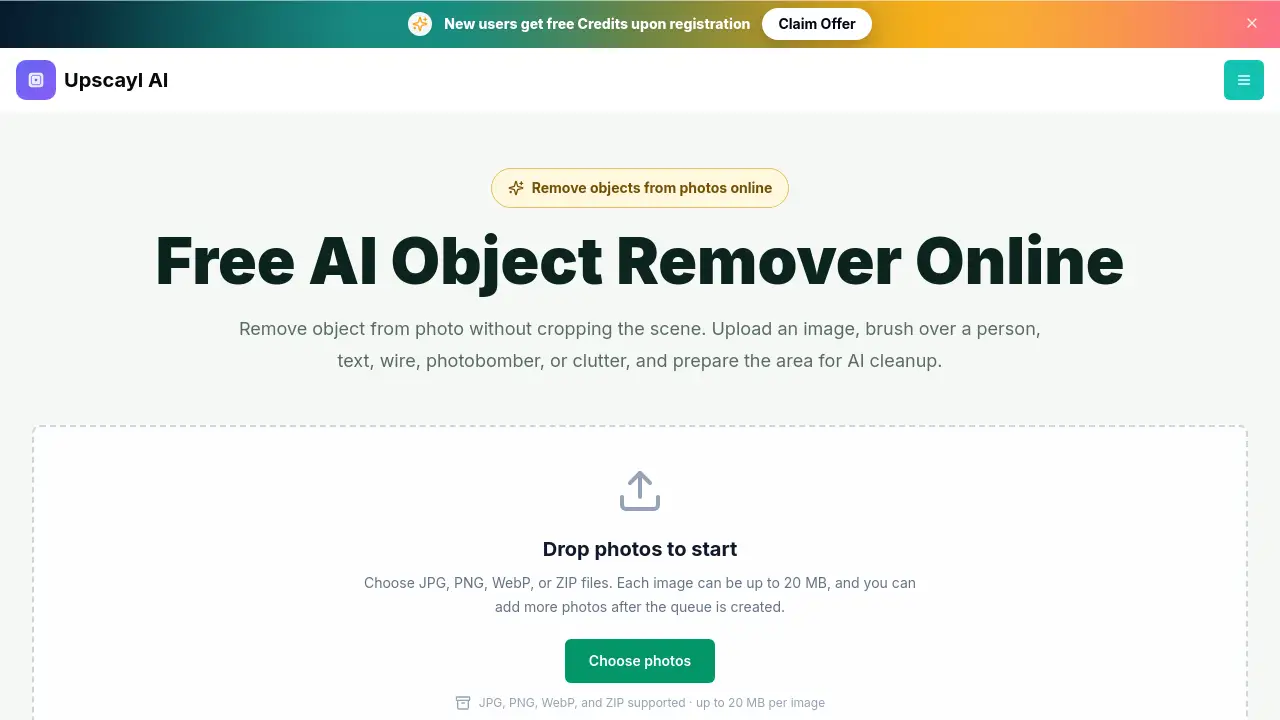
The object remover from Upscayl is a free AI photo tool for cleaning unwanted items from an image. It offers an online object remover that lets users brush over distractions and prepare a clean edit without installing software. For anyone looking to remove object from photo quickly, this browser workspace is simple and effective.
What is object remover?
An object remover is a photo editing tool that erases a selected area and rebuilds the background texture, lighting, and color using AI inpainting. Unlike a background remover, this AI object remover keeps the main subject and the surrounding scene intact. It solves the problem of ruining an otherwise great photo because of a random passerby, cable, sign, text, or small object. It matters because it makes complex editing accessible to everyone, even without Photoshop experience. The object remover is suitable for social media creators, real estate agents, e-commerce sellers, and casual users who want clean visuals.
Key Features of object remover
Browser-Based Free Workspace
The object remover runs directly in a web browser, so no app download or installation is required. Users can upload JPG, PNG, or WebP images and start editing immediately.
Smart Brush Selection
A simple brush lets users paint over the person, text, cable, or clutter they want to remove. Adjustable brush size helps target both wide areas and small details.
AI Inpainting Engine
After masking an object, the AI reads nearby textures, light, colors, and scene structure to rebuild the masked space. This creates a natural-looking result instead of leaving a visible hole.
Original Framing Preserved
The tool focuses on removing the selected distraction while keeping the original composition. Users do not need to crop away the scene or delete the entire background.
Multi-Image Support
Users can add multiple photos to a queue and process JPG, PNG, WebP, or ZIP files. Each image can be up to 20 MB, which is helpful for batch cleanup.
Desktop and Mobile Friendly
The responsive design works with mouse and touch input. Users can clean up photos on a laptop, tablet, or phone.
Use Cases for object remover
Remove a Person from a Travel Photo
Travelers can remove a distracting passerby from a street scene while keeping buildings, lights, and the original framing. This is one of the most common uses for an AI object remover.
Clean Up Product Photos
Online sellers can erase support stands, loose cables, or dust from product images. An object remover keeps the product and its natural shadow intact while eliminating visual noise.
Clear Temporary Clutter in Room Photos
Real estate agents and home sellers can remove moving boxes, bins, or cables from interior shots. This helps present a clean space without staging the entire room again.
Delete Text, Watermarks, or Date Stamps
Users can remove old captions or timestamps from images that they own or have permission to edit. The AI rebuilds the area behind the text naturally.
How to Use object remover
Using this object remover is straightforward and requires no previous editing skills.
- Upload a photo: Choose a clear JPG, PNG, or WebP image. A sharp source gives the AI more visual context around the unwanted item.
- Brush over the object: Adjust the brush size and paint over the full distraction. Include any connected shadow or reflection if it should disappear too.
- Review the masked area: Check the selected region before starting cleanup. Make sure the whole unwanted object is covered.
- Run the removal and inspect the result: Start the AI cleanup, then check edges and repeated textures. If a small artifact remains, use a tighter mask for another focused pass.
- Download the edited photo: When the result looks clean, save the image and continue with the next photo.
Target Audience for object remover
- Social media influencers and content creators
- E-commerce sellers and product photographers
- Real estate agents and property managers
- Graphic designers and marketers
- Casual users who want to clean family or travel photos
- Bloggers and website owners who need simple photo cleanup
Is object remover Free?
The Upscayl object remover can be opened and used in the browser for free. Users can prepare an edit for free, and final processing limits plus account credit requirements are shown in the editor when the object-removal API is connected. No official fixed pricing plan is published on the product page, so users should check the online workspace for the latest cost details.
| Plan | Price | Features |
|---|---|---|
| Free workspace | $0 | Browser access, brush masking, upload JPG/PNG/WebP/ZIP |
| Processing via API | Shown in editor | Final object removal depends on connected API credits |
object remover's Pros and Cons
| Aspect | Pros | Cons |
|---|---|---|
| Ease of use | Simple brush workflow, no learning curve | Manual review may be needed for complex textures |
| Accessibility | Free browser access, no installation | Final processing may require API credits |
| Compatibility | Supports JPG, PNG, WebP, ZIP files | File size limited to 20 MB per image |
| Editing approach | Keeps original composition and background | May require multiple passes on complicated scenes |
Frequently Asked Questions about object remover
Is the object remover free to use?
Yes, users can open the object remover and prepare an edit for free in the browser. Final processing limits and account credit requirements will be shown in the editor when the object-removal API is connected.
How do I remove an unwanted object from a photo?
Upload an image, adjust the brush size, and paint over the full unwanted object. Include a connected shadow if it should disappear too, then review the mask before starting the removal. This simple workflow allows users to remove object from photo quickly.
Can I remove a person from the background of a photo?
Yes. Mark the full person with the brush and leave the main subject unmasked. Results are often better when the person is surrounded by repeatable textures such as sky, walls, pavement, grass, or water.
Can this tool remove text, captions, or date stamps?
Yes, the AI object remover can rebuild the area behind text, captions, timestamps, and labels. Users should only edit images they own or have permission to modify.
Is an object remover the same as a background remover?
No. An object remover deletes a selected detail inside the photo and keeps the surrounding scene. A background remover separates the main subject from the entire background.
How do I avoid a blurry patch after removing an object?
Cover the whole object, include a small margin around its edges, and select related shadows or reflections. For complex textures, run a tighter second pass over any remaining artifact.
object remover Tags
object remover, AI object remover, remove object from photo, remove unwanted objects from photos, online object remover, remove person from photo, photo cleanup tool, erase text from photo, remove clutter from image, free AI photo editor, remove photobomber, clean up photos online