Introduction
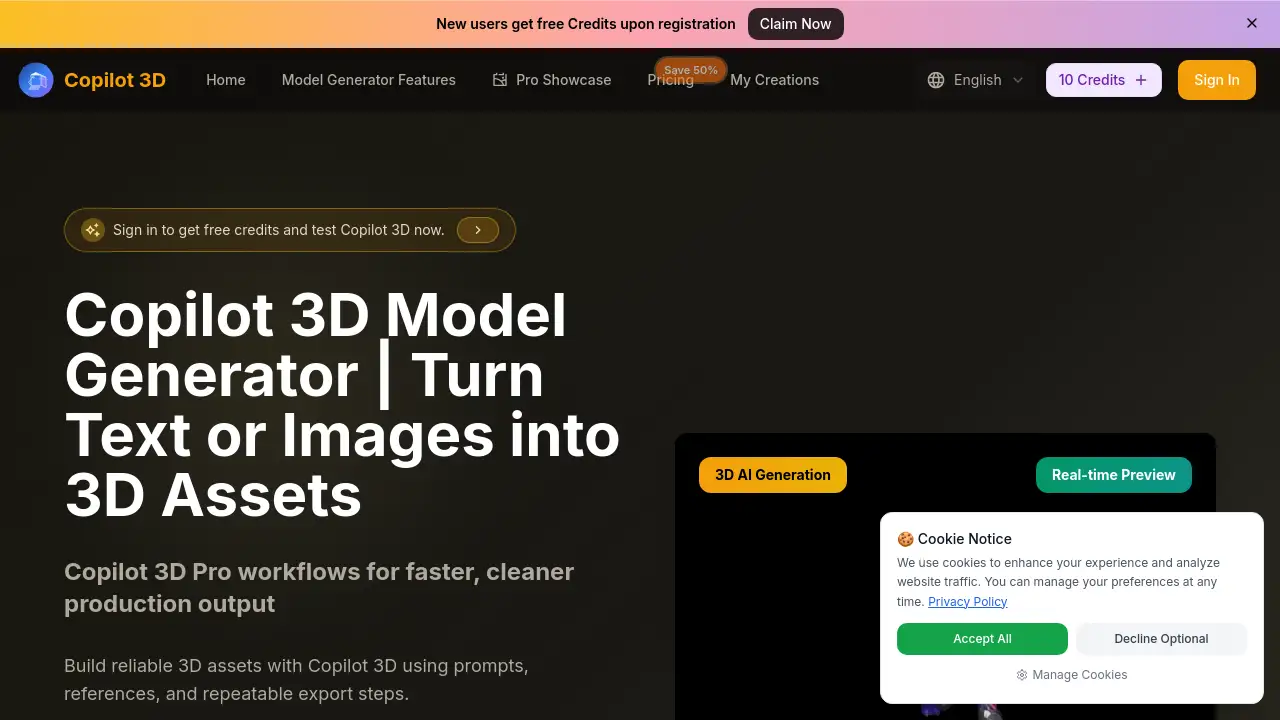
Copilot 3D is an advanced AI tool that transforms text prompts or images into usable 3D models.
What is copilot 3d?
Copilot 3D is an AI-powered 3D model generator designed for creators and teams. It addresses the challenge of time-consuming and technically demanding traditional 3D modeling by offering a streamlined workflow. Users can employ text to 3d for concept exploration or image to 3d for reference-driven generation. The platform is particularly suitable for marketers, product designers, game developers, and e-commerce teams who need to produce high-quality 3D assets quickly. Its importance lies in balancing creative control with a repeatable, production-friendly process, enabling faster iteration and decision-making under tight deadlines.
Key Features of copilot 3d
AI-Powered Text to 3D
Users can describe an object with a prompt, and the Copilot 3D Model Generator will create a corresponding 3D model, supporting over 100 languages for global accessibility.
Reference-Based Image to 3D
By uploading a single reference image, users can generate a clean 3D model, which helps preserve original layouts and jumpstart the creative process from a visual starting point.
360-Degree Preview
This feature allows for a full rotational view of the generated model, enabling users to check shapes and details from every angle before committing to an export.
Character Workflow
It accelerates the creation of character models, allowing for quick generation and refinement of concepts for use in campaigns, games, or social media content.
Production-Friendly Exports
The tool exports files in common formats like OBJ, FBX, and GLB, making the generated 3D assets easier to integrate into downstream production tools and pipelines.
Natural Language Refinement
Instead of complex technical adjustments, users can refine models using simple wording to adjust shape, material, and mood, lowering the learning curve.
Use Cases for copilot 3d
E-commerce Product Visualization
Quickly generate 3D models of products for online stores, enabling interactive and engaging customer experiences without extensive photoshoots.
Marketing and Advertising Campaigns
Create unique 3D characters and objects for social media ads, video content, and digital campaigns to capture audience attention.
Game Development and Prototyping
Rapidly produce concept art, props, and character models during the early stages of game design to visualize ideas and iterate on styles.
Concept Design and Exploration
Designers and artists can use text to 3d to explore multiple visual directions for a project before committing to a final design, saving valuable time.
How to Use copilot 3d
- Start with a Prompt or Image: Begin by either writing a detailed text prompt describing the desired 3D model or uploading a reference image to guide the generation.
- Select a Style: Choose from a gallery of style directions to ensure consistency in the output before generating.
- Generate and Preview: Initiate the generation process. Once complete, use the 360-degree preview to inspect the model from all angles.
- Refine and Iterate: Adjust the prompt or reference image based on the initial output to refine the model. Generate multiple variants to compare.
- Export the Asset: Select the best-fitting model and export it in a production-ready file format for use in your project.
Target Audience for copilot 3d
- Marketing and advertising professionals creating campaign assets.
- E-commerce managers and product designers needing 3D visualizations.
- Game developers and indie creators prototyping characters and objects.
- Digital artists and concept designers exploring visual ideas.
- Teams and studios requiring a fast, consistent pipeline for 3D assets.
Is copilot 3d Free?
Copilot 3D operates on a credit-based subscription model. The available plans are:
| Plan | Price (Monthly, 50% Flash Sale) | Key Features & Credits |
|---|---|---|
| Basic | $9.9/month | 6000 credits/year, basic Copilot 3D Model Generator access, commercial rights. |
| Professional (Most Popular) | $23.9/month | 15000 credits/year, includes all Basic features. |
| Enterprise | $63.9/month | 60000 credits/year, includes all Professional features for high-volume teams. |
All plans include export-ready outputs, generation history, and team collaboration features. There is no mention of a permanently free tier in the provided information.
copilot 3d's Pros and Cons
| Aspect | Pros | Cons |
|---|---|---|
| Speed & Workflow | Dramatically reduces time from idea to first draft; enables faster iteration loops. | Output quality may require refinement for highly specific or complex professional needs. |
| Usability | Low learning curve; intuitive for beginners with natural language prompts. | Advanced users may find control over fine details limited compared to full 3D software. |
| Output & Integration | Provides production-friendly export formats for easy sharing and downstream use. | Credit system means ongoing generation costs, which could add up for very high-volume users. |
| Team Collaboration | Designed for team use with features supporting review, sharing, and consistent output. | Primarily web-based; performance is dependent on internet connection and browser. |
Frequently Asked Questions about copilot 3d
What is Copilot 3D primarily used for?
Copilot 3D is used to generate 3D assets for various applications, including e-commerce product visualization, marketing campaigns, game development prototyping, and concept design, significantly reducing manual modeling effort.
How can I improve the quality of my generated 3D model?
For better quality, use specific and detailed prompts that include the object type, material, style, and lighting. When precision is key, uploading a clear reference image for image to 3d generation can greatly improve accuracy.
What file formats can I export my 3D model in?
The Copilot 3D Model Generator supports exporting in common, production-ready formats such as OBJ, FBX, GLB, and STL, facilitating easy integration into other tools.
Can I use models created with Copilot 3D for commercial projects?
Yes, all paid subscription plans include commercial usage rights, allowing you to use the generated 3D assets in client work, commercial marketing, and other business-related content.
How does the credit system work?
Each generation of a 3D model consumes a certain number of credits from your monthly or yearly allowance, depending on your chosen plan. You can upgrade your plan or purchase additional credits if needed.
Is Copilot 3D suitable for someone with no 3D modeling experience?
Absolutely. The platform is designed with a low learning curve, using simple text prompts and an intuitive interface, making it accessible for beginners to start creating useful 3D assets quickly.
copilot 3d Tags
AI 3D model generator, text to 3d, image to 3d, 3D assets, Copilot 3D Model Generator, 3D model creator, AI 3D design, generate 3D from text, 3D character generator, fast 3D modeling, production 3D, team 3D workflow