Introduction
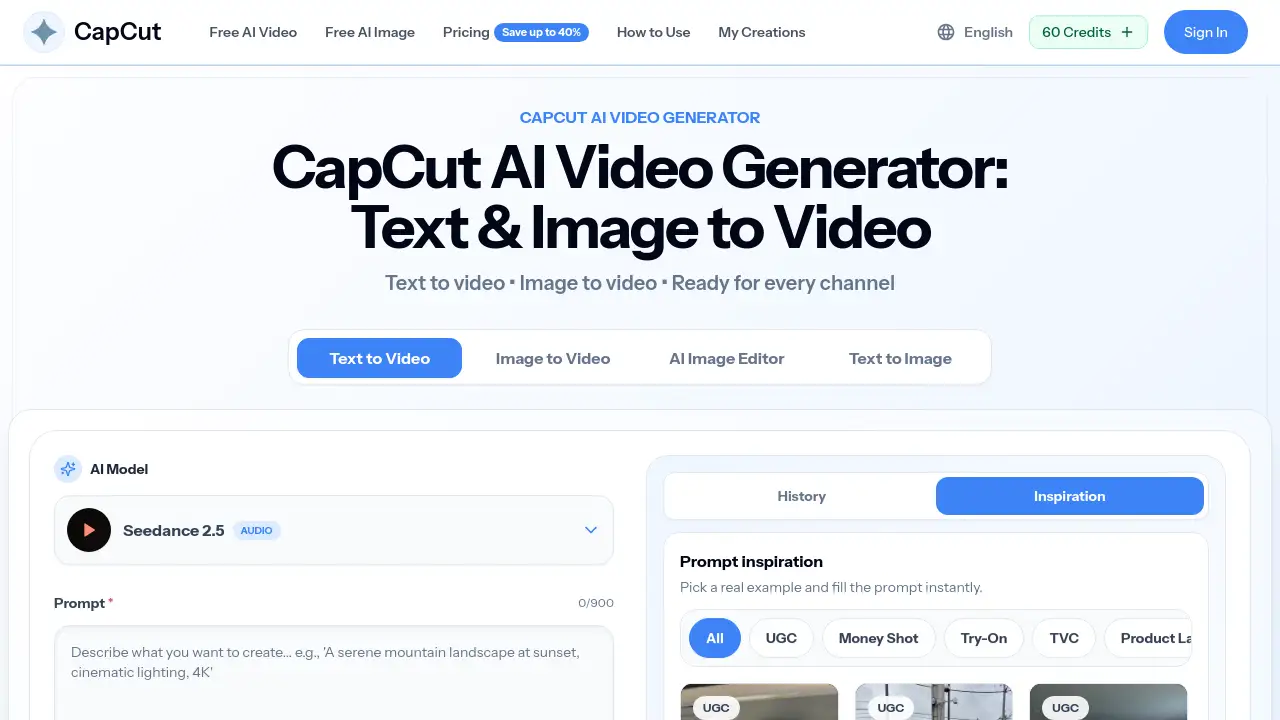
Text to Video AI is an online CapCut AI video generator at cup-cut.pro. It helps creators turn text prompts and images into short, downloadable clips in a browser. Users can pick an AI model, choose a 9:16, 16:9, or 1:1 format, and set the duration from 4 to 15 seconds. This gives social media managers, small businesses, and freelancers a straightforward way to test video ideas without learning complicated editing software. Text to Video AI also supports image animation for product shots, portraits, and illustrations, making it useful for a wide range of short-form projects.
What is Text to Video AI?
Text to Video AI is a web-based AI video creation tool. It solves a common content problem: creating fresh video clips usually requires cameras, actors, lighting, or editing skills. Text to Video AI removes those barriers by letting a user describe a scene in plain English and generate a video clip automatically. The tool can also animate an uploaded photo, which is useful for ecommerce product pages and ad concepts.
Text to Video AI works as a browser-based CapCut AI video generator. It uses AI models such as Seedance and Veo to produce short clips with different levels of detail and resolution. For social media, users can create vertical clips for TikTok, Reels, and Shorts. For websites and ads, they can choose landscape or square formats. This flexibility makes Text to Video AI a practical option for creators who need several video variations in one session.
Key Features of Text to Video AI
Generate Scenes from a Text Prompt
Text to Video AI can turn a written idea into an original video scene. The text prompt can describe a subject, action, setting, camera movement, lighting, and mood. This makes it easy to create realistic or stylized clips without filming anything.
Animate a Still Image
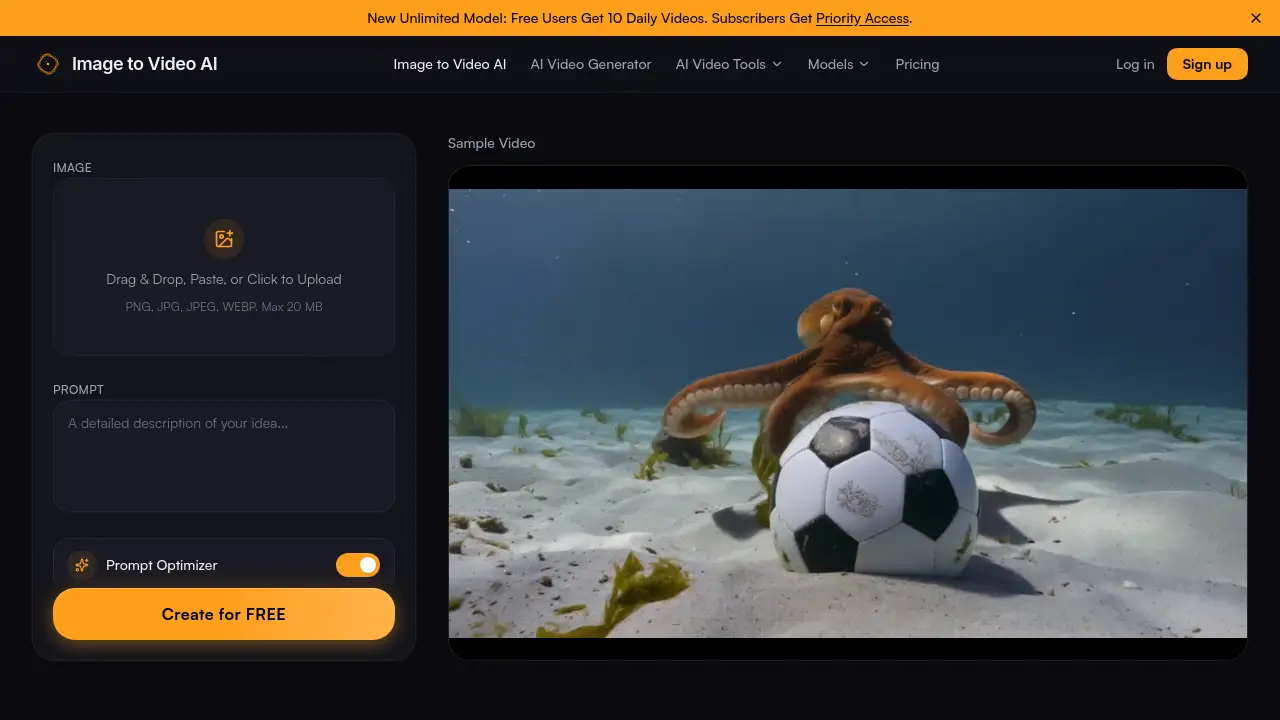
Through Text to Video AI’s image-to-video mode, users can upload a product photo, portrait, illustration, or landscape. The AI adds natural subject motion and camera movement while keeping the original image as a visual guide. This feature is especially useful for product videos and concept previews.
Choose from Multiple AI Models
Text to Video AI includes several AI video models, including Seedance and Veo. Each model balances speed, motion quality, resolution, and credit usage. Users can choose a faster model for drafts or a higher-quality model for final social clips and ads.
Set Resolution, Aspect Ratio, and Duration
Text to Video AI lets users control output settings before generating. The available video length ranges from about 4 seconds to 15 seconds, depending on the model. Users can select 480p, 720p, 1080p, or 4K when supported, and choose vertical, landscape, or square video.
Prompt Controls with Camera Directions
Good prompts matter in Text to Video AI because they help the video model understand the shot. Users can include phrases like “slow push-in” or “turns toward the camera” to guide movement. This gives the AI clearer direction and leads to clips that match the intended scene.
Preview and Download in the Browser
When Text to Video AI finishes a generation, the clip appears in the browser for preview. Users can download the video, refine the prompt, or try a different model. This keeps the workflow simple from start to finish.
Use Cases for Text to Video AI
AI Product Videos
Text to Video AI can turn a product photo into a polished showcase video for ecommerce stores, product pages, launches, or social campaigns. This removes the need to arrange a new photoshoot for every angle.
TikTok and Instagram Reels
Creators can use Text to Video AI to generate vertical 9:16 clips for TikTok and Instagram Reels. It helps produce fresh hooks, visual concepts, and campaign variations quickly.
YouTube Shorts
Text to Video AI is also suitable for YouTube Shorts. Users can create quick explainers, recipes, creator intros, and experimental content from a prompt or reference image.
AI Video Ads
Marketing teams can use Text to Video AI to create short ad concepts and promotional clips. A product image or campaign idea can become a video suitable for paid social placements.
B-Roll and Concept Videos
Text to Video AI can generate cinematic B-roll, establishing shots, mood clips, and visual concepts. These clips can support presentations, websites, or longer video edits.
Visual Stories
Writers and visual artists can use Text to Video AI to bring imaginative scenes to life. AI-generated characters, environments, and motion allow quick visual storytelling without a production team.
How to Use Text to Video AI
To use Text to Video AI, start with a clear idea or reference image and follow these simple steps:
- Choose a text prompt or upload an image.
- Select an AI video model and set the duration, resolution, and aspect ratio.
- Write a prompt that describes the subject, action, camera movement, lighting, and mood.
- Generate the video and wait for the progress report online.
- Preview the finished clip, download it, or refine the prompt and create another version.
The whole “Text to Video AI” workflow happens in an online workspace, so there is no software to install and no need to move files between separate apps.
Target Audience for Text to Video AI
- Social media managers and content creators
- Small ecommerce product teams
- Freelance video editors and designers
- Digital advertising and paid social specialists
- Educators and online course creators
- Anyone who needs quick visual concepts or demo videos
Is Text to Video AI Free?
Text to Video AI uses free daily credits, so new users can test the CapCut AI video generator without paying or entering a credit card. After the free trial, paid plans provide more monthly video generations and storage history.
| Plan | Price | Features |
|---|---|---|
| Free Daily Credits | $0 | Limited daily credits to test text-to-video and image-to-video generation |
| Basic | $19.9/month | 800 credits, up to 40 videos/month, AI image generation, unlimited downloads, permanent history |
| Pro | $39.9/month | 2,000 credits, up to 100 videos/month, priority generation queue, unlimited downloads |
| Enterprise | $99.9/month | 6,000 credits, up to 300 videos/month, priority generation queue, Commercial Use License |
Pricing may vary depending on monthly, annual, or one-time payment options. Users should check the official pricing page for current details.
Text to Video AI's Pros and Cons
| Aspect | Pros | Cons |
|---|---|---|
| Pricing | Free daily credits and multiple paid tiers | Paid plans may be expensive for occasional users |
| Features | Text-to-video, image-to-video, multiple AI models, flexible output settings | Clip duration is limited to short-form videos |
| Ease of Use | No app or editing software required | Results depend on clear prompt writing |
| Video Quality | Multiple resolutions and models available | AI generation can still change small details in an uploaded image |
| Workflow | Works online from prompt to download | Users need to review faces, text, and logos before publishing |
Frequently Asked Questions about Text to Video AI
Should I use a text prompt or an image?
Use a text prompt when the goal is to create an entirely new scene. Use an uploaded image when the composition, product, or character should remain close to the original. Text to Video AI supports both modes in one workspace.
What should I write in a good video prompt?
A good prompt for text to video AI should describe the subject, one clear action, the setting, camera movement, lighting, and mood. Short prompts can work, but specific motion creates more predictable results.
Which AI models are available?
Text to Video AI offers Seedance and Veo models. The best choice depends on whether the creator needs a fast draft, detailed motion, or higher-resolution output. The generator shows available settings and credit costs before generating.
How long are the generated videos?
Generated clips are short-form videos. The available length depends on the selected model and generally ranges from a few seconds up to 15 seconds. Longer editing projects would require combining multiple clips.
Can I use generated videos for commercial ads?
Paid plans include commercial-use rights for generated content. Users should still confirm that they have permission for uploaded images, logos, people, audio, and other protected material before publishing.
What happens if a generation fails?
If a generation fails after processing, Text to Video AI explains the issue and returns the credits for that attempt automatically. The user can adjust the prompt or input and try again.
Text to Video AI Tags
Text to Video AI, CapCut AI video generator, text to video generator, image to video AI, AI video creation, CapCut AI, video from prompt, text prompt video, 9:16 video generator, AI video ad maker, product video AI, online AI video maker.