Introduction
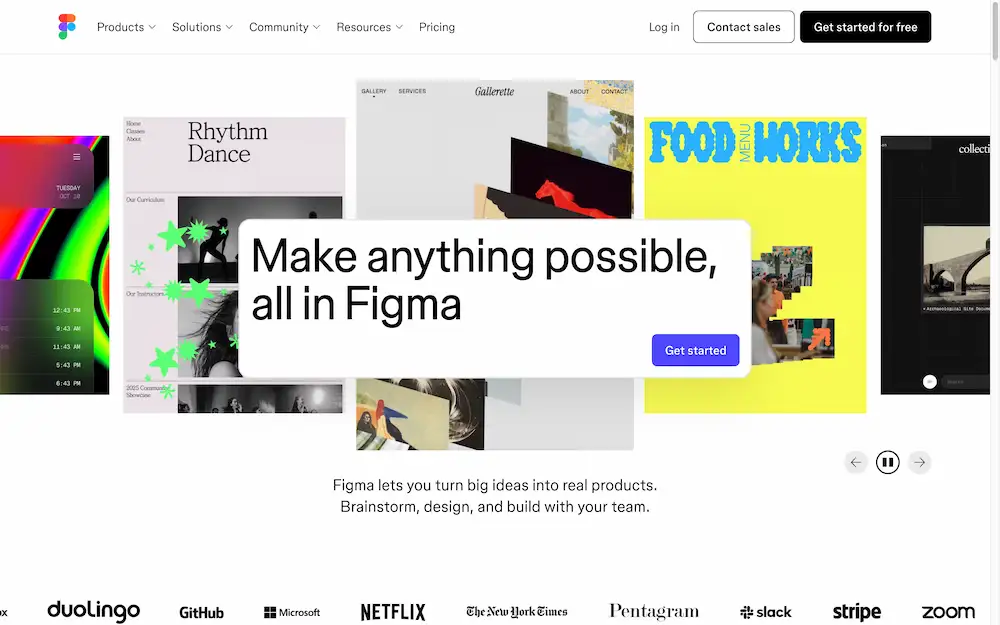
Figma is the leading collaborative design platform for building meaningful products.
What is Figma?
Figma is a collaborative interface design tool that operates in the cloud. It addresses the common challenge of disconnected workflows between designers, developers, and other product team members. This platform is suitable for anyone involved in the product creation process, from individual freelancers to large enterprise teams. Figma matters because it consolidates design, prototyping, and feedback gathering into a single, accessible place, enabling teams to build products faster. By functioning as a web-based application, it removes barriers to collaboration and streamlines the entire product development lifecycle.
Key Features of Figma
Real-Time Collaboration
Multiple team members can work on the same design file simultaneously, seeing each other's cursors and changes live.
Unified Design and Prototyping
Users can design user interfaces and create interactive prototypes all within the same tool, eliminating the need to switch between different applications.
Developer Handoff with Dev Mode
Developers can inspect designs, access code snippets for CSS, iOS, and Android, and gather asset specifications directly from Figma files.
FigJam Digital Whiteboard
Teams can brainstorm, diagram, and strategize together on an infinite online whiteboard, facilitating early-stage ideation and planning.
Design Systems
Teams can build and maintain shared libraries of reusable components, styles, and variables to ensure visual consistency across all projects.
AI-Powered Tools (Figma AI)
Features like Figma Make allow users to generate designs and code from text prompts, accelerating the creative process.
Use Cases for Figma
UX Design and Wireframing
Product teams use Figma to create user experience flows, wireframes, and high-fidelity mockups for websites and applications.
Web Design and Development
From initial concept to final design handoff, Figma supports the entire web design process, including the creation of responsive layouts.
Product Development and Agile Workflows
The platform helps cross-functional teams align throughout the agile development cycle, from brainstorming new features to prototyping and testing.
Building and Managing Design Systems
Organizations rely on Figma to create a single source of truth for their design language, which scales across multiple teams and projects.
How to Use Figma
Using Figma is a straightforward process that begins in a web browser.
- Create an Account: Visit the Figma website and sign up for a free account to get started.
- Start a New File: Create a new design file or a FigJam whiteboard from the dashboard.
- Design and Prototype: Use the vector tools to create interfaces. Then, link frames together to build interactive prototypes.
- Invite Collaborators: Share the file link with team members. They can view, comment, or edit the file in real-time based on their permissions.
- Handoff for Development: Once the design is finalized, developers can switch to Dev Mode to inspect the design and gather the necessary code and assets.
Target Audience for Figma
- User Interface (UI) and User Experience (UX) Designers
- Web Developers and Engineers
- Product Managers
- Entire product teams working in agile environments
- Enterprises and educational institutions
Is Figma Free?
Figma offers a generous free plan, which is a key reason for its widespread adoption. The free plan includes an unlimited number of files and up to three editors in a team. For teams requiring more editors, advanced features like Dev Mode, and dedicated support, Figma provides affordable premium options with Professional and Organization tiers.
Frequently Asked Questions about Figma
Is Figma a desktop or web-based application?
Figma is primarily a web-based tool that runs in a browser, but it also offers a desktop application for those who prefer a dedicated app experience. Both versions sync seamlessly.
Do you need to download software to use Figma?
No download is strictly necessary to start using Figma. The core platform is accessible directly through a modern web browser, though desktop and font installer apps are available for download.
What is the difference between Figma Design and FigJam?
Figma Design is focused on interface design, prototyping, and building design systems. FigJam is a separate digital whiteboard tool designed for brainstorming, diagramming, and strategic planning.
Can developers use Figma without a design background?
Yes, developers can use Figma effectively. Features like Dev Mode are built specifically for developers to inspect designs, get code, and export assets without needing deep design knowledge.
How does Figma support collaborative design?
Figma supports collaboration by allowing multiple people to work in the same file at the same time. It also includes commenting tools and the ability to share view-only links for stakeholder feedback.
What are Figma's AI features?
Figma AI includes tools like Figma Make, which allows users to prompt and generate code or design elements, helping to automate and speed up various tasks.
Figma Tags
Figma, collaborative design tool, UI design, UX design, prototyping, design handoff, FigJam, online whiteboard, design systems, web design, product development, real-time collaboration