Introduction
FindGenre is an audio genre finder that answers "what's my genre?" instantly.
What is FindGenre?
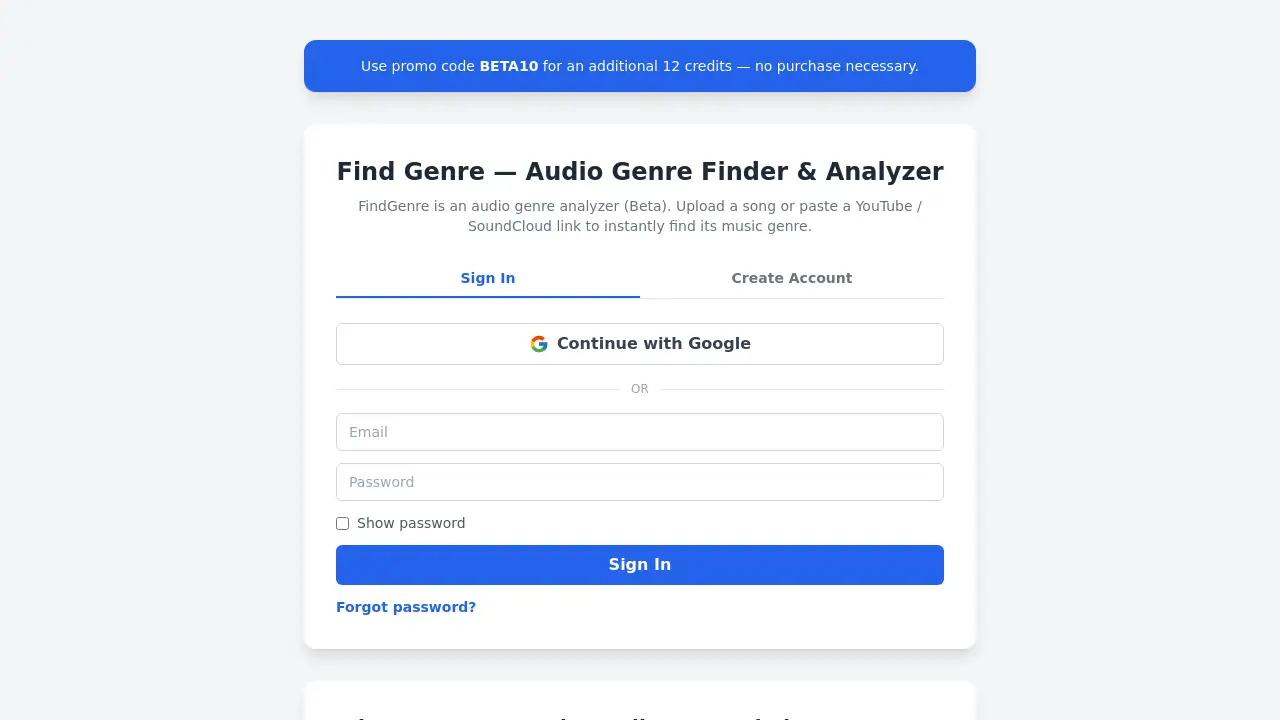
FindGenre is an audio genre analyzer designed to solve a simple but common problem: identifying the music genre of any track. Whether you are a musician wondering about a new composition, a producer checking a mix, or a listener curious about a song, this tool provides a quick and reliable answer. Instead of guessing, users can upload an audio file or paste a YouTube or SoundCloud link to get ranked genre predictions with confidence scores. The service also detects additional audio features like BPM, key, and loudness, making it a comprehensive music genre detector and audio analysis tool.
This product matters because genre classification is often subjective and time‑consuming. With AI‑driven analysis, FindGenre removes the guesswork and gives objective, data‑backed results. It is suitable for music creators, DJs, educators, and anyone who needs to categorize tracks accurately.
Key Features of FindGenre
Ranked Genre Predictions
The core function of this music genre detector is to output a list of possible genres, each with a confidence percentage. This allows you to see which genre matches your track most closely and understand the reasoning behind the prediction.
Audio Feature Extraction
Beyond genre, the audio genre analyzer optionally provides BPM (beats per minute), key, loudness (RMS and LUFS), spectral shape, and dynamic range. These extra data points help you understand the musical properties of your track.
Support for Multiple Inputs
Users can upload common audio files (MP3, WAV, FLAC, M4A, OGG) or simply paste a link to a single YouTube video or SoundCloud track. This flexibility makes the what’s my genre tool accessible for different workflows.
Saved History
Every track you analyze is saved in your account history. This feature is useful for revisiting past results, comparing songs, or building a personal database of genre and audio metadata.
Use Cases for FindGenre
Music Producers Identifying Genre
Producers can use the audio genre finder to check the genre of a work‑in‑progress. By knowing the predicted genre, they can adjust production elements to better fit a target style.
DJs Organizing Playlists
DJs often need to sort tracks by BPM, key, and genre. FindGenre provides these details quickly, helping them build cohesive sets without manual listening.
Content Creators Tagging Music
Video creators, podcasters, and social media influencers can use the music genre detector to accurately tag background music or identify the style of a royalty‑free track they discovered.
How to Use FindGenre
- Sign in to FindGenre (a quick registration is required).
- Upload an audio file or paste a YouTube/SoundCloud link into the provided input area.
- Click the analyze button – the AI listens to short chunks and averages predictions.
- View the results – you will see ranked genre predictions with percentages, plus optional details like BPM and key.
- Save or export the results from your history for later reference.
The entire process takes only a few seconds, making the audio genre analyzer very convenient for on‑the‑go use.
Target Audience for FindGenre
- Musicians and songwriters who want to know the genre of their own tracks
- Audio producers and engineers looking for objective feedback on genre and audio features
- DJs needing BPM, key, and genre data for playlist organization
- Music teachers and students analyzing different genres for educational purposes
- Content creators (YouTubers, podcasters) who need to categorize music for licenses or metadata
- Casual listeners curious about "what's my genre" for a song they discovered
Is FindGenre Free?
FindGenre offers a free tier that allows users to try the service without upfront payment. At launch, a promo code BETA10 provides an additional 12 credits — no purchase necessary. Credits are used per analysis, so free users can analyze multiple songs. For detailed pricing of higher usage limits or subscription plans, please visit the official FindGenre website.
| Plan | Price | Features |
|---|---|---|
| Free (with promo) | $0 (use BETA10) | 12 credits, standard genre & audio features, saved history |
| Paid plans | TBD | Higher credit limits, priority processing, advanced features |
Pricing may change; check the site for the latest information.
FindGenre's Pros and Cons
| Aspect | Pros | Cons |
|---|---|---|
| Ease of Use | Simple interface with upload or link paste; no technical skills needed | Requires account sign‑in to start |
| Input Flexibility | Supports multiple file formats and links from YouTube/SoundCloud | Only single‑track analysis at a time (no batch upload) |
| Output Depth | Provides ranked genre predictions plus optional audio features (BPM, key, loudness) | Optional features may require extra credits or settings |
| Accuracy | Uses a trained neural network with confidence scores | Results depend on AI model; not 100% accurate for ambiguous tracks |
| Free Access | Free credits available via promo code; no immediate payment | Limited free credits; heavy users may need to purchase |
Frequently Asked Questions about FindGenre
How accurate is the music genre detector?
The audio genre analyzer scores your track in short segments using a trained neural network and reports confidence percentages. While highly reliable for common genres, accuracy can vary for experimental or hybrid tracks.
What audio formats can I analyze?
You can upload common audio files such as MP3, WAV, FLAC, M4A, and OGG. Additionally, you can paste a link to a single YouTube video or SoundCloud track.
How do I get started with FindGenre?
Sign in to the website, then either upload an audio file or paste a YouTube/SoundCloud link. Click analyze, and within seconds you will see ranked genre predictions with confidence scores.
Can I see BPM and key for my track?
Yes, the audio genre finder offers optional audio feature extraction including BPM, key, loudness (RMS and LUFS), spectral shape, and dynamic range. These can be enabled during analysis.
Is there a limit on how many songs I can analyze?
FindGenre uses a credit system. New users can apply the promo code BETA10 to receive 12 additional credits. After that, credits can be purchased or earned through referrals. Check the website for current credit plans.
Does FindGenre save my analysis history?
Yes, every track you analyze is saved in your account history. This makes it easy to revisit past results, compare genres, or export data later.
FindGenre Tags
audio genre finder, what's my genre, music genre detector, audio genre analyzer, find my music genre, BPM detector, key finder, music classification tool, AI genre identification, upload song genre, YouTube genre analyzer, SoundCloud genre finder