Introduction
Audio Cutter AI is a free online tool for cutting and trimming audio files with speed and precision.
What is Audio Cutter AI?
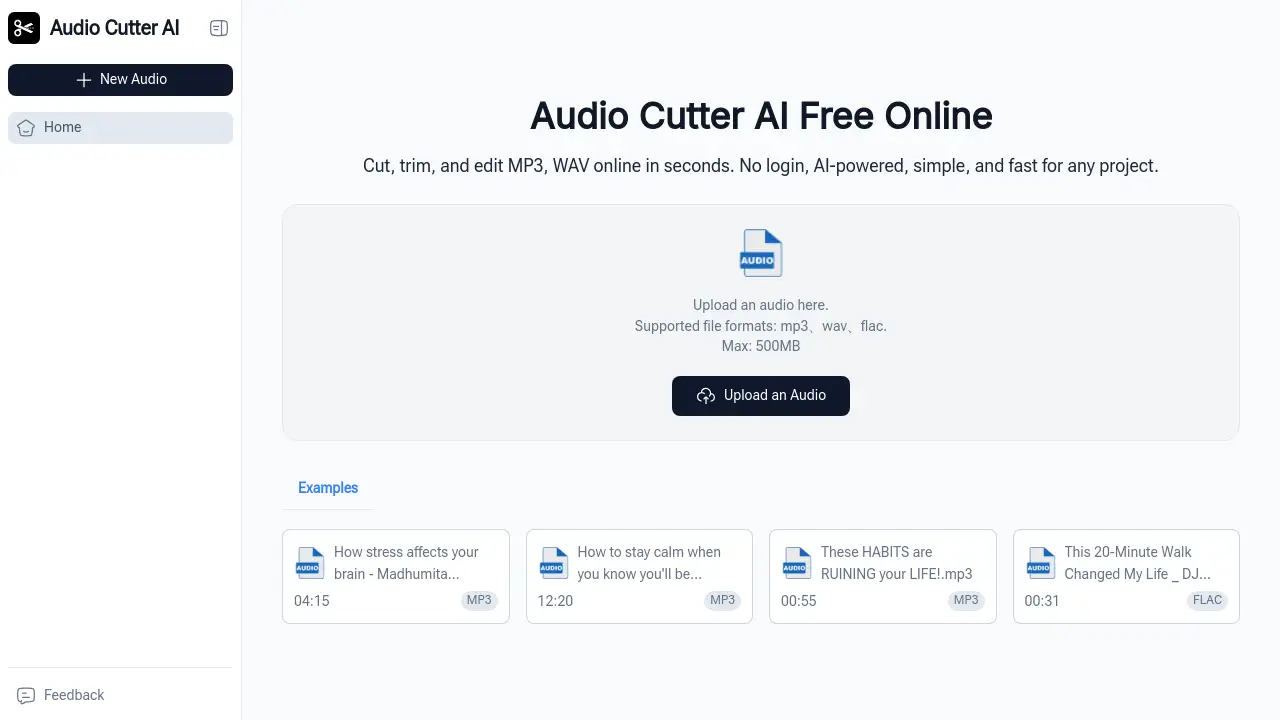
Audio Cutter AI is a web-based audio editing tool designed to simplify the process of trimming and cutting audio files. It addresses the common problem of needing to quickly extract specific sections from longer audio recordings without installing complex software. The tool is suitable for a wide range of users, from beginners to professionals, who need a fast and efficient solution for audio editing. By leveraging a straightforward interface, it allows users to perform precise cuts in seconds, making it an essential resource for anyone working with audio files for content creation, education, or professional projects.
Key Features of Audio Cutter AI
Online and Free to Use
The tool operates entirely in a web browser, requiring no software downloads, and is completely free to use without needing to log in.
AI-Powered Precision Editing
It utilizes AI technology to facilitate accurate and smooth trimming, helping users make clean cuts at the exact start and end points they desire.
Supports Multiple Audio Formats
Audio Cutter AI supports industry-standard formats like MP3 and WAV, ensuring reliable imports and exports for a wide variety of audio files.
Simple Three-Step Process
The entire editing workflow is streamlined into three intuitive steps: upload, customize the interval, and download, making audio editing accessible to everyone.
Instant Preview Functionality
Users can listen to their edited clip before downloading, ensuring the final audio file meets their expectations without any guesswork.
Use Cases for Audio Cutter AI
Creating Social Media Clips
Content creators can quickly trim longer videos or podcasts into short, engaging audio clips perfect for platforms like Instagram, TikTok, or YouTube Shorts.
Editing Podcast Episodes
Podcast hosts can efficiently remove mistakes, long pauses, or irrelevant tangents from their recordings to produce polished final episodes.
Preparing Academic Materials
Students and educators can cut audio from recorded lectures or presentations to highlight key segments for study guides or online course modules.
Producing Marketing Content
Marketing teams can trim audio files to create concise soundbites for advertisements, product demos, or promotional video content.
Refining Interview Recordings
Journalists and researchers can isolate the most important quotes from an interview by cutting out questions and off-topic discussion.
How to Use Audio Cutter AI
Using Audio Cutter AI is a straightforward process designed for efficiency.
- Upload Your Audio File: Navigate to the Audio Cutter AI website and upload your audio file. The tool accepts common formats like MP3 and WAV.
- Customize the Interval: Use the visual timeline or input fields to set the precise start and end points for the section you want to keep. You can listen to snippets to ensure accuracy.
- Preview and Download: Once satisfied with the trim, preview the final clip. Then, simply click the download button to save the edited audio file to your device.
Target Audience for Audio Cutter AI
- Content Creators (YouTubers, Vloggers, Influencers)
- Podcast Hosts and Producers
- Social Media Managers
- Marketing and Advertising Professionals
- Students and Educators
- Journalists and Reporters
- Freelancers and Researchers
Is Audio Cutter AI Free?
Based on the available information, Audio Cutter AI is presented as a free online tool. The product description and homepage emphasize free use with no login required. There is no mention of paid plans or premium features in the provided reference material. Users can access the core trimming and cutting functionality at no cost by visiting the official website.
| Plan | Price | Key Features |
|---|---|---|
| Free | $0 | Online audio cutting, support for MP3/WAV, no login required, instant download. |
Audio Cutter AI's Pros and Cons
| Aspect | Pros | Cons |
|---|---|---|
| Accessibility | Completely free and requires no account creation. | Limited to basic cutting/trimming; lacks advanced audio effects or multi-track editing. |
| Ease of Use | Extremely simple, three-step process ideal for beginners. | May be too basic for professional audio engineers needing complex tools. |
| Speed | Edits are processed online in seconds. | Performance depends on internet connection and file size. |
| Compatibility | Works on any device with a web browser and supports common formats. | Output options may be limited compared to desktop software. |
Frequently Asked Questions about Audio Cutter AI
Is Audio Cutter AI really free?
Yes, Audio Cutter AI is completely free to use. You can upload, edit, and download your audio files without any cost or the need to create an account.
What audio file formats does it support?
The tool supports popular and industry-standard audio formats, primarily MP3 and WAV files, ensuring wide compatibility for most users' needs.
Do I need to install any software?
No installation is required. Audio Cutter AI is a web-based tool that runs directly in your internet browser, whether on a computer, tablet, or phone.
Is my audio data safe?
The tool processes files online, and as no login is required, personal data collection is minimized. For highly sensitive audio, users should review the website's privacy policy.
Can I edit very long audio files?
While it handles standard file sizes well, extremely large files may take longer to upload and process, depending on your internet speed.
What is the main advantage of using this tool?
The main advantage is its combination of simplicity and speed. It allows for precise audio editing in just a few clicks, saving significant time compared to opening complex desktop software.
Audio Cutter AI Tags
audio cutter, audio editing, trim audio online, cut mp3, free audio editor, online audio cutter, audio file trimmer, edit audio files, podcast editing tool, create audio clips, quick audio edit, web-based audio tool