Introduction
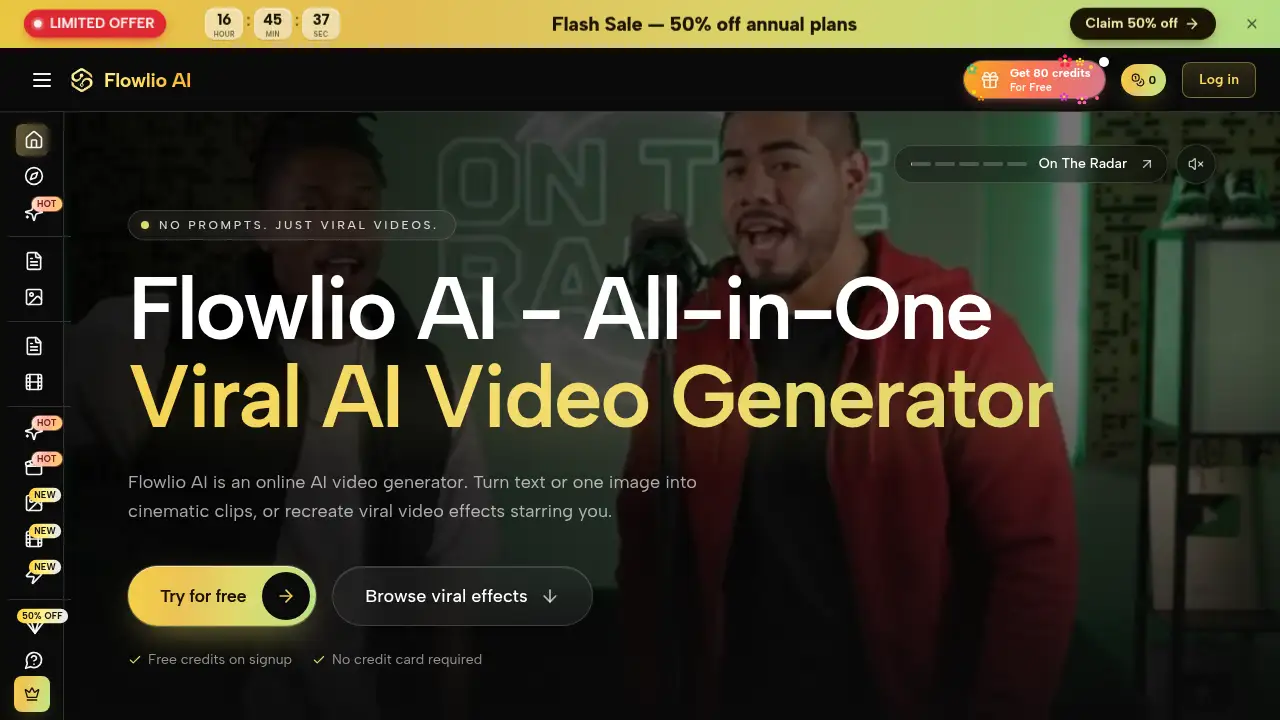
Flowlio: an all-in-one AI video generator.
What is Flowlio?
Flowlio is an online AI video generator that turns text, photos, or reference material into short videos. It is built for people who want viral video effects, text to video, and image to video in one place without installing software or juggling multiple subscriptions. The platform brings leading AI video models, image models, and ready-made templates into a single AI video maker. Users can write a prompt, upload a photo, or choose a trending effect, then render a clip in formats for TikTok, Reels, YouTube, and other platforms. As an all-in-one AI video generator, Flowlio matters because it reduces tool switching and makes model choice, effects, and downloads part of one workflow. Free credits on signup and no credit card requirement make it easy to test the AI video generator before paying.
Key Features of Flowlio
Multiple AI Video Models in One AI Video Generator
Switch between Seedance 2.5, Seedance 2, Seedance 2 Fast, Wan 3.0, and HappyHorse 1.1 on each generation. This lets creators compare takes inside one AI video generator instead of managing separate subscriptions.
Text to Video With Camera Control
Describe a scene, action, camera move, and mood in plain words, then let the AI video maker render the shot. The AI video generator’s text to video workflow supports camera language such as push-ins, orbits, handheld drift, and rack focus.
Image to Video and First/Last Frame Control
Upload a portrait, product shot, or character render and animate it with the AI video generator. Users can set a first frame, add a last frame, and let the image to video model fill the movement in between.
Reference to Video for Consistent Characters
Attach images, clips, or audio as references to keep characters, products, palettes, camera moves, or beats consistent. This makes the AI video generator more useful for campaign-style series than a prompt-only tool.
Viral Video Effects and Templates
Pick a trending template, upload a photo, and create a share-ready clip without writing a prompt. The AI video maker adds new viral video effects and templates regularly, while the AI video generator keeps them in one place.
Image Models in the Same Studio
Use GPT Image 2.5, Nano Banana 2, Flux 2 Pro, and Seedream 4.5 to create frames for the AI video generator. Keeping image and video tools together simplifies work inside the AI video generator.
Platform-Ready Output and Private Library
The AI video generator renders from 480p to 1080p, supports aspect ratios from 1:1 to 21:9, and creates clips from 2 to 30 seconds depending on the model. Every output lands in a private library, watermark-free, with commercial use rights on paid plans.
Use Cases for Flowlio
Social Media Content Creation
Create short videos for TikTok, Reels, YouTube Shorts, and feed posts with an AI video generator built for vertical and square formats. The AI video generator supports quick posting formats, and creators can use viral video effects to match current trends.
Product and Brand Campaigns
Keep characters, products, and visual styles consistent with reference to video, then use the AI video maker to produce a series of clips. The AI video generator can help small teams create campaign assets and test viral video effects without a full production crew.
Photo Animation and Personal Clips
Turn one portrait or still image into a moving clip with image to video. The AI video generator can animate a photo quickly, and the AI video maker is useful for personal edits, avatar-style content, and visual experiments.
Rapid Concept Testing
Draft at 480p, test different models, and ship at 1080p when a direction works. Because the AI video generator uses credits per render, teams can compare several text to video directions before committing to a final clip.
How to Use Flowlio
- Choose a model or effect: select Seedance, Wan, HappyHorse, or a trending viral video effect inside the AI video generator.
- Add input: write a prompt, upload a photo, or attach reference images, clips, or audio for the AI video maker.
- Set output options: choose duration, aspect ratio, and resolution for the render.
- Generate and review: let the AI video generator create the clip and compare takes in My Creations.
- Download or share: export the watermark-free video or post it to social platforms.
Target Audience for Flowlio
- Social media creators who need short-form video and viral video effects.
- Marketers and small teams producing campaign clips with an AI video maker.
- Designers and e-commerce sellers animating product or character images.
- Beginners who want templates instead of prompt writing, and users exploring text to video.
- Experienced users who want multiple AI video models in one AI video generator.
- Agencies that need an AI video generator for repeatable campaign clips.
Is Flowlio Free?
Flowlio offers free credits on signup and does not require a credit card, so users can test the AI video generator before buying. Paid access is credit-based and can be purchased through monthly or yearly plans; credits price each render by model, duration, and resolution. Prices below are in USD.
| Plan | Price | Features |
|---|---|---|
| Free credits | $0 | Free credits on signup, no credit card required, test the AI video generator |
| Starter | $13.3/month billed yearly ($160/year) | 19,200 credits/year, up to 3,840 images, up to 256 videos, all models, viral video effects, 1080p video, watermark-free downloads, commercial use |
| Pro | $30/month billed yearly ($360/year) | 54,000 credits/year, up to 10,800 images, up to 720 videos, all models, viral video effects, 1080p video, watermark-free downloads, commercial use |
| Scale | $50/month billed yearly ($600/year) | 120,000 credits/year, up to 24,000 images, up to 1,600 videos, all models, viral video effects, 1080p video, watermark-free downloads, commercial use |
Flowlio's Pros and Cons
| Aspect | Pros | Cons |
|---|---|---|
| Pricing | Free credits to start; pay-per-render credits; no credit card for signup | Credit costs vary by model, duration, and resolution, so heavy use needs planning |
| Features | Multiple AI video models, image models, text to video, image to video, reference to video, viral video effects | Advanced prompt-based control may take practice |
| Workflow | One AI video generator for models, templates, images, and downloads | Some model or effect availability may depend on the platform's current library |
| Output | Watermark-free downloads, commercial use rights, private library, platform-ready formats | Higher resolutions and longer durations may use more credits |
Frequently Asked Questions about Flowlio
What is Flowlio used for?
Flowlio is an AI video generator for turning text to video, photos, or references into short videos. It is used for social clips, product content, photo animation, and viral video effects.
Do I need a credit card to try Flowlio?
No. The platform offers free credits on signup and states that no credit card is required. This lets new users test the AI video maker and AI video generator before choosing a paid plan.
Which AI video models does Flowlio include?
Flowlio lists Seedance 2.5, Seedance 2, Seedance 2 Fast, Wan 3.0, and HappyHorse 1.1 for video. It also includes image models such as GPT Image 2.5, Nano Banana 2, Flux 2 Pro, and Seedream 4.5 for frames used in the AI video generator and AI video maker.
Can Flowlio make videos from one photo?
Yes. The image to video feature can animate a portrait, product shot, or character render. Users can also set first and last frames in the AI video generator for more control.
Are Flowlio videos watermark-free?
Yes, paid plans list watermark-free downloads and commercial use rights. Clips are stored in a private library inside the AI video maker.
How long can Flowlio videos be?
Video generation can go up to 30 seconds depending on the model. The AI video generator supports multiple aspect ratios and resolutions from 480p to 1080p.
Flowlio Tags
AI video generator, Flowlio AI, viral AI video generator, AI video maker, text to video, image to video, viral video effects, Seedance, Wan, AI video models, AI video templates, reference to video