Introduction
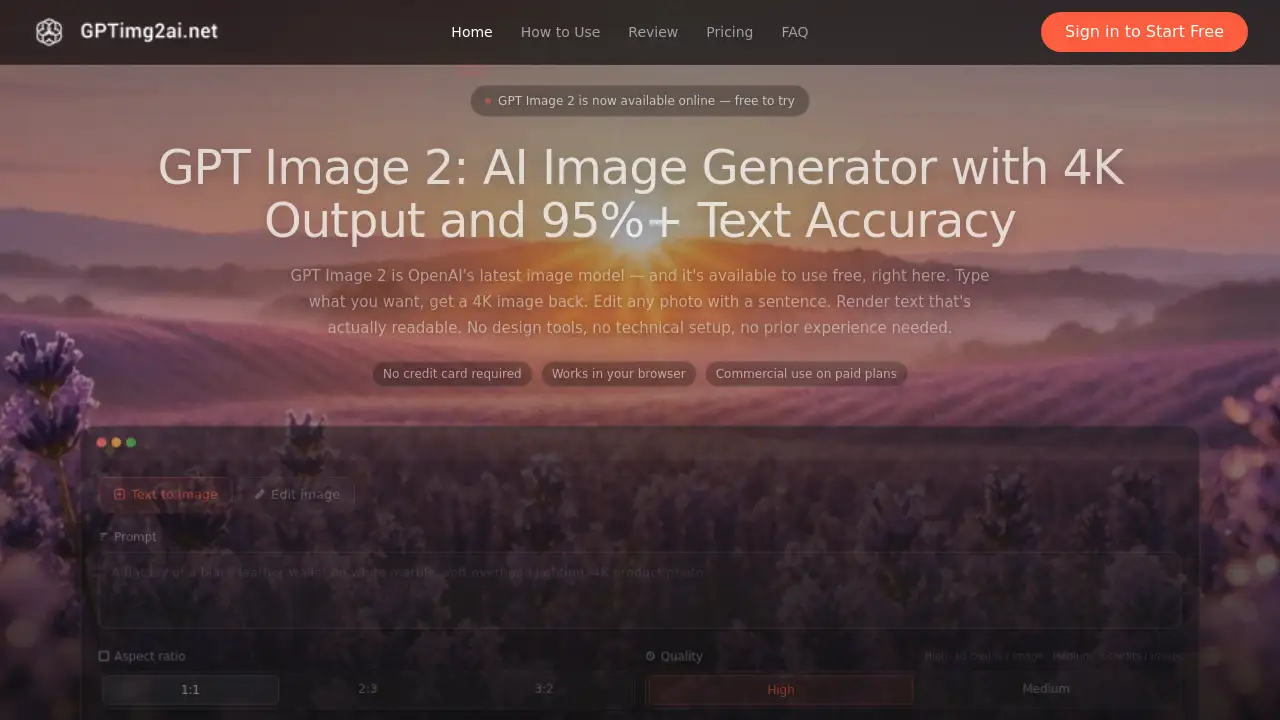
GPT Image 2 is a powerful AI image generator that creates high-quality images directly from text descriptions. This tool is designed to simplify digital content creation by offering features like 4K image generation, precise text rendering, and intuitive photo editing.
What is GPT Image 2?
GPT Image 2 is an advanced AI-powered tool that transforms text prompts into high-resolution images. Built on OpenAI's latest model, it addresses the common challenges of digital content creation, such as the high cost of stock photography, the complexity of design software, and the unreliability of text within AI-generated visuals. It is suitable for a wide range of users, from marketing professionals and e-commerce store owners to authors and developers. The ability to generate 4K images with over 95% text accuracy directly in a web browser makes it a significant step forward in accessible and efficient AI image generation.
Key Features of GPT Image 2
Native 4K Image Output
GPT Image 2 generates images natively at 2048×2048 resolution, with optional upscaling to 4K. This ensures visuals are sharp and detailed enough for professional applications like large-format printing, billboard ads, and high-end e-commerce product pages.
High Text Rendering Accuracy
A standout feature is its ability to render readable text inside images with over 95% accuracy across multiple scripts, including Latin, Chinese, Japanese, Korean, and Arabic. This makes it uniquely capable for creating posters, product packaging, and advertisements where legible text is essential.
Natural Language Photo Editing
Users can edit any uploaded photo using simple, plain-language instructions. This includes tasks like inpainting, outpainting, background replacement, and object removal without needing complex software like Photoshop, streamlining the creative workflow significantly.
Character Consistency Across Images
The tool can lock a character's appearance—including face, outfit, and style—across multiple generated images. This is invaluable for creating consistent visual narratives in children's books, comic series, brand mascots, and product character visuals.
Versatile Style Generation in One Model
GPT Image 2 can switch seamlessly between various artistic styles such as photorealistic, anime, illustrated, product-render, and architectural within a single session, eliminating the need for multiple specialized models or fine-tuning.
Commercial Use Licensing
All images generated on paid plans come with full commercial rights, allowing users to freely use outputs in client work, advertising campaigns, product packaging, and for resale without additional licensing fees.
Use Cases for GPT Image 2
E-commerce Product Photography
E-commerce teams use GPT Image 2 to generate high-quality, 4K product visuals on demand, drastically reducing the time and cost associated with traditional studio photography, especially when scaling for numerous SKUs.
Marketing and Ad Creative
Marketing teams leverage the tool to rapidly produce multiple ad variations. By typing the desired scene and headline into a prompt, they can create finished assets for social media, display ads, and email headers in hours instead of days.
Book and Story Illustration
Authors and illustrators utilize the character consistency feature to create a series of illustrations featuring the same protagonist, enabling the production of illustrated books, comics, and storyboards without hiring a human illustrator for every scene.
Automated Content Pipelines via API
Developers integrate the GPT Image 2 API into SaaS platforms and workflows to automate image generation. For example, a real estate platform can automatically create staged interior variations for new property listings at scale.
How to Use GPT Image 2
Using GPT Image 2 is straightforward and requires no prior design experience. Here is a simple three-step process:
- Enter Your Prompt or Upload an Image: Start by typing a detailed text description of the image you want. You can also upload a reference photo to edit. The more descriptive your prompt, the better the results.
- Configure Settings: Choose your desired aspect ratio (e.g., 1:1, 16:9) and select the image quality. Standard quality is available on the free tier, while high-quality and 4K upscaling are features of paid plans.
- Generate and Refine: Click to generate. Your image will be ready in under a minute. You can then download it immediately or refine the results by adjusting your prompt and regenerating.
Target Audience for GPT Image 2
- Marketing Professionals and Ad Agencies: For creating quick, cost-effective ad creatives and social media content.
- E-commerce Entrepreneurs and Brands: For generating scalable, high-resolution product visuals and lifestyle shots.
- Content Creators, Bloggers, and Authors: For illustrating articles, books, and digital content without graphic design skills.
- Freelance Designers: To augment their workflow, speed up prototyping, and handle text-heavy design elements.
- Developers and SaaS Companies: To integrate automated AI image generation into their applications and services via the API.
Is GPT Image 2 Free?
GPT Image 2 offers a free tier to try the core functionality. For sustained or commercial use, it operates on a credit-based, one-time purchase model rather than a subscription. Credits do not expire.
| Plan | Price | Key Credits & Features |
|---|---|---|
| Starter | $9.9 one-time | 400 credits (approx. 200 images), all styles & resolutions, commercial license. |
| Standard | $29.9 one-time | 1,250 credits (approx. 625 images), priority queue, commercial license. |
| Pro (Most Popular) | $49.9 one-time | 2,100 credits (approx. 1,050 images), priority queue, commercial license. |
GPT Image 2's Pros and Cons
| Aspect | Pros | Cons |
|---|---|---|
| Ease of Use | Extremely simple, browser-based interface with natural language prompts. No technical setup required. | Advanced fine-tuning options may be limited compared to some professional desktop software. |
| Features & Output | Exceptional text rendering accuracy and native 4K output are standout, industry-leading features. | The free tier has limitations on output quality and generation speed. |
| Pricing & Value | One-time credit purchases with no expiry offer good flexibility. Commercial rights are included on all paid plans. | For individual users generating many images, costs can accumulate compared to some flat-rate subscription models. |
| Performance | Fast generation times and reliable API access for developers. | Performance is dependent on server status and internet connection. |
Frequently Asked Questions about GPT Image 2
What is GPT Image 2?
GPT Image 2 is an online AI image generator built on OpenAI's latest model. It creates and edits images from text descriptions, offering high-resolution 4K output and industry-leading accuracy for rendering text within images.
What's the difference between GPT Image 2 and GPT Image 1.5?
GPT Image 2 represents a major upgrade with native 2K resolution (vs. 1536×1024), optional 4K upscaling, significantly improved text rendering accuracy (95%+), and new features like native character consistency and more powerful natural-language photo editing.
Can I use GPT Image 2 for commercial purposes?
Yes. All images generated using credits from any paid plan (Starter, Standard, Pro) come with full commercial rights. You can use them in client work, advertising, product packaging, and even for resale without any additional licensing fee.
How does the character consistency feature work?
The character consistency feature allows you to maintain the same character's appearance across multiple generated images. You define the character in an initial prompt or reference, and the model locks in features like face, hairstyle, and clothing for subsequent generations.
Does GPT Image 2 have an API?
Yes, GPT Image 2 offers an official API. This allows developers and businesses to integrate its AI image generation and editing capabilities directly into their own applications, websites, or automated workflows.
Is there a free trial for GPT Image 2?
Yes, you can try GPT Image 2 for free directly in your web browser without needing to provide a credit card. The free tier allows you to generate images with standard quality to test the core functionality.
GPT Image 2 Tags
AI image generator, GPT Image 2, 4K image generation, text to image, AI photo editor, high text accuracy, commercial AI art, OpenAI image model, product photography AI, character consistency, natural language editing, AI for marketing, free AI tools, AI illustration