Introduction
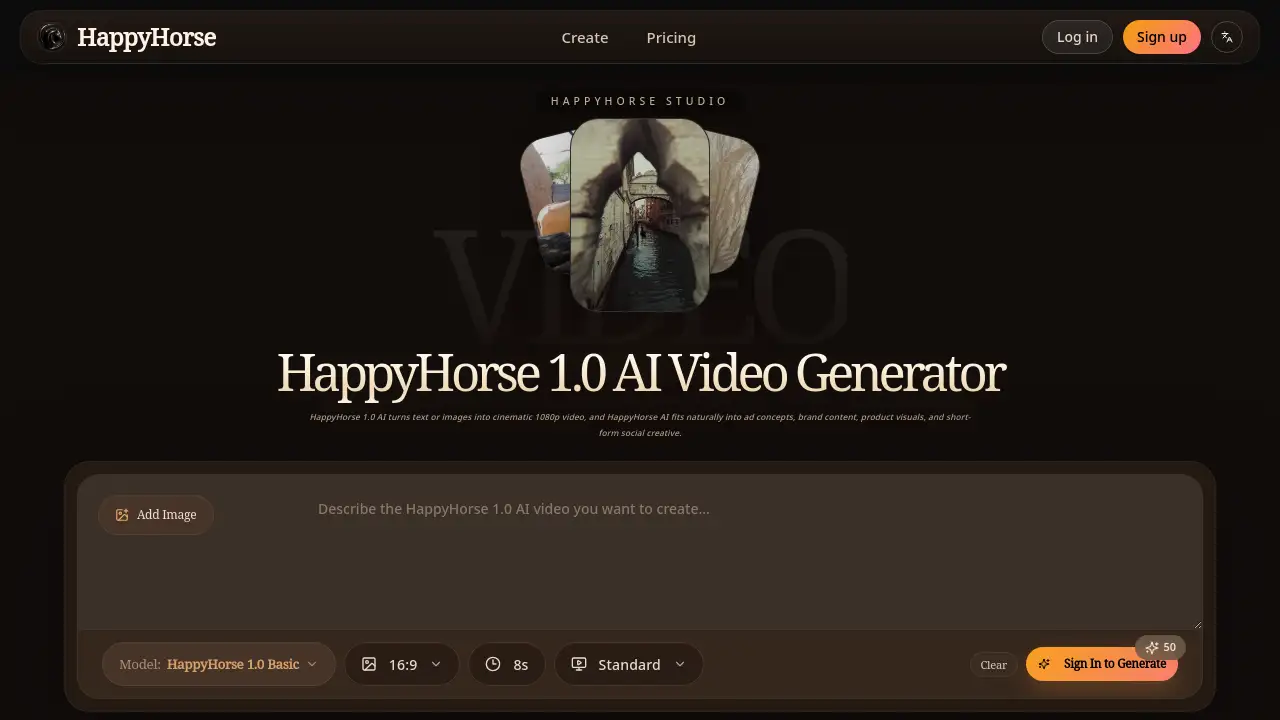
HappyHorse AI is a tool that turns text and images into high-quality 1080p video, streamlining content creation for ads, social media, and brand storytelling.
What is HappyHorse AI?
HappyHorse AI is an AI-powered video generator designed to help creators and teams produce cinematic, 1080p videos from simple text prompts or uploaded images. It addresses the common challenge of creating high-quality motion content quickly and affordably, without needing extensive video production expertise or resources. This tool is suitable for anyone needing polished video output for commercial or creative purposes, from brand marketers and e-commerce teams to independent creators and social media studios. Its significance lies in its ability to accelerate workflows, turning static ideas and assets into dynamic, ready-to-use video content.
Key Features of HappyHorse AI
Native 1080p Video Output
HappyHorse AI generates videos in full HD 1080p resolution, producing output that is immediately suitable for professional ads, social content, and brand marketing campaigns.
Prompt-to-Video and Image-to-Video Modes
Creators can start the video creation process either by writing a descriptive text prompt or by uploading a still image, offering flexible starting points for different project needs.
Natural Motion and Clean Transitions
The AI engine produces more realistic character movement, smoother product rotations, and cleaner scene-to-scene transitions, enhancing the overall polish and watchability of the clips.
Strong Scene Continuity
HappyHorse AI maintains a consistent visual style and smoother narrative flow across generated clips, making it a better fit for story-driven videos and multi-scene campaign content.
Fast Iteration Workflow
The platform is built for speed, allowing users to quickly generate previews and test multiple creative directions before finalizing their video concepts.
Use Cases for HappyHorse AI
Brand and Campaign Video Production
HappyHorse AI is effective for creating launch films, campaign concept videos, mood-driven brand content, and rapid social media creative.
Short-Form Content for Creators
Independent creators and studios can use it to transform written ideas or single images into expressive, publishable short-form videos for platforms like TikTok, Instagram Reels, or YouTube Shorts.
E-commerce Product Visualization
The tool excels at turning static product photos into engaging motion visuals that showcase details, materials, and features through smooth rotations and dynamic presentations.
Creative Pre-Production and Pitches
Teams can use HappyHorse AI to generate style frames, timing references, and visual concepts during the planning phase, helping align stakeholders and move projects forward faster.
How to Use HappyHorse AI
- Choose Your Input Method: Start a new project by either typing a detailed text prompt describing your desired video or uploading a reference image you want to animate.
- Generate a Preview: Submit your input. HappyHorse AI will process it and generate a first-pass video clip based on your description or image.
- Review and Iterate: Watch the generated preview. You can then make adjustments to your prompt or image and regenerate to refine the results until you are satisfied.
- Export and Implement: Once happy with the video, download the final 1080p output. You can then directly use this video in your social media posts, ad campaigns, product pages, or other marketing materials.
Target Audience for HappyHorse AI
- Brand marketing and advertising teams
- Social media managers and content creators
- E-commerce businesses and product marketers
- Independent filmmakers and video creators
- Creative agencies and design studios
Is HappyHorse AI Free?
Pricing details for HappyHorse AI are not explicitly listed on the provided homepage. The website directs users to a "pricing" page to choose a plan that matches their team size and output volume. It is common for such tools to offer a free trial or a limited free tier. For accurate and current pricing information, users should visit the official HappyHorse AI website.
HappyHorse AI's Pros and Cons
| Aspect | Pros | Cons |
|---|---|---|
| Output Quality | Generates high-quality, cinematic 1080p video suitable for professional use. | The creative output is ultimately guided and limited by the AI's interpretation of prompts. |
| Workflow Speed | Dramatically accelerates the video creation process, from idea to first draft. | May require several iterations to achieve a desired specific result, which can take time. |
| Ease of Use | Accessible to non-experts with its simple text or image input methods. | Lacks the granular, frame-by-frame control of traditional video editing software. |
| Versatility | Supports both text-to-video and image-to-video, fitting various creative workflows. | Best results require clear, descriptive prompts, which involves a learning curve. |
Frequently Asked Questions about HappyHorse AI
Is HappyHorse AI only for text to video?
No. HappyHorse AI supports both text-to-video and image-to-video creation modes. Users can start a project by writing a prompt or by uploading a still image to animate.
What kinds of content is HappyHorse AI best for?
HappyHorse AI is particularly well-suited for creating ad concepts, product demonstration videos, short-form social media content, visual storytelling clips, and creative pitch materials where both motion quality and production speed are important.
What are the core strengths of HappyHorse AI?
The core strengths are its native 1080p HD output, generation of more natural motion and cleaner transitions, support for dual creation modes (text and image), and improved scene continuity for longer narratives.
Is HappyHorse AI suitable for commercial teams?
Yes. HappyHorse AI is designed to work well for brand teams, e-commerce marketers, content creators, and advertising agencies that need to produce video content with practical business application and commercial value.
Can I use HappyHorse AI for free?
The reference information does not specify a free tier. Users are directed to a pricing page on the official website to see the available plans, which likely include a trial or a free option with limitations.
How long does it take to generate a video?
While specific generation times are not listed, the platform emphasizes a workflow "built for speed," allowing for fast previews and iterations to test creative ideas quickly.
HappyHorse AI Tags
HappyHorse AI, AI video generator, text to video, image to video, 1080p video creation, AI video maker, social media video tool, product visualization AI, brand video content, cinematic AI video, marketing video tool, content creation software