Introduction
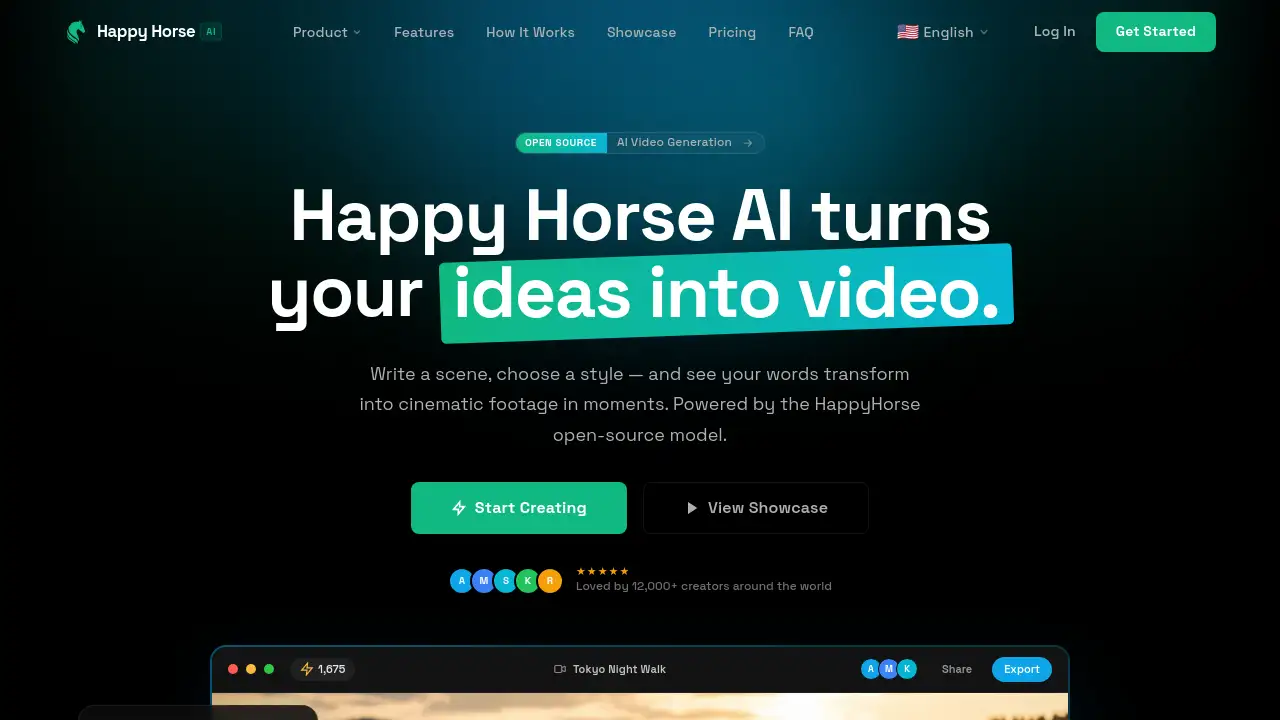
HappyHorse Ai is a powerful AI video generator that transforms text and images into cinematic videos.
What is HappyHorse Ai?
HappyHorse Ai is a cloud-based video generation platform that leverages the open-source HappyHorse AI model. It solves the problem of creating high-quality, dynamic video content without requiring expensive equipment, filming crews, or deep technical expertise in animation. By simply providing a text prompt or a reference image, users can generate short, professional-looking cinematic videos in moments. This tool matters because it democratizes video creation, making it accessible for marketers, content creators, educators, and storytellers to produce compelling visual content quickly and cost-effectively. The platform stands out for its focus on native 1080p quality, physics-based motion, and multi-shot consistency, offering a professional-grade AI video generation experience directly in a web browser.
Key Features of HappyHorse Ai
Unified Generation & Coherent Scene Synthesis
The platform ensures characters, textures, and lighting remain consistent across consecutive shots and complex scene transitions, enabling seamless storytelling.
Native 1080p Professional Output
Videos are generated at a crisp, native 1080p HD resolution directly from the model, eliminating the artifacts often associated with upscaling and delivering cinematic clarity.
Multi-Modal Creation (Vision & Text to Video)
The HappyHorse video generator supports both text-to-video and image-to-video workflows, intelligently interpreting a user's creative vision from either a written description or a visual reference.
Advanced Motion Dynamics
At its core, the HappyHorse model produces remarkably natural motion, from subtle expressions to sweeping camera movements, all guided by principles of physics for lifelike results.
Unlimited Aesthetic Control
Users can adapt the output to any artistic style, from hyperrealism and anime to cyberpunk, without compromising on the visual fidelity or detail of the generated video.
High-Speed Processing
Running on optimized cloud infrastructure, the platform offers industry-leading generation speeds, fitting seamlessly into fast-paced professional and creative workflows.
Use Cases for HappyHorse Ai
Social Media Content Creation
Quickly produce eye-catching, vertical-format videos for platforms like TikTok, Instagram Reels, and YouTube Shorts to engage audiences with dynamic visual stories.
Marketing and Advertisement Prototyping
Generate concept videos and ad prototypes to visualize campaigns, pitch ideas to clients, or create affordable promotional content with a cinematic quality.
Creative Storytelling and Concept Art
Writers and artists can bring scenes from scripts, novels, or game concepts to life, visualizing characters and environments with consistent multi-shot narrative flow.
Educational and Explainer Videos
Educators and businesses can create simple, clear explainer videos to illustrate complex topics, processes, or product features using AI-generated video.
How to Use HappyHorse Ai
- Launch the Generator: Visit the Happy Horse AI official website and sign up for an account to access the workspace.
- Craft Your Input: Write a detailed text prompt describing your scene or upload a reference image to guide the HappyHorse AI video model.
- Adjust Settings: Select your desired aspect ratio (e.g., 16:9 for widescreen, 9:16 for mobile), duration, and visual style from the available controls.
- Generate and Download: Click the generate button. The platform will process your request and deliver a native 1080p MP4 video file ready for preview and download.
Target Audience for HappyHorse Ai
- Social media managers and content creators
- Digital marketers and advertising professionals
- Independent filmmakers and video artists
- Game developers and concept artists
- Educators and corporate trainers
- Small business owners and entrepreneurs
Is HappyHorse Ai Free?
The platform offers a free playground to test basic generation. For full access to all models and premium features like longer clips, 4K output, and commercial rights, subscription plans are available. Based on the reference information, the pricing structure is as follows:
| Plan | Price (Billed Annually) | Key Features & Credits |
|---|---|---|
| Starter | $9.99/month ($119.88/year) | 60,000 credits/year, 1080p output, all AI models, standard queue. |
| Pro | $19.99/month ($239.88/year) | 120,000 credits/year, 4K Ultra HD output, priority queue, AI audio, camera control. |
| Studio | $39.99/month ($479.88/year) | 240,000 credits/year, maximum speed rendering, dedicated support, full commercial license. |
HappyHorse Ai's Pros and Cons
| Aspect | Pros | Cons |
|---|---|---|
| Output Quality | Native 1080p and available 4K output; exceptional motion and coherence. | The free tier has limited capabilities and output resolution. |
| Ease of Use | Intuitive web-based interface; no installation or technical setup required. | Advanced features like camera control and multi-reference input are locked behind higher-tier plans. |
| Technology | Powered by the advanced open-source HappyHorse model; supports multi-modal input. | As with all AI video tools, very specific or complex prompts may not render perfectly. |
| Pricing & Value | Transparent credit system; professional features available at competitive subscription rates. | Can become costly for users requiring very high-volume video generation. |
Frequently Asked Questions about HappyHorse Ai
How does HappyHorse AI create videos?
HappyHorse AI uses its proprietary open-source model to interpret text prompts or reference images. It synthesizes this input frame-by-frame, applying advanced algorithms for physics-based motion, lighting, and texture consistency to generate a cohesive, cinematic video.
What video quality does HappyHorse AI produce?
The Happy Horse video generator produces videos at a native 1080p Full HD resolution by default. Higher-tier "Pro" and "Studio" plans unlock 4K Ultra HD output, providing professional-grade clarity and detail suitable for commercial projects.
Can I use HappyHorse AI for commercial projects?
Yes. Specifically, the "Studio" subscription plan includes a full commercial license, granting the user ownership of their creations. It is advisable to review the specific terms of service for each plan to understand the exact usage rights.
What is the difference between text-to-video and image-to-video?
Text-to-video generation creates a video entirely from a written description. Image-to-video (or vision-to-video) uses an uploaded image as a visual starting point, which the HappyHorse AI model then animates according to the provided parameters or additional text guidance.
How long does it take to generate a video?
Generation time varies based on video length and complexity, but the platform is built for high-speed processing. Most 1080p clips are generated within seconds, thanks to the optimized cloud infrastructure.
Do I need to download software to use HappyHorse AI?
No. HappyHorse AI is a fully web-based application. You can access the complete Happy Horse AI video generator and all its features directly from your browser on desktop, tablet, or mobile devices without any downloads.
HappyHorse Ai Tags
HappyHorse Ai, AI video generator, HappyHorse AI model, text to video, image to video, cinematic video generator, 1080p AI video, open-source AI video, video creation tool, AI content creation, multi-shot video, physics-based motion, HappyHorse API, AI video platform