Introduction
Humanize Max is a free AI humanizer that rewrites AI-generated text into natural, human-sounding language in seconds. It works with ChatGPT, Claude, Gemini, DeepSeek, and other AI tools. For anyone searching for an AI humanizer that never hides results behind a paywall, this tool is worth testing.
What is Humanize Max?
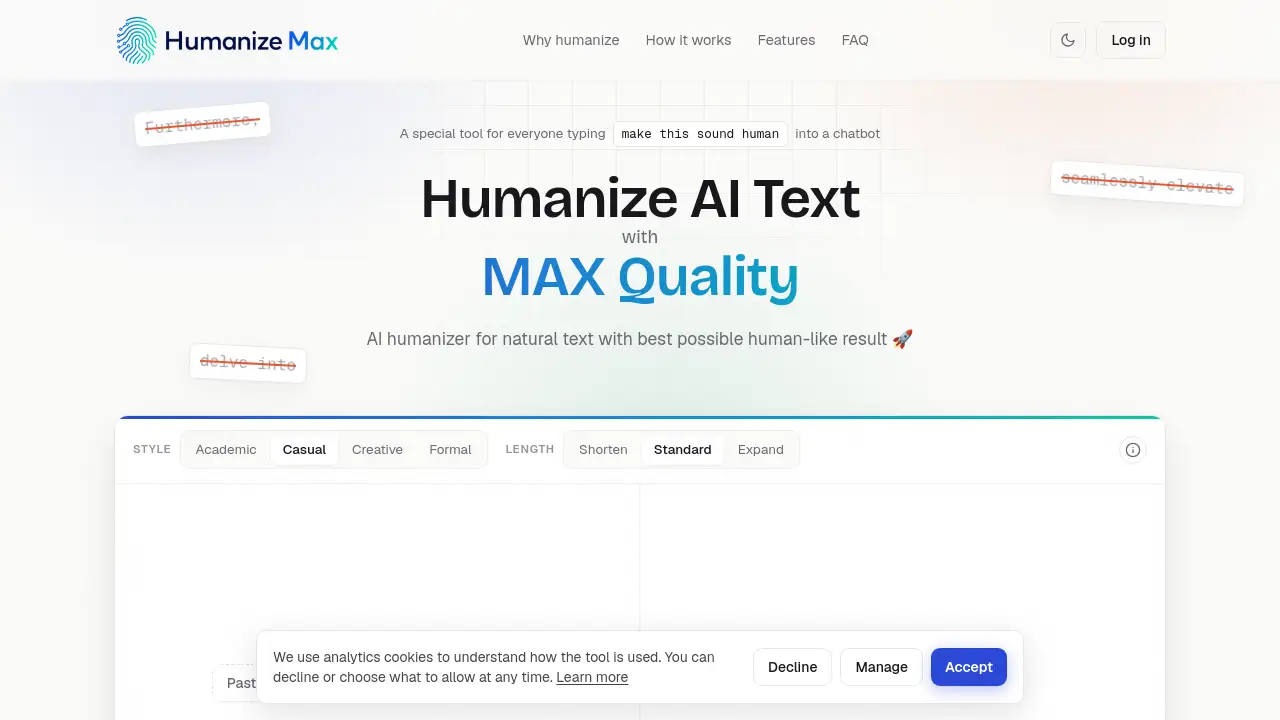
Humanize Max is an AI humanizer designed to solve a simple problem: AI writing often sounds stiff, repetitive, and robotic. This AI humanizer reshapes the rhythm and phrasing of AI text while keeping the original meaning. It works with popular AI models, offers four writing styles, and lets users lock important terms. For writers, marketers, students, remote workers, and ESL speakers, a free AI humanizer like this one provides a fast way to get natural text. It matters because it gives people a reliable AI humanizer without word caps, sign-up screens, or paywalls.
Key Features of Humanize Max
Four Writing Styles
The AI humanizer includes academic, casual, creative, and formal styles. Choose the right tone for your content and let the tool adjust the phrasing.
Length Control
The AI humanizer can keep, shorten, or expand your text. The standard setting barely moves your word count, which is useful for tight assignments or SEO pages.
Lock Your Terms
Use the AI humanizer to mark names, brands, or keywords that must remain unchanged. This is valuable when you want exact product names and ranking terms to stay in place.
Rephrase One Line
This AI humanizer lets you rewrite one sentence at a time. If a single line feels off, fix that line without running the whole piece again.
Unlimited Reruns
Run unlimited rounds with the AI humanizer. There is no cap on how many times you can transform AI content into a more natural version.
No Paywall
This free AI humanizer never hides your result behind a sign-up screen or payment plan. Every output is available immediately.
Use Cases for Humanize Max
Writers and Bloggers
Writers can use the AI humanizer to make new posts sound consistent with older work. It cuts generic intros and varies sentence length, so each piece reads like one person wrote it.
Marketers and SEO Teams
Marketers often need a free AI humanizer for bulk content. This tool keeps exact keywords and headings in place while rewriting the copy around them, so search rankings stay stable.
Remote Employees and Office Workers
Emails and reports can come out stiff and corporate. A free AI humanizer strips hedging words and filler transitions, making an update read like it was typed quickly and naturally.
Students and Researchers
The AI humanizer helps students turn rough AI drafts into a clear line of argument. Instead of rewriting everything from scratch, they get a draft they can revise.
ESL Writers
This AI humanizer fixes off-key word pairings and over-formal phrasing. Non-native speakers can keep their exact meaning while sounding more fluent and natural.
How to Use Humanize Max
To make AI text sound human, use an AI humanizer like Humanize Max. The steps are simple:
- Paste AI text into the box, upload a file, or grab a sample.
- Pick a style and length, or leave the default settings.
- Click the humanize button and wait a few seconds.
- Rephrase one line or rerun the whole text if you want a different result.
The free AI humanizer is open right on the page. No login, no payment, and no waiting for an email confirmation.
Target Audience for Humanize Max
The AI humanizer is built for a wide audience:
- Writers and bloggers
- Marketers and SEO professionals
- Remote employees and office workers
- ESL writers and non-native English speakers
- Students and researchers
- Freelancers and non-native teams
Is Humanize Max Free?
Yes. Humanize Max is a free AI humanizer with no limits. There are no word caps, no rerun limits, and no account needed. All four writing styles, length control, term locking, and single-line rephrasing are included. As a free AI humanizer, it gives full results without a paywall.
| Plan | Price | Features |
|---|---|---|
| Free | $0 | Four writing styles, length control, lock terms, rephrase one line, unlimited reruns, no paywall |
Humanize Max's Pros and Cons
| Aspect | Pros | Cons |
|---|---|---|
| Pricing | Free for everyone, no word cap, no sign-up | No paid plan or premium support tier is listed |
| Features | The AI humanizer covers style, length, term locking, and line rewriting | It focuses on AI-to-human rewriting, not full grammar editing or proofreading |
| User experience | Fast three-step flow with unlimited reruns | Requires pasting or uploading text; no desktop app is mentioned |
Frequently Asked Questions about Humanize Max
Can I humanize AI text for free?
Yes. Humanize Max is a free AI humanizer with no word limit and no paywall. Every feature, including style selection and term locking, is free.
Does Humanize Max work with ChatGPT and Claude?
Yes. This AI humanizer works with text from ChatGPT, Claude, Gemini, DeepSeek, and other AI tools.
Will Humanize Max keep my original meaning?
Yes. The AI humanizer changes how the text reads, not what it says. You can lock terms so names and keywords stay word for word.
Do I need an account to use the AI humanizer?
No. There is no sign-up or login. Open the page and paste your text right away.
What is the best way to make AI text sound human?
Use a dedicated AI humanizer instead of asking a chatbot to rephrase itself. Humanize Max delivers a natural result in seconds.
How many times can I rerun my text?
Unlimited. The AI humanizer lets you run as many rounds as you need, and every rerun is free.
Humanize Max Tags
AI humanizer, free AI humanizer, humanize AI text, make AI text sound human, AI to human text, rewrite AI content, ChatGPT humanizer, Claude humanizer, natural AI writing, no sign-up AI tool