Introduction
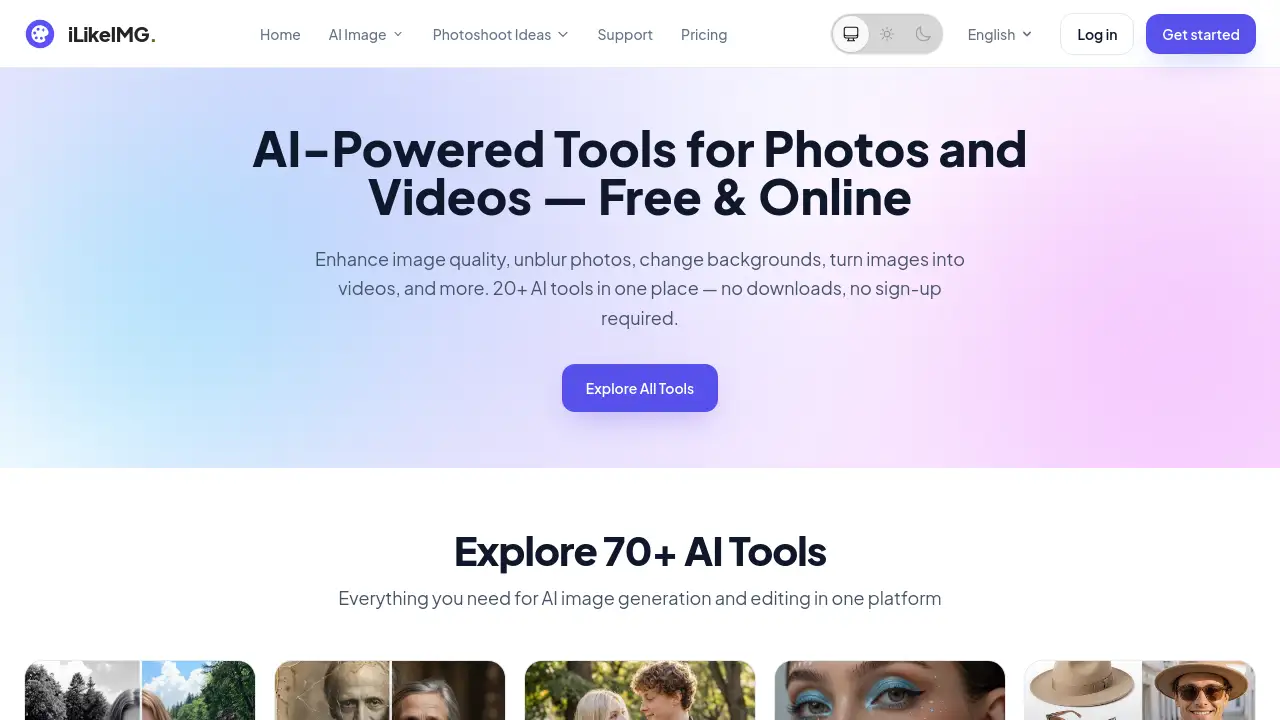
iLikeIMG is a browser-based platform that combines many free AI tools in one place. Users can enhance photos, unblur old images, restore damaged pictures, change backgrounds, and generate new visuals without installing software. This iLikeIMG review explains how the platform works, who can benefit from it, and whether it is worth trying.
What is iLikeIMG?
iLikeIMG is an online AI toolbox designed for anyone who needs quick photo and video edits. It solves the problem of switching between many separate apps by offering dozens of dedicated tools under one roof. The platform advertises more than 50 free AI tools, including AI Photo Enhancer, Unblur Image AI, AI Background Changer, face swap tools, and Image to Video AI. These free AI tools run directly in the browser, so there are no downloads and no complicated install steps.
The service is suitable for casual users, social media creators, small business owners, photographers, and anyone working with images. It matters because it gives access to professional-looking AI features without a steep learning curve. The tools are specialized, so each one is designed for a specific task rather than buried inside a general editor. iLikeIMG is best understood as a practical alternative to expensive desktop software, especially for users who prefer fast results.
Key Features of iLikeIMG
iLikeIMG includes one of the strongest free AI tools collections available online, and each tool is built for a specific task. Here are some of the core features.
AI Photo Enhancer
This tool improves image quality, sharpness, lighting, and detail in seconds. Users simply upload a photo and let the AI model enhance it automatically. It is also one of the most popular iLikeIMG tools for everyday photo fixes.
Unblur Image AI
This tool helps fix blurry or out-of-focus pictures. It is a practical online AI tool for rescuing photos that would otherwise be discarded.
AI Background Changer
Users can replace or remove backgrounds in portraits, product photos, and travel shots. The tool identifies the subject and keeps the main object clean while adjusting the background.
AI Photo Restoration
Old and damaged photos can be restored with this tool. It repairs scratches, improves contrast, and helps bring faded or torn images back to life.
Image to Video AI
This feature turns still images into short video clips. It is one of the free AI tools that extends iLikeIMG beyond simple photo editing into video creation.
Creative Tools for Fun and Design
iLikeIMG also includes creative functions such as AI Baby Generator, AI Tattoo Generator, AI Makeup, AI Clothes Changer, and AI Headshot Generator. These tools let users experiment with new looks and generate images for fun or practical use.
Use Cases for iLikeIMG
Restoring Old Family Photos
People can use AI Photo Restoration and Image Colorizer AI to repair and colorize old family pictures. iLikeIMG makes this process fast and simple, so no manual retouching skills are needed.
Creating Content for Social Media
Social media managers can use AI Background Changer, AI Photo Enhancer, and AI Headshot Generator to prepare on-brand visuals quickly. These free AI tools reduce time spent in complex design software.
Testing a New Personal Look
Users can simulate hairstyles, makeup, or outfit changes with AI Clothes Changer, AI Hair Color Changer, and AI Makeup tools. This is useful before making a real change in appearance.
Generating Creative Projects
Bloggers and marketers can use AI Sticker Generator, AI Image Combiner, and AI Couple Photo to create unique graphics. These free AI tools allow users to explore creative ideas without paying for design services.
How to Use iLikeIMG
Using iLikeIMG is straightforward because the platform follows a simple upload-process-download pattern.
- Visit iLikeIMG.com and choose a tool from the home page or All Tools menu.
- Upload an image from the device. Most tools accept JPG, JPEG, PNG, and WebP files.
- Adjust settings if the tool offers them, such as style or intensity.
- Click the process button and wait a few seconds.
- Download the result or open one of the other free AI tools for additional edits.
No registration is required for basic free use, although users can create an account for easier access and more features.
Target Audience for iLikeIMG
iLikeIMG is designed for a broad range of users who need fast results without heavy software. The main groups include:
- Casual users who want quick filters and automatic enhancements
- Photographers who need fast fixes for portraits and event photos
- E-commerce sellers who need clean product photos with changed backgrounds
- Social media creators and influencers
- Small business owners with limited design budgets
- Anyone interested in learning or using free AI tools for photo editing
Is iLikeIMG Free?
Yes, most of the free AI tools on iLikeIMG can be used without payment. The free version has daily limits, and iLikeIMG credit packs are one-time purchases, not subscriptions.
| Plan | Price | Features |
|---|---|---|
| Free | $0 | Daily limits, no sign-up required, no watermarks on basic outputs |
| 600 Credits | $19.99 one-time | Lifetime credits, full access to all tools, no subscription, commercial use allowed, no watermark |
| 1600 Credits | $39.99 one-time | Around 25% cheaper per credit, same benefits as the 600-credit pack |
| 4720 Credits | $69.99 one-time | Best value, same benefits with the highest credit count |
For the latest pricing and plan details, users can check the official pricing page on the iLikeIMG website.
iLikeIMG's Pros and Cons
| Aspect | Pros | Cons |
|---|---|---|
| Pricing | Free tier available; simple one-time credit packs | Free tier has daily limits; credit packs are prepaid |
| Features | More than 50 specialized AI tools; no install needed | Some advanced tools require an account or credits |
| Ease of Use | Browser-based and beginner-friendly | Fewer manual controls than full desktop editors |
Frequently Asked Questions about iLikeIMG
Is iLikeIMG really free to use?
Yes, most tools can be used for free without creating an account. The free version has daily processing limits, and paid credit packs are optional for higher usage.
Does iLikeIMG require a download?
No. All tools run directly in the browser. Users can access the free AI tools on a desktop, tablet, or phone without installing anything.
What image formats does iLikeIMG support?
The platform supports common formats such as JPG, JPEG, PNG, and WebP. Results can be downloaded in the format that fits the user's needs.
Are uploaded images stored on iLikeIMG?
According to the official FAQ, uploaded images are processed securely and are not stored permanently. iLikeIMG also states that images are not shared with third parties.
Can I use iLikeIMG for commercial work?
Paid credit packages include commercial use. Users who need more than the free AI tools can purchase credits.
iLikeIMG Tags
iLikeIMG, free AI tools, AI photo editor, online AI tools, AI photo enhancer, unblur image AI, AI background remover, AI photo restoration, image to video AI, AI image generator, browser-based AI image tools, AI photo editing online