Introduction
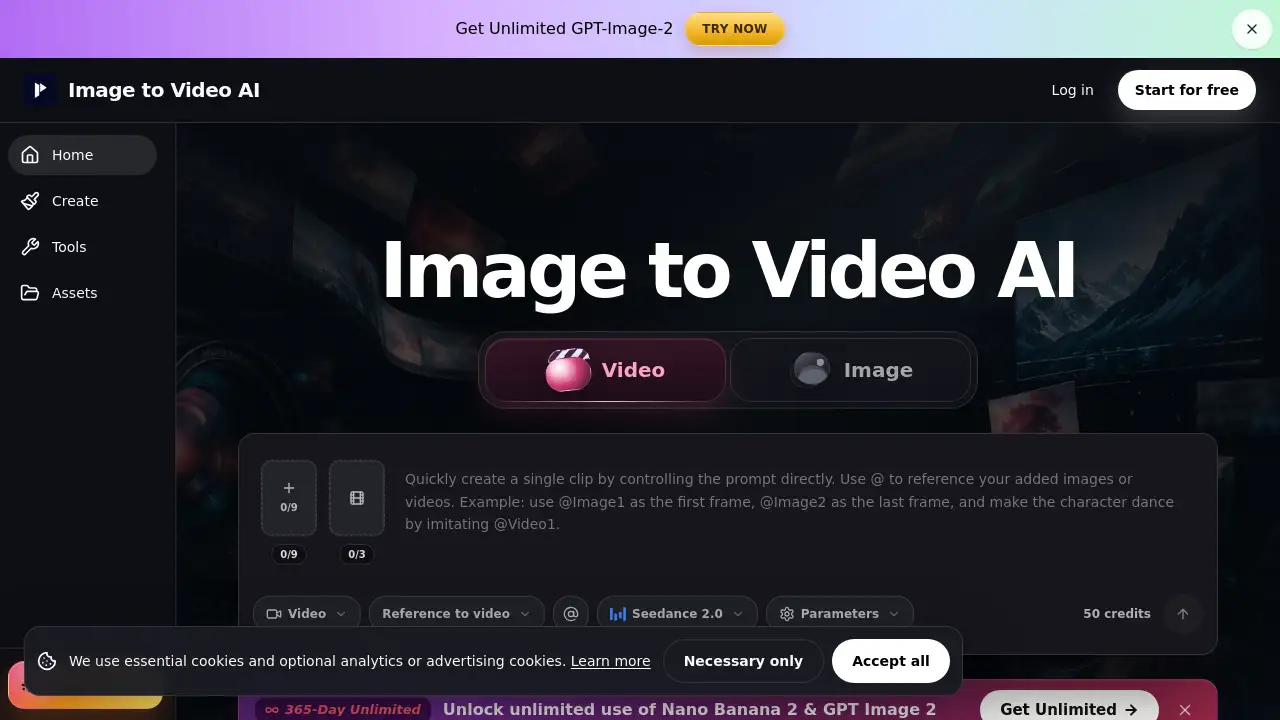
Image to Video AI is an online platform that transforms still images into engaging, short video clips using artificial intelligence.
What is Image to Video AI?
Image to Video AI is a web-based tool designed to animate static pictures. It solves the common problem of needing dynamic video content without the time, cost, or technical skills required for traditional animation or filming. Users simply upload an image, describe the desired motion, and the AI generates a short video clip. This product is suitable for marketers, content creators, designers, and small business owners who need to quickly create eye-catching content for social media, ads, or presentations. The ability to turn photos into short demos or add subtle motion to portraits makes it a valuable asset for modern digital content creation.
Key Features of Image to Video AI
Multiple Animation Workflows
The platform offers different modes, including Text/Image to video, Frames to video, and Reference to video, catering to various creative needs from simple animations to guided scene transitions.
Free Credits for New Users
Upon signing up, users receive free credits, allowing them to test the platform's capabilities and create short AI video clips without an immediate financial commitment.
Simple Motion Control
The tool excels at applying controlled, single actions like a gentle push-in, slow rotation, or light shift, making it ideal for creating polished product video clips and portrait motion.
Aspect Ratio Guidance
It provides clear advice on matching source image dimensions (16:9, 9:16, 1:1) to the desired output, helping to minimize unwanted cropping in the final social clips.
Preview Before Download
Users can review the generated clip to check if the subject, motion, and details align with their vision before consuming credits or downloading the file.
Clear Credit System
The interface transparently shows credit requirements for each generation and separates failed jobs, giving users clear control over their spending and iteration process.
Use Cases for Image to Video AI
Product Marketing and Ads
Animate clean product shots with reveals, rotations, or push-ins to create compelling short demos for e-commerce pages, social media ads, and promotional materials.
Enhancing Portraits and Art
Add life to character portraits, AI-generated art, or campaign posters by introducing subtle eye-line shifts, hair movement, or fabric motion for a more dynamic feel.
Creating Social Media Hooks
Quickly generate draft clips for platforms like Instagram Reels, TikTok, or YouTube Shorts to test concepts and engage audiences with moving visuals.
Prototyping and Presentations
Use the tool to animate key visuals or concepts for client previews, pitch decks, and internal reviews before investing in final video production.
How to Use Image to Video AI
- Upload a Source Image: Start with a clean, well-lit, and sharp image of your subject, such as a product, portrait, or poster.
- Choose a Workflow: Select the appropriate mode (e.g., Text/Image to video) based on whether you are animating a single image or creating a transition between two frames.
- Describe the Motion: In the prompt, ask for one clear subject action and/or one camera move, like "slow push-in on the product" or "gentle hair movement."
- Preview and Generate: Use your allocated credits to generate the clip. Preview the result to ensure it matches your brief.
- Download or Iterate: If satisfied, download the watermark-free video (on paid plans). If not, adjust your prompt or image and try again.
Target Audience for Image to Video AI
- Digital Marketers and Social Media Managers
- E-commerce Store Owners and Product Photographers
- Content Creators and Influencers
- Graphic Designers and Visual Artists
- Small Business Owners and Entrepreneurs
- Startup Teams and Agencies for concept testing
Is Image to Video AI Free?
The platform offers a free tier that provides credits upon signup, allowing users to experiment with creating short AI video clips. For sustained commercial use, paid plans are available. These plans typically offer benefits like watermark-free exports, higher privacy controls, more credits, and features better suited for production handoff. For the latest and most detailed pricing information, users should visit the official Image to Video AI website.
| Aspect | Pros | Cons |
|---|---|---|
| Ease of Use | Very simple, no video editing skills required. | Creative control is limited to prompts; not a full editing suite. |
| Speed & Cost | Rapid turnaround compared to traditional methods; affordable for teams. | Can become expensive for high-volume individual users. |
| Output Quality | Excellent for adding subtle, professional motion to static images. | Struggles with complex, multi-action scenes or perfect consistency. |
| Practicality | Ideal for social clips, ads, and previews. Free credits lower the trial barrier. | Final client work often still requires review and polish in other software. |
Frequently Asked Questions about Image to Video AI
What kind of images work best with Image to Video AI?
Clean, high-quality images with a clear subject, good lighting, and minimal cropping work best. Sharp photos of products, faces, and logos tend to yield the most consistent and high-quality AI video clips.
Can I use Image to Video AI for commercial projects?
Yes, but it is recommended to use a paid plan for commercial work to access watermark-free videos and proper licensing. Users should always check the rights of their source assets and the platform's terms of service.
How long are the video clips it generates?
The tool is optimized for creating short video clips, typically a few seconds in length, which are perfect for social media hooks, product demos, and brief animations.
What happens if my video generation fails?
Failed jobs are handled separately and do not consume credits from successful generations. The platform's interface shows credit requirements upfront, allowing users to decide whether to adjust their input and try again.
Can I control the specific type of motion?
Yes, by writing a clear motion prompt. For the best results, it is advised to ask for one primary action, such as a "gentle rotation" or "light shift," rather than multiple complex actions.
Is there a way to guide the style of the animation?
The "Reference to video" workflow allows users to upload an image, video, or audio clip to guide the style, appearance, or timing of the generated animation, though perfect frame-by-frame consistency is not guaranteed.
Image to Video AI Tags
image to video AI, turn photos into video, AI video generator, animate image online, product video clips, short AI video clips, social media video maker, portrait animation, AI art animation, text to video, free video generator, create video from image