Introduction
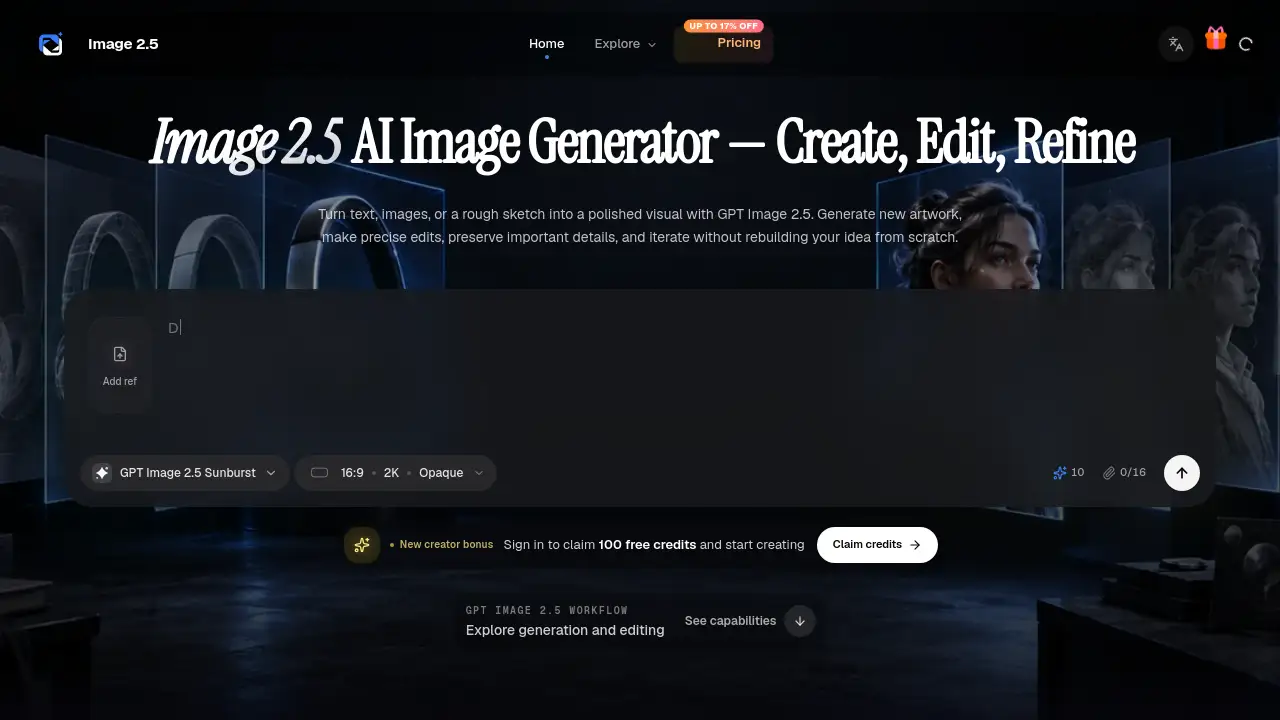
GPT Image 2.5 creates and edits images with AI.
What is Image 2.5?
Image 2.5, also called GPT Image 2.5, is a browser-based AI image generator and editor. According to the product reference, GPT Image 2.5 was released on September 8, 2026, and improves editing consistency, infographic accuracy, layout control, and iteration speed. The workspace brings these capabilities into a focused tool for everyday visual production. It is designed for people who need to create images from text, edit existing visuals, or refine a visual direction across multiple turns. Image 2.5 matters because it combines generation and editing in one workflow, with two model choices: GPT Image 2.5 Sunburst for precision and GPT Image 2.5 Flare for speed. This makes it suitable for marketers, designers, ecommerce teams, content creators, and agencies that want more control from the first prompt to the final asset.
Key Features of Image 2.5
Two Models: Sunburst and Flare
Choose GPT Image 2.5 Sunburst when editing precision and maximum image quality matter most. Select GPT Image 2.5 Flare when fast, high-quality everyday generation is the priority.
Custom Sizes Up to 4K
Set square, portrait, landscape, or custom dimensions up to 4K within documented limits. This helps match social posts, presentations, product shots, and campaign layouts.
Six Quality Modes
Use low, medium, high, xhigh, max, or auto quality settings. Lower modes support quick drafts, while higher modes help compare final detail, latency, and cost.
Create from Text, Images, or Sketches
Start with a written brief, upload one or more visual references, or provide a rough drawing. Image 2.5 accepts these inputs to define subject, composition, materials, and intended use.
Precise Editing and Consistency
Change a setting, style, object, or composition while retaining details that should stay recognizable. GPT Image 2.5 improves detail retention during edits, though every result should still be reviewed.
Multi-Turn Iteration
Refine an image across multiple turns instead of restarting from scratch. Use reference images to guide the next version and compare deliberate changes.
Flexible Output Formats
Export work as PNG, JPEG, or WebP. Transparent backgrounds are available for PNG and WebP, where supported, making Image 2.5 useful for layered design work.
Use Cases for Image 2.5
Product and Campaign Visuals
Create coordinated product shots, launch concepts, ad variations, and social crops while keeping the key visual identity connected. Image 2.5 can help teams explore studio scenes, lifestyle scenes, and new compositions from a product reference.
Infographics and Structured Layouts
Turn a dense brief into a clearer visual hierarchy for explainers, presentations, posters, diagrams, and information-rich social posts. GPT Image 2.5 improves text rendering and layout control, but final copy still deserves review.
Characters, Scenes, and Storyboards
Develop a recurring subject across scenes and plan visual beats for comics, films, presentations, or narrative concepts. The tool aims to keep a character's face, wardrobe, proportions, and mood connected as pose, framing, and action change.
Photo and Design Edits
Replace a background, restyle a scene, recolor an object, extend a composition, or revise a selected area without remaking the whole image. Use a direct instruction or mask to isolate the change while preserving useful parts of the source image.
How to Use Image 2.5
- Choose GPT Image 2.5 Sunburst or GPT Image 2.5 Flare. Use Sunburst for precision and Flare for speed.
- Add a prompt and visual references. Start from text, upload images, or provide a sketch, and separate what should change from what must remain consistent.
- Set size, quality, and format. Choose automatic or custom dimensions, select a quality level, and pick PNG, JPEG, or WebP with opaque or transparent backgrounds where supported.
- Generate, inspect, and refine. Review text, hands, materials, layout, and identity details, then refine the most important change in the next turn.
Target Audience for Image 2.5
- Marketing teams that need campaign visuals, ad variations, and social crops.
- Designers and art directors who want precise image editing with reference images.
- Ecommerce sellers who need consistent product shots and lifestyle scenes.
- Content creators and social media managers who produce infographics and structured layouts.
- Agencies and studios that handle high-volume creative testing and asset production.
- Storyboard artists, illustrators, and writers who develop characters, scenes, and visual beats.
Is Image 2.5 Free?
The reference information does not list a free plan. Image 2.5 uses monthly or annual credits, and one-time credit packs are also available for a specific project. Paid plans and credit packs support personal and commercial projects, subject to the terms of service and the user's rights to uploaded source material. Exact prices are not shown in the provided content, so check the official Image 2.5 pricing page before choosing a plan.
| Plan | Credits | Features |
|---|---|---|
| Starter | 12,000 workspace credits per year (about 1,000 per month) | Create and edit images with Image 2.5, guide generations with multiple image references, generation history and result downloads, annual access |
| Pro | 30,000 workspace credits per year (about 2,500 per month) | Everything in Starter, priority queue, more room for reference-led exploration, commercial license included |
| High-volume / Team | 132,000 workspace credits per year (about 11,000 per month) | Everything in Pro, high-priority generation queue, built for teams and agencies, commercial license included, high-volume asset production |
| One-time pack | Not specified | Credits for a specific project; credits also work with other models in the workspace |
Image 2.5's Pros and Cons
| Aspect | Pros | Cons |
|---|---|---|
| Pricing | Annual credits and one-time packs; commercial license on higher plans | No free tier mentioned; exact prices are not listed in the reference |
| Features | Two models, custom sizes up to 4K, six quality modes, multiple references | Complex prompts can take up to two minutes |
| Editing | Precise edits and better consistency for products and characters | Final text, hands, and materials still need review |
| Workflow | Browser-based, multi-turn iteration, PNG/JPEG/WebP output | Credit cost can vary by model and quality setting |
Frequently Asked Questions about Image 2.5
What is GPT Image 2.5?
GPT Image 2.5 is an image-generation and editing family released on September 8, 2026. It accepts text and image inputs and produces images through two variants: Sunburst and Flare. Image 2.5 brings those capabilities into a focused browser workflow.
What is the difference between Sunburst and Flare?
Sunburst is the quality-first model for workflows where editing precision matters most. Flare is the fastest GPT Image 2.5 model for high-quality everyday generation.
Can Image 2.5 generate and edit images?
Yes. Create a new image from a prompt, edit an existing image, use multiple images as references, or guide a targeted change with a mask. Multi-turn workflows let users continue refining the same visual direction.
Which sizes and formats does GPT Image 2.5 support?
It supports recommended square, landscape, and portrait sizes plus custom dimensions up to 4K within documented limits. Output can be PNG, JPEG, or WebP, with transparent backgrounds available for PNG and WebP.
How do I keep a character or product consistent?
Use clear reference images, name the features that must stay recognizable, and keep each revision focused. GPT Image 2.5 improves detail retention during edits, though every result should still be reviewed.
Can I use generated images for commercial projects?
Paid plans and credit packs support personal and commercial projects, subject to the terms of service and the user's rights to any uploaded source material. Review every output before publishing or delivery.
Image 2.5 Tags
GPT Image 2.5, Image 2.5, GPT Image 2.5 Sunburst, GPT Image 2.5 Flare, AI image generator, AI image editor, image editing tool, 4K image generation, consistent characters, product visuals, infographics, transparent PNG output