Introduction
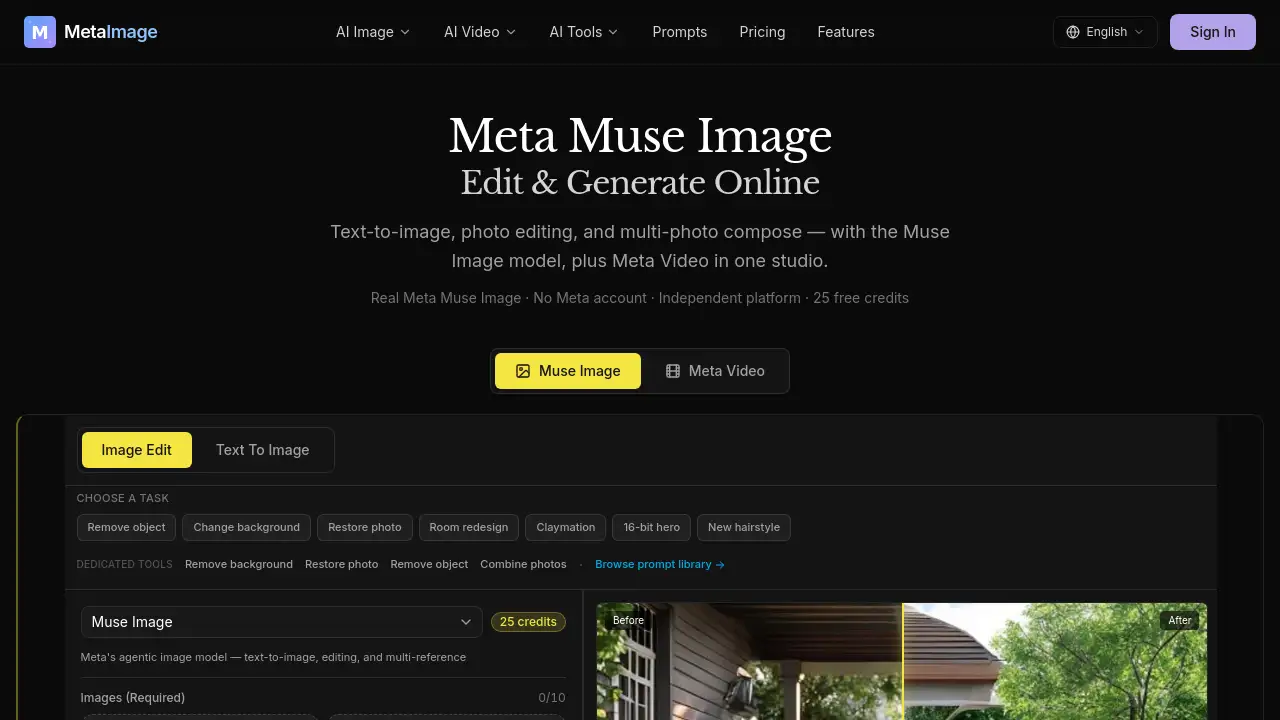
Meta Image is an independent browser studio for the Muse Image model, offering text-to-image, photo editing, and multi-reference composition. With 25 free credits and no Meta account required, it lets users try Meta Muse Image workflows online. This review covers features, use cases, and pricing basics.
What is Meta Image?
Meta Image is a web-based AI image generation and editing platform. It provides access to Muse Image, described as Meta's agentic image model, for text-to-image, natural-language photo editing, and multi-photo composition. Unlike the Meta AI app, Meta Image is an independent browser studio that does not require a Meta account. It solves a common problem: users want to edit photos or generate images with a capable model without installing an app or linking a social account. The studio includes credits, history, downloads, and dedicated tools such as AI background remover, image enhancer, restore photo, remove object, and combine photos. It suits creators, marketers, small businesses, and everyday users who need fast visual results in a browser. Meta Image is not affiliated with Meta Platforms; Muse Image is Meta's model, while Meta Image is a separate platform.
Key Features of Meta Image
Muse Image Model Access
Generate or edit images with Muse Image, Meta's agentic image model. The platform keeps Muse Image selected as the default for editing, multi-reference compose, and complex instructions.
Text-to-Image Generation
Describe a scene and create a new image from scratch. This text-to-image workflow is useful when no source photo is available.
Natural-Language Photo Editing
Upload a photo and describe changes in plain language. Users can remove objects, change backgrounds, restore old photos, or redesign rooms without manual masking.
Multi-Reference Composition
Blend up to 10 photos into one coherent Muse Image output. This multi-reference compose feature helps combine people, products, and scenes from separate references.
Dedicated AI Tools
Access focused tools like AI background remover, image enhancer, restore photo, remove object, and combine photos. Each tool targets a specific editing task for faster results.
Browser-Based Studio
Work from any modern browser with credits, history, and downloads included. No Meta account is required, and failed jobs refund credits automatically.
Meta Video in One Studio
The platform also mentions Meta Video alongside Meta Muse Image. This can support related video generation tasks in the same studio.
Use Cases for Meta Image
Social Media Content
Create visuals for posts, ads, and stories. Use text-to-image or photo editing to adapt one image for multiple formats.
Product Listings
Remove backgrounds, improve clarity, and place products in clean studio scenes. This helps e-commerce sellers prepare consistent listing photos.
Photo Restoration
Restore old or damaged family photos with Muse Image. The restore photo tool can fix scratches and fading while aiming to preserve the original scene.
Real Estate and Interior Design
Redesign rooms with modern interiors from a single room photo. Agents and designers can explore visual concepts before making changes.
Personal Portraits and Headshots
Enhance portraits, change backgrounds, or try new hairstyles. These edits can be useful for profiles, resumes, and creative projects.
Multi-Photo Compositions
Combine separate photos of people, products, or locations into one scene. This works for creative mockups, invitations, and campaign concepts.
How to Use Meta Image
- Open the Meta Image website and choose Image Edit or Text To Image.
- Keep Muse Image selected for editing, multi-reference compose, or complex prompts.
- Upload one or more reference photos if needed. For multi-reference compose, add up to 10 images.
- Enter a prompt, choose an aspect ratio and resolution, then click Create.
- Download the result when ready. Failed jobs refund credits automatically.
Target Audience for Meta Image
- Content creators and social media managers
- E-commerce sellers and product photographers
- Small business owners and marketers
- Designers and real estate professionals
- Everyday users who need quick photo edits
- Users who want to try Muse Image without a Meta account
Is Meta Image Free?
Meta Image includes 25 free credits and does not require a Meta account or credit card to start. Paid credit packs and higher usage options may be available, but exact pricing should be checked on the official pricing page.
| Plan | Price | Features |
|---|---|---|
| Free | $0 | 25 free credits, no Meta account required, browser studio, Muse Image access, history and downloads |
| Paid | See pricing page | Additional credits and platform features may be available on the official pricing page |
Meta Image's Pros and Cons
| Aspect | Pros | Cons |
|---|---|---|
| Access | No Meta account required; browser-based Meta Image studio | Independent platform, not the official Meta AI app |
| Features | Muse Image for text-to-image, photo editing, and multi-reference compose | Web search grounding and Content Seal are only in Meta's official apps |
| Pricing | 25 free credits to start; failed jobs refund credits | Credits are required after the free allowance; paid pricing details need checking |
| Workflow | Supports up to 10 reference images and dedicated AI tools | No in-app Instagram or WhatsApp workflow |
| Ease of use | Simple prompts and downloads in any modern browser | Complex prompts may require practice for best results |
Frequently Asked Questions about Meta Image
What is Meta Image?
Meta Image is an independent browser studio for AI image generation and editing. It provides access to Muse Image for text-to-image, photo editing, and multi-reference composition.
Is Meta Image the official Meta AI app?
No. Meta Image is not affiliated with Meta Platforms. It is a separate platform that offers Muse Image, Meta's model, in a browser studio. The official Meta AI app has different features and account requirements.
Do I need a Meta account to use Meta Image?
No. Meta Image works without a Meta account and includes 25 free credits to start. This makes it easier to try Meta Muse Image workflows without linking a social account.
What can I do with Muse Image on Meta Image?
You can generate images from text, edit uploaded photos with natural language, combine up to 10 references, remove objects, change backgrounds, restore old photos, redesign rooms, and enhance images. Dedicated tools support specific edits.
How do credits work on Meta Image?
New users receive 25 free credits. The platform states that failed jobs refund credits automatically. For current credit packs and prices, check the official pricing page.
Is Meta Image suitable for professional work?
Meta Image can support social posts, product listings, portraits, real estate visuals, and creative compositions. Results depend on prompt quality and the limits of Muse Image. Professional users should review outputs before commercial use.
Meta Image Tags
Meta Image, Meta Muse Image, Muse Image, AI image editor, text-to-image, photo editing, multi-reference compose, browser studio, no Meta account, AI background remover, restore old photo, remove object