Introduction
Free Magic Eraser is an online AI tool that lets you effortlessly remove unwanted objects, people, or text from any photo in seconds.
What is Free Magic Eraser?
Free Magic Eraser is a web-based, AI-powered photo editing tool designed to simplify image cleanup. It solves the common problem of unwanted elements ruining a perfect photo—like a stray person in a landscape, a distracting object in a product shot, or unwanted text on an image. This tool matters because it makes professional-grade photo editing accessible to everyone, eliminating the need for complex software like Photoshop. It is suitable for anyone who wants to quickly polish their photos for social media, e-commerce, personal projects, or professional presentations. The core promise is delivering clean, realistic results without any technical skills required.
Key Features of Free Magic Eraser
AI-Powered Object Removal
The tool uses advanced artificial intelligence to intelligently identify and erase selected objects, seamlessly filling in the background to create a natural, untouched look.
One-Click Simple Editing
Forget layers and complex tools; you can achieve flawless results in one simple step by just highlighting what you want to remove.
High-Definition Output
Magic Eraser processes your images without compromising quality, ensuring your final downloaded photo remains sharp and high-resolution.
Completely Online and Free
There is no software to download or account to create; you can start removing objects from photos directly in your web browser at no cost.
Intuitive Brush and Prompt Tools
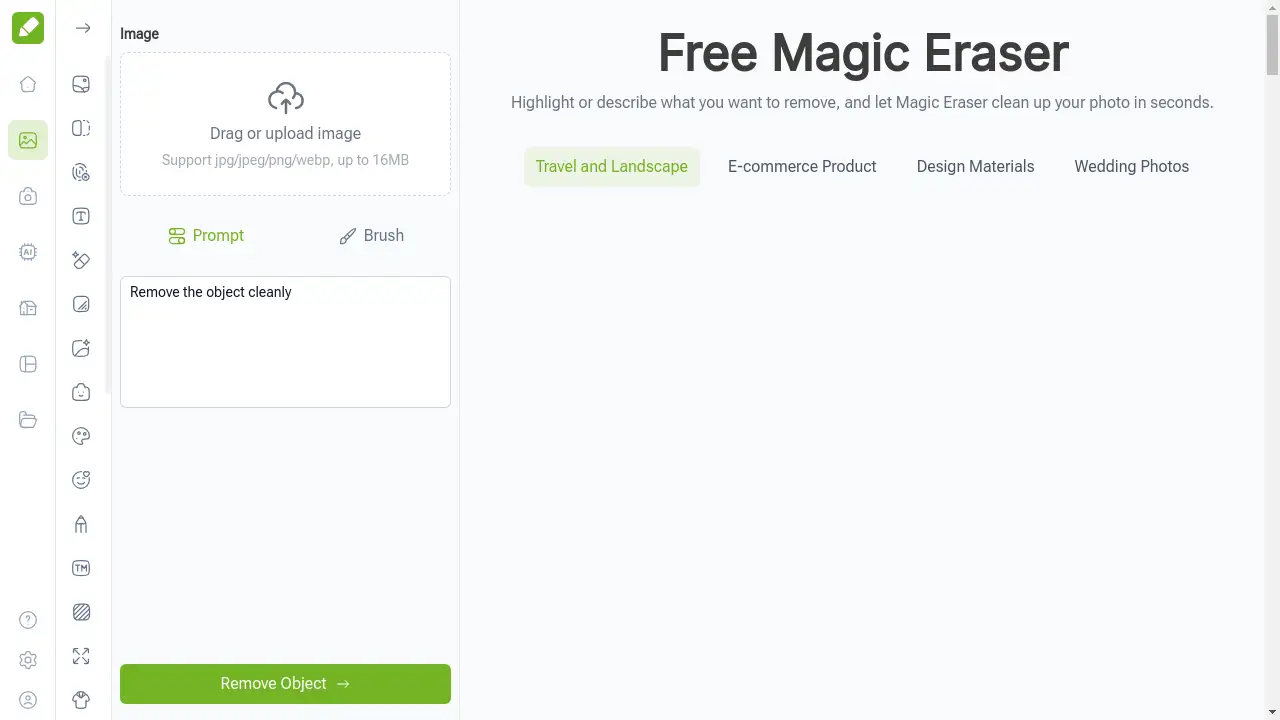
You can either manually brush over the unwanted elements or describe them in text, giving you flexible control over what gets erased.
Use Cases for Free Magic Eraser
Cleaning Up Travel and Landscape Photos
Easily remove photobombers, litter, or power lines from your vacation shots to create perfect, distraction-free landscape images.
Preparing E-commerce Product Images
Create clean, professional product listings by removing price tags, watermarks, or background clutter from your photos.
Refining Personal and Wedding Photos
Tidy up group shots or portrait backgrounds by removing accidental intrusions or unwanted objects, preserving precious memories.
Creating Design and Marketing Materials
Quickly edit stock photos or campaign visuals by erasing specific text or elements to better fit your design layout.
How to Use Free Magic Eraser
Using the Free Magic Eraser tool is a straightforward, three-step process that takes just moments:
- Upload Your Image: Go to the Magic Eraser website and drag-and-drop or select a photo from your device. It supports common formats like JPG and PNG.
- Mark the Unwanted Elements: Use your mouse or finger to brush over the objects, people, or text you wish to remove. Alternatively, you can describe the element in a text prompt.
- Generate and Download: Click the process button. The AI will erase the selected areas and fill the space naturally. You can then download the clean, high-quality image to your device.
Target Audience for Free Magic Eraser
- Social Media Enthusiasts and Influencers
- E-commerce Store Owners and Sellers
- Bloggers and Content Creators
- Photographers and Hobbyists
- Marketing and Design Professionals
- General Users with no photo editing experience
Is Free Magic Eraser Free?
Yes, Free Magic Eraser is completely free to use. The name clearly reflects its generous free plan, which allows users to upload photos, remove objects, and download the edited high-definition results without any cost, sign-up, or subscription. This makes it an exceptionally accessible tool for casual and frequent users alike. The website also offers a suite of other premium AI tools, but the core Magic Eraser object removal functionality remains free.
Frequently Asked Questions about Free Magic Eraser
How does the AI remove objects without leaving a trace?
The AI analyzes the surrounding pixels and patterns in your photo. When you mark an object for removal, it intelligently generates new background content that matches the texture, color, and lighting, seamlessly blending the area so it looks completely natural.
Is there a limit to how many photos I can edit for free?
Based on the available information, the Free Magic Eraser tool does not appear to have a usage limit for its core object removal feature, allowing you to clean up multiple photos without restriction.
What image formats does Magic Eraser support?
The tool supports common image formats including JPG, JPEG, PNG, and WebP, making it compatible with most photos from cameras, smartphones, and downloads.
Can I remove multiple objects or people from one photo?
Yes, you can use the brush or prompt tool to select several unwanted elements in a single image. The AI will process all marked areas simultaneously to clean up the entire photo in one go.
Does Magic Eraser work on mobile phones?
Absolutely. Since it is a fully online tool, you can access the Free Magic Eraser website through your mobile browser, upload photos directly from your phone, and edit them on the go with the same ease.
Is my data safe when I upload photos online?
The service operates as a straightforward web tool. For privacy, it is always recommended to avoid uploading highly sensitive personal images to any online service. The platform does not require an account, which minimizes data retention.
Free Magic Eraser Tags
free magic eraser, remove object from photo, AI photo editor, online photo cleanup, remove person from photo, erase text from image, free photo editing tool, AI background removal, clean up photos online, remove unwanted objects, easy photo editor, no skills photo editing