Introduction
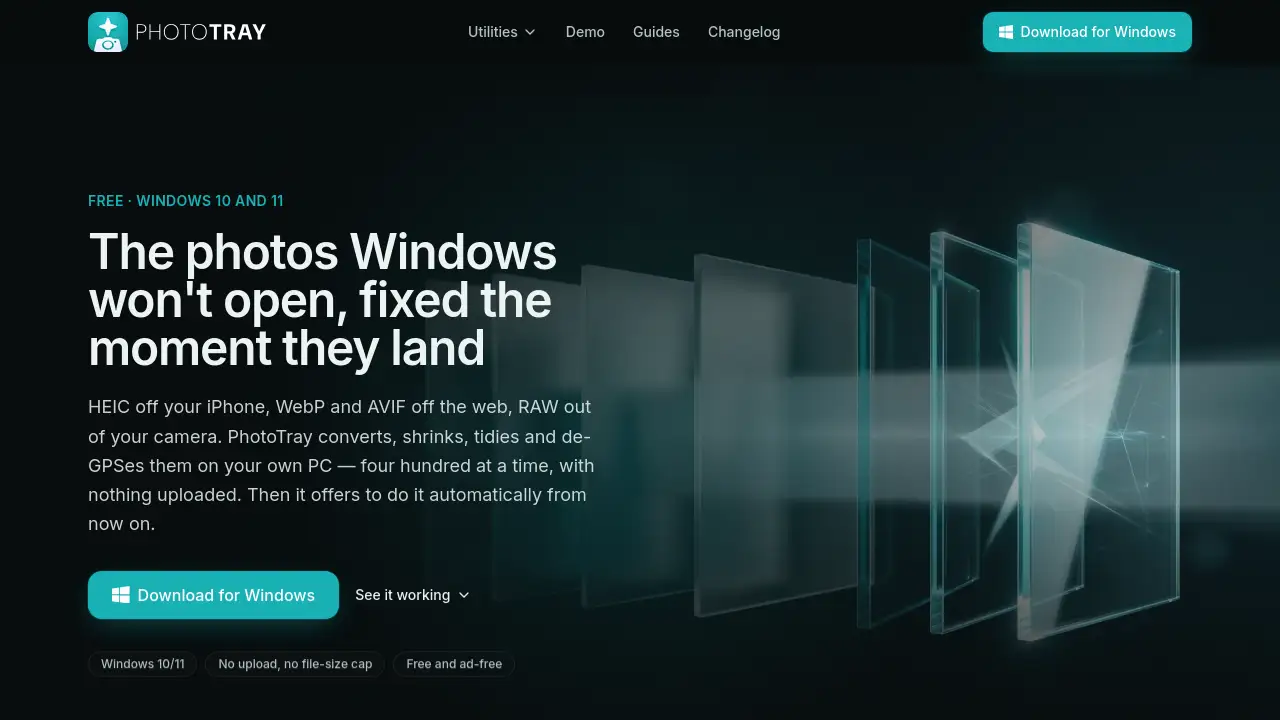
Photo Tray is a free Windows application for fixing photos Windows cannot open. This Photo Tray review looks at how this offline photo converter handles HEIC, WebP, AVIF and RAW files directly on your PC. It is a batch photo converter that runs without upload limits or file-size caps, and it works on Windows 10 and 11.
What is Photo Tray?
Photo Tray is a Windows-only utility that puts seven tools into one tray. It solves a common problem: Windows often cannot open HEIC photos from iPhones, WebP or AVIF images from websites, or RAW files from cameras. Instead of uploading images to a web service, Photo Tray does the job on the user's own machine. It converts, resizes, upscales, cuts out backgrounds, organizes, and removes GPS data. Nothing is uploaded, so it works as a privacy-focused photo tool. It suits anyone who wants to handle photo files without a subscription.
Key Features of Photo Tray
Batch Image Converter
Photo Tray converts HEIC, WebP, AVIF, RAW, PSD, TIFF, SVG and more to JPG, PNG, WebP, AVIF, TIFF, BMP, GIF, ICO or PDF. It can process 400 photos in one run while preserving orientation and color profiles.
Offline Photo Processing
This offline photo converter runs every task on your own CPU. There is no upload step, no file-size cap, and no queue.
Background Remover
The background remover works on local files, so photos never leave the PC. The batch photo converter can apply this tool to many files at once.
AI Photo Upscaler
This tool increases image resolution on the CPU. A 2x upscale of a 12-megapixel photo takes about seven minutes, and the app shows an estimate before starting the job.
GPS Stripper
Photo Tray removes GPS metadata from images so location details are not shared. For HEIC files, it rewrites the cleaned photo as JPG because the app can read but not write HEIC.
Automatic Folder Rules
Users can assign a rule to a folder. Every new photo that arrives is converted automatically, making this Windows photo tool a hands-free helper.
Folder Organizer
Photo Tray helps organize large collections by converting and sorting files in batches. It works with Windows 10 and 11 and keeps original files untouched unless the user chooses otherwise.
Use Cases for Photo Tray
iPhone HEIC Photos
Windows users with iPhones can use the app to convert HEIC images to JPG for easy sharing. This is a common job for a HEIC converter.
Web Images and AVIF Files
People who save images from modern websites often get AVIF or WebP files. The app converts them to PNG or JPG for documents and presentations.
Camera RAW Workflow
Photographers can use this batch photo converter to turn RAW camera files into TIFF or JPG without uploading them anywhere.
Privacy Cleanup
Before sharing photos, users can strip GPS data from images. This is useful for journalists, social media users, and anyone concerned about location privacy.
Automatic Import Tidying
People who download photos from a phone or camera can set the app to watch a folder. It will automatically convert new arrivals, making it a hands-off Windows photo tool.
How to Use Photo Tray
The app works in three simple steps:
- Install the app from the official website. It works on Windows 10 and 11 with no account and no sign-in.
- Drag one photo or a whole folder onto the tile for the tool you want. Choose the output format and destination.
- When the batch finishes, click "do that automatically" to turn the action into a rule. The folder then handles itself.
This Windows photo tool needs no upload step and no card details. It is designed for people who want a faster way to handle repeated photo tasks. The official website also includes a working demo of the app window, so users can click through the interface before installing anything.
Target Audience for Photo Tray
- Windows 10 and 11 users who need to open modern image formats
- iPhone photographers shooting HEIC
- People who download WebP and AVIF images from the web
- Camera owners working with RAW files
- Privacy-conscious users who want to strip GPS metadata offline
- Small businesses and creators looking for a free batch photo converter
Is Photo Tray Free?
Photo Tray is free. There is no subscription, no trial, and no paid plan. The app is funded through an optional bandwidth-sharing program with a partner called Massive. During installation, users are told about this before anything runs. A switch in Settings turns sharing off, but the tools pause while sharing is off. The core tools remain free, ad-free, and without watermarks.
| Plan | Price | Features |
|---|---|---|
| Free | $0 | All seven tools, offline processing, batch conversion, automatic folder rules, no upload |
| Optional sharing | $0 | Idle bandwidth shared when enabled; users can turn it off, but tools pause |
Photo Tray's Pros and Cons
| Aspect | Pros | Cons |
|---|---|---|
| Pricing | Free, no ads, no watermark | Turning off bandwidth sharing pauses the tools |
| Privacy | Photos never uploaded | Bandwidth sharing relays other web traffic |
| Formats | Converts HEIC, WebP, AVIF, RAW, PSD, TIFF, SVG | GPS removal on HEIC requires conversion to JPG |
| Performance | Handles 400 files per batch | AI upscaling is slow on CPU |
| Compatibility | Windows 10/11 native | No Mac version |
Frequently Asked Questions about Photo Tray
Is the app safe to install?
The app asks for permission to share idle bandwidth during install. It does not upload photos, and the sharing partner never touches photo files. Users can turn the sharing off in Settings.
Does it work on Mac?
No. The app is built only for Windows 10 and 11. The developer states no Mac build is planned because macOS opens HEIC files natively.
What formats are supported?
The app converts HEIC, WebP, AVIF, RAW, PSD, TIFF and SVG to JPG, PNG, WebP, AVIF, TIFF, BMP, GIF, ICO or PDF. It supports batch conversion of up to 400 files per run.
How is the app funded?
The app uses an optional bandwidth-sharing model with Massive. It does not rely on subscriptions, file limits, or ads. Turning off sharing pauses the tools.
Is there a file-size cap?
No. This offline photo converter does not impose upload limits or file-size caps because photos never leave the PC.
Does the app need extra software for HEIC?
The app reads HEIC through Windows' own image component. The free Microsoft HEIF Image Extension is required, and most factory PCs already have it. The app checks on first run.
Photo Tray Tags
Photo Tray, PhotoTray, offline photo converter, batch photo converter, HEIC converter, WebP converter, RAW converter, Windows photo tool, photo metadata remover, free photo converter, background remover, image upscaler