Introduction
Upscale image API for fast AI image processing.
What is upscale image api?
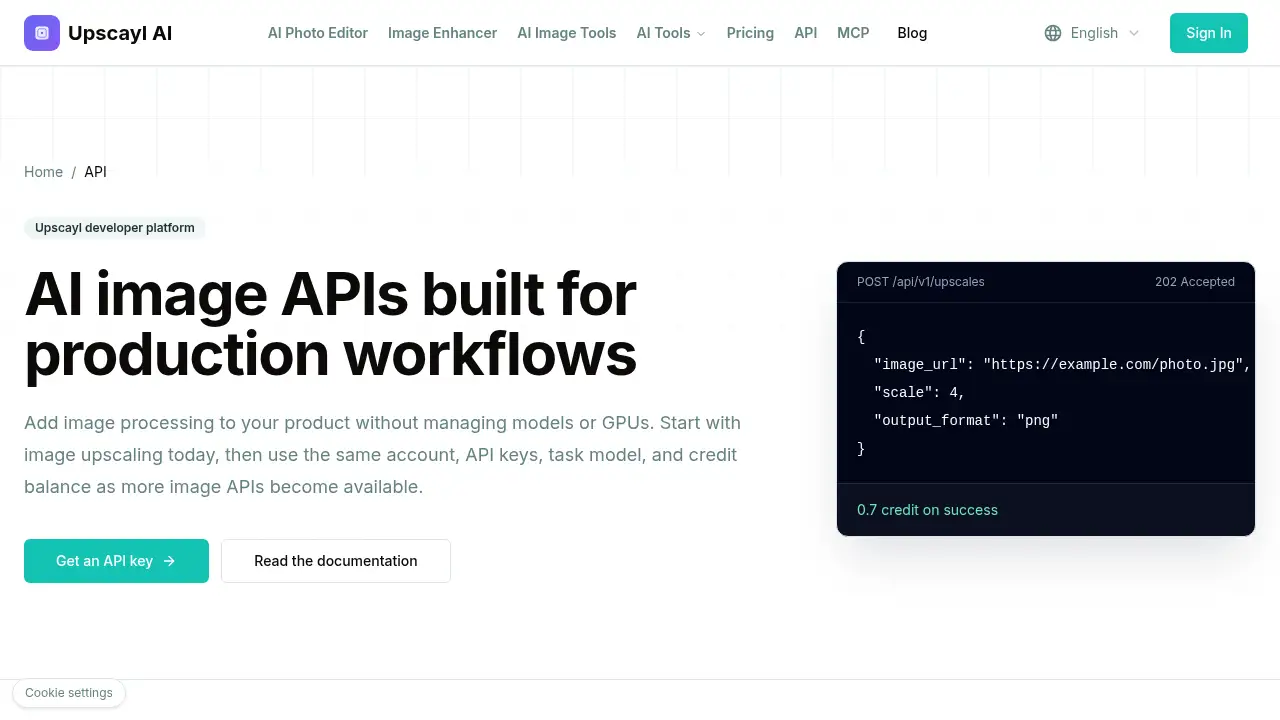
The upscale image API is an asynchronous REST interface that turns a public image URL into a sharper 2x or 4x result. It is built for developers and product teams that want to add AI image upscaling to their own apps without managing models, GPUs, or complex infrastructure. As an AI image API, it handles image processing tasks through a simple submit-and-poll workflow, so request threads stay free while the image upscaling API works in the background.
This product matters because image quality affects product pages, creative assets, archives, and high-volume media workflows. Instead of building an in-house image processing API, teams can use a developer-friendly API with clear task handling, reusable API keys, and credit billing. The upscale image API is especially useful for teams that need reliable 2x or 4x upscaling through a predictable integration path.
Key Features of upscale image api
Asynchronous REST API
Submit an image upscaling task and receive a task URL for later collection. This keeps the upscale image API request fast and separates submission from result retrieval.
2x and 4x Upscaling
Send a public HTTPS image URL with a scale value of 2 or 4. The AI image upscaler API returns a sharper output in a supported format such as PNG.
Reusable API Keys
Create multiple API keys for different apps or environments. Teams can revoke or rotate keys independently while using the same upscale image API account.
Safe Retries with Idempotency Keys
Use idempotency keys to prevent duplicate tasks and duplicate credit charges when a request must be retried. This makes the image processing API safer for production workflows.
Shared Credit Billing
Use one credit balance across supported image APIs, with task-level usage visibility and automatic failed-task refunds. The upscale image API charges 0.7 credit per successful image.
Clear Developer Documentation
Follow a quick start, API overview, and integration guide before writing code. The upscale image API is designed for teams that want clear steps from key creation to result download.
Use Cases for upscale image api
E-commerce Product Images
Improve low-resolution product photos before publishing them to catalogs or marketplaces. The upscale image API helps online stores create sharper product images without manual editing.
Creative Asset Enhancement
Upscale campaign images, thumbnails, and design assets through an AI image upscaler API. Creative teams can add 2x or 4x enhancement to existing media workflows.
Media Archives and Libraries
Process older or lower-resolution images in batches with an asynchronous REST API. Archives and media teams can use the image upscaling API to improve access copies while keeping original files separate.
High-Volume Media Workflows
Submit one image or a larger queue to the upscale image API. The shared credit model and safe retries support teams that need repeatable image processing API tasks.
How to Use upscale image api
- Create an API key after the first successful credit purchase. Store the secret key in a server-side secret manager.
- Submit an authenticated request to the upscale image API with an idempotency key and a public HTTPS image URL.
- Set the scale to 2x or 4x and choose an output format such as PNG.
- Poll the returned task URL until the image upscaling API task succeeds.
- Download the result to your own storage and track credit usage for the completed task.
Target Audience for upscale image api
- Developers building image features into web or mobile products
- SaaS teams that need an AI image API without GPU management
- E-commerce and marketplace platforms with large product image catalogs
- Media, archive, and publishing teams handling high-volume image workflows
- Creative tools and agencies that need 2x or 4x image upscaling
- Backend engineers looking for an asynchronous REST API with safe retries
Is upscale image api Free?
The upscale image API uses credit-based pricing. The available upscaler API costs 0.7 credit per successful image, with automatic refunds for failed tasks. The reference content does not list a clear free plan, and it states that an API key is generated after the first successful credit purchase. Teams should check the official site for current credit pricing, trial offers, or free credit availability.
| Plan | Price | Features |
|---|---|---|
| Credit-based usage | 0.7 credit per successful image | Async upscaling API, 2x/4x output, idempotency keys, shared credit billing, failed-task refunds |
| Free plan | Not listed in reference content | A first successful credit purchase is required before key creation; confirm current offers on the official site |
upscale image api's Pros and Cons
| Aspect | Pros | Cons |
|---|---|---|
| Pricing | Pay-per-success credit model with failed-task refunds | Credit pricing may require checking current rates before scaling |
| Features | 2x/4x AI upscaling, asynchronous REST API, safe retries | Current public catalog focuses on image upscaling |
| Integration | Simple request flow and reusable API keys | Result collection requires polling the returned task URL |
| Operations | No model or GPU management needed | Teams must store API keys securely and manage public image URLs |
Frequently Asked Questions about upscale image api
What does the upscale image API do?
The upscale image API accepts a public HTTPS image URL and returns a sharper 2x or 4x image. It is an asynchronous REST API, so users submit a task and collect the result later.
How are credits charged for an upscale image API task?
The upscale image API costs 0.7 credit per successful image. Failed tasks are automatically refunded, and the same credit balance can be used across supported image APIs.
Does the API support 2x and 4x upscaling?
Yes. The AI image upscaler API supports 2x and 4x upscaling through a scale parameter. Users can also request an output format such as PNG.
What input does the image upscaling API require?
The image upscaling API requires an authenticated request, an idempotency key, and a public HTTPS image URL. The image must be reachable by the service before the task can run.
Can retries create duplicate charges?
No, when used correctly, idempotency keys prevent duplicate tasks and duplicate credit charges. This makes the upscale image API more reliable for production retries.
Is the upscale image API suitable for high-volume media workflows?
Yes. The asynchronous REST API supports one image or a larger queue, and the shared credit billing model gives teams task-level usage visibility. Teams should confirm current rate limits and credit pricing on the official site.
upscale image api Tags
upscale image API, AI image upscaler API, image upscaling API, AI image API, asynchronous REST API, image processing API, 2x 4x upscaling, developer-friendly API, credit billing API, high-volume media workflows, public image URL, safe retries