Introduction
GPT Image 2.6 — Image26 is an AI image editor.
What is GPT Image 2.6 — Image26?
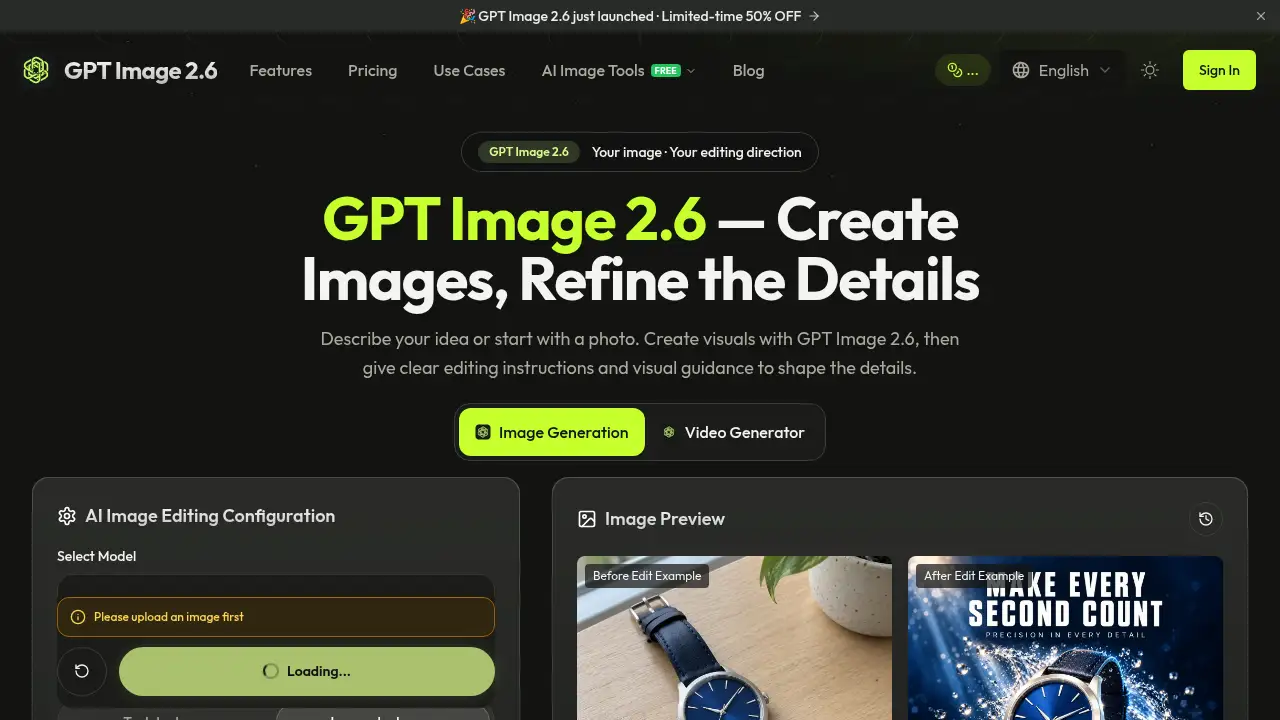
GPT Image 2.6 — Image26 is a web-based AI image editor and AI image generator from Image26. Users can start with a text brief or upload a reference image, describe a change, and review the result. The product helps with targeted edits to product images, portraits, posters, and text-led designs without rebuilding the whole visual. GPT Image 2.6 matters because it combines an AI image generator workflow with practical controls such as visual guidance, visible credit costs, and a separate creative toolkit. It suits designers, marketers, ecommerce sellers, and creators who need a simple AI image editor.
Key Features of GPT Image 2.6 — Image26
Prompt-Led Image Editing
Provide a reference image and a clear editing brief to GPT Image 2.6, then describe what should change and what should stay the same. This image editing workflow helps users refine objects, settings, styles, and details.
Visual Guidance With Markup
GPT Image 2.6 supports visual guidance through a transparent PNG overlay that marks the intended edit area. Pair the markup with a written prompt, then inspect nearby details after generation.
Cost Display Before Generation
The editor shows the credits required for the selected model and output settings before a prompt is submitted. This makes GPT Image 2.6 more transparent for users who manage image editing costs.
Failed Task Credit Return
If a GPT Image 2.6 generation task is confirmed as failed, deducted credits are returned automatically. Completed results still use credits when users generate another version.
Creative Toolkit Alongside the Editor
Image26 also offers an AI image upscaler, AI background remover, image to prompt generator, and image to video tool. Users can download and upload files between tools when a GPT Image 2.6 edit needs enlargement, cutouts, prompt extraction, or motion.
Use Cases for GPT Image 2.6 — Image26
Product Image Refinement
Ecommerce sellers can use GPT Image 2.6 to adjust product images, backgrounds, or visual style while checking labels and details. The AI image editor is useful for campaign-ready product visuals without a full reshoot.
Portrait and Photo Adjustments
Photographers and creators can upload portraits and describe changes to lighting, setting, or style. GPT Image 2.6 image editing should be reviewed closely around faces, edges, and preserved details.
Text-Led Design Updates
Marketers can request text changes in posters, ads, and other text-led designs by naming the exact replacement words and the area to edit. GPT Image 2.6 helps, but users should check spelling and small lettering at full size.
Template-Based Campaign Ideas
The Image26 template library offers visual directions for campaigns. Users can preview a product marketing template, adapt the prompt, and create with GPT Image 2.6.
How to Use GPT Image 2.6 — Image26
- Open the Image26 workspace and sign in, then choose the GPT Image 2.6 editing option.
- Upload a clear reference image, such as a product shot, portrait, poster, or illustration.
- Describe the change, identify the area, and list details to preserve. Use visual guidance if the edit location needs markup.
- Check the selected settings and credit cost before submitting the GPT Image 2.6 prompt.
- Compare the result with the original, refine instructions if needed, and download the chosen version.
Target Audience for GPT Image 2.6 — Image26
- Ecommerce sellers who need product image edits and campaign visuals
- Marketers creating ads, posters, and text-led designs
- Photographers and portrait creators making guided photo adjustments
- Designers who want a prompt-led AI image editor for concept refinement
- Small teams and studios that need a shared creative toolkit with visible credit costs
Is GPT Image 2.6 — Image26 Free?
GPT Image 2.6 — Image26 offers a free starting point and paid plans. New users receive 16 starter credits, a limited trial rather than unlimited free generation. The site also mentions one-time credit packs and subscriptions.
| Plan | Price | Features |
|---|---|---|
| Free | $0 | 16 starter credits; up to 5 images at 3 credits each, fewer with higher-cost settings; standard quality images |
| Professional | $12.9/month (listed from $26) | 500 credits/month; up to 166 high quality AI image generations/month; up to 50 AI video generations/month; advanced quality; watermark-free images; commercial use license |
| Enterprise | $59.9/month (listed from $120) | 5,000 credits/month; up to 1,666 high quality AI image generations/month; up to 500 AI video generations/month; advanced quality; watermark-free images; commercial use license |
GPT Image 2.6 — Image26's Pros and Cons
| Aspect | Pros | Cons |
|---|---|---|
| Pricing | Free starter credits, one-time credit packs, and subscriptions are available | Ongoing commercial work may require a paid plan or more credits |
| Editing workflow | Prompt-led image editing and visual guidance support targeted changes | Results should be reviewed; edits may affect nearby details or lighting |
| Cost control | GPT Image 2.6 shows credit costs before generation and returns credits for failed tasks | Credit cost can change with model and output settings |
| Creative tools | Includes an upscaler, background remover, prompt generator, and video tool | These are separate tools, so files may need to be downloaded and uploaded between them |
| Access | Web-based workflow with templates and clear steps | Generation time varies with request and service load |
Frequently Asked Questions about GPT Image 2.6 — Image26
What can users edit with GPT Image 2.6?
Users can edit product images, portraits, posters, illustrations, and other visuals. They can describe changes to objects, setting, style, or text, then compare the GPT Image 2.6 result with the original.
Does GPT Image 2.6 support visual guidance?
Yes. GPT Image 2.6 supports markup guidance using a transparent PNG overlay to identify the intended edit area. Pair it with a clear written instruction and inspect the result carefully.
Is GPT Image 2.6 free to try?
Image26 gives new users 16 starter credits for GPT Image 2.6. Each generation uses credits at the displayed cost, so the free offer is a limited trial. Paid plans and credit packs are available.
How should users write a useful GPT Image 2.6 prompt?
Name the object, location, and requested change, then list details to preserve. For example, ask GPT Image 2.6 to change a mug to forest green, keep the handle shape, and retain the original framing.
Can GPT Image 2.6 images be used commercially?
Paid plans include a commercial use license as described on the Image26 pricing page. Users should follow the Terms of Service and confirm they have rights to uploaded photos, logos, and other materials.
What tools work alongside GPT Image 2.6 on Image26?
Image26 offers an AI image upscaler, AI background remover, image to prompt generator, and image to video tool. These support image editing tasks that need enlargement, cutouts, prompt extraction, or animation.
GPT Image 2.6 — Image26 Tags
GPT Image 2.6, Image26, AI image editor, AI image generator, image editing, visual guidance, product images, portraits, text-led designs, image upscaler, background remover, prompt-led editing