Introduction
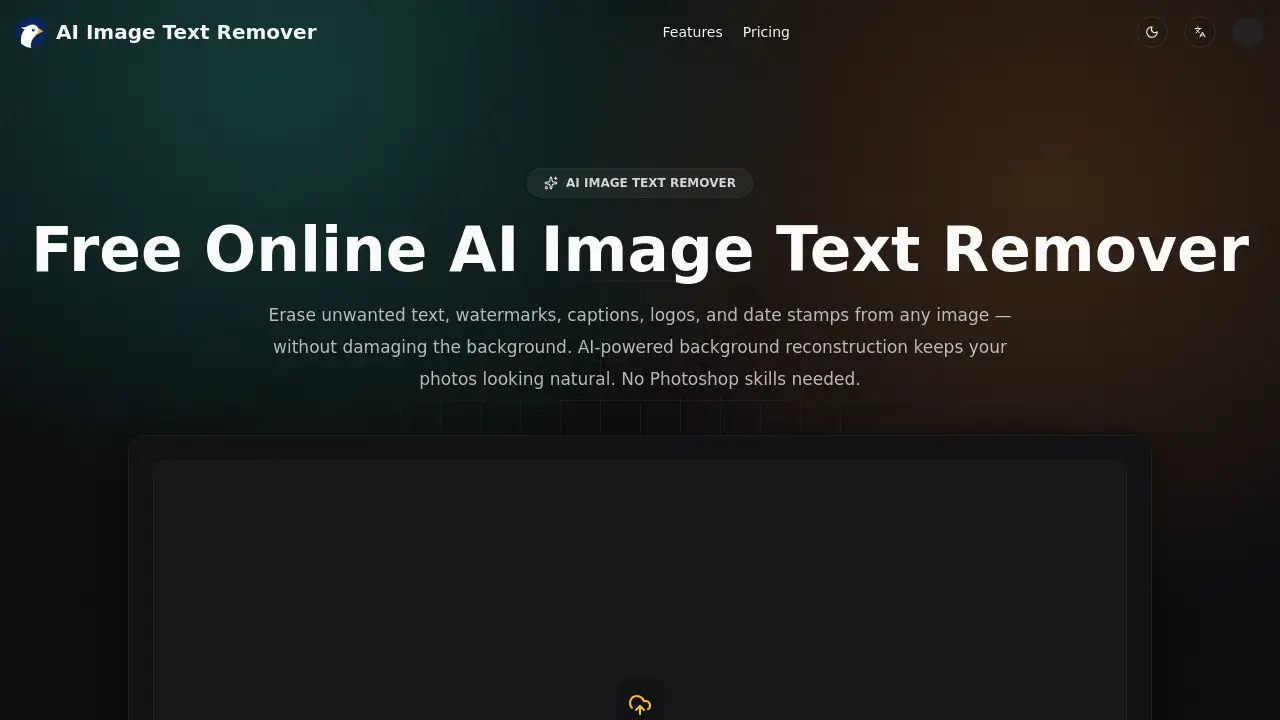
The AI image text remover from ImageTextRemover.net is a browser-based tool that erases captions, logos, watermarks, and date stamps from photos while rebuilding the background behind them. It requires no design skills and starts with free trial credits.
What is AI Image Text Remover?
AI Image Text Remover is an online photo editing tool that uses artificial intelligence to find and delete text overlays from images. Instead of blurring or smudging a rectangle over the words, the tool studies the textures, gradients, colors, and lighting around the text and reconstructs that area so the photo looks untouched.
The problem it solves is simple: most photos with unwanted text are otherwise fine. A product shot ruined by a supplier logo, a family photo carrying an orange date stamp, or a screenshot holding a phone number all need small, precise fixes — not a full retouching session. Traditional fixes mean manual cloning and healing in Photoshop, which takes time and skill. An AI image text remover handles the same job in seconds with one click.
It suits casual users who want to remove text from an image before posting it, and professionals who need clean visuals for stores, campaigns, or archives. Because the tool runs in any modern browser, there is nothing to install and no learning curve. The appeal is speed, a natural-looking result, and the ability to erase text from photos without damaging what sits behind it.
Key Features of AI Image Text Remover
AI-Powered Text Detection
The tool scans an uploaded image and automatically locates text areas, including captions, watermarks, logos, date stamps, and handwriting. No manual brushing or selection is required — detection happens before any editing begins.
Background-Preserving Natural Fill
Rather than covering text with a blur, the AI analyzes surrounding patterns and rebuilds the gap. This background reconstruction keeps edges, textures, and gradients natural, so the edited area blends into the rest of the photo.
Watermark, Logo, and Timestamp Removal
Use it as a watermark remover for stock images, brand marks, price tags, and labels. The system handles text of different sizes, fonts, and angles, including curved or partially hidden text overlays.
HD Output Without Watermarks
Images keep their original resolution through the whole process, and downloads carry no branding from the tool. Files are available in JPG, PNG, or WebP, ready for marketplaces, social platforms, or print use.
Browser-Based Workflow
The full text removal tool runs online on desktop, tablet, and mobile. There are no plugins, no downloads, and no software updates to manage.
Free Trial Credits
New users receive free credits at sign-up with no credit card required. This allows testing the AI text remover on real images before choosing a paid plan.
Use Cases for AI Image Text Remover
E-Commerce Sellers
Remove supplier logos, price stickers, and watermarks from product photos to create marketplace-ready images for Amazon, Shopify, or Etsy. This avoids reshoots and paid retouching.
Social Media Creators
Clean up old Instagram posts, TikTok covers, and Pinterest pins by removing text overlays and leftover watermarks. Reused content stays consistent with a current brand look.
Marketers and Designers
Update flyers, banners, and ad creatives by erasing outdated prices or promotions. Existing assets can be repurposed instead of rebuilt from scratch.
Photo Restoration
Remove date stamps, watermarks, and handwritten notes from scanned family photos. The original textures and tones are preserved during the cleanup.
Privacy-Conscious Users
Erase names, emails, phone numbers, or account details from screenshots before sharing them publicly. A quick pass with the AI image text remover reduces accidental exposure.
How to Use AI Image Text Remover
- Upload the image. Drag and drop a JPG, PNG, or WebP file, or click to browse. Files move through an encrypted upload flow.
- Let the AI detect text. The system scans the photo and marks captions, watermarks, logos, and stamps automatically — no manual selection needed.
- Review the removal. The text is erased and the background is rebuilt from nearby textures and lighting.
- Compare before and after. A side-by-side preview shows exactly what changed.
- Download in HD. Save the clean file at its original resolution, with no watermark added.
Target Audience for AI Image Text Remover
- Online sellers managing product photos for marketplaces
- Social media managers and content creators repurposing old posts
- Marketers and designers updating campaign assets
- Photographers and hobbyists restoring old or scanned images
- Privacy-conscious users cleaning screenshots before sharing
- Small business owners without access to professional retouching
Is AI Image Text Remover Free?
The tool offers free trial credits at sign-up with no credit card required, which covers testing on real images. Ongoing use runs on a credit-based subscription, and a one-time top-up is also offered. Monthly plan prices are not listed in the reference content, so checking the official pricing page is recommended.
| Plan | Price | Features |
|---|---|---|
| Free trial | $0 | Free credits on sign-up, no credit card, HD download without watermark |
| Monthly plan (entry) | Not listed | 1,200 credits/month, about 600 basic images, commercial use rights, 24/7 support |
| Monthly plan (popular) | Not listed | 3,000 credits/month, about 1,500 basic images, advanced image and video models |
| Monthly plan (top tier) | Not listed | 8,000 credits/month, about 4,000 basic images, advanced models included |
| Credit top-up | $9.9 | 600 credits, valid for 30 days, works alongside any plan |
Basic image text removal is listed at roughly 2 credits per image, which makes the entry plan practical for light, regular use.
AI Image Text Remover's Pros and Cons
| Aspect | Pros | Cons |
|---|---|---|
| Pricing | Free trial credits with no card required; low cost per basic image | Monthly plan prices are not published in the reference content |
| Features | Automatic text detection, background reconstruction, HD output, no added watermark | Requires an account to use |
| Ease of use | Runs in any browser; no Photoshop skills or installation needed | Credit system adds a step for heavy batch work |
| Formats | JPG, PNG, and WebP support with original resolution kept | No desktop or offline version |
| Privacy | Encrypted upload flow and user-controlled downloads | Processing happens in the cloud, not on-device |
Frequently Asked Questions about AI Image Text Remover
What exactly does an AI image text remover do?
It detects text inside a photo — captions, watermarks, logos, date stamps, labels — and removes it while filling the empty space with matching background detail. The goal is a photo that looks like the text was never there.
Can I remove text from an image without blurring the background?
Yes. The AI image text remover rebuilds the area using nearby textures, colors, and gradients instead of applying a blur patch, which is why results usually show no visible seams or smudges.
Is the tool free to try?
New users get free trial credits after signing up, with no credit card needed. That amount is enough to test the text removal tool on a few of your own images before deciding on a plan.
Do I need Photoshop or design experience?
No. The workflow is upload, automatic detection, preview, and download. There is no brushing, layering, or cloning involved, and no software needs to be installed.
Which file formats and quality levels are supported?
JPG, PNG, and WebP files are accepted. Output keeps the original resolution, and downloads are not watermarked, so images stay usable for e-commerce listings, social media, or print.
Can it erase watermarks and logos, not just plain text?
Yes. The tool is used as a watermark remover for stock images, brand logos, timestamps, price tags, and labels, including angled or partially obscured text.
AI Image Text Remover Tags
AI image text remover, remove text from image, AI text remover, watermark remover, erase text from photos, remove watermark from photo, background reconstruction, free online text removal tool, text remover online, remove captions from images, photo text eraser, clean product photos