Introduction
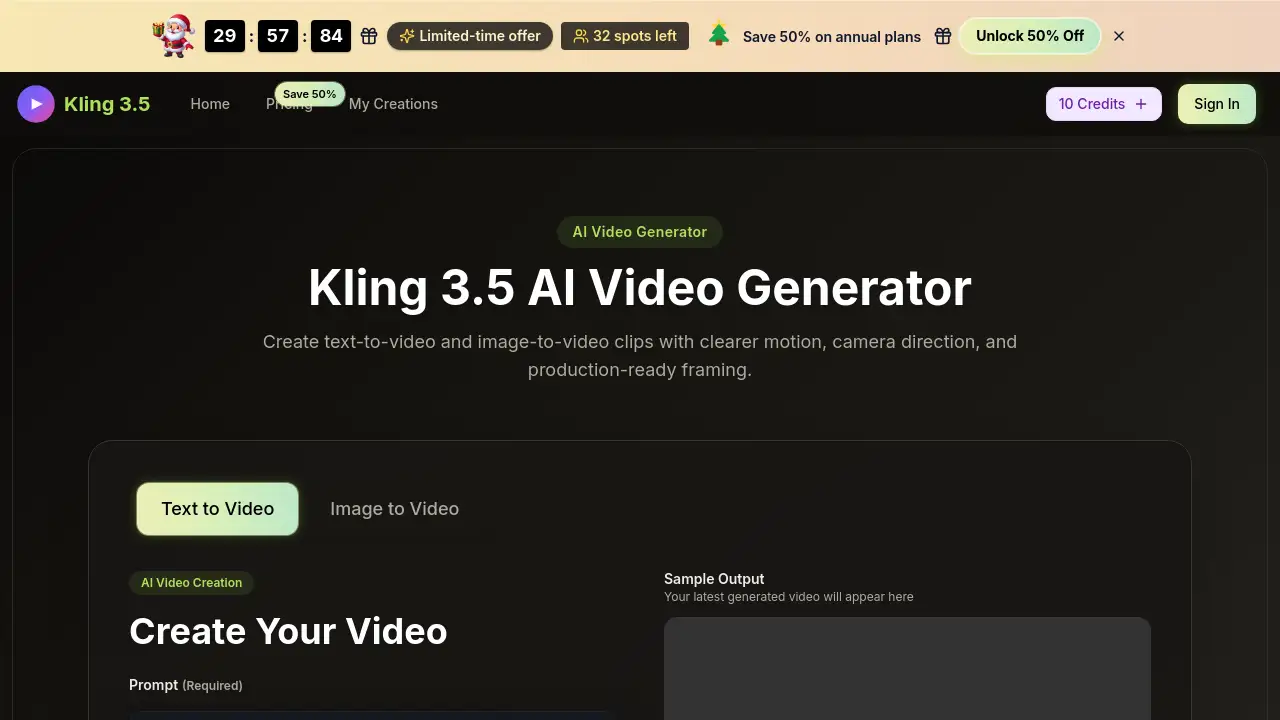
A browser-based AI tool for creating short video clips from text or images.
What is kling video?
Kling video, officially known as the Kling 3.5 AI video generator, is a web-based tool designed to transform creative ideas into short, motion-driven video drafts. It addresses the need for rapid visual prototyping, allowing users to bypass lengthy traditional video production processes. The platform enables AI video creation through two primary methods: text to video, where a written prompt describes the scene, and image to video, where an existing still image is animated. It is particularly suitable for creators, marketers, and small teams who require quick, usable video output for concepts, pitches, or social content, making it a practical solution for testing ideas and generating assets with speed and control.
Key Features of kling video
Prompt-to-Scene Control
Users can define a complete scene—including subject, action, mood, and camera movement—using plain language in a text prompt, which the Kling 3.5 AI video generator then interprets to create a first visual draft.
Reference-Aware Image to Video
This feature allows for image to video generation by using a product photo, portrait, or any still image as a visual starting point, ensuring the composition and style remain consistent in the resulting animation.
Cinematic Camera Direction
The tool provides direct control over cinematic camera moves such as push-ins, pans, and tracking shots within the generation settings, offering a layer of creative direction typically requiring video editing software.
Production-Ready Framing and Aspect Ratios
Kling 3.5 supports multiple aspect ratios (like 16:9, 9:16, 1:1) and quality settings (up to 1080p), allowing users to generate clips formatted for specific platforms like social media, ads, or presentations.
Fast Draft Generation
The platform is built for speed, enabling users to quickly generate and iterate on multiple video versions to explore different creative hooks and visual styles before committing to a final edit.
Use Cases for kling video
Product Marketing and Launch Assets
Teams can use Kling 3.5 to quickly animate product photos, creating engaging clips for social media teasers, website banners, or digital ad concepts without a full-scale shoot.
Social Media Content Creation
Content creators can generate a high volume of short, eye-catching videos for platforms like TikTok, Instagram Reels, and YouTube Shorts by describing trendy scenes or animating static graphics.
Advertising and Pitch Concept Testing
Marketing agencies can use the tool to visualize and test different ad angles, story beats, and visual pacing for client pitches, providing moving mock-ups that are more compelling than static storyboards.
Creative Storyboarding and Pre-Visualization
Filmmakers, animators, and designers can employ Kling 3.5 AI video generation to create rough animated storyboards, helping to plan scenes, camera movements, and overall narrative flow early in a project.
How to Use kling video
- Set the Scene: Start by either typing a detailed text prompt describing your desired video or uploading a reference image for image to video generation.
- Direct the Output: Choose your settings, including the aspect ratio, video quality (720p or 1080p), and duration (5 or 10 seconds).
- Start Generation: Click the "Start Generation" button. The Kling 3.5 AI model will process your input and create the video clip.
- Review and Refine: Preview the generated video. If needed, adjust your prompt or settings and generate again to iterate on the result until you are satisfied.
- Download and Use: Once happy with a clip, download it directly for use in your projects. All creations are saved in your generation history for future access.
Target Audience for kling video
- Digital marketers and social media managers
- Content creators and influencers
- Small business owners and entrepreneurs
- Advertising and creative agency teams
- Product managers and launch coordinators
- Independent filmmakers and video editors
Is kling video Free?
The platform offers a tiered pricing model. Users can start with free credits to test the service. For ongoing use, Kling 3.5 provides annual subscription plans with a significant discount, billed monthly. The key plans are:
| Plan | Price (Billed Annually) | Key Features & Credits |
|---|---|---|
| Basic | $9.9/month | 800 credits/month (9,600/year), text & image to video, commercial license, no watermark. |
| Professional | $19.9/month | 2,000 credits/month (24,000/year), all Basic features, higher generation capacity. |
| Enterprise | $49.9/month | 6,000 credits/month (72,000/year), highest credit volume for teams, priority support. |
All paid plans include unlimited downloads, generation history, prompt assist tools, and a commercial use license. The official pricing page should be consulted for the most current offers and any limited-time discounts.
kling video's Pros and Cons
| Aspect | Pros | Cons |
|---|---|---|
| Speed & Workflow | Enables extremely fast video draft creation and idea iteration. | Video duration is limited to a maximum of 10 seconds per generation. |
| Ease of Use | Intuitive, browser-based interface with no software installation required. | Output quality and accuracy are dependent on prompt-writing skill. |
| Creative Control | Offers direct control over camera motion, aspect ratio, and style from a prompt. | Lacks the deep, frame-by-frame editing capabilities of full video editing suites. |
| Pricing | Transparent subscription model with a free trial to test capabilities. | Can become costly for users requiring very high-volume video generation. |
Frequently Asked Questions about kling video
What is Kling 3.5?
Kling 3.5 is an AI video generator that creates short videos from text prompts or reference images. It is designed for creators and marketers who need to produce video drafts or assets quickly without a traditional production pipeline.
How does Kling 3.5's image to video work?
The image to video function allows you to upload a still image (like a product photo or illustration). The AI uses this as a visual reference and foundation, then animates elements within the scene based on your direction, keeping the original style and composition consistent.
Can I try Kling 3.5 for free?
Yes, you can typically start with free credits to test the core AI video creation features. For higher volume, watermark-free downloads, and commercial use, a subscription to a Kling 3.5 Pro plan is required.
What are Kling 3.5 videos best used for?
The tool is best for creating quick concept videos, social media clips, product showcases, ad mock-ups, and visual storyboards. It is ideal for the early stages of a project where speed and visual testing are priorities over polished, final-grade footage.
Do I own the videos I create with Kling 3.5?
According to the provided information, paid plans include a commercial use license, meaning you can use the generated videos in your projects, including for commercial purposes. It is always advisable to review the current Terms of Service on the official website.
What are the video export options?
You can generate videos in multiple aspect ratios (e.g., landscape, portrait, square) and in 720p or 1080p quality. The final videos can be downloaded directly from your dashboard after generation is complete.
kling video Tags
Kling 3.5, Kling 3.5 AI video generator, kling video, AI video generator, text to video, image to video, AI video creation, create AI video, video from prompt, social media video maker, marketing video tool, quick video drafts, Kling 3.5 free, Kling 3.5 Pro