Introduction
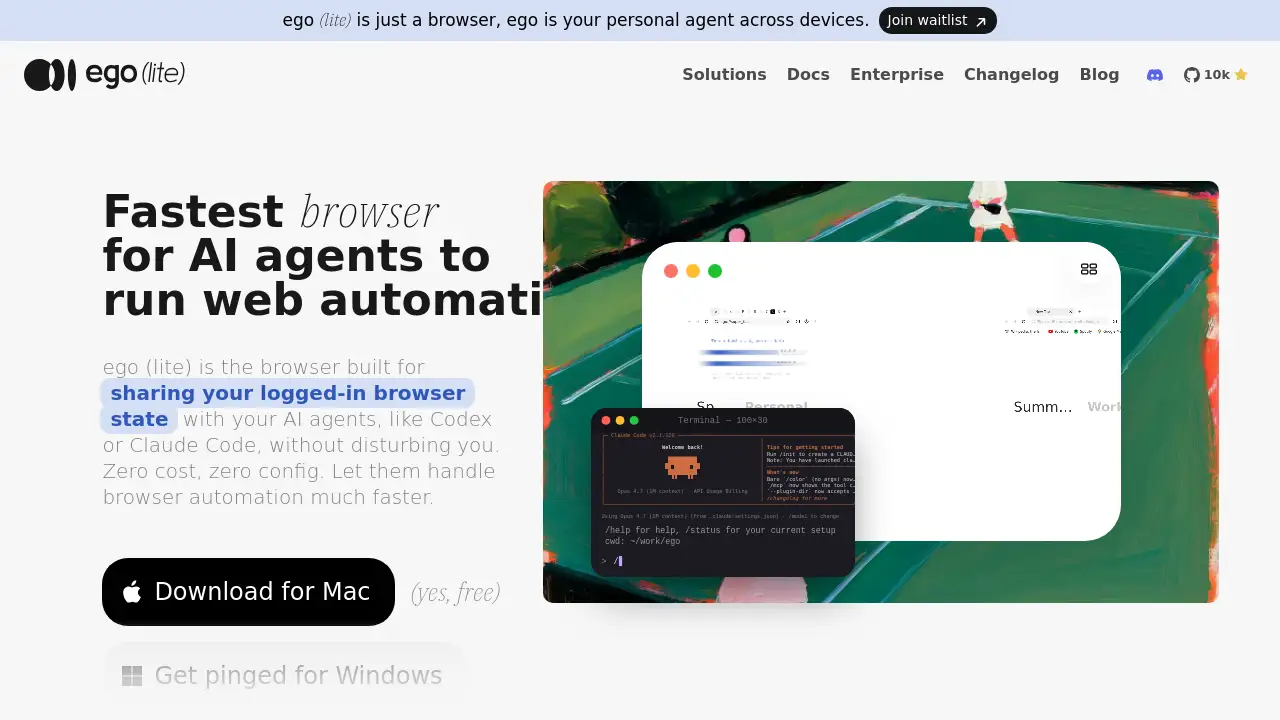
ego lite is a free agent browser built for AI agents like Claude Code and Codex. It lets users share their logged-in Chrome browser state with automation tools, so browser automation tasks run faster and with zero configuration. This review explains how ego lite works, what makes it different, and who can benefit from ego lite as a daily browser for AI workflows.
What is ego lite?
ego lite is a Chromium-based browser designed for both people and AI agents. It solves a common problem: automation tools often work inside blank browser windows without access to real logins, extensions, or active sessions. ego lite shares the same browser state with agents, allowing them to perform browser automation in a familiar environment. Anyone who uses AI coding assistants can benefit from an agent browser that handles real websites without extra setup. The product matters because it reduces friction and token costs in web automation tasks.
By connecting through the ego-browser skill, AI agents can drive the same browser users already have open. This removes the need to manage separate browser instances. It also makes ego lite useful for tasks that require logged-in accounts, such as posting to social media or editing data inside SaaS tools.
Key Features of ego lite
Parallel Multitasking with ego lite
ego lite can run 100 or more browser automation tasks at the same time. Each task runs in its own Space, so multiple AI workflows do not interfere with each other or with the user's tabs.
Zero Configuration and Always Free
Users can download ego lite for Mac and begin using it without paying or setting up complex integrations. This free agent browser makes it easy for developers and non-developers to try AI browser automation with tools like Claude Code or Codex.
One-Click Chrome Import
ego lite is built on Chromium and imports the user's entire Chrome setup in one click. Bookmarks, passwords, extensions, and cookies carry over, so this agent browser uses the same logged-in web environment as the user.
Space for Agents and Users
Spaces give each agent an isolated workspace inside the same browser. This agent browser keeps personal tabs separate, while agents run browser automation in their own area without collisions.
Semantic Snapshot Engine
Instead of providing raw HTML, ego lite creates semantic snapshots inside its custom Chromium engine. These snapshots are smaller and faster to process, which helps reduce token usage during long automation runs.
ego-browser Skill Integration
The ego-browser skill connects any agent that can run shell commands to ego lite. Once installed, Claude Code, Codex, Cursor, or custom agents can click, fill, navigate, and read pages using simple commands.
Use Cases for ego lite
Social Media Management
Users can ask AI agents to schedule posts, reply to mentions, or pull engagement data from platforms like X, LinkedIn, and Instagram. Because ego lite shares logged-in sessions, agents can act on real accounts.
Research and Data Scraping
AI agents can open search engines, browse articles, and extract information from pages that require login. This makes ego lite useful for marketing research, competitive analysis, and lead generation as a research-focused agent browser.
Booking and Form Automation
ego lite can help fill out booking forms, submit applications, and complete checkout processes. Agents can handle repetitive browser automation tasks that would take a human several minutes.
Back-Office and SaaS Workflows
Operations teams can use ego lite to update records, process internal dashboards, and move data between web apps. The agent browser works with complex interfaces like Stripe, Salesforce, and Intercom.
Internal Tool Access
For companies using internal web tools, ego lite lets agents reach those tools without custom API integrations. This makes it a practical agent browser for internal workflows and routine data entry.
How to Use ego lite
Using ego lite is straightforward:
- Download ego lite from the official website for Mac.
- Open the app and import the existing Chrome profile with one click.
- Install the ego-browser skill during onboarding.
- Launch an AI agent such as Claude Code or Codex.
- Type
/ego-browserand describe the task the user wants to automate.
Once the skill is installed, every compatible agent on the Mac can drive ego lite directly. Users can watch tasks run in their own Space without changing how they normally browse.
Target Audience for ego lite
- Developers who use Claude Code, Codex, or Cursor
- AI researchers testing real-world browser automation
- Marketing teams managing social media accounts
- Operations staff handling SaaS back-office tasks
- Anyone who wants a free agent browser with logged-in web access
Is ego lite Free?
As of this review, ego lite is free to use. There is no subscription required for the Mac version, and the core browser automation features are available without payment. Users can join a waitlist for the Windows version. The official site also mentions an enterprise option, but specific pricing is not shown at this time.
| Plan | Price | Features |
|---|---|---|
| ego lite Free | $0 | Chromium browser, Chrome import, Spaces, ego-browser skill, parallel browser automation |
| Windows Version | Waitlist | Same agent browser for Windows users when released |
| Enterprise | Contact official site | Likely includes team and management support |
ego lite's Pros and Cons
| Aspect | Pros | Cons |
|---|---|---|
| Pricing | Free and no setup cost | Windows version is not available yet |
| Setup | One-click Chrome import | Users need to switch to a new daily browser |
| Performance | Parallel multitasking and lower token usage | Requires a compatible AI agent for automation |
| Privacy | Data is stored locally | Agents need access to browser sessions |
| Usability | Feels like Chrome | Some users may need time to understand Spaces |
Frequently Asked Questions about ego lite
What is ego lite?
ego lite is a free agent browser built on Chromium. It shares the user's logged-in browser state with AI agents so they can run browser automation tasks more easily than with blank browser frameworks.
Is ego lite really free?
Yes. The Mac version of ego lite is free to download and use. No subscription is currently required for core browser automation features. The Windows version is on a waitlist.
How is ego lite different from Playwright or Puppeteer?
Playwright and Puppeteer are automation libraries that run headless or separate browsers. ego lite is a complete agent browser with Spaces and the ego-browser skill. It uses semantic snapshots and in-page JavaScript commands, so tasks run in a real logged-in browser and use fewer tokens.
Does ego lite work with Claude Code and Codex?
Yes. Any agent that can run shell commands can use ego-browser to control ego lite. This includes Claude Code, Codex, Cursor, Gemini CLI, and custom internal agents.
Can ego lite replace Chrome as a daily browser?
Yes. ego lite is built on Chromium and supports extensions, bookmarks, profiles, and downloads just like Chrome. The main difference is Space, which gives AI agents an isolated workspace inside the same browser.
Does ego lite support Windows?
Currently, ego lite is available for Mac. Users can join the waitlist on the official site to receive a notification when the Windows version is ready.
ego lite Tags
ego lite, agent browser, browser automation, Claude Code, Codex, AI agents, web automation, ego-browser, Chromium browser, free browser automation, AI browser, parallel browsing