Introduction
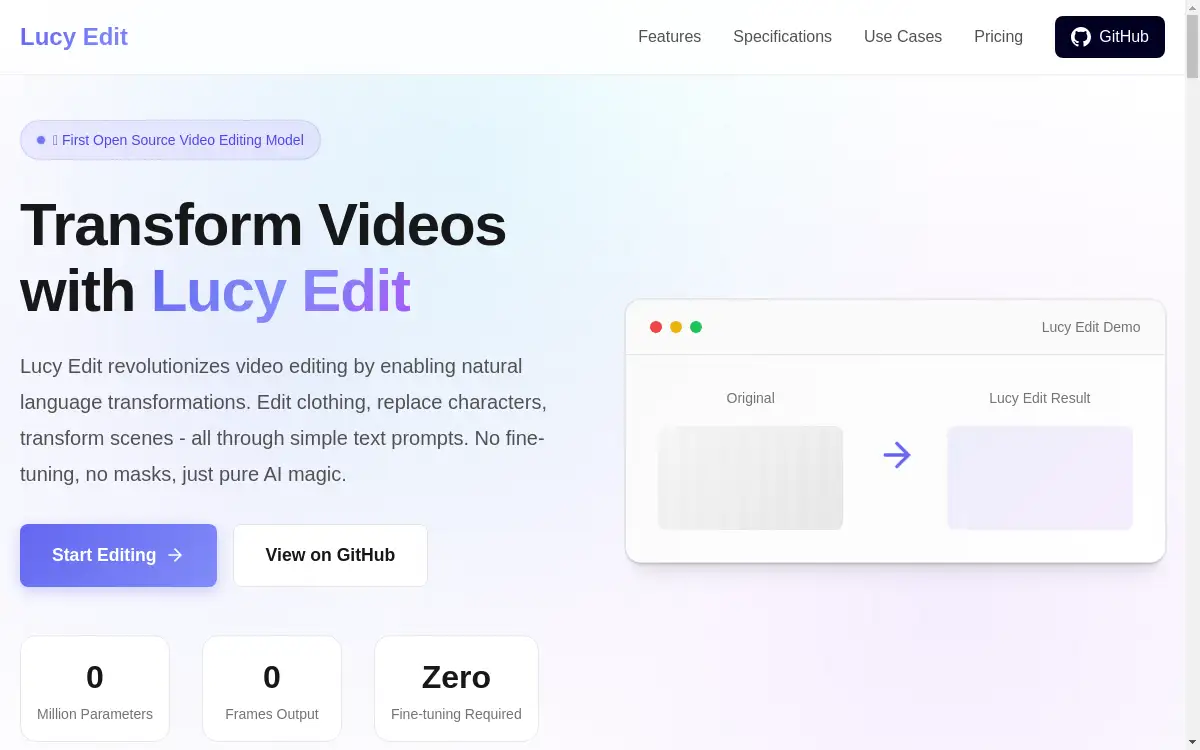
Lucy Edit is the first open-source foundation model for text-guided video editing that transforms videos using natural language prompts.
What is lucyedit.online?
Lucy Edit is a revolutionary AI-powered video editing platform that enables users to transform videos through simple text descriptions. This groundbreaking tool solves the complex problem of professional video editing by eliminating the need for technical expertise, expensive software, or time-consuming manual processes. With 500 million parameters and zero fine-tuning requirements, Lucy Edit makes advanced video transformation accessible to content creators, filmmakers, marketers, and social media enthusiasts.
The platform addresses the growing demand for efficient video editing solutions in an increasingly visual digital landscape. Unlike traditional video editing software that requires extensive training and technical knowledge, Lucy Edit democratizes professional-quality video transformation. Users can modify clothing, replace characters, transform scenes, and add special effects simply by describing their desired changes in natural language.
Key Features of lucyedit.online
Text-Guided Video Editing
Lucy Edit transforms videos using natural language prompts, allowing users to describe their desired changes in plain English without technical jargon.
Zero Fine-Tuning Required
The platform works instantly without requiring training, masks, or pre-processing, enabling immediate video transformation upon upload.
Clothing and Style Transformation
Lucy Edit excels at changing outfits, adding accessories, and reimagining character styling while maintaining perfect identity consistency throughout the video.
Character Replacement
Users can replace any character with another while preserving original motion, transforming humans into animals, robots, or fantasy creatures seamlessly.
Scene Transformation
The AI instantly converts entire environments, changing locations, applying artistic filters, or transforming realistic footage to animation styles.
Object Insertion
Lucy Edit seamlessly adds new elements like props, products, or visual effects that appear naturally integrated into the original scene.
High-Performance Processing
The platform processes videos quickly with minimal computational requirements, delivering results in approximately 2-3 seconds with up to 98% accuracy.
Open Source Architecture
Built on a foundation of community collaboration, Lucy Edit benefits from continuous improvements and remains free for all users.
Use Cases for lucyedit.online
Film and Video Production
Directors and filmmakers use Lucy Edit for rapid prototyping of visual concepts, exploring different aesthetic choices without expensive reshoots or extensive post-production work.
Social Media Content Creation
Content creators leverage Lucy Edit to produce engaging videos for platforms like TikTok, Instagram, and YouTube, creating multiple variations quickly for different audiences.
Marketing and Advertising
Marketers utilize the platform to create multiple versions of advertisements, testing different visual approaches and customizing content for various demographic segments.
Fashion and Design Visualization
Fashion designers employ Lucy Edit to visualize clothing designs on models in motion, showcasing products in different styles and contexts.
Educational Content Development
Educators and trainers use the platform to create engaging visual materials that can be easily adapted to various learning contexts and student preferences.
E-commerce Product Demonstration
Online retailers transform product videos to show items in different settings, colors, or styles, enhancing customer understanding and engagement.
How to Use lucyedit.online
-
Upload Your Video: Drop your video file (MP4, MOV, or AVI format, maximum 100MB) into the platform or click to browse and select your file.
-
Describe Your Edit: Write a detailed text prompt describing the changes you want to make, using 20-30 words for optimal results with specific style descriptions and colors.
-
Select Edit Type: Choose from available categories including clothing transformation, character replacement, scene modification, or object insertion.
-
Configure Output Settings: Specify the number of frames you want to process, with options ranging from single frames to full video sequences.
-
Process and Download: Click the edit button and wait approximately 2-3 seconds for Lucy Edit to process your video, then download your transformed content.
Target Audience for lucyedit.online
- Content creators and social media influencers
- Film directors and video producers
- Marketing professionals and advertisers
- Fashion designers and stylists
- Educators and training specialists
- E-commerce businesses and retailers
- VFX artists and post-production professionals
- Independent filmmakers and students
- Small business owners creating promotional content
Is lucyedit.online Free?
Lucy Edit operates as a completely free, open-source platform accessible to all users without subscription fees or premium tiers. The generous free plan includes access to all core features, including text-guided video editing, character replacement, scene transformation, and object insertion capabilities. Users can process videos up to 100MB in size and generate up to 81 frames at 1080p resolution without any cost.
As an open-source project, Lucy Edit relies on community contributions for development and improvement rather than monetization. This approach ensures that advanced video editing capabilities remain accessible to creators regardless of their budget, democratizing professional-quality video transformation tools that were previously available only to major studios with significant resources.
Frequently Asked Questions about lucyedit.online
What video formats does Lucy Edit support?
Lucy Edit accepts MP4, MOV, and AVI video formats with a maximum file size of 100MB, covering the most commonly used video formats for content creation.
How long does video processing take with Lucy Edit?
Processing time averages 2-3 seconds per edit, depending on the complexity of the transformation and the number of frames being processed.
Can Lucy Edit maintain character identity during transformations?
Yes, Lucy Edit achieves 95-98% accuracy in identity preservation while transforming clothing, scenes, or adding effects, ensuring consistent character appearance throughout the video.
Do I need technical expertise to use Lucy Edit?
No technical knowledge is required - Lucy Edit works through simple text descriptions in natural language, making it accessible to users of all skill levels.
What makes Lucy Edit different from traditional video editing software?
Unlike conventional tools, Lucy Edit requires no fine-tuning, masks, or manual editing, using AI to understand and execute changes described in plain English text prompts.
Is there a limit to how many videos I can edit with Lucy Edit?
As an open-source platform, Lucy Edit doesn't impose usage limits, allowing unlimited video editing for all users at no cost.
lucyedit.online Tags
text-guided video editing, AI video transformation, open-source video editor, Lucy Edit, natural language video editing, zero-shot video editing, character replacement video, scene transformation AI, clothing change video editor, free video editing software, AI-powered video editing, video editing with text prompts