Introduction
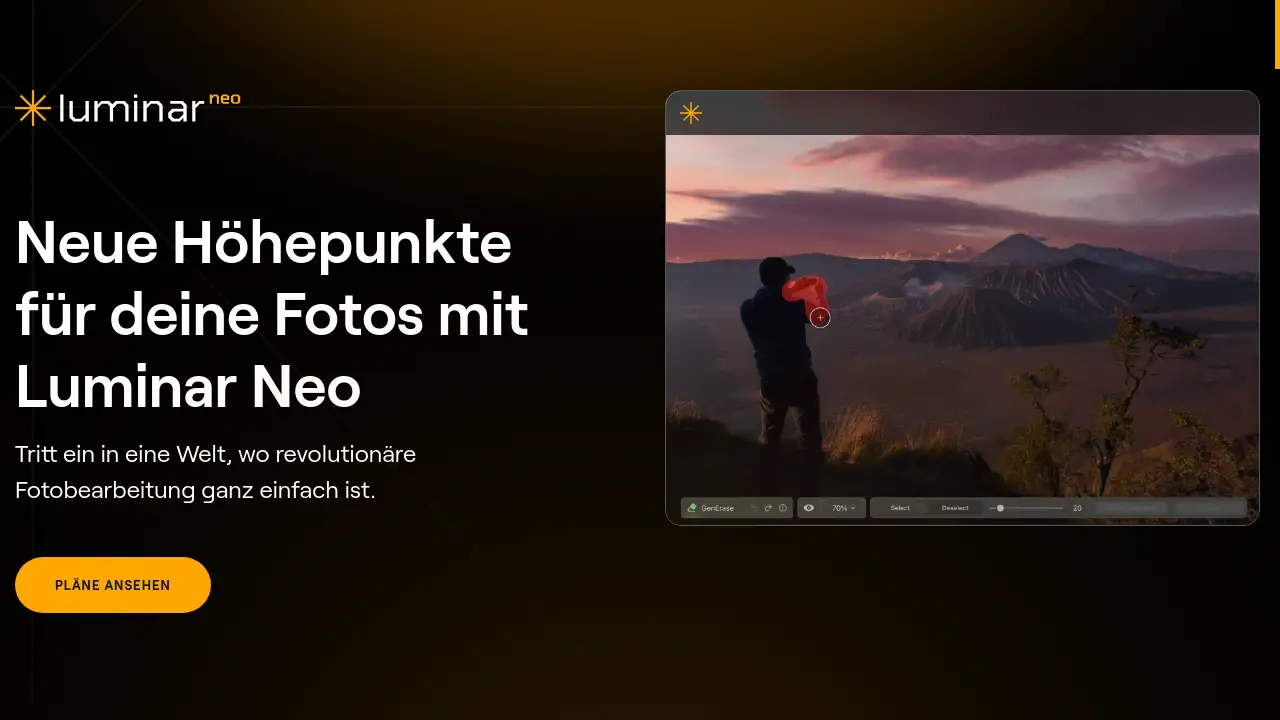
Discover Luminar Neo – the advanced image editing software for creative photography. Perfect your images with ease.
What is Luminar De?
Luminar De refers to the German version of Luminar Neo, the powerful AI-driven photo editing software developed by Skylum. This program is designed to simplify complex photo editing tasks, making professional-grade enhancements accessible to both beginners and seasoned photographers. It solves the problem of time-consuming and technically demanding post-processing by leveraging artificial intelligence to automate and enhance key aspects of image correction and creative styling. Suitable for hobbyists, content creators, and professional photographers, Luminar De is a versatile tool for anyone looking to elevate their digital images quickly and effectively.
Key Features of Luminar De
Erweiterte Bearbeitungsmöglichkeiten
The software offers a comprehensive suite of advanced editing tools, allowing precise control over contrast, exposure, and color to achieve high-quality results that match your creative vision.
AI Bildverbesserung
Utilize groundbreaking AI algorithms to automatically enhance image quality, bringing out the best in your photos with minimal manual effort.
Raw-Bearbeitung
Work directly with RAW files to preserve maximum quality and detail, giving you greater control over the final outcome of your image.
Unterstützung von Ebenen
Create complex compositions or subtle enhancements by layering multiple images, adjustments, or effects with full control.
Zerstörungsfreie Bearbeitung
Make all your edits without altering the original image file, ensuring your master files always remain intact and accessible.
AI-Powered Creative Tools
Access unique tools like Himmel AI (Sky AI), Generatives Löschen (Generative Remove), and Porträt mit Bokeh AI to add dramatic skies, remove objects, or create beautiful portrait backgrounds intelligently.
Ein-Klick-Presets und LUTs
Achieve professional looks instantly with a wide selection of AI-adapted presets and LUTs (Look-Up Tables), designed to stylize any photo with a single click.
Kombinierte Standalone- und Plug-in-Nutzung
Use Luminar Neo seamlessly as a robust standalone application or as a plugin within Adobe Photoshop, Lightroom Classic, or macOS Photos, fitting perfectly into any existing workflow.
Use Cases for Luminar De
Landschaftsfotografie Verbessern
Landscape photographers can use tools like Himmel AI and Dämmerungsoptimierer AI (Dusk Enhancer AI) to dramatically replace skies and enhance the mood of golden hour shots effortlessly.
Porträtretusche Vereinfachen
Portrait photographers benefit from Gesicht AI (Face AI) and Haut AI (Skin AI) for automatic facial feature enhancement and skin smoothing, creating flattering results quickly.
Objektentfernung und Bildbereinigung
Easily remove unwanted objects, power lines, or sensor dust from images using the precise Klonen-Tools (Clone Tools) or the powerful Generatives Löschen feature.
Stapelverarbeitung für Effizienz
Apply the same edits or presets to hundreds of photos at once using the Stapelverarbeitung (Batch Processing) feature, saving significant time for event or product photographers.
Kreative Stilisierung und Looks
Artists and content creators can experiment with color grading using LUTs, apply creative overlays, or use tools like Atmospäre AI to add realistic fog or mist for a unique artistic touch.
How to Use Luminar De
- Download and Install: Purchase and download Luminar Neo from the official Skylum website. Install the application on your macOS or Windows computer.
- Import Your Image: Open Luminar Neo and import your photo, either a JPEG or a RAW file, by dragging it into the workspace or using the import function.
- Apply Edits: Navigate through the various editing panels. You can start with an AI-powered preset for a quick transformation or manually adjust exposure, color, and detail using the sliders.
- Use Specialized AI Tools: For specific enhancements, explore tabs like "Professional," "Creative," or "Portrait" to access tools like Sky Replacement, Skin Enhancer, or Structure AI.
- Export Your Final Image: Once satisfied with your edits, click the "Export" button. Choose your desired file format, quality, and dimensions, then save the final image to your computer.
Target Audience for Luminar De
- Hobbyist photographers seeking an easy entry into photo editing.
- Social media content creators and influencers needing quick, impactful edits.
- Professional photographers looking to speed up their workflow with AI assistance.
- Bloggers and small business owners who create their own visual content.
- Photography enthusiasts interested in creative editing and artistic effects.
Is Luminar De Free?
Luminar De is not a free product. It is available through a one-time purchase license from Skylum. The company often runs promotional offers, and all purchases are backed by a 30-day money-back guarantee, allowing users to try the software risk-free. This pricing model provides full access to all features without recurring subscription fees, which can be a cost-effective solution for many users.
Frequently Asked Questions about Luminar De
Ist Luminar Neo für Anfänger geeignet?
Yes, Luminar Neo is well-suited for beginners. Its intuitive, award-winning interface and one-click AI presets make it easy to achieve great results without prior editing experience, while the advanced tools allow for growth.
Kann ich Luminar Neo als Plugin verwenden?
Absolutely. Luminar Neo functions both as a standalone application and as a plugin for Adobe Photoshop, Adobe Lightroom Classic, and as an extension for the Photos app on macOS.
Unterstützt Luminar Neo das Bearbeiten von RAW-Dateien?
Yes, Luminar Neo has full support for RAW-Bearbeitung, allowing photographers to work with the highest quality data from their camera sensors for optimal results.
Was ist der Unterschied zwischen Luminar Neo und Luminar De?
"Luminar De" simply denotes the German-language version and regional website for Luminar Neo. The software itself is the same globally, with language localization for the user interface.
Gibt es eine Geld-zurück-Garantie?
Yes, Skylum offers a 30-day money-back guarantee on purchases of Luminar Neo. If you are not satisfied with the software, you can request a full refund within this period.
Auf welchen Betriebssystemen läuft Luminar Neo?
Luminar Neo is compatible with both macOS (specific versions required) and Windows (10 & 11) operating systems.
Luminar De Tags
Luminar Neo, Bildbearbeitungsprogramm, AI Foto Editing, Raw-Bearbeitung, Fotobearbeitung Software, Sky Replacement AI, Portrait Editing, Presets und LUTs, Plugin für Lightroom, Plugin für Photoshop, zerstörungsfreie Bearbeitung, Stapelverarbeitung, Skylum